


The market is oversaturated with dozens of VoIP vendors, and it seems impossible to thoroughly review them all, let alone find the best VoIP service. Virtual phones are becoming increasingly prevalent, so the need to find the perfect one is ever-present for most businesses.
What is VoIP?
You need to know what cloud-based communication is when comparing VoIP providers. VoIP stands for Voice over Internet Protocol, meaning that the audio signal is transmitted over the internet rather than via traditional wires. This makes it a great option for anyone who wants to cut location ties and can call from anywhere, on any device, by simply logging into their account.
How does a VoIP service work?
As mentioned before, these phones work by transmitting your calls over the internet. That’s why they are also called cloud VoIP services: they let you store and share audio, video, and other files on their servers. This makes communication almost instant, provided you have good Wi-Fi quality.
The special thing about VoIP phone services is that neither caller needs to use them. A virtual phone number works like any other phone number, so you can dial it or add it to your phone contacts, just as you would with a traditional phone or SIM card.
The list of the best VoIP phone service providers
Here is the list of the best business VoIP service providers we rated for this article:
- MightyCall: best price-value voice over IP service provider.
- Grasshopper: known for its reliability.
- Line2: works with a slower internet connection.
- RingCentral: a well-earned reputation.
- Nextiva: an impressive tool set.
- 8×8: enterprise VoIP telephony system.
- Google Voice: a minimalistic solution.
- Dialpad: great for company virtual meetings.
- Vonage: superior audio quality.
- OpenPhone (Quo): one of the cheapest base plans.
- magicJack for Business: a voice-over-IP phone service and device provider.
- Ooma: a simple voicemail tree.
- GoTo Connect: all-in-one phone software.
- Phone.com: IP phones and analog adapters.
- Microsoft Teams Phone: a standardized business VoIP service for Microsoft users.
VoIP services: comparison
| VoIP Service | Price | Top features | Best for |
|---|---|---|---|
| MightyCall | $25 | Multi-level IVR, SMS, MMS, extra phone numbers: vanity, toll-free, or local calling from web, desktop, and mobile | Small and mid-sized businesses |
| Grasshopper | $18 | Business numbers, telephony features, calling from web, desktop, and mobile | Mid-sized business |
| Line2 | $9.99 | Business number, basic telephony features, calling from desktop and mobile | Solopreneurs |
| RingCentral | $30 | Business numbers, telephony features, calling from web, desktop, and mobile | Call centers and large teams |
| Nextiva | $23 | Business numbers, basic telephony features, calling from web, desktop, and cell | Call centers and large teams |
| 8×8 | Custom pricing | Business numbers, unlimited international calling, calling from web, desktop, and cell | International business |
| Google Voice | $10 | Local business numbers, calling from web, desktop, and cell | Solopreneurs |
| Dialpad | $27 | Business numbers, telephony features, calling from web, desktop, and cell | Call centers and large teams |
| Vonage | $19.99 | Business numbers, basic telephony features, calling from web, desktop, and cell | Small-mid-sized businesses |
| OpenPhone (Quo) | $19 | Business numbers, telephony features, calling from web, desktop, and cell | Call centers and large teams |
| magicJack for Business | $15.99 /mo/line | Business numbers, telephony features, calling from desktop, and cell | Larger teams within the US |
| Ooma | $19.95 | Business numbers, telephony features, calling from desktop, and cell | Small businesses in offices |
| GoToConnect | Custom pricing | Basic calling and functions | Solopreneurs with a small call volume |
| Phone.com | $18 | Business numbers, telephony features, calling from web, and cell | Small business, solopreneurs |
| Microsoft Teams Phone | $10 (paid annually) | Business numbers, telephony features, calling from web, and cell | Larger teams |
Top 15 VoIP providers: overview
1. MightyCall
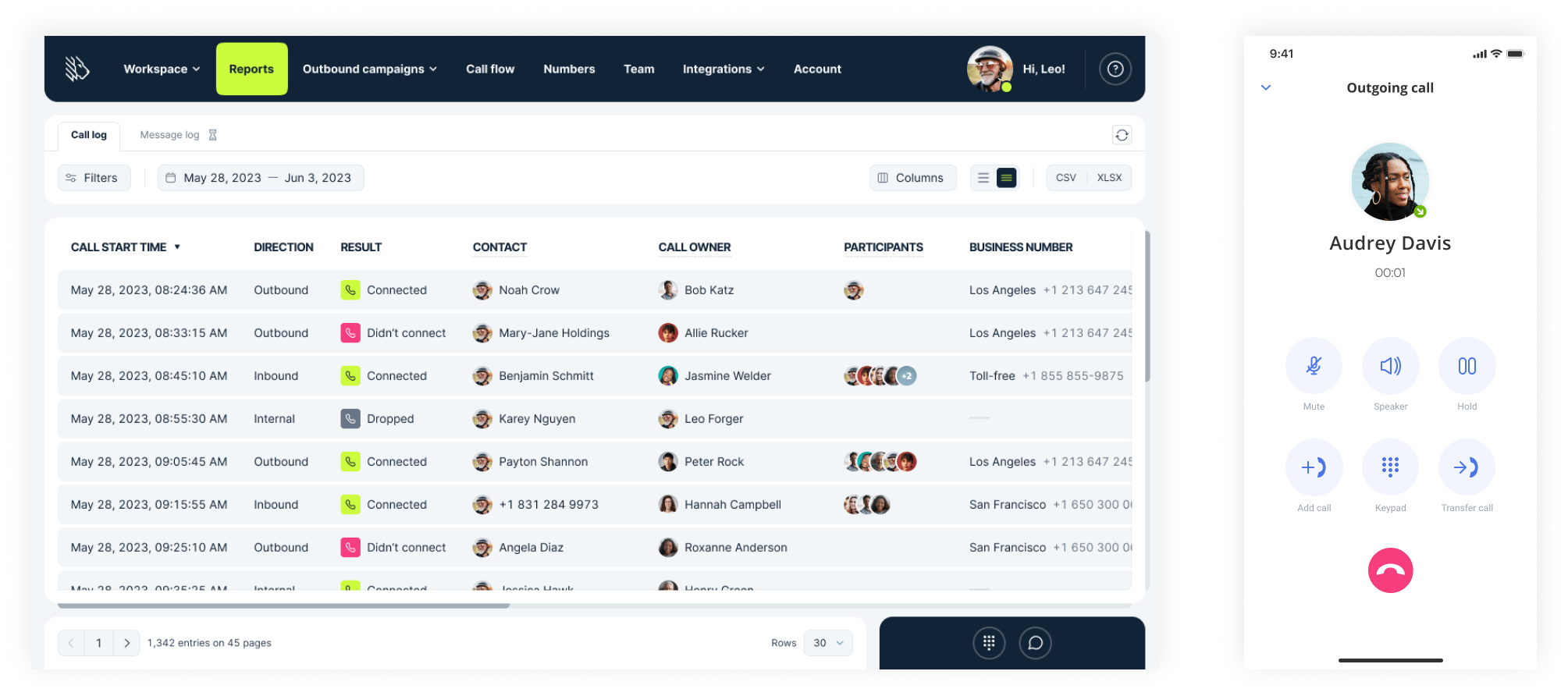
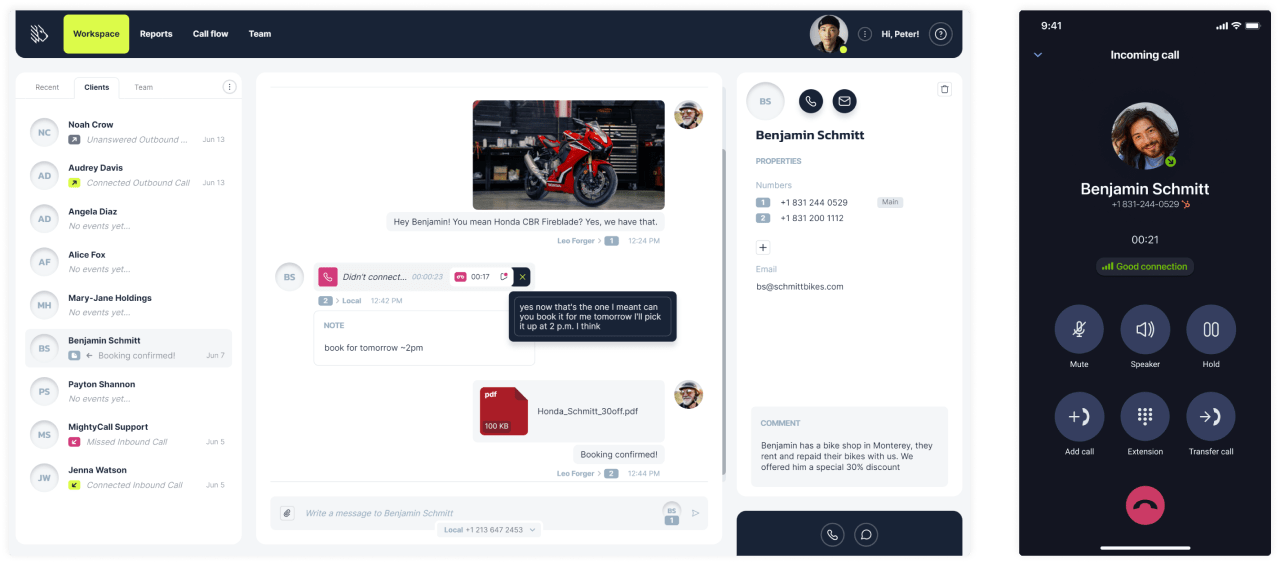
With over 30 calling choices and integrations, local, toll-free, and vanity numbers, MightyCall is a smart choice for companies of all sizes.
Why we picked it
MightyCall is known for one of the best customer support services among hosted VoIP providers, along with a generous feature set at a relatively low price. Another unique feature is that MightyCall offers plans based on your team size rather than feature sets, allowing every company to access all the necessary tools without paying for add-ons.
Best for
Medium-sized and small businesses
Pricing per month
- Core: from $25
- Pro: from $45
- Power: from $65
- Enterprise: Custom
Features
Including, but not limited to:
- Business numbers
- Audio calls
- SMS/MMS
- Conference calls
- Standard and Multi-Level IVR
- Call waiting
- Call recording
- Call screening
- Call log
- Auto dialer
- Live call monitoring
- Call coaching
Integrations
- HubSpot
- Salesforce and other CRM platforms.
- Over 1500 business applications on Zapier
User Experience
MightyCall users appreciate the platform’s practical, responsive customer support and convenient mobile access, which help make everyday communication simpler. Many say its simplicity and reliability make it an important tool for their business operations.
Customer Service
MightyCall has tons of demos and a helpful customer care team, accessible by live chat, phone, and email. Furthermore, all new clients receive free assistance with phone system setup, integrations, and other issues they may have.
Pros & Cons
| Pros | Cons |
|---|---|
| Convenient plans based on your team size without losing any important features | No fax option |
| Pricing transparency | The service is available in the cloud (browser profile) and as an app on all mobile devices; there is no desktop client. |
| AA multitude of features and integrations are included with the plans, and consistently adding more | MightyCall is primarily focused on small teams and mid-sized businesses rather than enterprises |
User reviews
G2 rating: 4.4/5


2. Grasshopper
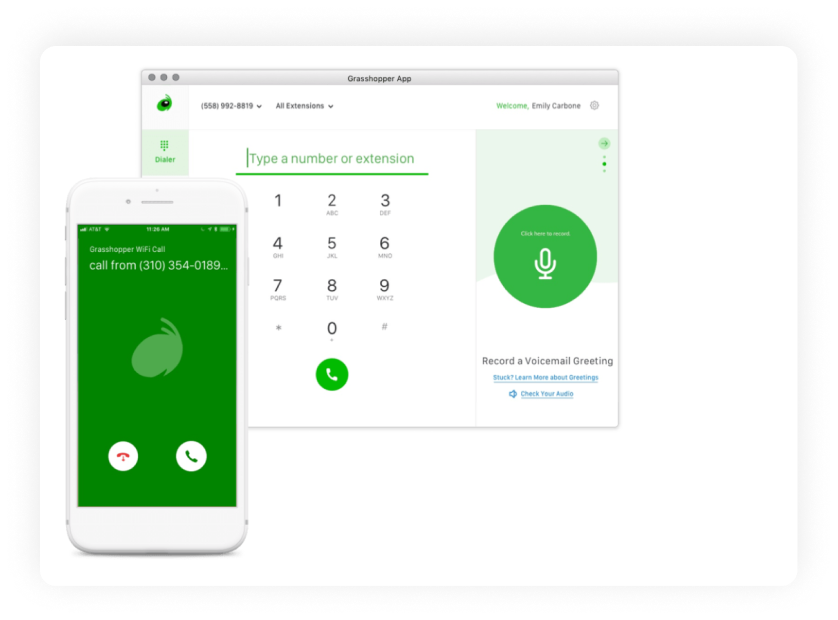
Grasshopper is one of the best VoIP phone systems, offering conventional virtual telephony as a long-standing service.
Why we picked it
Grasshopper’s UI is straightforward, and the service provides all the basic business phone functions. However, if you already use a virtual service and are seeking a standalone dialer, you will not be able to use their softphone for business until you switch to the service.
Best for
Grasshopper is one of the best internet phone services for mid-size teams with a need for standard calling functionality.
Pricing (user/month)
- True Solo: $18
- Solo Plus: $32
- Small business: $70
Features
Included, but not limited to:
- Business phone numbers
- Audio calls
- Messaging
- Conference calling
- Call forwarding
Integrations
- No native integrations with CRM systems.
- Zapier
- API
User Experience
Grasshopper’s layout is known to be simple and easy to use thanks to its experience in the market.
Customer Service
Their website suggests using the FAQs and Documentation to solve problems. If this doesn’t fit your criteria, there’s an option to “Call Support” at the end of relevant FAQ articles.
Pros & Cons
| Pros | Cons |
|---|---|
| Comprehensive business phone | Not applicable for users just looking for a dialer |
| Desktop, web, mobile dialer | Lacks deep business integrations. Many business features, like voicemail transcription, come as add-ons at an extra price |
| Allows interface customization |
User reviews
G2 rating: 3.9/5
Unreasonable hold times, inability to verify for SMS texting capabilities despite having all required information, loss of business due to these things.
Read the full review
3. Line2
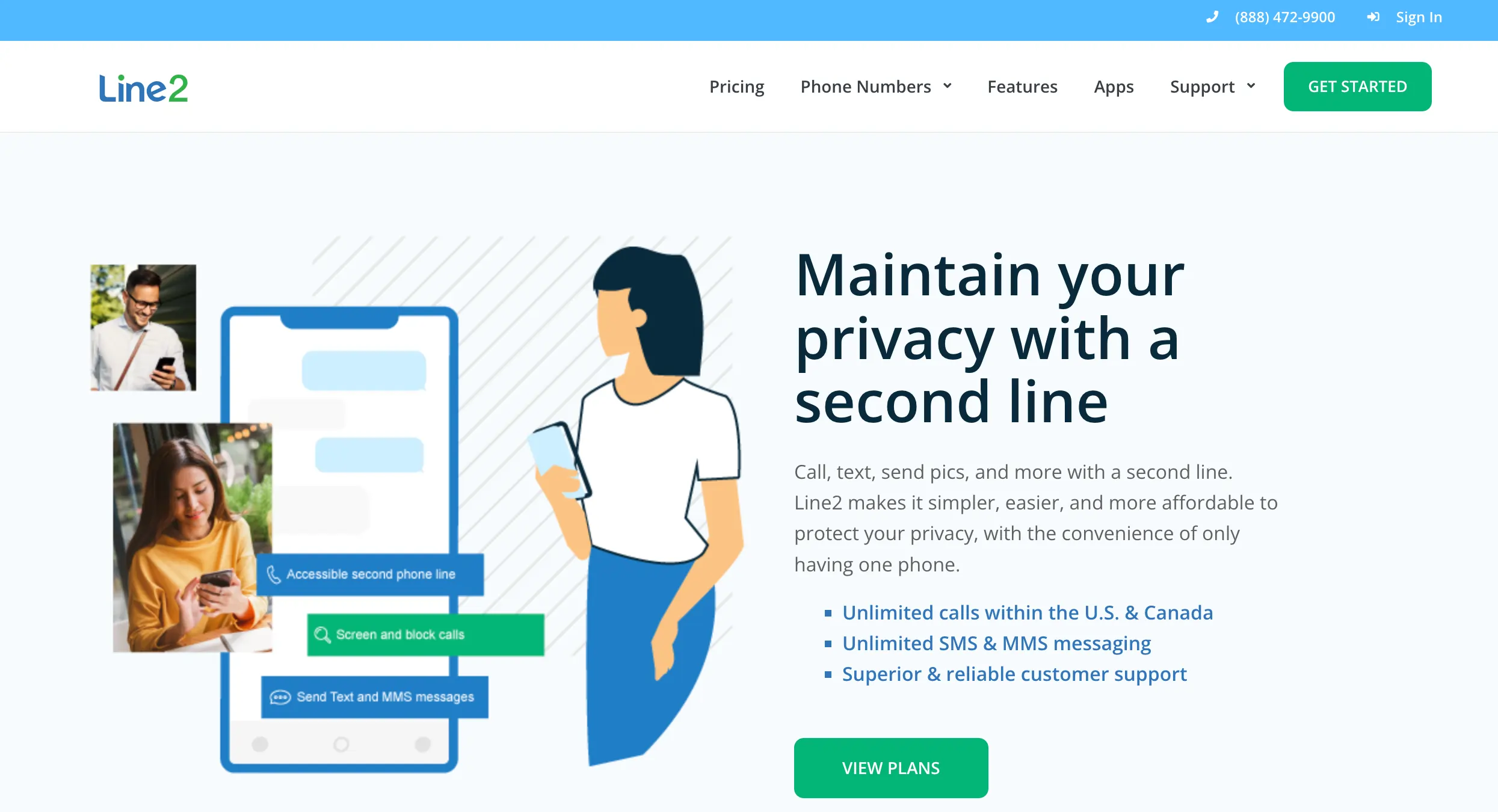
A simple service that can provide you with a second phone line, but it will not replace a full-fledged IP phone service for Mac due to a lack of extra capabilities.
Why we picked it
Line 2 is a straightforward, clean, and minimalist platform. There is only one plan, with monthly and annual payments available. You receive unlimited calling in the US/Canada, unlimited SMS/MMS, and basic PBX services for a relatively low fee. Good for solopreneurs yet restrictive for developing businesses.
Best for
Individual use, solopreneurs, small teams
Pricing (user/month)
$9.99 or $ 7.99/month annually
Features
Included, but not limited to:
- Business phone numbers
- Call screening
- Voicemail transcriptions
- Audio calls
- Messaging
Integrations
Not available
User Experience
Users appreciate the ease of use and design, but complain about frequent downtime.
Customer Service
Customer support can be reached via phone and email during work hours.
Pros & Cons
| Pros | Cons |
|---|---|
| Affordable pricing | Limiting, once you find yourself in need of extra features or a bigger plan, you will have to find a different VoIP service provider |
| Clear purpose that it fulfills | Poor quality reported in user VoIP reviews, especially on Wi-fi connection |
User reviews
G2 rating: 2.7/5
There are some downsides. Texting is glitchy and it only allows one photo (attachment) per text, Not great if, like me, you need to send multiple photos, you end up needing to send multiple texts.
Read the full review
4. RingCentral
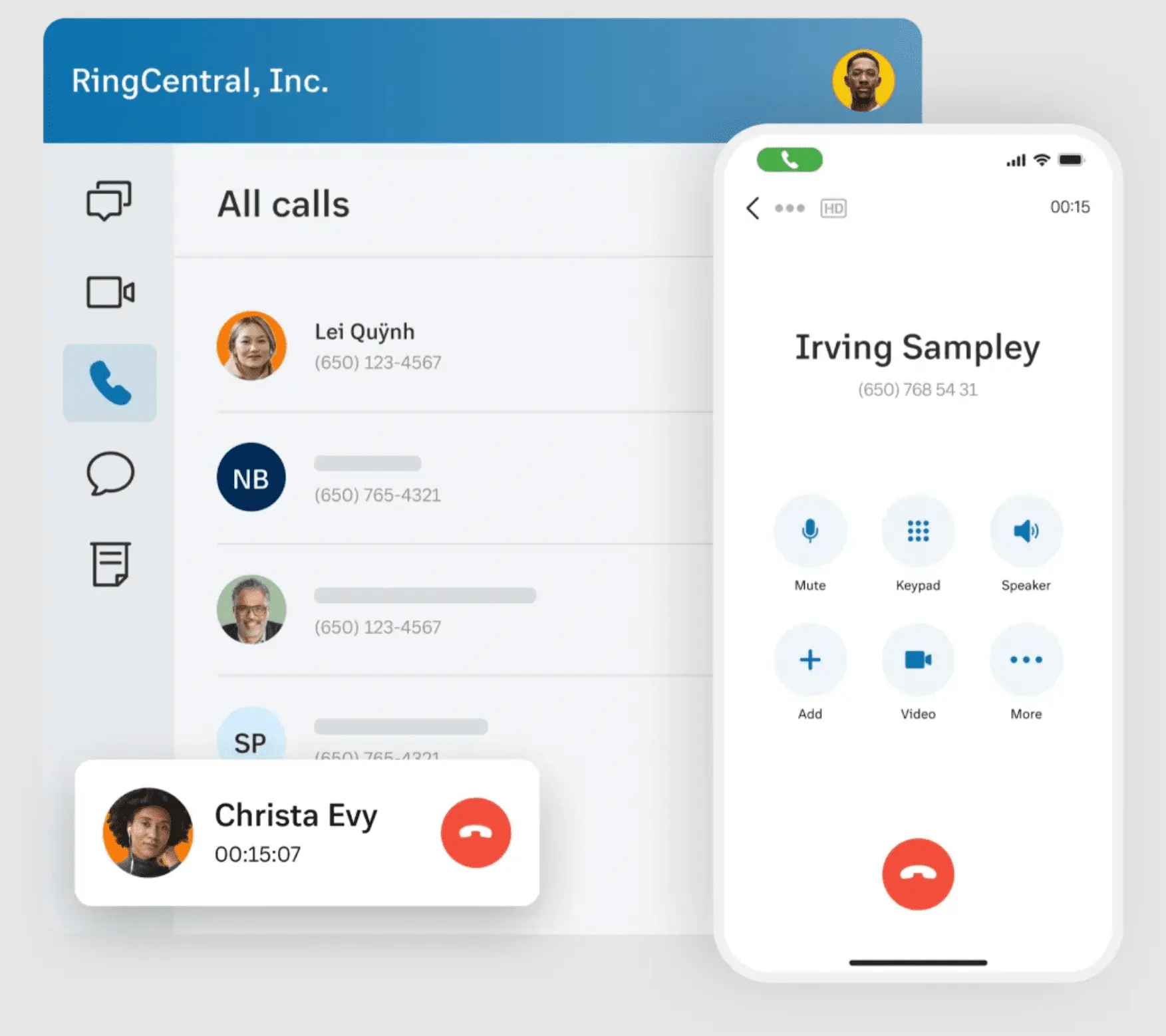
RingCentral is a seasoned provider of virtual phone numbers. The functionality and pricing strategy of this phone system are intended for large enterprises.
Why we picked it
RingCentral is one of the best VoIP providers on the market. It has a long-lived reputation and a high-quality connection. The platform also has several advanced features, but its plans are known to be the most expensive and basic in the industry.
Best for
Large teams/companies and enterprises
Pricing (user/month)
- Core: $30
- Advanced: $35
- Ultra: $45
- Customer Engagement Bundle: Contact sales
Features
Included, but not limited to:
- Business phone numbers
- Voice calls
- Video calls
- SMS
- Voicemail to text
Integrations
- Core:
Microsoft 365
Google
Slack - Advanced and Ultra:
CRM integrations (Salesforce, Zendesk, etc.)
Industry-specific integrations (Canvas, Smarsh, etc.)
User Experience
Customers appreciate the call quality, the app’s simplicity, and the system’s functions. There is a slight concern regarding the high prices and long-term contracts.
Customer Service
The company offers 24/7 support on Standard plans and above
Pros & Cons
| Pros | Cons |
|---|---|
| Includes enterprise-level telephony features on high-tier plans | Costly with few features on small-medium sized business plans |
| Offers many integrations on upper-tier plans | Long-term contracts |
User reviews
G2 rating: 4.1/5
The interface can sometimes feel a bit overwhelming at first — especially with so many features packed in — and it took me a while to get comfortable navigating everything.
Read the full review
5. Nextiva
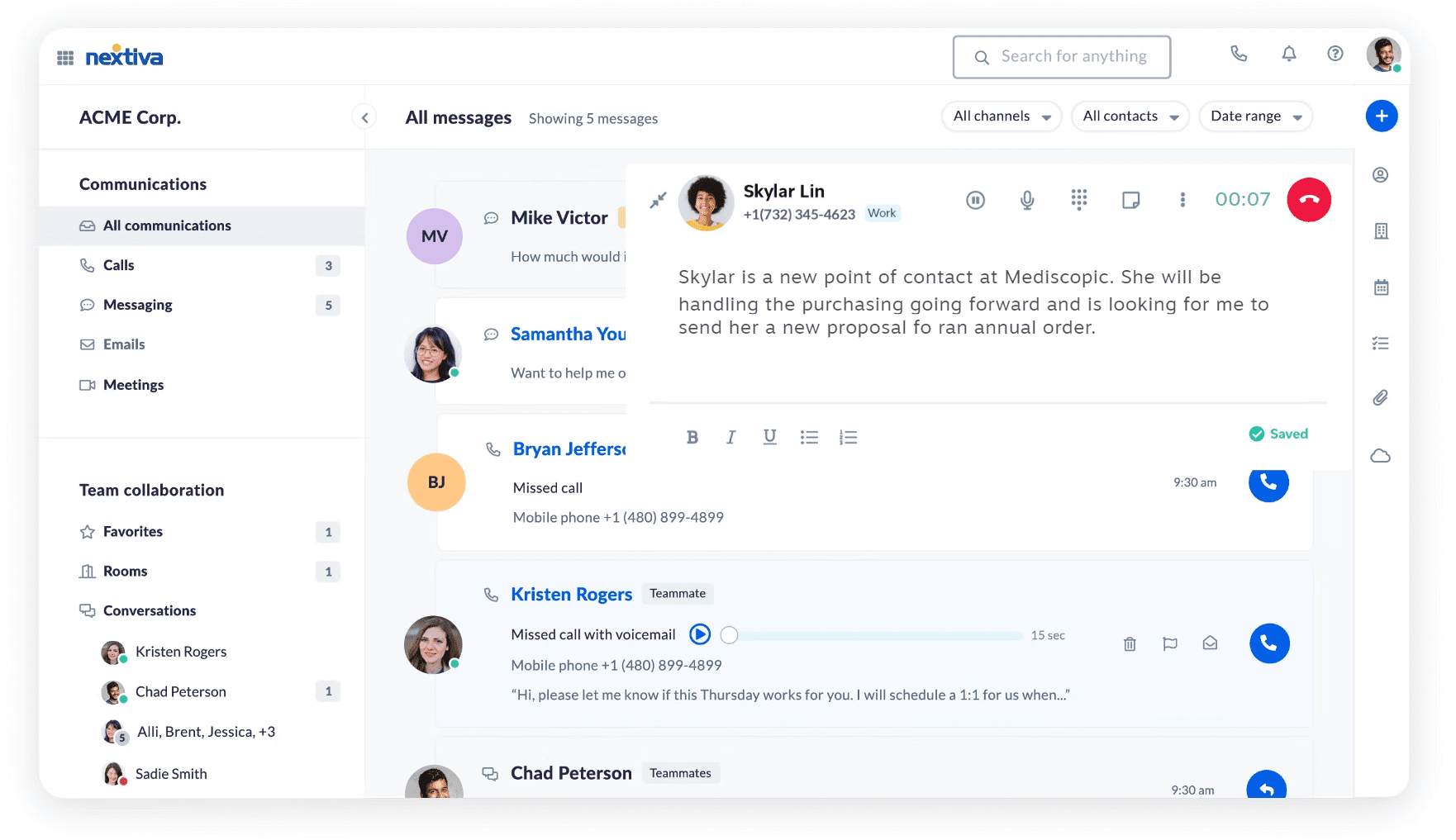
Named the “Best Business Phone Service” by U.S. News, Nextiva is definitely one of the most well-known VoIP platforms on the market.
Why we picked it
Nextiva is a well-recognized VoIP provider that has received awards and received good media coverage, making it a noteworthy service. It also has a great volunteer group, Nextiva Cares, that focuses on giving back to the community.
Best for
One of the best VoIP phone services for your business, small to mid-sized, if you are not looking for a great variety of features
Pricing (user/month)
- Core: $23
- Engage: $50
- Power Suite: $75
Features
Included, but not limited to:
- Unlimited voice & video calling
- Voicemail
- Toll-free numbers
- Outlook/Google Contacts Integrations
- Unlimited internet fax
Integrations
Google and Microsoft integrations
User Experience
Nextiva customers praise it for its help with call organization, but there are a few complaints (and praises) about the support services and the app’s complexity. Based on ratings and reviews, Nextiva is a platform your team will either love wholeheartedly or reject and move on to a different provider.
Customer Service
There is a video hub, an FAQ service, a chat, and an option to submit a ticket.
Pros & Cons
| Pros | Cons |
|---|---|
| Great call quality | Lacks integration variety |
| A customizable auto-attendant | The app is reported to be buggy and slightly confusing |
User reviews
G2 rating: 4.5/5
The only thing I don’t like is the Spam call blocking; it recognizes and identifies them but doesn’t block them permanently.
Read the full review
6. 8×8
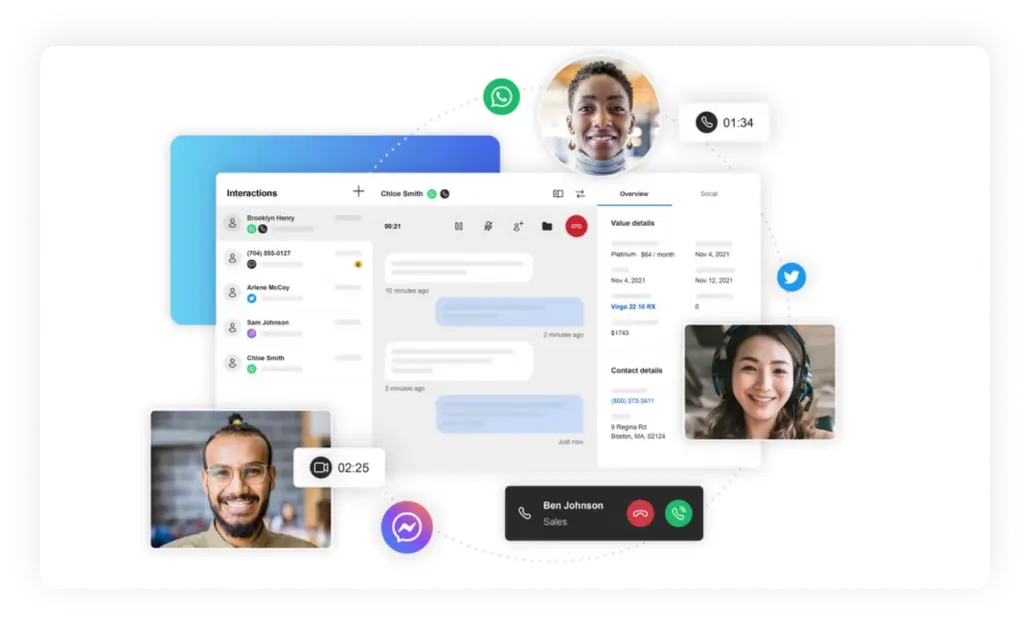
8×8 is an established VoIP provider known for high-quality recordings and convenient message alerts.
Why we picked it
As one of the biggest players in the market, 8×8 is a popular VoIP service option that any VoIP brand’s ranking should include. It has a solid feature set and a global plan with 40 international locations.
Best for
Businesses with a large volume of international calls that are looking for a long-term contract
Pricing (user/month)
Pricing varies based on business needs, customization, and user count. Contact their sales team to find out the specific cost.
Features
Including, but not limited to:
- Business phone numbers
- Audio calls
- Document sharing
- Streaming of meetings on YouTube
- Analytics
Integrations
- Microsoft Teams
- CRM, productivity, and service apps on X2 plans and up.
User Experience
Customers of 8×8 laud the company for its assistance with call organizing, although there are a few concerns (and compliments) regarding the company’s support services and the ease of integration.
Customer Service
Manuals, FAQ, and live chat.
Pros & Cons
| Pros | Cons |
|---|---|
| Unlimited international calling | Vanity numbers unavailable |
| Solid integrations | The app is reported to be buggy and slightly confusing |
| Most users note the ease of transition between devices | Long-term contract with a penalty for premature termination |
User reviews
G2 rating: 4.2/5
I like what they have done with the smarter AI connect with their products, better admin controls and even more deeper integrations across the systems.
Read the full review
7. Google Voice
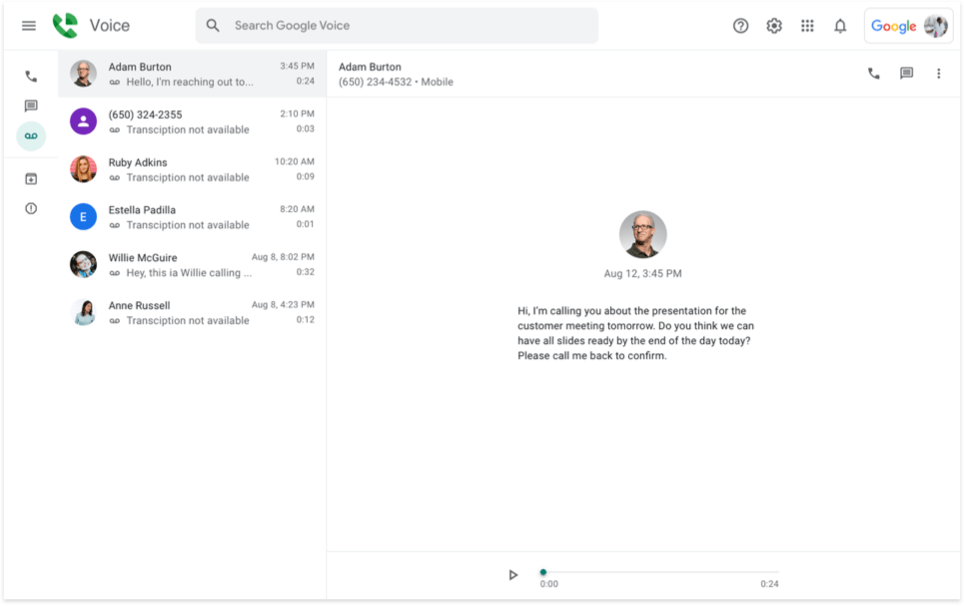
Google offers a telephone VoIP service for businesses that integrates easily with other Google products.
Why we picked it
Google Voice is part of one of the most well-known VoIP telephone services, so it was an intuitive choice to include it in our review of VoIP services. If you are using other Google products, Google Voice will automatically come up as an option.
Best for
Small businesses with a small call volume
Pricing (user/month)
- Starter Plan: $10 USD
- Standard Plan: $20 USD
- Premier Plan: $30 USD
Features
Included, but not limited to:
- International calls to Europe from the USA
- Texts and phone calls
- Phone apps
- Web application
- SIP Link for plans above Starter
Integrations
- Google Suite
User Experience
Google users will feel very comfortable with the interface; it is a lighter option for those who are not interested in diving head-deep into professional VoIP solutions. Users complain about the lack of features included with the plans, but keep in mind that Google Voice is just part of the ecosystem rather than a standalone product specifically designed for voice over IP.
Customer Service
24/7 via the Google Voice Help page with its FAQs and the help community forum
Pros & Cons
| Pros | Cons |
|---|---|
| Unlimited international calling | Vanity numbers unavailable |
| Solid integrations | A multitude of fees: activation, deactivation, and other subscription fees |
| There is a free basic option for personal use with limited features | Long-term contract with a penalty for premature termination |
User reviews
G2 rating: 4.1/5
Super simple and basic. Wasn’t able to do many “enhanced” things like, keeping a text unread, or having auto-responses setup, etc. Worked great for just a small family business, but once we stared to grow, we just needed something more robust.
Read the full review
8. Dialpad
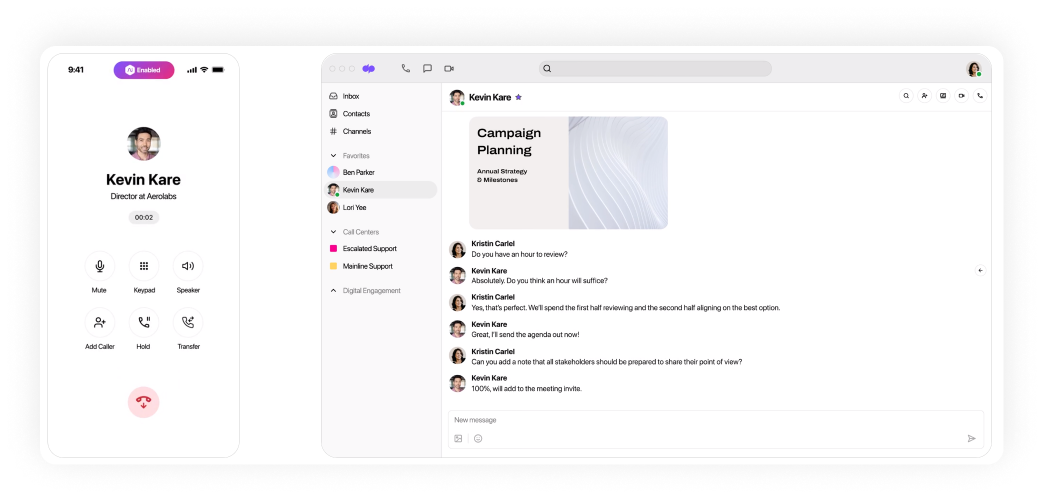
Dialpad has traditionally positioned itself as a viable VoIP solution for mid-sized organizations.
Why we picked it
Dialpad is one of the best-known systems on the market, as it was created by a talented team of ex-Google Voice employees and designed to be feature-rich. It has been around for a long time, and it should be considered when choosing a VoIP provider for your team.
Best for
Mid-sized businesses and enterprises
Pricing (user/month)
- Standard: from $27
- Pro: from $35
- Enterprise: Contact them for custom pricing
Features
Included, but not limited to:
- Phone app
- Call forwarding
- IVR/Multi-level IVR
- Call recording
- Voicemail/voicemail to text
Integrations
Standard option: Google and Office 365 integrations
User Experience
Founded and maintained by a small group of former Google Voice employees, it offers more capabilities than Google Voice ever did. This means that it is a feature-rich system with a great design.
Customer Service
- 24/5 through chat and web for regular clients
- 24/7 support for Pro and Enterprise customers
Pros & Cons
| Pros | Cons |
|---|---|
| Many integrations for Pro and Enterprise plans | Priority live agent support is only available at the Enterprise option |
| MMS is included in all plans |
User reviews
G2 rating: 4.4/5
The only real downside is that the call forwarding structure—on both a user and administrative level—needs more development.
Read the full review
9. Vonage
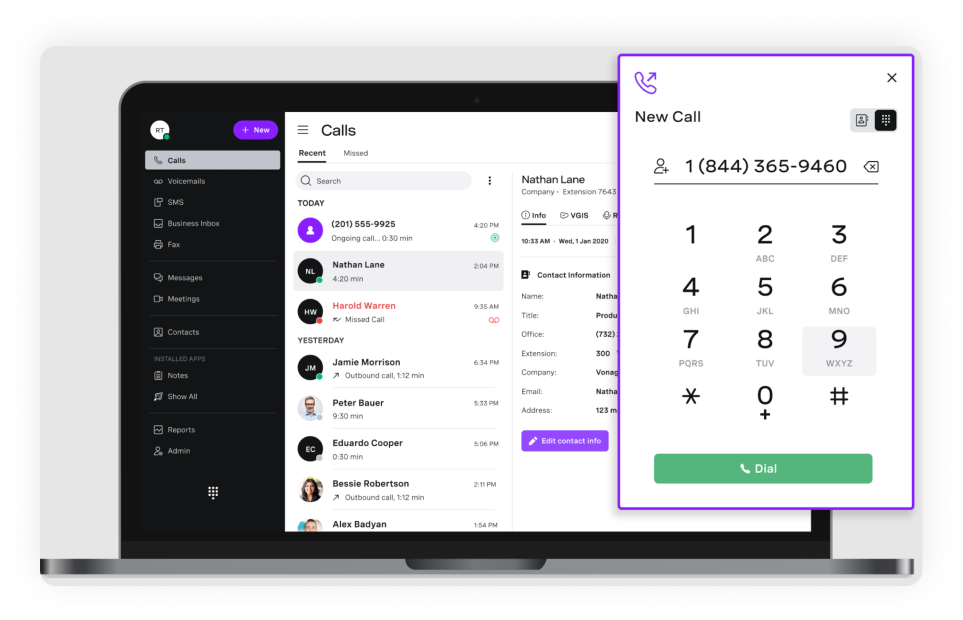
Vonage is a VoIP phone provider for business communications, offering over 40 powerful features with its plans.
Why we picked it
Vonage has a lot to offer: its service offers exceptionally high quality and great uptime for unlimited calling and texting. On top of everything, Vonage has one of the most stylish designs available on the market.
Best for
Small to mid-sized businesses
Pricing/line/month
- Mobile: from $19.99
- Premium: from $29.99
- Advanced: from $39.99
Features
Included, but not limited to:
- Phone and desktop apps
- Vonage App Center
- Unlimited Team Messaging
- Unlimited Calls and SMS
- Multi-level auto attendant on Premium Plan
Integrations
CRM Integration for Premium and up
User Experience
Users tend to love Vonage’s clean interface, features, and call quality. There is a complaint about Vonage numbers getting marked as spam and the customer support team’s inefficiency.
Customer Service
Customer support is available via phone (7 days a week, with varying hours), a community forum, and by opening a case on the website.
Pros & Cons
| Pros | Cons |
|---|---|
| A beautiful and easy-to-use interface | Hidden costs, add-ons, and extras |
| High call and audio quality | There are some complaints about the customer service |
User reviews
G2 rating: 4.3/5
Easy setup for calling and messaging and integration with other tool.
Read the full review
10. OpenPhone (Quo)
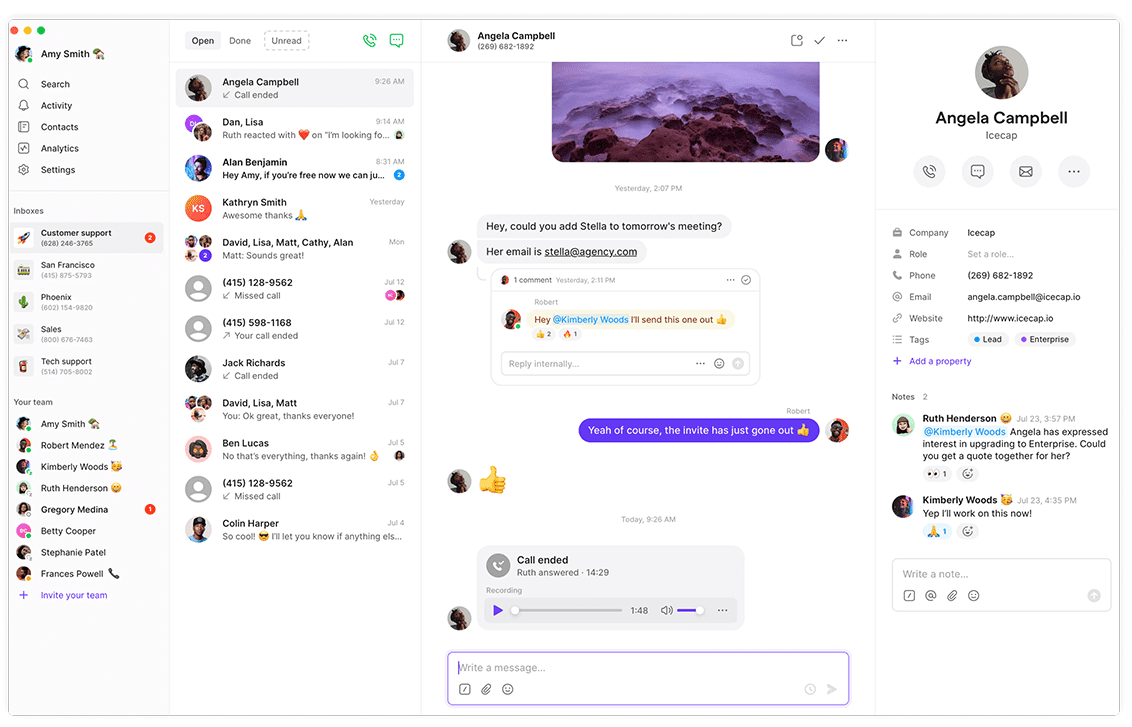
A VoIP service with a good reputation, Quo (OpenPhone) is primarily targeted towards small and medium-sized organizations. It has a good range of pricing options and a strong feature set.
Why we picked it
OpenPhone is well known in the market for its great UX, integrations, and high-quality calling services. It supports international calling, includes auto-attendants, and offers other useful features.
Best for
Call centers and large teams
Pricing (user/month)
- Starter: from $19
- Business: from $3
- Scale: from $47
- Sona: Credits-based
Features
Included, but not limited to:
- SMS/MMS
- Webphone
- Phone app
- Call forwarding
- A simple IVR
Integrations
- Email, Slack, Google Contacts, Hubspot CRM
- Zapier for an extra cost
User Experience
Customers like the app, the variety of features, Slack integration, and toll-free numbers. There is sometimes a lack of customer support for the basic plans.
Customer Service
- FAQ section, chat box with a form;
- Priority support is available for the Scale plan.
Pros & Cons
| Pros | Cons |
|---|---|
| The snippets feature creates custom, readily available templates for text messages. | Does not have the automated texting option without the Zapier integration. |
| The desktop app has a stylish dark interface. | Customer support is only available via email, unless you have an enterprise plan. |
User reviews
G2 rating: 4.7/5
Quo makes difficult conversations incredibly easy to handle. As a business owner, the platform saves me time, protects my revenue, and gives me a clear and professional system for resolving disputes.
Read the full review
11. magicJack for Business
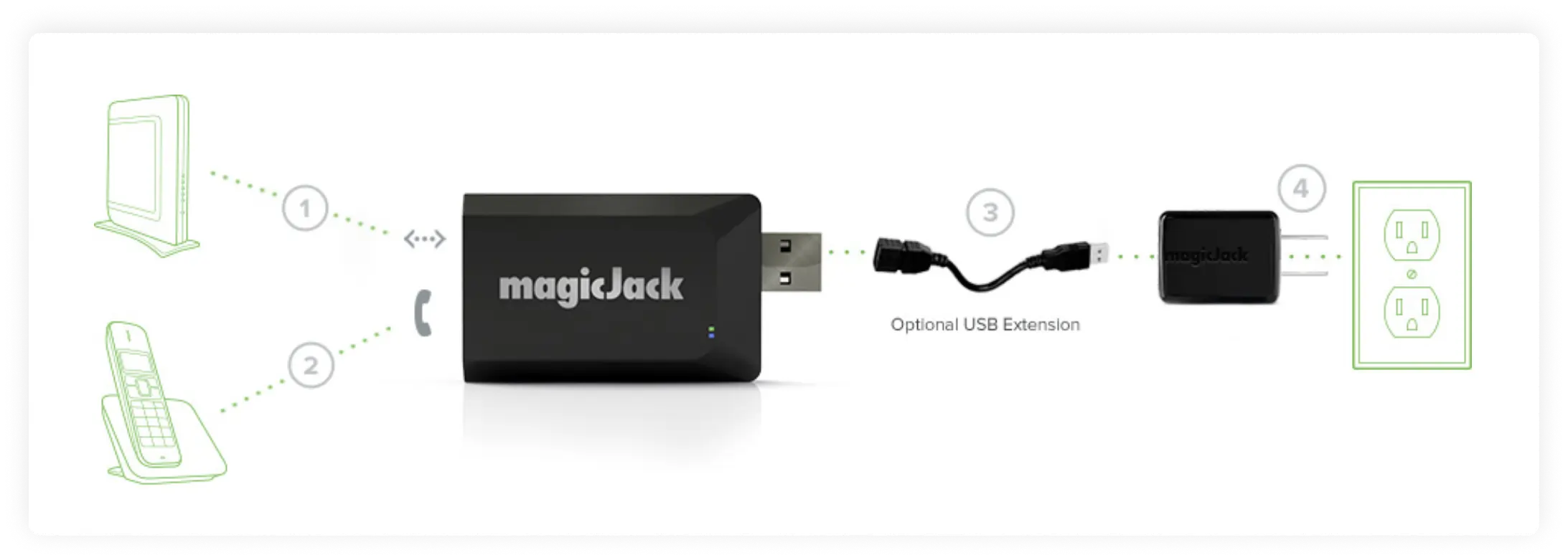
MagicJack’s VoIP plans include free unlimited calls from the U.S. & Canada and great feature sets.
Why we picked it
This list of VoIP providers needs more quality options. The plans are based on the number of years in the contract: from one to three. This is a nice option that can protect your budget over the long term, though it does require commitment.
Best for
Larger teams within the US
Pricing/contract
- VoIP with 1 phone number: $15.99
- Corded Phone: $54.99
Features
Included, but not limited to:
- Voicemail
- Call forwarding
- Call blocking
- Number porting
- Free unlimited incoming calls from the US and Canada
Integrations
None listed
User Experience
Users report that the service is reliable and easy to use, while others complain that switching telephony providers is difficult.
Customer Service
A FAQ page, issue reports on the website, or an email
Pros & Cons
| Pros | Cons |
|---|---|
| Convenient contracts that “freeze” the same price for years | No short-term option |
| Ease of use | Not the most available customer support |
User reviews
G2 rating: 3.3/5
Their customer service is at times impossible to reach via phone. I’ve had days where I cannot get through.
Read the full review
12. Ooma
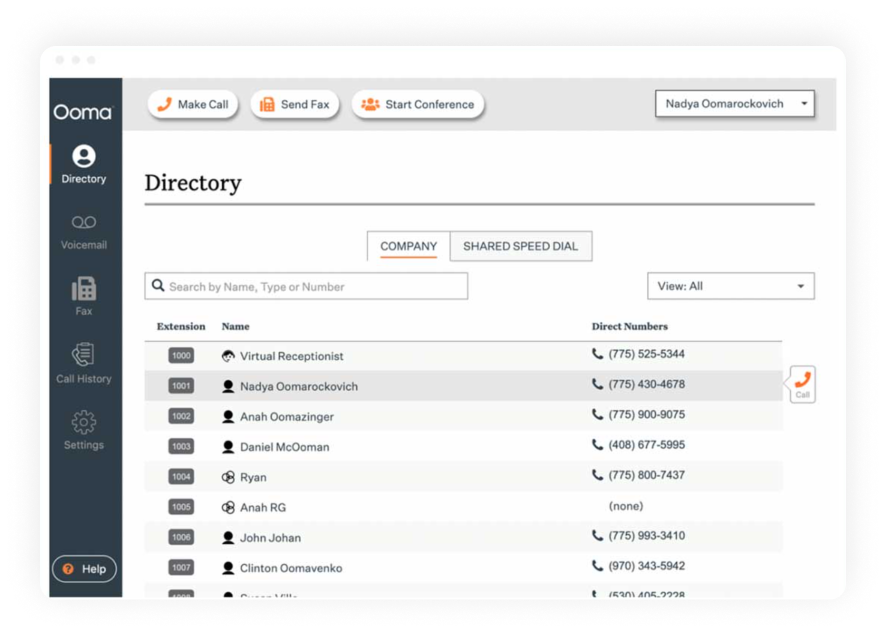
Ooma stands out from the other providers on our list because its product can be used without a computer. Ooma also sells separate hardware, such as IP desk phones.
Why we picked it
Ooma deserves to be included on the list for its unique services, since most other VoIP providers do not sell hardware. Ooma is a very successful marriage of traditional, old-school tools with modern technology.
Best for
Small business office use
Pricing (user/month)
- Essentials: $19.95
- Pro: $24.95
- Pro Plus: $29.95
- Enterprise: Custom pricing
Features
Included, but not limited to:
- Business phone numbers
- Audio calls
- Virtual receptionist
- Virtual fax
- Call forwarding
Integrations
Salesforce integration is available only on the highest-tier plan, Ooma Office Pro Plus.
User Experience
The service is highly valued by its customers, and although there are some complaints about processes like number porting being slightly confusing, most VoIP phone reviews praise the service and its numerous products.
Customer Service
Support is available via documentation manuals and phone 24/7.
Pros & Cons
| Pros | Cons |
|---|---|
| Office-centric | Most business calling features demand a Pro subscription |
| Works with both softphone systems and IP desk phones | Softphone app on Pro plan and above only |
| Has simple voicemail trees | Limited integration, only on Pro Plus |
User reviews
G2 rating: 4.6/5
I love how intuitive and easy to use Ooma Office is. It provides a great user experience, especially when working remotely. The initial setup was very easy too.
Read the full review
13. GoTo Connect
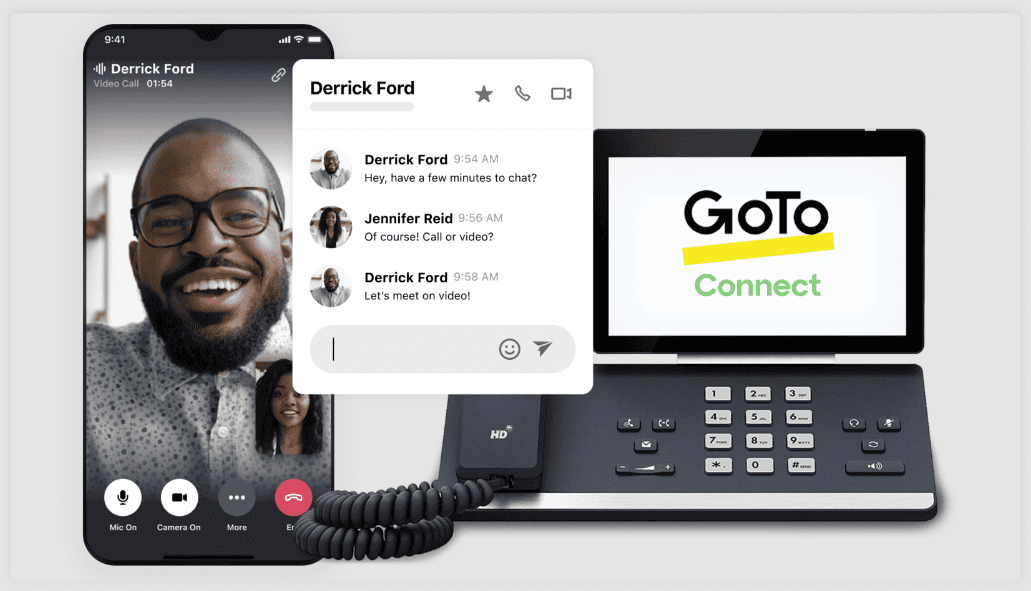
A simple and secure top VoIP provider with a great design for the not-so-tech-savvy users.
Why we picked it
GoTo Connect is one of the most popular services on the market; it has a solid yet not the most extensive set of features, which would be a welcome addition for most businesses.
Best for
Solopreneurs with a small call volume
Pricing (user/month)
Pricing is not indicated on the website; you will need to contact their sales team.
Features
Included, but not limited to:
- Voice calls
- Call flows
- Analytics
- Video meetings
- Admin controls
Integrations
- HubSpot
- Salesforce
- Google Calendar
- Microsoft Teams
User Experience
Users report that it is easy to manage and has a great UX, but they complain about poor app call quality.
Customer Service
Via community forum, and form submission
Pros & Cons
| Pros | Cons |
|---|---|
| Great UX design and ease of use | A rather high price of VoIP services compared to the market |
| Automated Content Recap | A limited feature set |
User reviews
G2 rating: 4.4/5
I like GoTo Connect for its ease of use and the flexibility it offers. This platform is robust and meets most needs without the necessity for additional, costly licenses.
Read the full review
14. Phone.com
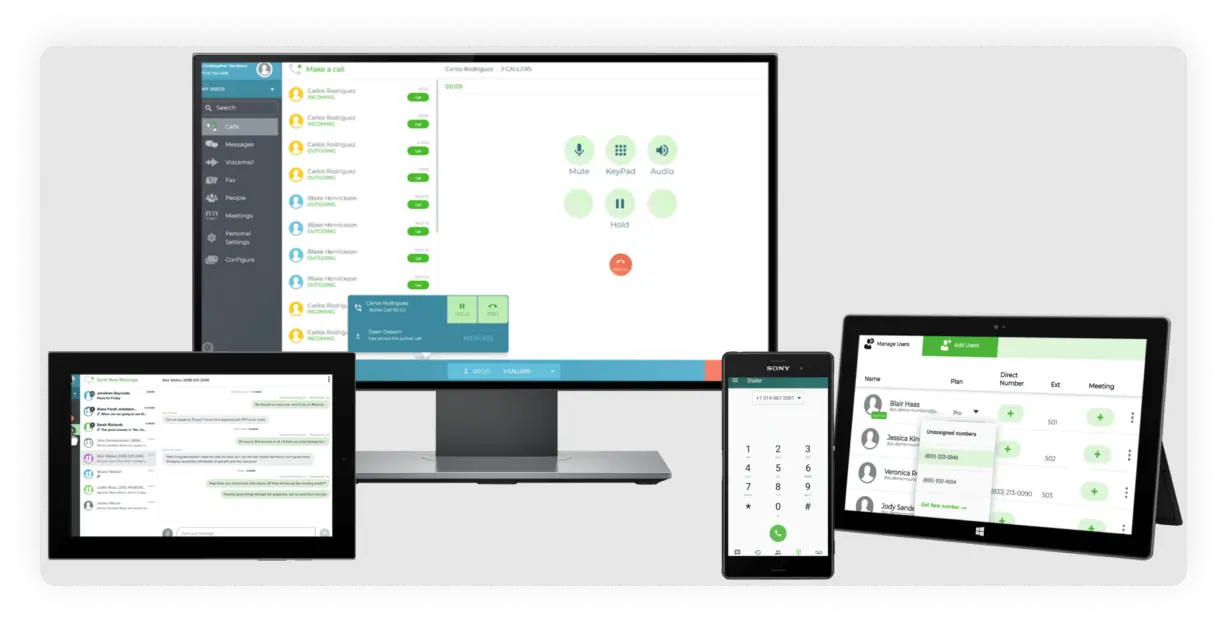
Phone.com is a VoIP phone system that offers call forwarding, phone numbers, and the ability to place calls from internet-connected devices.
Why we picked it
Phone.com has a loyal customer base. This top business VoIP provider has a solid basic plan, and the customer service is apparently on par. This provider covers most essential needs of the smaller teams. It is affordable and worth considering.
Best for
Growing teams, small businesses, and solopreneurs.
Pricing (user/month)
- Basic: $18
- Plus: $27
- Pro: $40
Features
Including, but not limited to:
- Business phone numbers
- Auto attendant
- Voicemail and transcription (the latter on Pro plan only)
- Call routing
- Audio calls
Integrations
Only available with the Pro Plan:
- Zapier
- Zoho Office Suite
- AllProWebTools CRM, and Chrometa time tracking
- Native integrations with CRMs: HubSpot, Salesforce, and PipeDrive
User Experience
Users have some complaints about call quality, but they tend to like the provider’s user interface and ease of use.
Customer Service
24/7 service via live chat, email, and phone.
Pros & Cons
| Pros | Cons |
|---|---|
| An impressive amount and variety of features | The additional business numbers come at an extra cost |
| Large team benefits: video conferencing with up to 100 participants on the Pro plan | The basic plan has limited features and only 500 pooled minutes |
User reviews
G2 rating: 3.5/5
The company truly shines with exceptional products, and this employee was a standout asset whose contributions made a significant difference.
Read the full review
15. Microsoft Teams Phone

A cloud-based calling solution from Microsoft that helps keep your team comfortable when making phone calls and holding conferences.
Why we picked it
Many Microsoft users would feel that adding another product from the same provider would make it easier for the team to make calls and adapt.
Best for
Large cross-functional teams
Pricing (user/month/paid annually)
- Microsoft Teams Phone Standard: $10
- Teams Phone with pay-as-you-go calling (country zone 1 – US): $13
- Teams Phone with Calling Plan (country zone 1 – US): $17
- Teams Phone with domestic and international calling: $34
Features
Included, but not limited to:
- Basic call control
- Make and answer calls
- Merge calls
- Transfer and ring back
- Transfer calls between devices
Integrations
Integrates with the Microsoft Office Suite
User Experience
This service is intuitive for Microsoft users and is praised for its high reliability. However, it can sometimes be difficult to integrate if you are not used to it.
Customer Service
Via phone numbers, depending on your location
Pros & Cons
| Pros | Cons |
|---|---|
| Convenient for Microsoft Teams users who like the interface and want to have a trusted provider | Limited flexibility |
| A clean and simple interface | Was not developed as a separate provider solely focused on cloud-based communication |
User reviews
G2 rating: 4.4/5
Microsoft Teams can sometimes feel cluttered, particularly when you’re juggling lots of channels and constant notifications. The interface also has a bit of a learning curve, and finding older messages or specific files isn’t always as straightforward as I’d like.
Read the full review
How we ranked these 15 best VoIP providers
We were looking to create a diverse list of providers, most of which are well-known VoIP companies. It is important to note that every provider is unique and may be perfect for your business, regardless of their ranking. However, we focused on the following when selecting VoIP packages for our list:
- Features: What features does each business phone system offer? Will you get your money’s worth or will you barely be able to make calls? Are there any special add-ons?
- Price (affordability): Can you afford it? What will you get for your money’s worth when choosing between the systems? What plans are available for your company? Are there any hidden costs, and is there a price comparison?
- Integration simplicity: How easy will it be to integrate the product into your company? What integrations are available? Will you have the freedom of choice?
- Amount of calls: Is there a limit? Will you have to pay extra to purchase more? Will the calls be limited to local only? How about international calls? How about texts?
- Customer support: How long will it take for your concerns to be resolved? What are the methods of communication? Does the provider offer an FAQ or live chat?
- UI: Will you need to watch hour-long instruction videos, or is the user interface intuitive? Is the design clean and simple? Will you know how to make a call? Is the dial pad comfortable?
- Stability: Will your company be losing customers due to VoIP system failures? Will the audio calls drop unexpectedly, and what is the uptime? Are the apps lagging?
Key features of VoIP providers
Here are the features you want to look for in the best VoIP companies:
- SMS/MMS: Calls are not always accessible and are sometimes considered intrusive in the modern world. SMS and MMS features expand your client communication field and let you share information without format limitations.
- Mobile app/webphone: Can you use the app on your phone, and can your team use the service to make calls from a desktop? This defines the flexibility of your business communication.
- Call forwarding: Will you have to take the call regardless of your availability, or can you conveniently forward calls to a colleague? Passing calls along to the team can be crucial to leaving a positive impression on your clients.
- IVR/Multi-Level IVR: When your client calls you, will they be greeted by a beeping sound, or will there be a friendly voice welcoming them to the pre-recorded information points or to the right department?
- Call recording: Will you have your own personal archive with the communication history? Will there be an easy way to supervise your operators and ensure exceptional service quality?
- Voicemail/voicemail to text: When your clients call after hours, it is important to give them a chance to be heard. It is equally important for your operators to have a quick way to check your voicemail, such as by converting it to text.
- Conference calling: Will you be able to have multiple people on the call?
- Mini-CRM functionality: Will the customer data be managed properly, and does it deliver insights?
How much does VoIP phone service cost?
You could find a service for free, or you can also be looking at a few hundred dollars per month. The free options will, of course, have fewer features and may have lower call quality, but most importantly, you cannot expect much from a free service.
This is why providers with lower-cost plans will be a better option for you if you are trying to save money. You should be able to find the best VoIP phone service perfect for your team from $10 to $25 USD per person per month.
What equipment do I need for VoIP service?
One reason this type of communication is popular is its ease of setup. There are only a few things required:
- The best available internet connection. For a steady, interruption-free call, we recommend choosing 100 kbps or higher.
- A web client or your mobile service. Without a VoIP service, you cannot have a number accessible via the internet.
- A contemporary gadget that can support a reliable internet connection. It can be done via a computer, a cell phone, or a tablet.
Some items are optional:
- Headphones or a headset. If your device doesn’t have a speaker or microphone and can’t record or play audio, a headset will fix the problem and let you benefit from better audio quality.
- An adaptor. You will need a virtual phone adapter to convert analog audio signals into digital IP packets if you wish to use your standard phone system with a virtual phone line. It is necessary for the operation of all virtual lines.
VoIP phone service providers: Pros and cons
VoIP phone service providers have pros and cons to consider before switching from a traditional landline.
Pros of VoIP phone service
- VoIP phones are not tied to a specific geographic location. This will let you expand your office internationally or be more flexible with your employees’ locations. You can become a digital nomad and simplify the job for people who are not able to make it into the office.
- Virtual phones are accessible on multiple devices. This means you can access your account from any device with an internet connection. Switching from your phone to your laptop will open a wide door of possibilities.
- VoIP phone services usually come with dozens of useful features. With the right provider, you will be able to have extras, such as a multi-level IVR or business contacts, for free.
- The costs tend to be lower than the average traditional phone line costs. No need to pay for equipment or rental fees, and a useful package of features makes VoIP a very attractive alternative.
- Virtual phone services are easier to scale and can be easily ported. You can get more phone numbers and make them toll-free or vanity numbers within a few seconds.
Cons of VoIP service
- Phone services with VoIP communication require a stable internet connection. This means that making calls during a snow or rain storm may not be possible, and your dream about going off to live in a lonely cabin in the middle of the forest will have to wait.
- The connection can be laggy based on the app or the provider you select. You will need to ensure perfect compatibility among your phone, your app, and your internet provider to achieve good call quality.
- VoIP communication also needs a continuous power supply. Starting with the router that needs to be plugged in and ending with the phone charging, going wireless does not mean you are completely wire-free.
- Sometimes, VoIP communication does not support emergency calls. You would usually have a regular phone available as well, but it is still necessary to check whether your cloud VoIP provider offers emergency calling to ensure proper protocol is in place.
- You could get into a binding contract or encounter hidden costs, though this can also happen with a traditional landline service. It would be wise to talk to your provider and confirm that you will be paying exactly what you intended.
How to choose a VoIP provider
Choosing the right VoIP hosting provider will shape your business communication and your relationships with your team and customers. It takes a few steps and a few things to consider:
- Security: You will be looking for how secure the connection is and whether the service will protect you from robocallers or someone eavesdropping on your conversations. Is the server where you store information secure, or have there been rumors that its security has been compromised?
- Price-to-value relationship: How much will you be getting for your money’s worth? How expansive is the feature set? What is included in the service? Is there a free trial that helps you see for yourself that the audio quality is stable? Are the competitors offering better VoIP costs?
- Feature set: What are the features included in the plans? There is a wide variety of features a VoIP line can offer: Toll-Free and Local Numbers, International Numbers, Caller ID, CNAM, Custom Greeting, Music on Hold, Business Hours Call Routing, Vanity Numbers, Multi-Level IVR, and more.
- Integrations: Will you be able to integrate the system into your existing workflows, or will it be another app that is completely separate from the others? Imagine having a few calendars to keep track of. Tough, right? This is why you may want to check whether the provider integrates into your systems.
- Technology requirements: Some providers do not support Mac computers or do not have iPhone apps. This is why you will need to check compatibility and ensure you have the right system update before making any payments or commitments.
- Customer support: Is there 24/7 support, a chat, or a ticket submission? Regardless of what the provider says on their website, it is smart to check how highly rated they are and what reviews on professional platforms say to see what people think of the service. Usually, customers go there to express complaints or gratitude.
What is the best VoIP phone service?
The best VoIP service provider is the one that works best for your team and your business. Each team has unique needs and operational styles, so there is no universal approach. Each of our reviewed VoIP carriers is the best in its niche in its own way. Here is a brief review:
- MightyCall: The most cost-effective VoIP for small businesses, providing the most features for each plan.
- RingCentral: A professional VoIP suitable for businesses of all sizes, from small startups to large companies.
- Google Voice: One of the most well-known operators, you may have used its free version at some point.
- Dialpad: A VoIP system that incorporates AI features, making it a strong choice for businesses seeking smart tools.
- Microsoft Teams Phone: A virtual phone system suitable for businesses, from small startups to large enterprises.