
What is automatic flagged number replacement?
Automatic Flagged Number Replacement is a MightyCall feature that automatically replaces an eligible business phone number after it receives a “Flagged” status.
Normally, replacing a business number means finding a new one, updating campaign assignments, and reconfiguring everything. MightyCall handles these steps for you, transferring campaigns, call flows, user assignments, recording settings, and integrations to the replacement.
The old number stays available for 14 days before MightyCall removes it from your account, giving your team time to complete the transition.
Why do business phone numbers get flagged?
Carriers or call analytics providers can flag business phone numbers when they detect calling patterns associated with spam or unwanted calls. Even legitimate sales teams and contact centers can encounter reputation issues, particularly when they handle large volumes of outbound calls.
Several factors can contribute to a phone number receiving a spam or scam label:
- High call volumes: Sudden increases in outbound calling activity or unusually high dialing frequency may trigger reputation warnings.
- Repeated unanswered calls: Frequent calls that go unanswered, are declined, or are quickly disconnected can signal a negative reputation.
- Spam complaints: When recipients report calls as spam, carriers and analytics providers may use those complaints when evaluating a number’s reputation.
- Poor-quality contact lists: Calling outdated, irrelevant, or unverified contacts can increase the likelihood of complaints and low engagement.
- Unusual calling patterns: Repeated attempts to reach the same contacts or inconsistent calling activity may raise concerns with reputation monitoring systems.
A flagged number can make it harder for businesses to connect with prospects, even when their calls are legitimate. That’s why identifying reputation issues early matters.
MightyCall’s Number Reputation Management gives outbound teams visibility into their business numbers’ reputation statuses, helping them identify flagged numbers and take action when needed.
How automatic flagged number replacement works
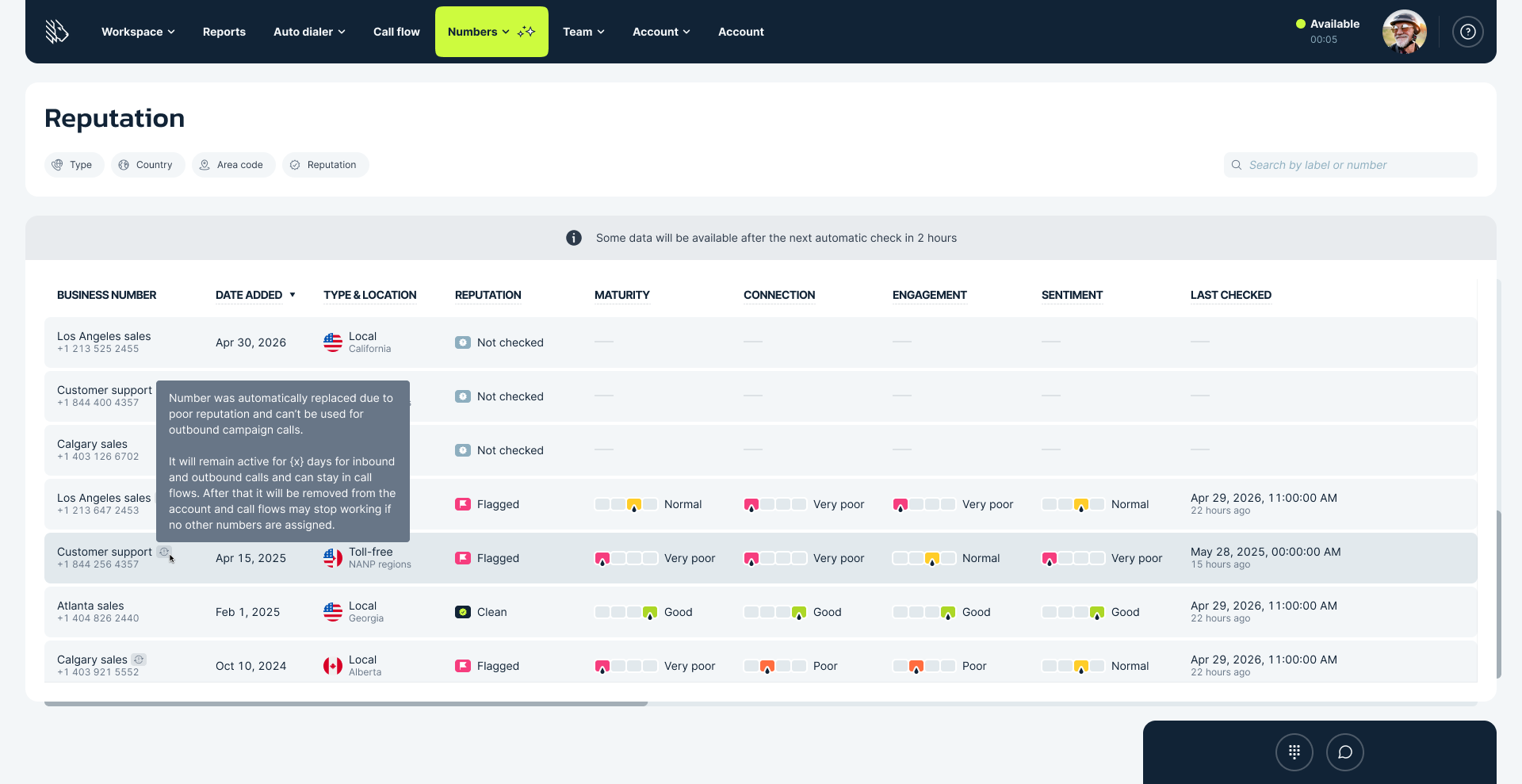
From detecting a flagged number to transferring its settings, MightyCall handles the replacement process in four steps.
Step 1: A number becomes Flagged
MightyCall’s Number Reputation Management monitors your business numbers. When an eligible number receives a “Flagged status”, it triggers the automatic replacement process.
Step 2: MightyCall finds a replacement
The system searches for an available number, starting with the same area code. If none is available, it looks for an overlay area code serving the same region before considering other available area codes.
Step 3: Your setup moves to the new number
There’s no need to rebuild your campaigns or update assignments manually. MightyCall transfers call flows, user assignments, recording settings, and integrations, adds the replacement to campaigns, then removes the flagged number.
Step 4: The flagged number is retired
The old number stays in your account for a 14-day grace period. During this period, it remains available for certain calling activities but is excluded from outbound campaign dialing. After 14 days, MightyCall removes it automatically.
What numbers can be replaced?
MightyCall supports automatic flagged number replacement for eligible local business phone numbers and toll-free numbers.
For local numbers, the system selects replacements in the following order:
- Same area code: MightyCall first attempts to find a replacement with the original area code.
- Overlay area code: If the original area code is unavailable, it searches for an overlay serving the same geographic region.
- Another available area code: If neither option is available, it searches for other available area codes.
For toll-free numbers, MightyCall first looks for a replacement with the same toll-free prefix. If that prefix isn’t available, it may select a different one.
Replacement depends on number availability. If the system can’t find a suitable number, the process stops, and the current number remains in place.
What carries over to the replacement number?
When MightyCall automatically replaces a flagged phone number, it transfers the relevant configuration so your team can continue using its existing setup.
| Setting | What happens |
|---|---|
| Campaigns | The replacement number is added before MightyCall removes the flagged number. |
| Call flows | The new number inherits the relevant call-flow configuration. |
| User assignments | Existing user assignments transfer to the replacement. |
| Number settings | Relevant settings, including call recording configurations, carry over. |
| Integrations | The replacement is connected to existing integrations where applicable. |
The result is less manual setup, fewer administrative tasks, and a smoother transition between business numbers.
What happens to the flagged number after replacement?
MightyCall keeps the flagged number in your account for 14 days after its replacement. This grace period lets teams keep handling certain calls while transitioning to the new number.
During those 14 days, the old number:
- Can still receive inbound calls, so existing contacts can still reach it.
- Can be used for manual outbound calls when needed.
- Can remain in call flows during the transition.
- Cannot participate in outbound campaign dialing, which moves to the replacement number.
After 14 days, the account automatically removes the flagged number.
Replace flagged numbers without rebuilding your setup
Your team has more important work than repeatedly configuring replacement phone numbers. With MightyCall’s Automatic Flagged Number Replacement, eligible numbers are replaced automatically, existing configurations carry over, and outbound campaigns can transition to new numbers with less manual work.
Automatic replacement helps address the immediate disruption caused by flagged numbers, while responsible calling practices remain essential for long-term performance. Keep your outbound campaigns moving with MightyCall.