

Key takeaways
- MightyCall is the best choice for small outbound teams that need all call center features to achieve maximum efficiency.
- JustCall works well for growing sales teams that want AI features, coaching, speech analytics, and a bunch of CRM integrations.
- Readymode is great for outbound call center teams that need features for high-volume outreach for mid and enterprise-level call centers.
Best multi-line dialers
| Name | Starting price plan for dialers | Lines per agent | Free trial | G2 rating |
|---|---|---|---|---|
| MightyCall | $65/user/month | 10 lines | 7 days | 4.4/5 |
| Readymode | Not publicly specified | 20+ | No trial info | 4.6/5 |
| JustCall | $69/user/month | 10 | Available | 4.3/5 |
| Nextiva | Not publicly specified | Not publicly specified | Available | 4.5/5 |
| VICIdial | Open source | Not publicly specified | No trial info | 4.1/5 |
MightyCall leads this group of the best multi-line dialer software for accessibility and SMB-friendly pricing, while Readymode stands out for aggressive predictive dialing volume. Nextiva and JustCall suit teams that want broader business communications features and integrations, and VICIdial is a better fit for companies comfortable with a complicated technical setup and support.
Our criteria for evaluating multi-line dialers
We compared each multi-line dialer system using a practical set of factors that matter most to outbound teams. To determine the best choice, we went through:
- Price: We looked at starting costs, trial availability, and overall affordability for teams with different budgets.
- Key dialer features: We compared essentials such as predictive and power dialing, call routing, analytics, CRM integrations, and automation tools.
- Compliance standards: We considered whether each platform supports responsible outbound calling by providing features that help teams comply with relevant calling rules and regulations.
- User reviews: We analyzed customer feedback to assess actual ease of use, reliability, support quality, and overall satisfaction.
Detailed review of the 5 top multi-line dialers
These five multi-line dialer solutions cover a wide range of outbound and inbound call management needs, from simple SMB-friendly auto-dialing to high-volume predictive campaigns and open-source setups.
1. MightyCall – best for SMB teams
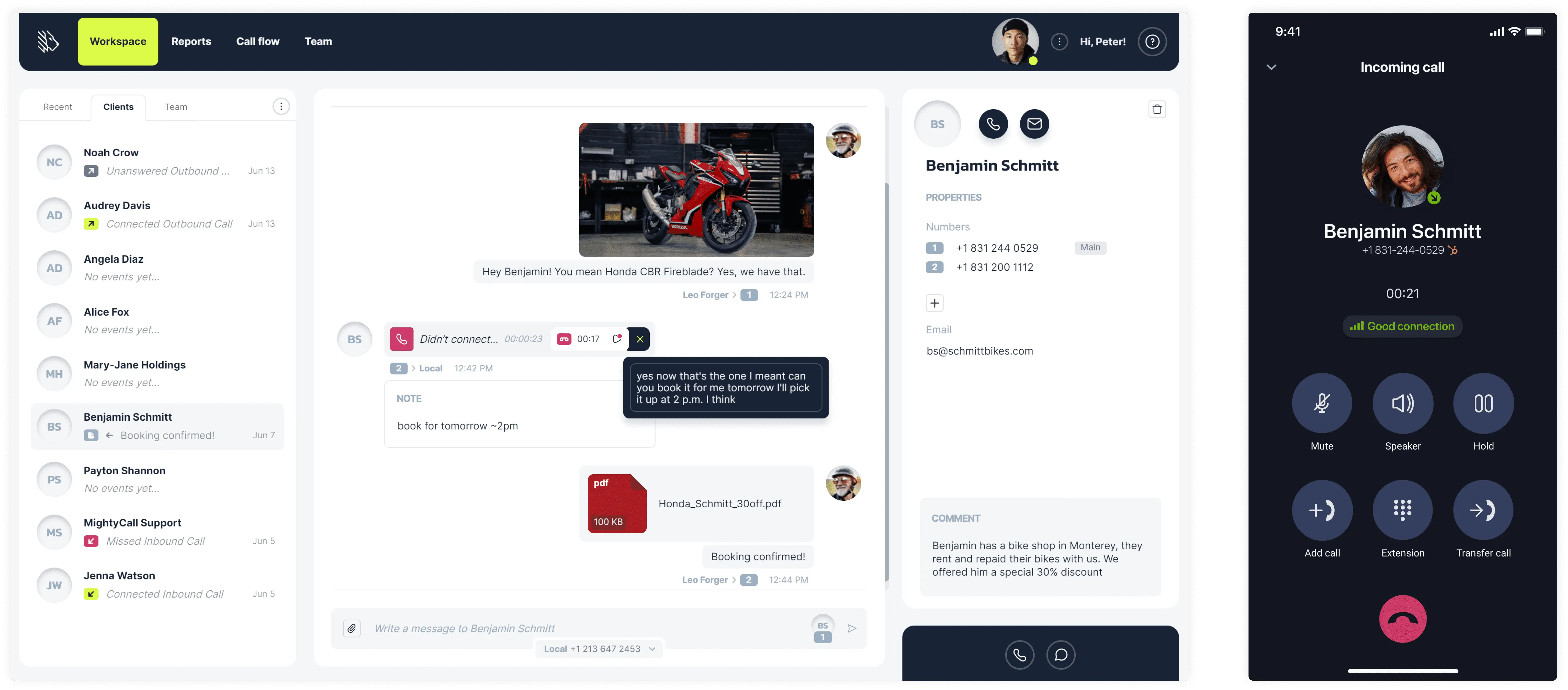
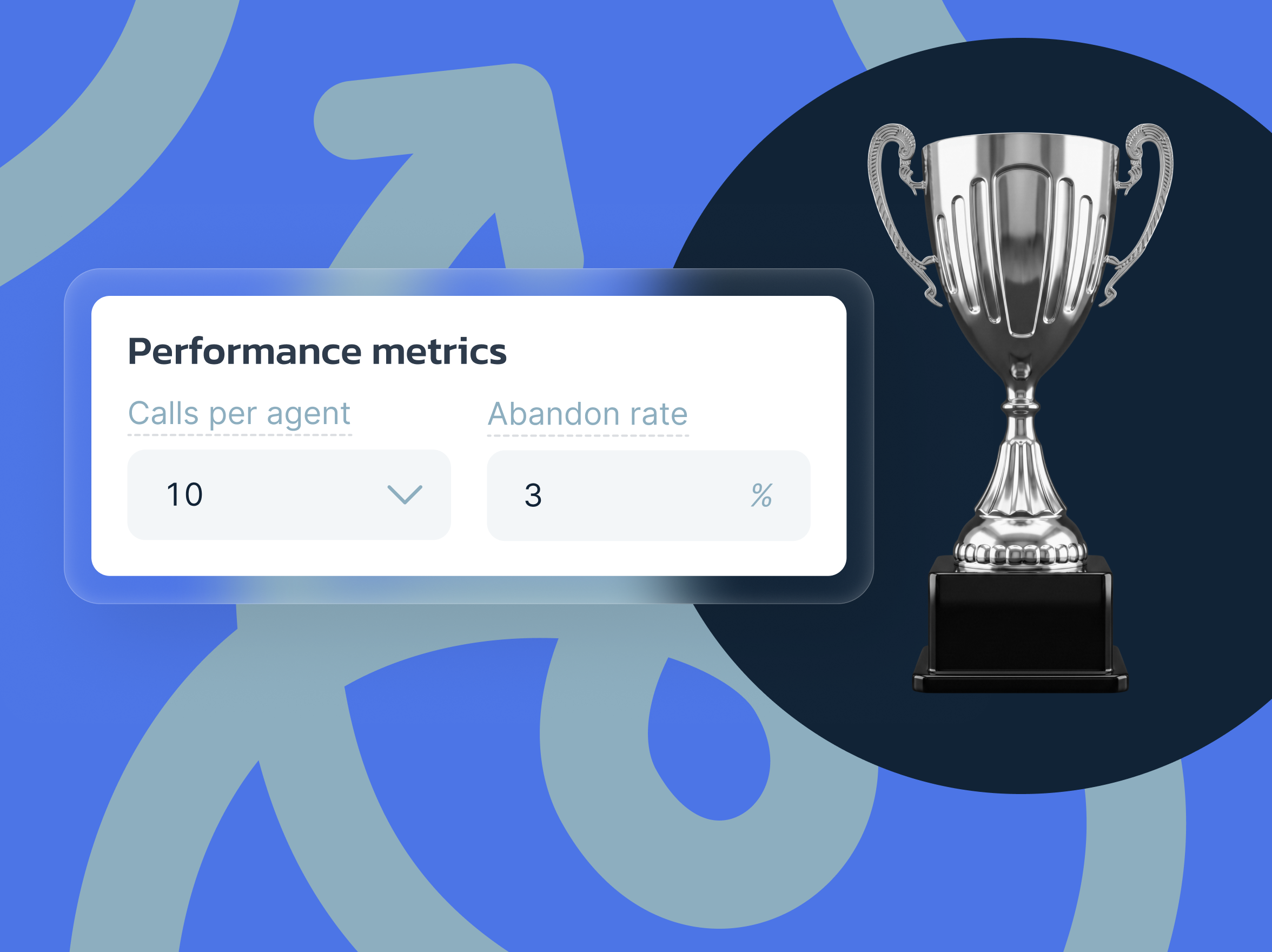
MightyCall works well as a multi-line dialer for small and growing teams that want bulk calling, call flow tools, and simple day-to-day management without a steep learning curve. The predictive dialer can be manually adjusted from 1 to 10 lines per agent, helping teams balance speed, answer rates, and abandonment risk more precisely. They also offer answering-machine detection and pacing controls to keep agents focused on live conversations rather than manual dialing.
Pricing
- Core: $20
- Pro: $38
- Power: $54
- Enterprise: $65
Free trial
MightyCall offers a 7-day free trial.
Pros and cons
| Pros | Cons |
|---|---|
| Easy setup for small teams that need to start quickly. | |
| Some users report occasional call drops during heavier use. | |
| Fantastic live customer support. | Advanced local presence behavior could be more flexible for some teams. |
| User-friendly interface reduces training time. | Less specialized for ultra-high-volume predictive campaigns than dedicated outbound platforms. |
| Helpful call monitoring features, such as call whispering, barging, listening, and intercepting. |
User reviews
MightyCall holds a 4.4/5 rating on G2. Users most often praise its intuitive interface, simple setup, and efficient call management, while negative comments focus on occasional reliability hiccups rather than usability.


2. Readymode – best for high-volume outbound teams
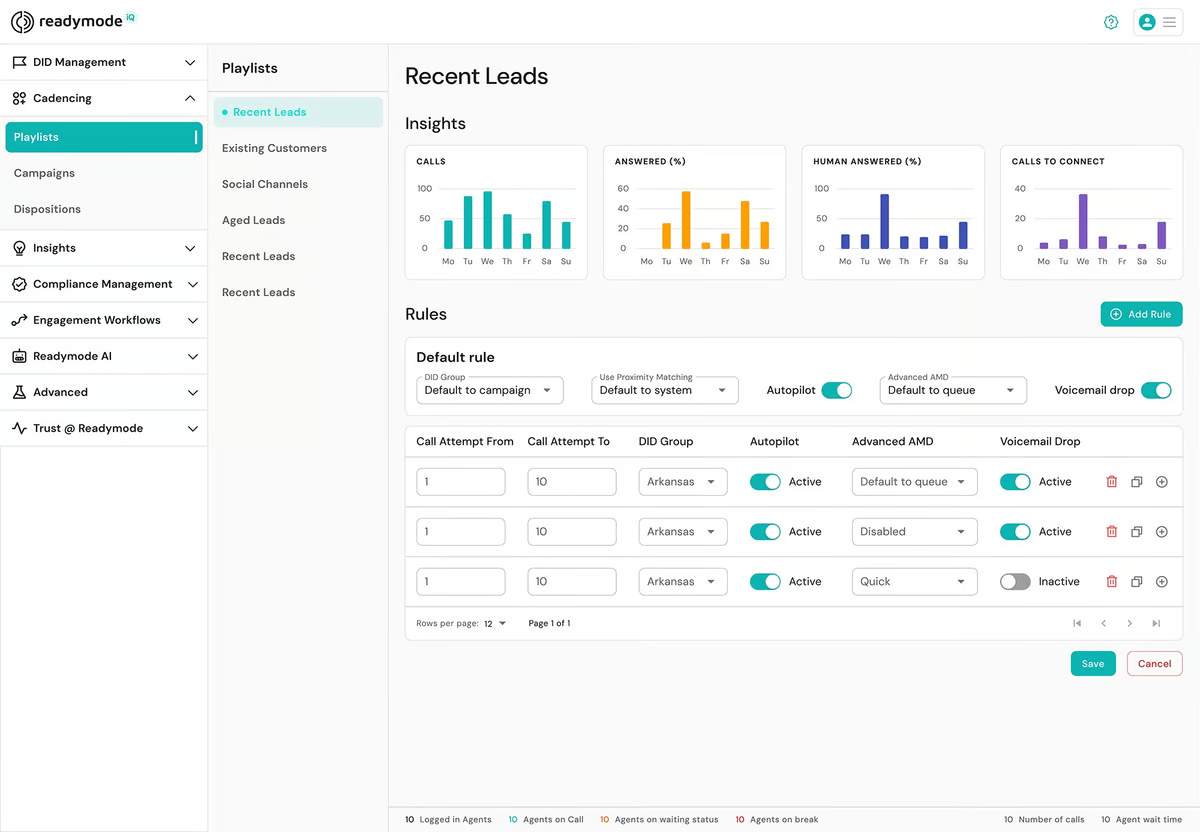
Readymode is built for fast-paced outbound operations where agents need predictive dialing and the ability to handle multiple simultaneous call attempts efficiently. Users consistently praise its predictive dialing, speed, and productivity gains, though some also mention lag, delayed lead loading, and occasional call glitches during peak periods.
Pricing
- Readymode Starter: $199 per license
- Readymode iQ: $249 per license
Free trial
There is no standard free trial that is clearly listed.
Pros and cons
| Pros | Cons |
|---|---|
| Strong predictive dialing helps agents spend less time manually dialing. | |
| Performance can dip during peak usage times. | |
| Handles multiple calls simultaneously to increase outreach volume and potentially lead to higher conversion rates. | The interface may feel dated to some users. |
| Fast setup and call tracking that support an organized outbound calling process. | Lead loading and screen lag can interrupt pacing. |
User reviews
Readymode has a 4.6/5 rating on G2. According to user reviews, the platform is highlighted for its predictive dialing efficiency, simple onboarding, and strong productivity for outbound campaigns, while recurring complaints mention glitches, delays, and inconsistent system speed.
I like Readymode’s AI feature. The fact that its dialer is quick and finds leads fast is great. Its inbound leads are also just as good. I love how I don’t have to manually dial clients; the intelligent AI handles it while I can just do my job. The setup is very simple – just sign in, get your info and script ready, and start dialing.-
Read the full review
3. JustCall – best for sales teams using CRM workflows
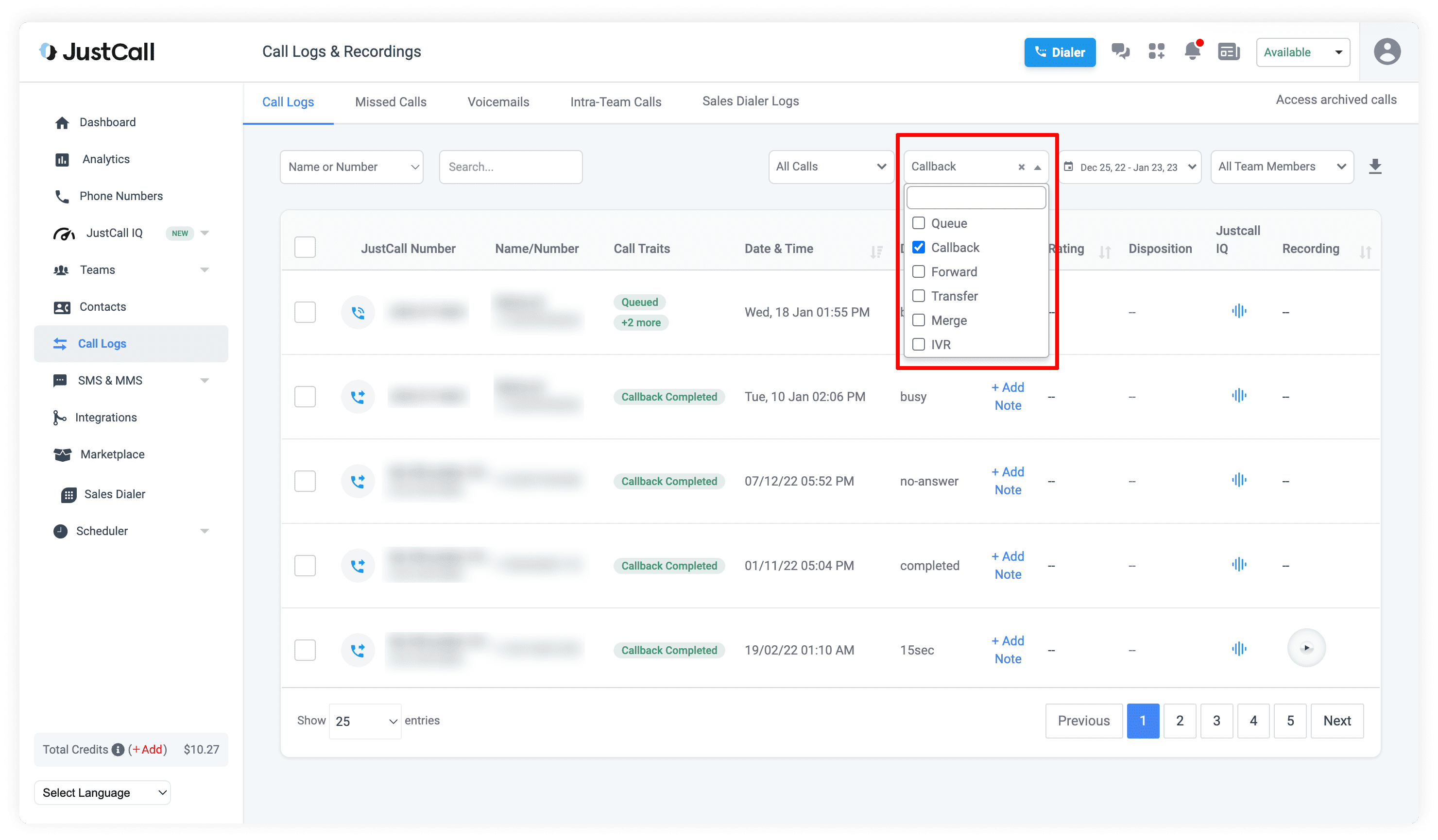
JustCall approaches multi-line dialing as part of a modern outbound workflow, combining parallel dialing with AI-based call tagging, filters, and number reputation controls. The platform is designed to help reps move through large prospect lists quickly while reducing manual busywork and maintaining visibility into each call outcome. Its pacing and spam-risk management tools are especially relevant for teams running repeated outbound campaigns.
Pricing
- Team: $29
- Pro: $49
- Pro Plus: $89
- Business: Request a quote
Free trial
A free trial seems to be available, although the exact number of days is not specified.
Pros and cons
| Pros | Cons |
|---|---|
| Strong CRM integrations make outbound workflows more organized. | |
| Call quality can vary, especially during busy periods or weaker connections. | |
| Power dialer and call recording support rep efficiency and coaching. | Some users report dropped calls and notification lag. |
| Centralized calling and messaging reduce context switching. | Pricing may feel high for smaller teams. |
User reviews
JustCall has a 4.3/5 rating on G2. User feedback shows strong praise for usability and CRM sync, with repeated positive mentions of call recording and power dialing for sales teams. The most common complaints are about reliability, connection issues, and uneven call quality.
The best part about JustCall is its seamless integration with CRMs like HubSpot and Salesforce. It automatically logs every call and text, which saves our team a lot of manual data entry. The interface is very intuitive, and setting up international local numbers for our global outreach was incredibly fast and easy –
Read the full review
4. Nextiva – best for growing mid-sized businesses
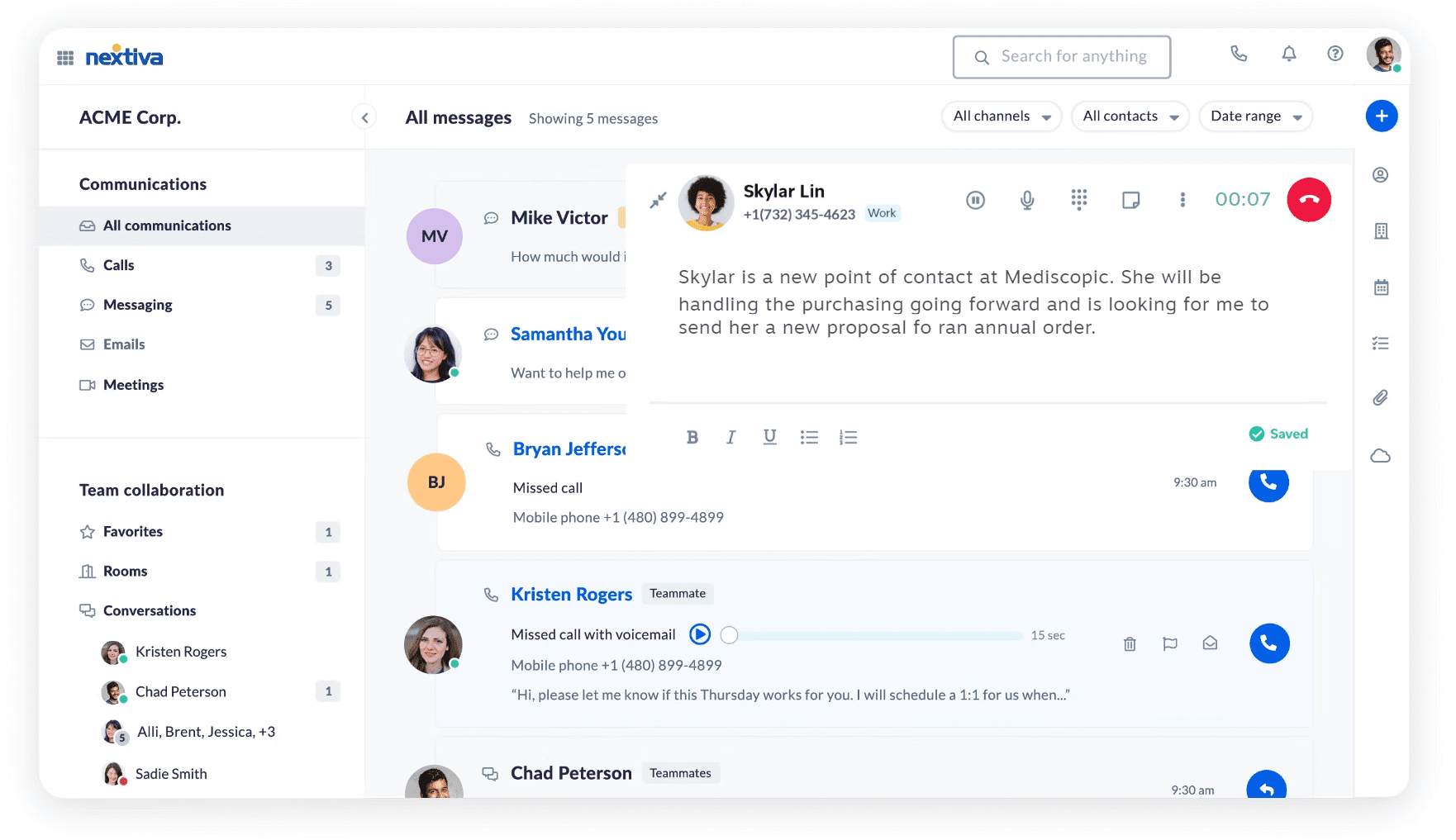
Nextiva’s multi-line dialing is designed to help teams place multiple calls simultaneously, using routing and pacing logic to connect live answers to available agents. The platform emphasizes controlled outbound volume over raw dialing speed, using algorithms that aim to keep agents active without overwhelming them.
Pricing
For small businesses:
- Core: $15
- Engage: $25
- Scale: $75
For enterprise:
- Essential: $75
- Professional: Contact sales
- Premium: Contact sales
Free trial
A free trial seems to be available, although the exact number of days is not specified.
Pros and cons
| Pros | Cons |
|---|---|
| Combines calling with a broader communications platform for growing teams. | |
| Billing and cancellation complaints appear repeatedly in review analysis. | |
| Strong support reputation stands out in user feedback. | The mobile app experience appears weaker than the platform’s overall rating suggests. |
| Entry pricing is accessible for mid-sized businesses scaling outbound operations. | Less specialized for aggressive predictive dialing than dedicated outbound-first tools. |
User reviews
Nextiva holds a 4.5/5 G2 rating. Users often praise the quality of support and the overall communication experience, while critical feedback tends to focus more on billing, contracts, and app stability than on core call handling.
What I like most about Nextiva is how reliable and user-friendly it is. Call quality stays consistently strong, and the platform makes it easy to handle calls, voicemails, and routing without any hassle. Their customer support also stands out—they respond quickly and are genuinely helpful whenever we need assistance. Overall, it’s a dependable solution that helps keep our business communications running smoothly. –
Read the full review
5. VICIdial – best for technical teams that want flexibility
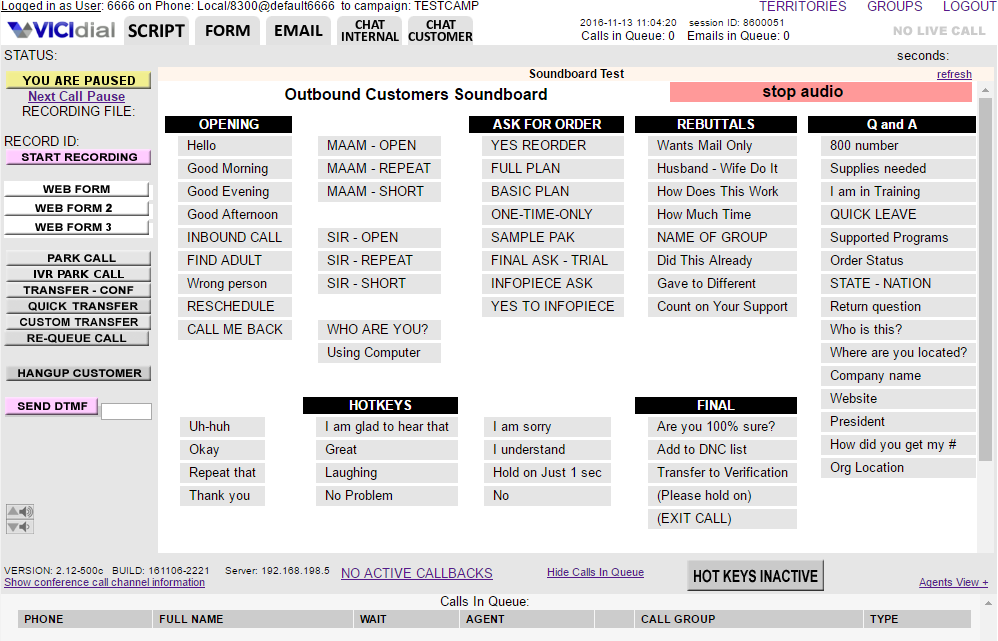
VICIdial is an open-source outbound dialer designed for teams that need flexible, large-scale multi-line and predictive dialing with deeper operational control. As a multi-line dialer, it is geared more toward configurable campaign management and higher-volume calling than ease of use, which makes it better suited to experienced teams.
Pricing
It’s an open-source platform, meaning that the software is free to download, and there is no license fee. However, the monthly price may vary depending on different factors. For instance, the setup fee starts from $1,000, and the maintenance cost starts from $400/month. On top of that, you will need to pay the provider per minute. So, it is an open-source platform, but the overall cost is quite steep.
Free trial
VICIdial is an open-source platform; there is no license fee. However, there is no clear information on whether the free trial is available.
Pros and cons
| Pros | Cons |
|---|---|
| Low-cost access to predictive dialing and core contact center functions. | |
| Interface feels outdated and less intuitive than newer cloud dialers. | |
| Useful for cold-calling workflows and recordkeeping. | Setup and workflow configuration can be cumbersome. |
| Open-source model offers flexibility for technical teams. | Support is more limited, so in-house expertise matters more. |
User reviews
VICIdial has a 4.1/5 rating on G2. Users frequently mention the value of its feature set and cost efficiency, especially for outbound calling. At the same time, the complaints usually focus on dated UX, setup complexity, and the need for more technical knowledge.
I like that VICIdial is a light solution, scalable, and free to use. The reporting services are great; I can see the agents’ daily engagements and minutes on call, which helps me oversee the prices for my GSM gateway and the SIMs use. –
Read the full review
Best practices for using a multi-line dialer software
Using a multi-line dialer well is mostly about the right setup and control: controlling who gets called, which number is used, where replies go, and how follow-up is tracked. Clear rules around routing, ownership, pacing, and compliance help teams avoid missed calls, duplicate outreach, and poor customer experiences.
Follow compliance rules
Automated outbound calling should follow consent, time-of-day, and opt-out requirements, especially under rules such as the TCPA. In the U.S., TCPA guidance cited by industry compliance resources notes restrictions such as not calling before 8 a.m. or after 9 p.m. local time, avoiding numbers on Do Not Call lists, and including opt-out options where required.
Separate lines by purpose
Use different numbers for teams, campaigns, or locations so replies are easier to route and reporting stays cleaner. This makes it simpler to measure performance by campaign and helps customers reach the right team faster when they call back.
Set routing rules
Build inbound call routing based on business hours, agent skills, geography, or queue priority, rather than sending every call to the same place. Routing models such as round-robin, uniform, simultaneous, and time-based routing can reduce wait time and improve first-response handling.
Manage shared numbers carefully
If multiple people use one number, assign clear ownership and admin rights for voicemail, callbacks, and number settings. Shared number setups work better when one person or team is responsible for delegate access and missed-call follow-up.
Review missed calls
Check call history, missed calls, and redial outcomes regularly to catch gaps in coverage and improve follow-up speed. Ongoing review also helps teams spot bad pacing, unanswered queues, and stale contact lists before those problems affect campaign results.
Train the team
Make sure reps know when to use each line, how fast to dial, and how to log outcomes consistently. Practical training matters because overly aggressive pacing can increase call abandonments, and even a small jump above a 3% abandonment rate can create a compliance risk.
Choose the right multi-line dialer software for successful outbound calling campaigns
Selecting the top multi-line dialer depends on how your team works day-to-day: call volume, call center agent count, campaign complexity, and the level of automation you actually need. In this comparison, the strongest multi-line phone system options ranged from SMB-friendly platforms with simple setup to high-volume dialers built for aggressive outbound workflows. We have looked at the best options, and this is our verdict:
- Choose MightyCall if you want an easier-to-manage option for SMBs or teams that need several business numbers without a heavy technical setup.
- Readymode is a good option for high-volume outbound campaigns where predictive dialing speed is the top priority.
- Go with JustCall for sales teams that rely on CRM workflows, rep coaching, and organized follow-up.
- Consider Nextiva’s cloud phone system for growing businesses that want multi-line dialing inside a broader communications platform.
- Go for VICIdial if your team has the technical resources to manage a more flexible open-source environment.
The right choice among the best multi-line dialer systems is the one that fits your workflow clean, supports compliant outbound calling, and helps your team handle more conversations without losing ownership, speed, or visibility.