
Did you know there are many alternatives to Readymode that offer similar features, and in some cases, even more? Many of them are also much more affordable. However, let’s not get ahead of ourselves: we’ll compare them all one by one and go through the details.
Best Readymode alternatives: A comparison
Let’s begin with a comparison table that provides an overview of the top alternatives to Readymode.
| Provider | Starting price (billed monthly) | Dialer modes available | Answering machine detection | Real-time dashboards and analytics | G2 rating |
|---|---|---|---|---|---|
| Readymode | $199/mo | Preview Power Predictive |
Yes | Advanced | 4.6 |
| MightyCall | $25/mo | Preview Power Predictive |
Yes | Advanced | 4.4 |
| JustCall | $39/mo | Power Predictive |
Yes | Advanced | 4.3 |
| CallTools | Request a quote | Preview Predictive |
Yes | Basic | 4.8 |
| Convoso | Request a quote | Preview Power Predictive |
Yes | Advanced | 4.5 |
| PhoneBurner | $165/mo | Power | No | Basic | 4.7 |
| RingCentral | $30/mo | Preview Power Predictive |
Yes | Advanced | 4.0 |
| Aircall | $40/mo | Basic power | No | Advanced | 4.4 |
| Dialpad | $27/mo | Salesforce Power | Yes | Advanced | 4.4 |
| Kixie | Request a quote | Power Predictive |
Yes | Advanced | 4.8 |
| BatchDialer | $139/mo | Preview Predictive | Yes | Basic | 4.3 |
How we evaluated these alternatives to Readymode
We’ve selected important criteria to rate the platforms:
- Features: Arguably, the most essential aspect of a telephony company is the features it offers.
- Price and availability: Service providers often offer tiered pricing. Many of these competitors are not necessarily better, but some could be significantly so.
- The possibility of integration: As the internet becomes more integrated into our lives, integration is becoming more important than ever.
- Total cost (including add-ons): Sometimes, price can be a tricky metric to evaluate. The flat price typically covers the program itself; however, some of these companies don’t include everything listed in the original price.
- Call quality: The quality of a call matters. The other features are crucial, of course, but the call capabilities of a phone company are still the most important aspect.
- User support: Even the best alternatives to Readymode can still cause issues. It’s crucial to have a support staff that can help you iron out those errors.
What is Readymode?
Readymode is a Canada-based contact center solution with a focus on outbound sales calls. It was launched in 2014 under the name Xencall. It was later rebranded to its current name and has since become a recognized predictive dialer platform.
The system helps businesses increase call volumes, cut down idle time, and reach more prospects. Its hybrid-cloud model lowers dialing costs while relying on AWS and Cloudflare for security. Today, thousands of companies across industries, such as health insurance, solar energy, real estate, travel, and BPO, use Readymode to manage leads and scale their sales operations.
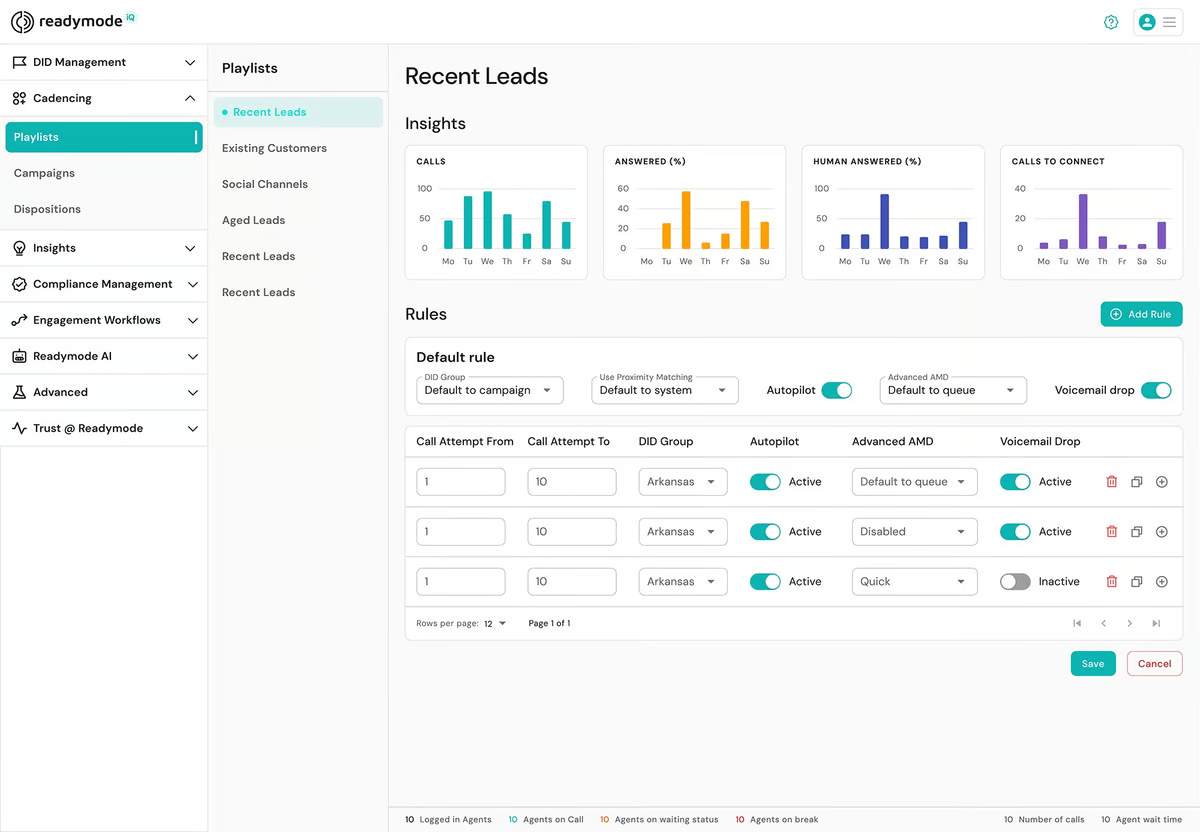
Key features
- Preview, power, and predictive dialing
- Answering machine detection
- Real-time reporting
- Agent monitoring
- Call recording
- Dynamic scripting
- Local presence
- Voicemail drop
- Number reputation management
Integrations
- Zapier
- Stripe
- Salesforce
- HubSpot
- Slack
Pricing
- Starter plan: $199 per license/month
- iQ plan: $249 per license/month
Free trial
Free demo available.
Why businesses choose Readymode
Many businesses that rely on phone outreach find that Readymode changes the way their teams connect with leads. Users mention that it makes the whole process feel simpler and less stressful.
- Predictive dialer: Agents connect with real people faster, skipping dead lines, busy signals, and voicemail. The dialer matches each agent’s pace, so teams use every hour efficiently.
- Valuable tools: Features like answering machine detection, dynamic scripts, and numbers matched by area code let conversations feel natural. Agents spend their time connecting with prospects rather than managing the dialer.
- Helpful data at the right time: Lead details, contact history, and scripts appear right when agents need them. Integrations with CRMs and tools like Zapier keep information up to date, so reps don’t have to worry about missing context.
- Reliable support: Customers appreciate that the system can go live within days. Readymode’s team guides through setup, training, and troubleshooting.
Why consider Readymode alternatives?
Readymode works well for many teams, but it isn’t the perfect fit for everyone.
High cost for smaller teams
For small businesses or startups, the per-user license cost can feel steep. While Readymode packs great features, some teams only need the essentials and may prefer a cheap alternative that meets basic dialing and CRM needs without extra overhead.
Feature complexity
Readymode packs a lot of powerful tools, but some parts, like advanced reporting or dynamic scripts, feel tricky at first. That learning curve can slow things down at the start and make the first few days on the system overwhelming for smaller teams or those without dedicated support.
Dated interface
Some users find parts of the interface feel dated compared with newer solutions. Menus and dashboards aren’t always intuitive. It doesn’t stop the platform from working, but it can create some friction.
Performance hiccups
Under heavy use, a few users report freezes or slow response times. Even brief interruptions can be frustrating when teams are trying to connect with dozens or hundreds of leads each day. It’s definitely a good reason to look for an alternative.
No real free trial
Many businesses like to “try before they buy,” especially when adopting a platform that will touch every interaction. Readymode offers a guided demo but does not provide a self-service free trial. Users report that the platform doesn’t truly let them test its full capabilities.
Most alternatives offer the chance to experiment before committing to a plan.
10 top alternatives to Readymode: An Overview
Now it’s time to look at the best Readymode alternatives for business and find out what each one has to offer.
1. MightyCall
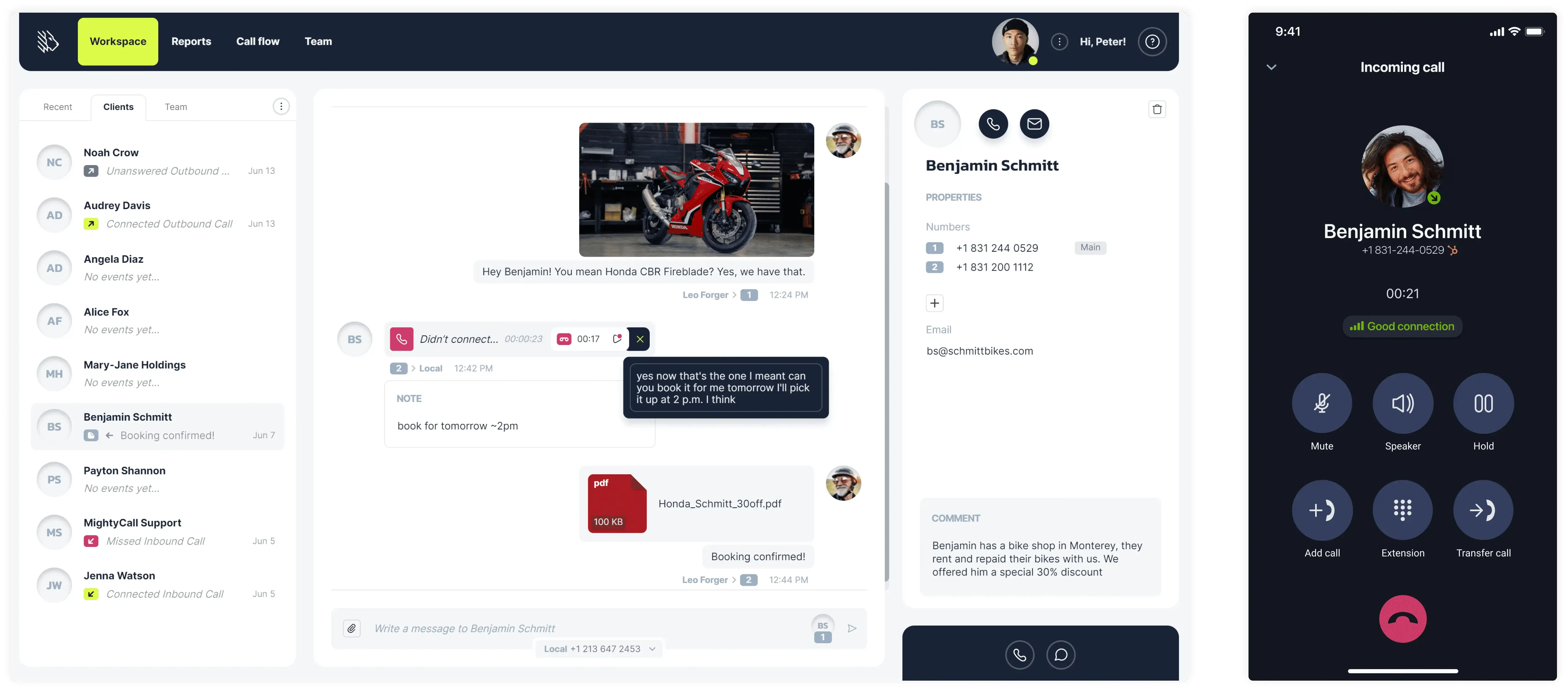
MightyCall is a cloud-based contact center solution designed to streamline customer communications for small and medium-sized businesses. It offers a comprehensive suite of features, including advanced dialer options, to enhance outbound calling efficiency and improve customer engagement.
With its intuitive interface and fantastic capabilities, MightyCall helps teams to manage high call volumes effectively while maintaining personalized interactions.
Features
- Auto-dialer support: preview, power, predictive
- Local presence
- Voicemail drop
- AI Answering machine detection
- Real-time analytics
- Automatic Call Distribution
- Unified agent & supervisor interface
- AI call summaries
- Number reputation management
- Multi-level IVR
- Call monitoring tools: call listening, whispering, intercept, and barging.
Integrations
All major CRMs.
Pricing
MightyCall offers the following price plans, billed monthly:
- Core: $25
- Pro: $45
- Power: $65
- Enterprise: $75
Free trial
MightyCall offers a 7-day free trial.
Support channels
Here are the support channels at MightyCall, and what you can expect from each:
- Live chat: Integrated into the website for quicker, interactive support.
- Phone support: You can talk to an actual support agent by dialing +1 (888) 256-8312 ext.2
- Email support: You can email support@mightycall.com
- Onboarding and personalized help: New customers can book a demo session for a super quick setup.
- Help center: Documentation, articles, and how-to videos covering everything you need to know.
What makes it better than Readymode?
- Ease of use: MightyCall’s user-friendly interface simplifies setup and daily operations, reducing the need for extensive training.
- Integrated dialer options: Like Readymode, MightyCall provides built-in dialer options, such as preview, progressive, and predictive dialing. However, all of that comes at a more affordable price.
- Fantastic support: MightyCall offers great customer support, including onboarding assistance and ongoing help, ensuring smooth operations.
MightyCall limitations
- Reporting flexibility: MightyCall includes useful real-time dashboards and reports; Readymode allows more customizable reporting for campaigns, agents, and KPIs.
- Scalability: For very large enterprises with complex needs, MightyCall’s scalability might be somewhat limited.
What customers are saying
Users praise MightCall’s affordability, ease of use, and excellent customer support. Many appreciate the intuitive interface. However, some users have noted that the mobile app might glitch from time to time.


Best for
MightyCall is ideal for small to medium-sized businesses seeking a reliable, easy-to-use contact center solution with advanced dialing capabilities.
schedule your personalized demo with our amazing team

2. JustCall
JustCall is a cloud communication platform that has been on the market since 2016. Headquartered in the United States with a development team in India, it supports over 6,000 businesses worldwide.
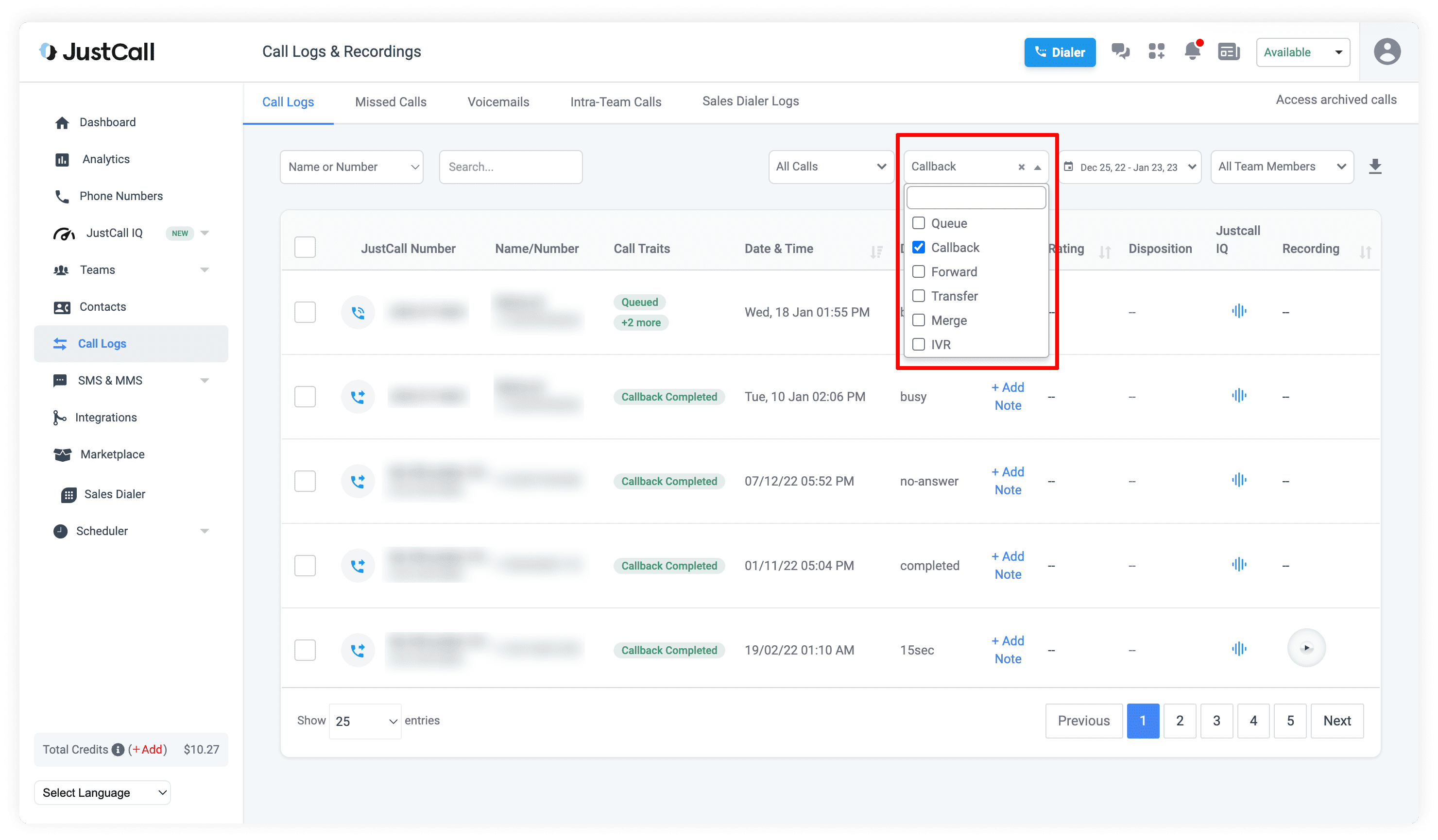
Companies choose JustCall because it brings outbound and inbound communication, SMS, and call management together in one place. AI agents capture leads even outside business hours, and conversations stay organized on a single platform that integrates with over 100 popular business tools.
Features
- Power dialer
- Predicitve dialer (SalesPro plan)
- Answering machine detection
- Intelligent routing
- Call disposition & notes
- Concurrent calls
- Wide range of dialers
- Automated insights & workspace
Integrations
- Pipedrive
- Salesforce
- HubSpot
- ActiveCampaign
- Slack
Pricing
- Team: $39/user/month
- Pro: $69/user/month
- Pro Plus: $109/user/month
- SalesPro: Custom
Free trial
JustCall lets you try the platform free for 14 days.
Support channels
JustCall offers support through live chat, email, and phone, as well as a help center and chatbot. Larger teams can access premium support, which includes faster response times and dedicated onboarding assistance.
What makes it better than Readymode?
- Multi-channel support: Calls, SMS, and email operate from the same platform, which is better than Readymode’s focus on voice.
- Global reach: JustCall provides numbers in over 70 countries, which simplifies international operations.
- Intelligent call routing: Calls go to the agent most appropriate for the lead, which helps reduce missed connections.
- Simpler interface for small teams: Navigation and setup are relatively straightforward. Readymode’s wide range of features can feel complex for new users.
JustCall limitations
- Limited advanced reporting: This competitor provides basic metrics but lacks the detailed insights some teams need for strategy.
- No built-in CRM: Users must connect an external CRM to track leads and pipelines.
- Predictive dialer options are restricted: Offers fewer adjustments for pacing and scripting than specialized dialers.
What customers are saying
According to users, JustCall provides a straightforward way to manage calls and SMS with clients across multiple countries. Features like international numbers, automatic call recording, and call monitoring give a clear overview of communications and team activity. The interface is simple to navigate, and support responds to questions reliably.
Some areas could be better. The onboarding process involves several steps and documentation, which feels complicated at first. Integration between multiple apps or devices sometimes requires extra attention to work well.
The response time of their customer support is little late as whenever we face any kind of complex issue while working with this platform we try to reach their support team and they reply in more than 48 hours which is not a ideal time for a business professional software –
Read the full review
Best for
Expanding sales and support teams, service providers, and businesses that want to improve customer communication.
3. CallTools
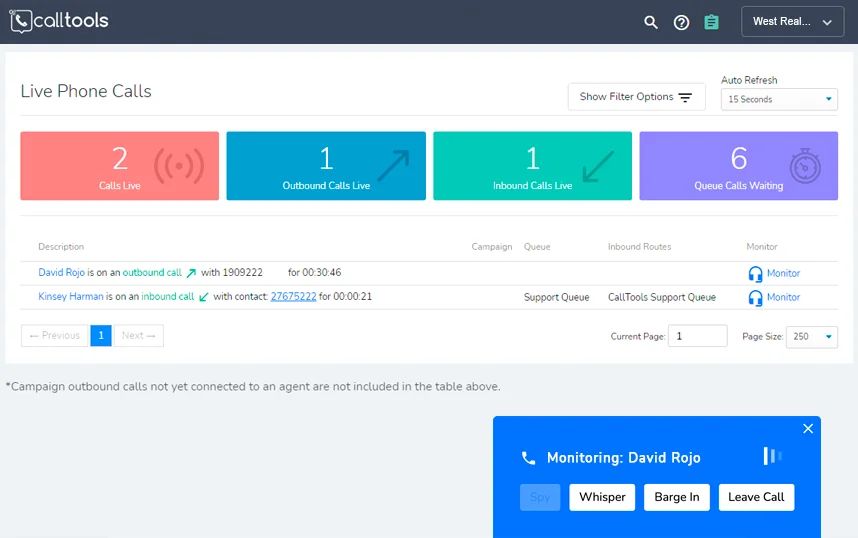
CallTools is a Readymode alternative from the United States that supports both outbound and inbound calling campaigns. It serves thousands of businesses across different industries.
The CallTools team has a variety of professional backgrounds, which gives them a perspective on common business challenges. Their approach emphasizes practical solutions and continuous learning.
Features
- Predictive & preview dialers
- Automatic call distribution
- Caller ID reputation
- Answering machine detection
- Dynamic scripting
- Built-in CRM software
Integrations
- Zapier
- Shopify
- Zendesk
- Balto
- NetSuite
Pricing
The cost depends on how many team members will use the platform and which features your business needs.
Free trial
CallTools doesn’t provide a free trial, but you can request a personalized demo.
Support channels
CallTools offers support by email, phone, and live chat, as well as a knowledge base and help center. Their US-based team is available during regular business hours, and larger accounts get dedicated onboarding and an account manager.
What makes it better than Readymode?
- Integrated campaign management: Unlike Readymode, CallTools combines inbound and outbound campaigns with automated call distribution.
- Enhanced compliance features: Built-in tools help manage Do Not Call lists and call recording regulations.
- Customizable agent workflows: Supervisors can set rules for call routing, queue management, and agent roles. Readymode requires more manual configuration for similar flexibility.
- Focused support: CallTools offers dedicated onboarding and account management for growing teams.
CallTools limitations
- Complex interface: Many features in the dashboard can feel cluttered and take time to learn.
- Pricing on request: CallTools doesn’t list fees publicly, like Readymode, which can complicate budgeting for new teams.
- Limited analytics customization: Predefined reports cover standard metrics, but deeper, tailored analytics require external tools.
What customers are saying
CallTools is easy to navigate, and the interface feels intuitive for day-to-day use. Customer support responds promptly when help is needed, and the platform reliably covers the basics of calling and communication. Some users find the customization options useful and convenient.
On the other hand, occasional audio glitches and call interruptions can occur, and some dialer features feel limited. It’s a bit pricey, and it can take some time to get fully comfortable with everything.
We are still in the very early stages using the dialer, it takes a while to get used to the features. Would be nice if there was a recording of the meeting so we can revisit it anytime. –
Read the full review
Best for
Teams with many members or call centers that handle large volumes of campaigns.
4. Convoso
Convoso is a trusted alternative to Readymode, designed for sales and lead generation teams. The company was founded in 2006 in the United States and now supports thousands of clients around the world.
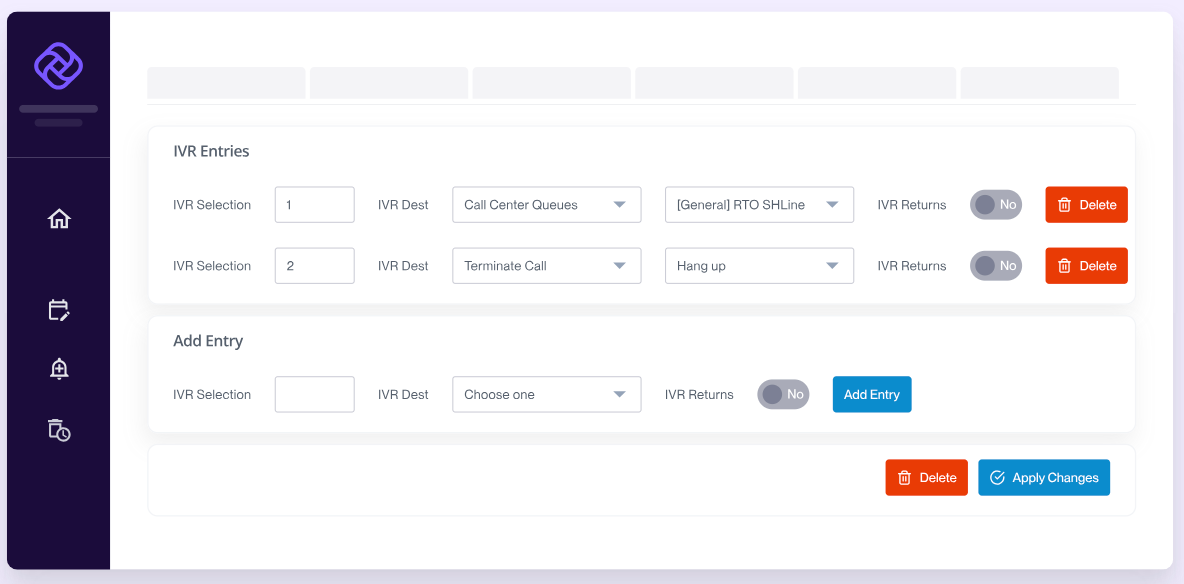
The platform combines omnichannel communication, a cloud dialer system, and AI-powered tools to help teams reach more prospects and manage their campaigns. Convoso also pays close attention to compliance and offers dedicated support so that businesses can get the most value from their contact center setup.
Features
- Predictive and power dialing
- Intelligent virtual agent
- Skill-based routing
- Call recording and QA
- Caller ID reputation management
Integrations
Convoso provides an API that lets businesses integrate the platform with their other software (Talkdesk, Balto, BlueInk Digital, etc.).
Pricing
The provider sets pricing based on each customer’s requirements, including the number of seats, selected features, and required integrations.
Free trial
Convoso doesn’t provide a free trial, but you can schedule a live, customized demo to see the platform in action.
Support channels
Convoso provides onboarding, a dedicated Customer Success Manager, on-demand troubleshooting, and a help center with tutorials and FAQs, plus access to their support team.
What makes it better than Readymode?
- AI-assisted lead prioritization: The platform suggests which leads to call next based on engagement and behavior.
- Flexible campaign settings: Supervisors can set rules for pacing, retries, and call routing, which allows more control over complex campaigns.
- Compliance-focused tools: Features like TCPA filters and automatic consent logging reduce legal risk without external software.
Convoso limitations
- Price varies by configuration: Custom pricing can be high for smaller teams or those with limited budgets.
- Steep learning curve: Many advanced options and rules require time to set up and understand.
- Support response time: Help is available, but non-urgent tickets take longer to resolve during peak periods.
What customers are saying
According to reviews, the predictive dialer, reporting tools, and text messaging provide a clear boost to productivity.
Some users experience occasional issues, including dropped calls, unexpected logouts, slow performance, or limited callback management. A few also mention pricing or that parts of the interface feel outdated.
Onboarding took a little longer than expected. While this could be improved, the experience was still good overall because the team stayed in close contact and was always ready to help.
Read the full review
Best for
Sales teams and call centers that need AI-powered outbound and inbound dialers.
5. PhoneBurner
PhoneBurner is a trusted competitor to Readymode. It’s a sales acceleration platform founded in 2008 and headquartered in Laguna Beach, California.
It helps sales teams connect with prospects through calls, email, and SMS without pauses or delays. The platform supports faster, more consistent conversations while providing data insights into team performance and lead engagement.
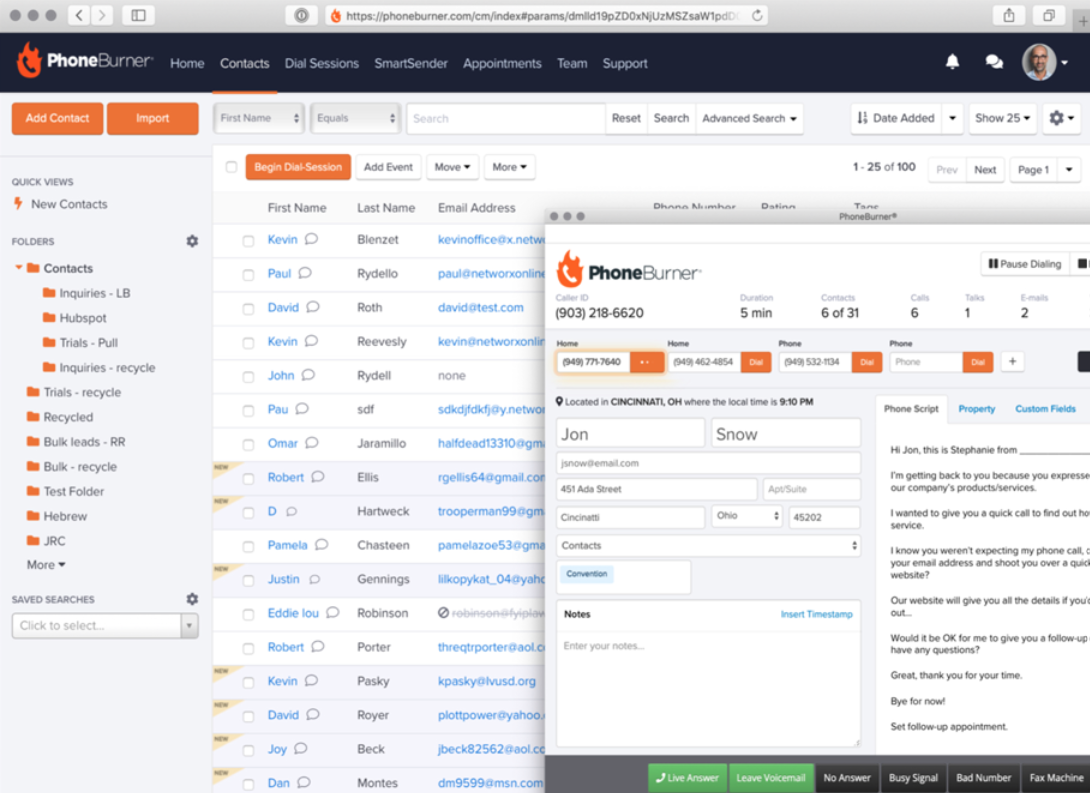
Features
- ARMOR answer rate monitoring, optimization, and remediation
- Auto dialers
- Lead distribution
- One-click voicemails
- Local presence
Integrations
- HubSpot
- Zoom
- Salesforce
- Zoho CRM
- SugarCRM
Pricing
- Standard: $165/user/month
- Professional: $195/user/month
- Premium: $215/user/month
Free trial
You can get free minutes to try out the dialer, along with access to resources and support.
Support channels
PhoneBurner offers support through sales, technical, and billing teams via phone and email during weekday business hours.
What makes it better than Readymode?
- Faster call throughput: Agents can connect with more leads per hour thanks to streamlined dialing and one-click voicemail features.
- Local presence: Outbound calls display local numbers to recipients, which improves answer rates.
- Focused on small to mid-sized teams: This alternative is designed to get smaller teams running quickly, unlike Readymode’s more enterprise-oriented setup.
PhoneBurner limitations
- Limited advanced reporting: Analytics focus on call counts and basic engagement.
- U.S. number focus: Local presence and caller ID options are among the strongest on the market, but international campaigns are less effective.
What customers are saying
Reviewers highlight the power dialer, pre-recorded voicemails, and email integration as key features that let teams reach more prospects quickly. Many note that the software is simple to set up and intuitive, frequently mentioning its responsive customer support.
Others mention minor issues, such as data import/export challenges, integration fields not populating, or limits in lead management. A few would like extra features, like multi-page call ordering or free phone numbers.
A note to the Improvement and Development team: The email creation technology is a bit behind in it’s ability to create a really great attached marketing email to send your sales leads. –
Read the full review
Best for
Small to mid-sized call centers that need to manage outbound and inbound calls.
6. RingCentral
RingCentral, founded in 1999 and based in Belmont, California, provides business communication tools for companies of all sizes. With offices in North America, Europe, Asia, and Australia, it serves millions of users across industries from retail to finance. The platform supports both small teams and large enterprises, allowing companies to adjust their communication systems as needs change.
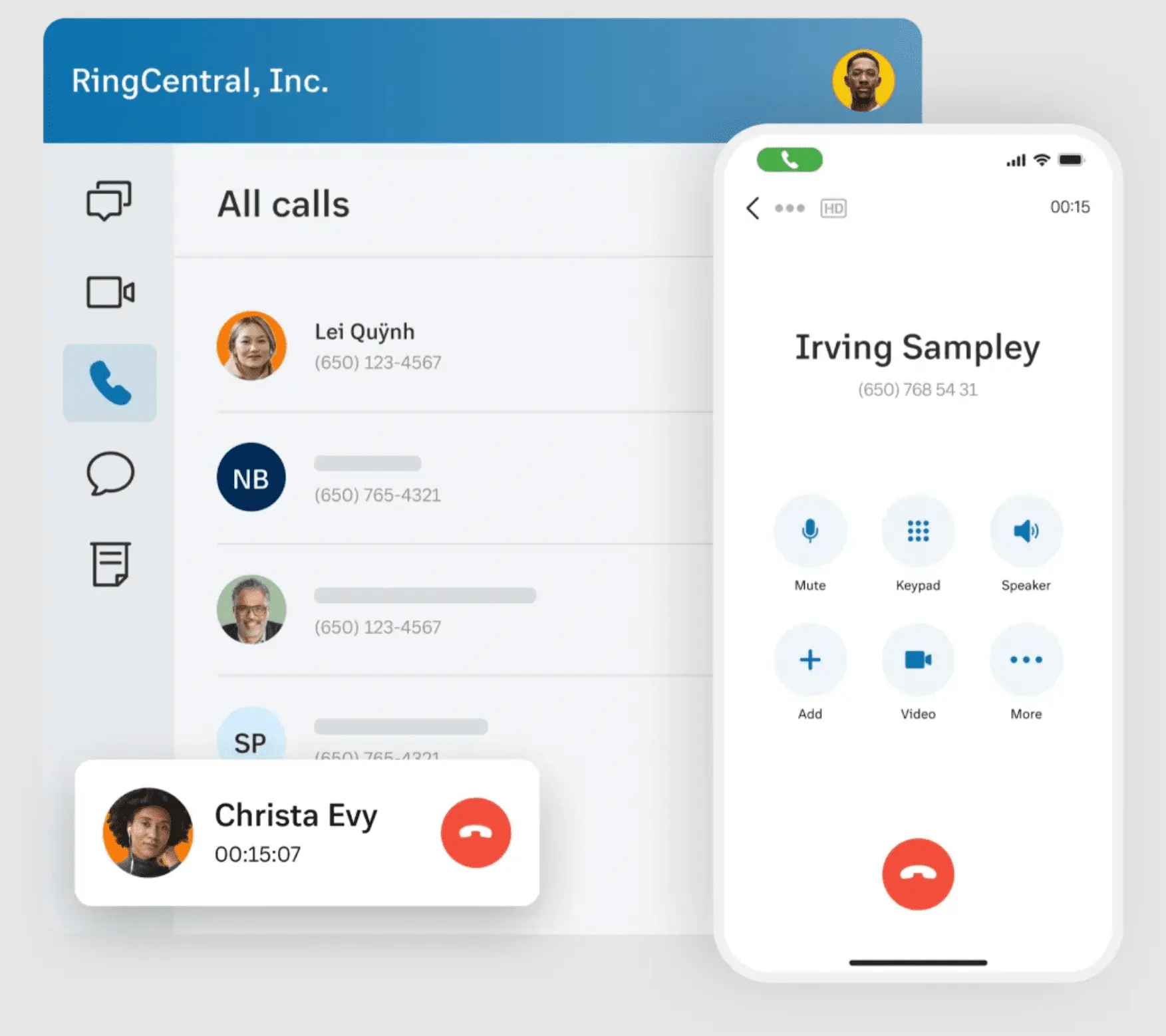
Features
- Multi-way conference calls
- Unified inbox
- Visual voicemail
- IVR with editor
- Background noise reduction
Integrations
- Salesforce
- Microsoft Teams
- HubSpot
- Google Workspace
Pricing
- Core: $30/user/month
- Advanced: $35/user/month
- Ultra: $45/user/month
Free trial
RingCentral offers a 14-day free trial.
Support channels
RingCentral provides customer support by phone, email, and live chat. Experiences vary among users, with some noting quick responses and others seeing slower replies.
What makes it better than Readymode?
- Wide range of integrations: This Readymode competitor works with many CRMs, marketing tools, and e-commerce platforms.
- Smart features: AI-assisted call summaries and virtual agents help teams handle more interactions without extra staff.
- Built to scale: Supports large teams with features like queue callbacks, skills-based routing, and real-time dashboards.
RingCentral limitations
- Complex setup for smaller teams: The platform’s breadth may require more time and support to get started.
- Occasional interface clutter: With so many features on one platform, some users find the menus and dashboards crowded.
- Potential overkill: Teams that don’t need all features might find the platform overly complicated.
What customers are saying
The platform lets teams handle calls, texts, and chats from desktop or mobile without sharing personal numbers, which works well for both in-office and remote staff. Features like call recording, scripted messages, and HD audio/video help streamline communication and keep interactions organized. Many reviewers also highlight knowledgeable and responsive customer support as a strong point.
Some users report occasional call quality issues, slowdowns, or minor text delays. A few have had less positive experiences with customer service, particularly around repetitive or outsourced responses.
I find the quality of the calls to be inconsistent. Sometimes the call quality is low or medium, which seems to depend on the internet connection and service provider. –
Read the full review
Best for
Larger teams that need a full set of tools and are ready to invest in a more expensive alternative.
7. Aircall
Aircall is a cloud-based contact center platform founded in 2014 in Paris, France. It offers a phone solution for sales and support teams, enabling calls and text messages to be managed through one system. Its interface focuses on clarity and efficiency, and the platform supports companies across multiple countries.
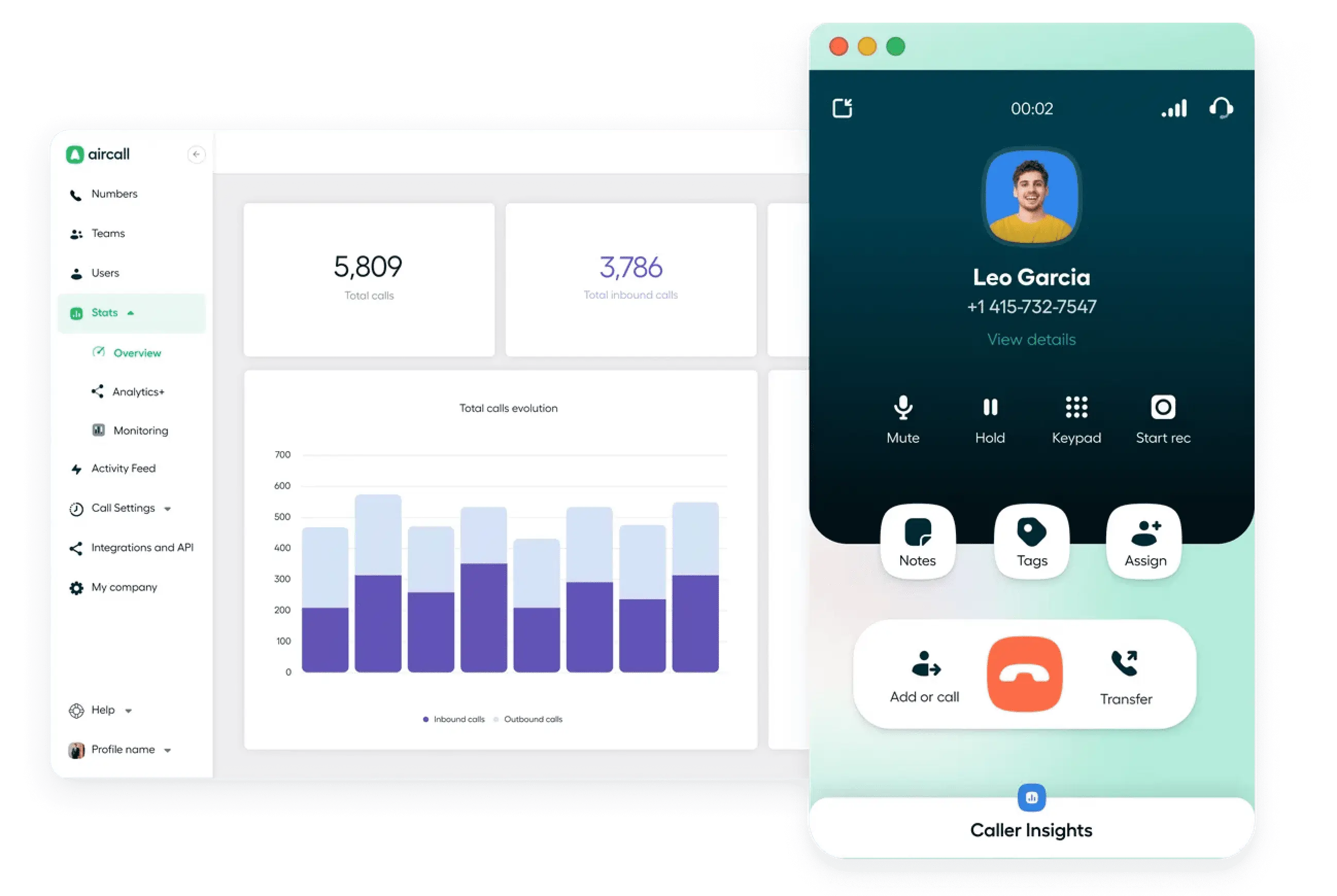
Features
- Basic power dialer
- Interactive voice response
- Queue callback
- Call coaching & whispering
- AI-generated call summaries
- Shared call inbox & call assignment
Integrations
- HubSpot
- Zendesk
- ActiveCampaign
- Bullhorn
- Gong
Pricing
- Essentials: $40/user/month
- Professional: $70/user/month
- Enterprise: Custom pricing
Free trial
New users can try Aircall for 7 days.
Support channels
Aircall support is available through a help center, an AI assistant, email tickets, and live chat, which is available on certain plans. Service is provided 24 hours a day, five days a week.
What makes it better than Readymode?
- Advanced call routing: Aircall offers features like skills-based routing and IVR. Readymode’s routing capabilities are more basic.
- Real-time analytics: Provides live dashboards and performance metrics.
- Broad integration options: Aircall links with more than 50 business tools, allowing teams to connect data and workflows across systems.
Aircall limitations
- Pricing structure: Aircall’s costs can escalate with additional features and users.
- SMS limitations: The platform imposes caps on outbound SMS and MMS per user each month, which may not meet high-volume needs.
- Call quality issues: Some users report occasional call drops and clarity problems, particularly during international calls.
What customers are saying
Users find Aircall easy to navigate, with a clean interface and simple setup. Call quality is generally good, and integrations with CRMs and other tools save time. AI insights, call management across devices, and responsive customer support are also appreciated.
Some users experience slow app performance, call delays, or syncing issues. Other frustrations include extra steps to start calls, repeated permission requests, and occasional bugs like double rings or long connection times.
One issue is that text messages do not sync with the CRM platform our company uses. Additionally, it’s not possible to send multiple test messages to a list of contacts. I also find it frustrating that I can’t send ringless voice messages to contacts. –
Read the full review
Best for
Teams that are looking for a scalable phone system with strong integrations for international use.
8. Dialpad
Dialpad, founded in 2011 and based in San Francisco, is one of the best alternatives to Readymode, combining calls, video meetings, and messaging in a single system. It serves thousands of companies worldwide and supports businesses of all sizes, from small startups to large enterprises.
Dialpad operates across multiple countries and integrates AI-powered features to help teams manage communications, track performance, and improve customer interactions.
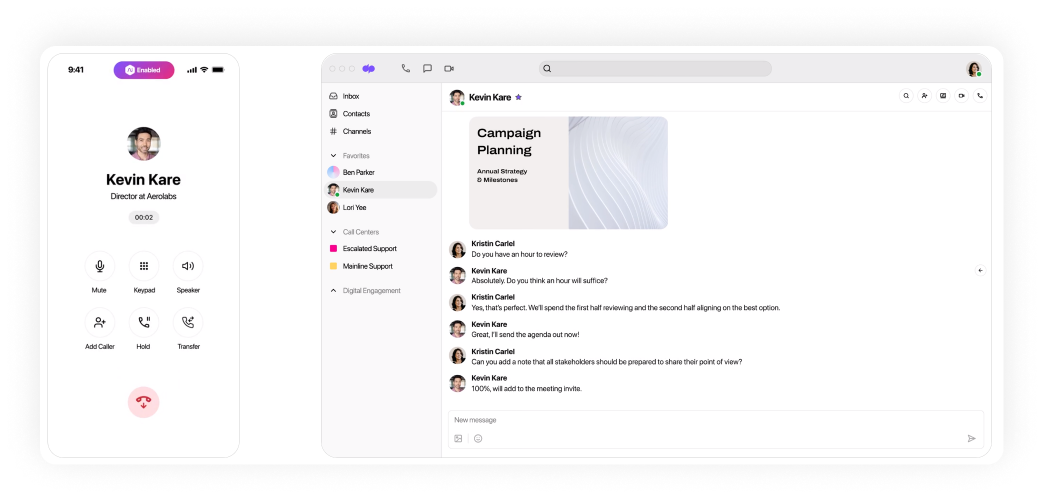
Features
- Salesforce dialer
- IVR system
- Customer callback
- Call quality insights and tagging
- Team messaging
- AI agent, sales coach, CSAT
Integrations
- Salesforce
- Microsoft Dynamics 365
- Front
- Zapier
- Freshdesk
Pricing
- Standard: $27/user/month
- Pro: $35/user/month
- Enterprise: Custom pricing
Free trial
You can explore the platform for free for 14 days.
Support channels
Support comes by email and ticket on all plans, with a searchable help center for self-service. Pro and Enterprise users also get live chat (24/7) and phone support.
What makes it better than Readymode?
- Integrated messaging: Teams can exchange texts, notes, and reminders alongside calls, which reduces back-and-forth outside the platform.
- Quick performance insights: Dashboards display call quality, dropped communications, and trends, allowing managers to see performance at a glance.
- Flexible for different teams: Dialpad is a versatile competitor that adapts to both small teams and larger groups.
Dialpad limitations
- Notifications can be overwhelming: With all messages, calls, and alerts in one place, teams may need time to filter what matters.
- Customization gaps: Certain reports and dashboards can’t be fully tailored, which may frustrate advanced users.
What customers are saying
Calls come through clearly, and the transcription is very helpful. It works conveniently across phones, laptops, and tablets, and connects with tools like Salesforce, Google Workspace, and Microsoft 365. Customer service responds quickly and treats you like a person, not a ticket number.
A few features, like Active Directory sync and admin controls, can be tricky for certain staff. The mobile app can lag at times, and transcripts are not always perfect.
Some features are unpolished and requires an overhaul, for instance, the desktop app. It is a must to have a solid and stable internet connection, which is a great setback –
Read the full review
Best for
Teams that handle a high volume of calls require a single platform to keep customer interactions organized.
9. Kixie
Kixie is a top Readymode alternative founded in 2013 and headquartered in Santa Monica, California. It is designed to support sales and customer support teams by combining phone, SMS, and call management in a single platform. The company has been on the VoIP telephony market for over a decade and serves thousands of clients across the United States and internationally.
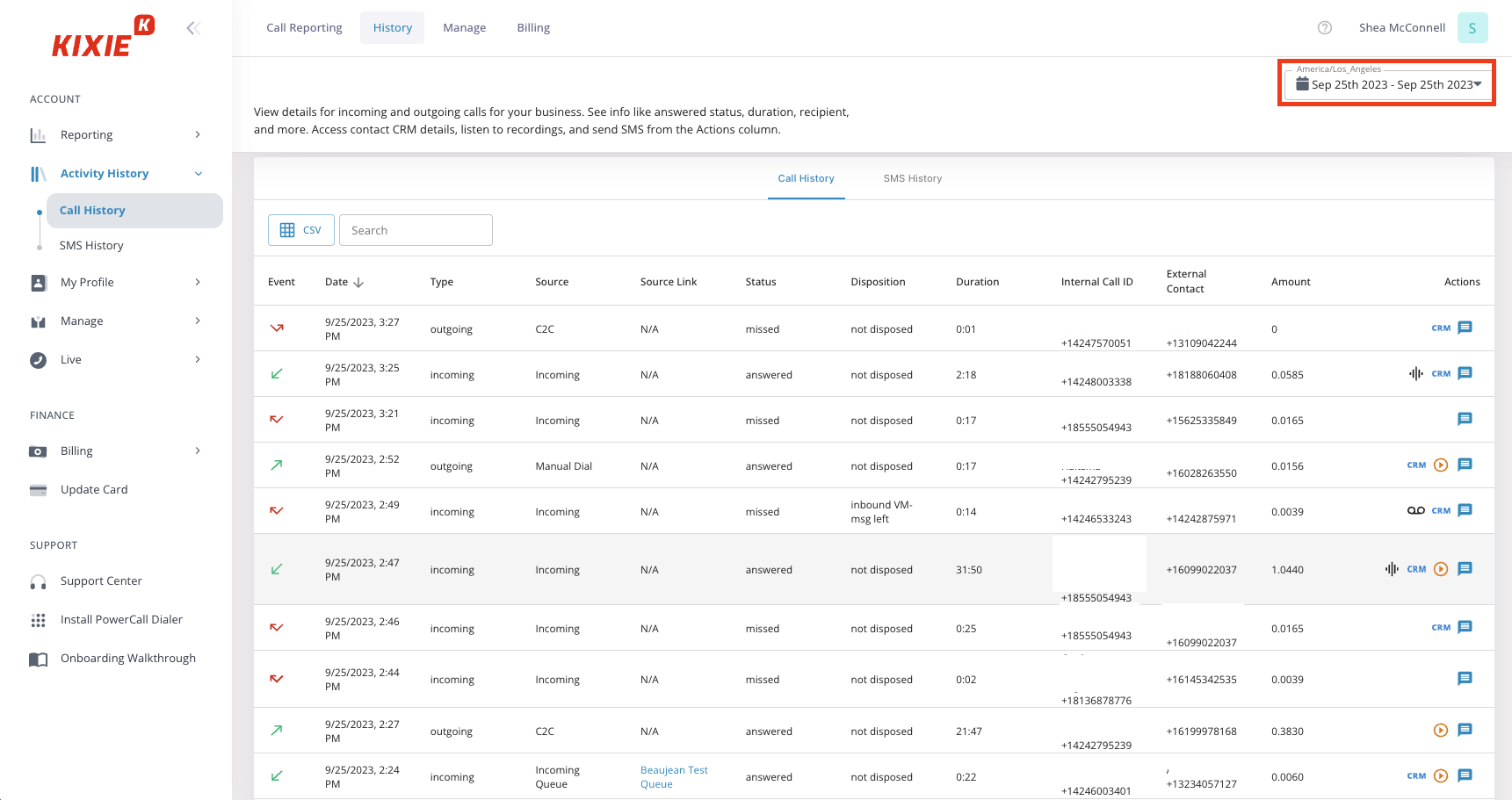
Features
- Power & preview dialers
- Answering machine detection
- Automatic call distribution based on CRM
- Ring groups
- Auto-callback
- Local presence
- Automated call logging
Integrations
- Clio
- BigCommerce
- Shopify
- Koncert
- Oracle
Pricing
Please request a quote.
Free trial
There is a 7-day trial available with Kixie.
Support channels
You can reach Kixie’s sales team by phone and contact support via email, live chat, or a contact form. Support is available weekdays during U.S. business hours.
What makes it better than Readymode?
- Ease of use for small teams: Kixie’s interface is simple and intuitive, which allows smaller sales teams to set up campaigns and start making calls quickly.
- Built-in sales engagement tools: Combines calling, texting, and lead tracking in one platform without needing multiple integrations.
- Customer support accessibility: Offers direct phone and chat assistance, which users report as responsive and helpful.
Kixie limitations
- Custom pricing structure: Like Readymode, Kixie doesn’t publicly disclose its pricing; potential customers must contact sales for a quote, which complicates budgeting and decision-making.
- Occasional technical issues: Users have reported experiencing dialer issues like stalling and navigation problems.
What customers are saying
Based on user reviews, Kixie’s power dialer and local presence feature help teams make more calls and reach more prospects while tracking activity in their CRM. Features like click-to-call, voicemail drop, SMS templates, and automatic call logging reduce repetitive tasks and keep records organized.
Some users report occasional bugs, glitches in the phone app, or problems when leaving the platform. A few mention the system can feel complex at first or that it costs more than some alternatives.
The platform works well overall, but there are a few small drawbacks. The reporting dashboard could be a little more customizable, especially when trying to drill into specific metrics. –
Read the full review
Best for
Small to mid-sized sales and customer support teams that rely heavily on phone and SMS communication.
10. BatchDialer
BatchDialer is another company like Readymode and is headquartered in Tempe, United States. The platform serves sales and support teams by providing AI-driven tools for call and SMS management.
Since its launch, BatchDialer has served clients across many industries. It provides tools for call management, automation, and system integration and helps teams maintain reliable communication.
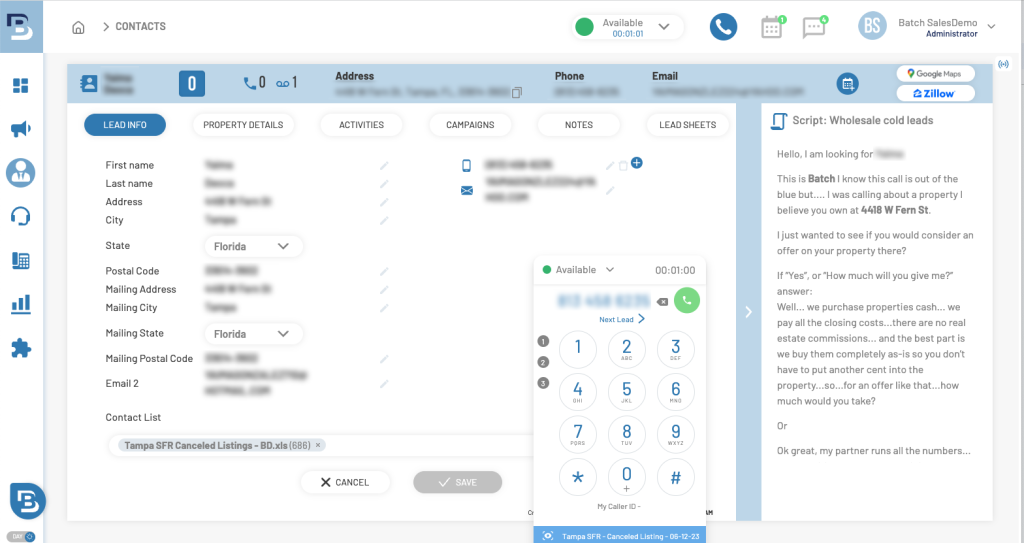
Features
- Predictive & preview dialers
- Answering machine detection
- Agent management and list assignment
- Live monitoring and coaching tools
- Customizable KPI dashboards
Integrations
- HubSpot
- Podio
- ActiveCampaign
- Zoho CRM
Pricing
- Basic: $139/user/month
- Advanced: $299/user/month
Free trial
You can try BatchDialer for 7 days at no cost.
Support channels
You can submit questions through the website form to get help with selecting a plan. Meanwhile, their FAQ page provides answers to common questions.
What makes it better than Readymode?
- Built-in CRM and lead management: This Readymode alternative has a native CRM that shows lead details, logs notes, records calls, and assigns prospects to agents.
- Flexible dialing rules: BatchDialer allows teams to define their own dialing and redial rules. Readymode offers fewer options for customization.
- Phone number reputation: BatchDialer tracks phone number reputation and automatically replaces flagged numbers.
BatchDialer limitations
- Extra cost for advanced features: Features like local presence or AI assistance require additional purchases.
- International charges: Unlimited calls can be made in the U.S. and Canada; international calls carry per-minute fees.
What customers are saying
Based on reviews, users like BatchDialer’s responsiveness and clarity of the support team. Many mention that agents handle questions quickly and follow through until issues are resolved. Billing concerns, account issues, and setup questions were frequently cited as examples where support was effective.
Some users note minor glitches or slow updates in the system, especially with features like call logging, line stability, or CRM integration. A few mentioned that the setup or learning curve for new users can take time.
sometimes the dialing system says “auto pause” and cuts the dialing session out –
Read the full review
Best for
Small to medium-sized sales and support teams that handle regular customer calls.
How to choose the right Readymode alternative?
Finding the right Readymode competitor depends on what your business truly needs from a VoIP, call center, or dialing solution. With numerous tools available on the market, it’s essential to evaluate each option carefully. Here are key factors to consider:
- Feature set: Ensure the platform provides the specific tools your team relies on, such as call recording, IVR, auto-dialing, and SMS support. Some alternatives may specialize in sales outreach, while others are better for customer support.
- Ease of use: A user-friendly interface can significantly reduce onboarding time and help your team stay productive. Look for platforms with intuitive dashboards and simple workflows.
- Integration capabilities: Check whether the service integrates with your CRM, helpdesk software, or productivity tools. Seamless integration can automate tasks and reduce manual data entry.
- Call quality and reliability: Services vary in call stability. Prioritize providers known for high uptime and clear audio, especially if your business relies on real-time communication.
- Scalability: Choose a solution that can grow with your business. Whether you’re adding users or expanding to new regions, the system should handle increasing demands without complications.
- Pricing and value: Look beyond the monthly fee. Compare what each plan includes. Some providers charge extra for essential features, while others offer better all-in-one pricing.
- Customer support: Responsive support can make a significant difference, especially during setup or when encountering technical issues. Check for 24/7 assistance or dedicated account management if needed.
Looking ahead to better options
If your team finds certain platforms a bit confusing or overwhelming, you’ll naturally want to look for something that makes day-to-day calls easier; a system that works well and keeps everyone on the same page.
MightyCall is the best Readymode alternative that many teams enjoy. Agents can get started quickly and see all the tools they need to make calls. It covers key features like call routing, lead management, and multi-channel support, allowing your team to focus on work. Take a look at MightyCall and see how it feels.