
PhoneBurner is a call center software solution with over 3,000 clients, and it does a good job overall. Still, like any platform, it has its limitations, and PhoneBurner’s cost can be quite high, especially for teams that need to add multiple users. The good news is that several companies like PhoneBurner can fill those gaps and even offer a more balanced, reliable experience.
Today, we’ll take a closer look at the provider itself and then explore the top service providers worth considering for your business.
Best PhoneBurner alternatives: A Comparison
Let’s start with an overview of the best PhoneBurner alternatives for business, and then we’ll go through each competitor more closely.
| Provider | Starting price per user | Dialer modes available | Answering machine detection | Real-time dashboards and analytics | G2 rating |
|---|---|---|---|---|---|
| PhoneBurner | $165/mo | Power | No | Basic | 4.7 |
| MightyCall | $20/mo | Preview Power Predictive |
Yes | Advanced | 4.5 |
| JustCall | $39/mo | Power Predictive |
Yes | Advanced | 4.3 |
| RingCentral | $30/mo | Preview Power Predictive |
Yes | Advanced | 4.0 |
| Mojo Dialer | $99/mo | Preview (Single-line) Power (Triple-line) |
Yes | Basic | 4.1 |
| Aircall | $40/mo | Basic power | No | Advanced | 4.4 |
| Dialpad | $27/mo | Salesforce Power | Yes | Advanced | 4.4 |
| Aloware | $40/mo | Preview Power |
Yes | Advanced | 4.1 |
| Readymode | $199/mo | Preview Power Predictive |
Yes | Advanced | 4.6 |
| Ringover | $29/mo (SMBs) | Power | Yes | Advanced | 4.6 |
| CloudTalk | $34/mo | Preview Power Predictive |
Yes | Advanced | 4.4 |
How we evaluated these alternatives to PhoneBurner
We’ve selected important criteria in our rankings:
- Features: Arguably, the most essential aspect of a telephony company is the features it offers.
- Price and availability: Service providers often offer tiered pricing. Many of these competitors are not necessarily better, but some could be significantly so.
- The possibility of integration: As the internet becomes more integrated into our lives, it is becoming more important than ever.
- Total cost (including add-ons): Sometimes, price can be a tricky metric to evaluate. The flat price typically covers the program itself; however, some of these companies don’t include everything listed in the original price.
- Call quality: The quality of a call matters. The other features are crucial, of course, but a phone company’s call capabilities are still the most important aspect.
- User support: Even the top alternatives to PhoneBurner can still cause issues. It’s crucial to have a support staff that can help you iron out those errors.
What is PhoneBurner?
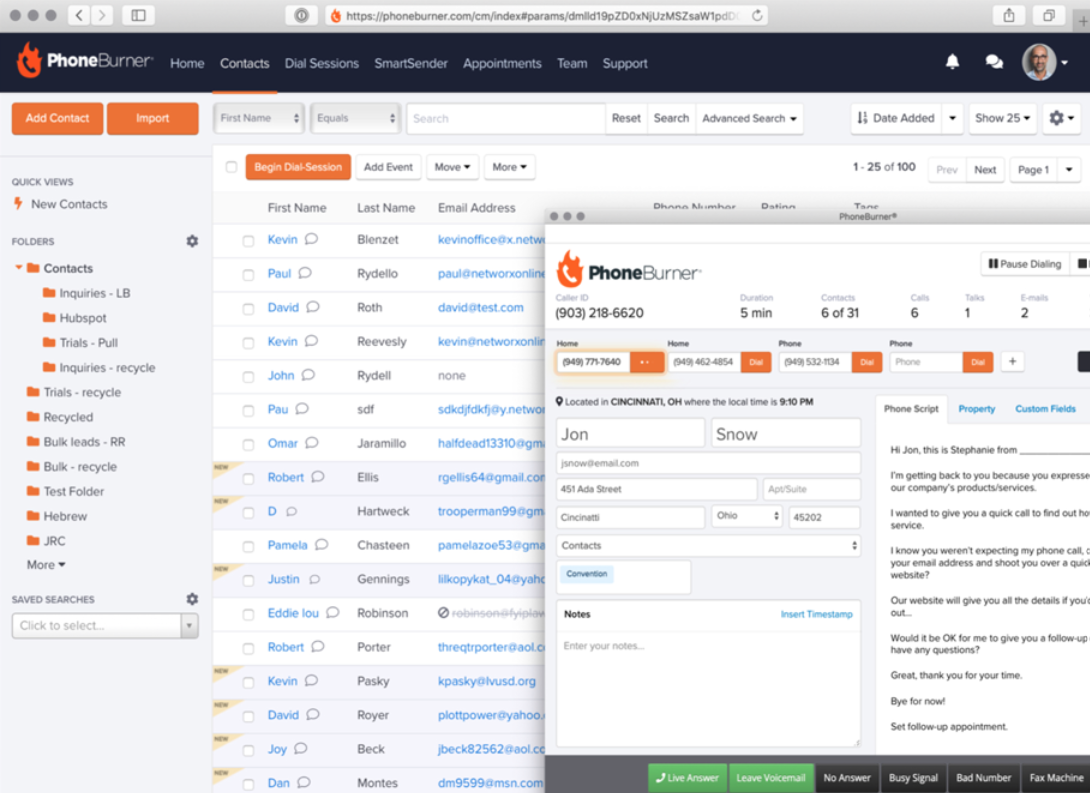
PhoneBurner is a sales acceleration platform founded in 2008 and based in California. It’s designed to help sales teams connect with prospects quickly and consistently through calls, email, and SMS.
Over the years, it has grown into a widely recognized tool used by thousands of professionals across the United States and beyond. It focuses on improving productivity and lead engagement by streamlining outbound communication and providing insights into team performance.
Key features
- Power dialer
- Lead distribution
- One-click voicemails
- Local presence
- ARMOR: Answer Rate Monitoring, Optimization, and Remediation
Integrations
- Salesforce
- Zoho
- SugarCRM
- HubSpot
- Zoom
Pricing
- Standard (essential tools): $165/user/month
- Professional (efficient outreach): $195/user/month
- Premium (advanced features): $215/user/month
Free trial
You get complimentary minutes to test the dialer, plus full access to guides and customer support.
Why businesses choose PhoneBurner
PhoneBurner attracts sales teams that want to reach more prospects and keep workflows clear and manageable. Reviews on G2 and GetApp highlight its combination of speed, control, and dependable support. Here are the main reasons businesses choose it:
- User-friendly interface: The platform has a clean and straightforward layout that teams can understand quickly. Many users note that new employees adapt quickly and can focus on calls rather than navigation.
- Boosted productivity: PhoneBurner allows sales reps to reach more contacts in the same amount of time. Users report more live conversations and stronger engagement compared to many other dialing methods.
- Reliable customer support: The support team receives praise for responsiveness and helpful guidance. Assistance is available during setup and throughout use.
- Automation for routine tasks: Features such as one-click voicemail, call logging, and email follow-ups reduce repetitive work. Teams can keep their attention on conversations and lead engagement rather than on administrative tasks.
Why consider PhoneBurner alternatives?
PhoneBurner provides a reliable outbound calling experience, but many businesses look for alternatives due to factors that affect cost, flexibility, and operational efficiency.
High cost
PhoneBurner’s base pricing is already steep, which makes the program a considerable investment for small or mid-sized teams. Even before add-ons, monthly costs add up, which some users report as a major hurdle.
Limited outbound call center features
Another reason businesses explore alternatives is that PhoneBurner lacks some basic outbound call center features, such as a predictive dialer and answering machine detection. These missing tools can limit efficiency for teams that rely on higher-volume or more automated calling workflows.
Add-on expenses
Many of the features that enhance performance come as paid add-ons. For example, dedicated PhoneBurner numbers provide higher-quality connections for inbound and outbound calls, callback management, and call analytics. Other add-ons, like smart call filtering, bulk analysis tools, and performance tracking, improve efficiency but increase the total cost.
Teams that use several add-ons often end up paying much more than they expected.
Limited analytics
While PhoneBurner tracks call activity and basic outcomes, it lacks advanced reporting and in-depth insights. Detailed conversion metrics or campaign-level analytics are limited. Teams that need precise data to optimize strategy must either use separate tools to get a complete picture or switch to a PhoneBurner alternative entirely.
Technical issues
Some users report slowdowns, freezing, and dropped calls during campaigns. These interruptions can disrupt operations, frustrate sales reps, and lead to missed opportunities.
No mobile optimization
PhoneBurner doesn’t fully support mobile devices or tablets. Supervisors can’t monitor performance, and reps can’t manage calls effectively while they’re away from a desktop. For modern, distributed teams, this lack of mobility limits flexibility and responsiveness.
10 top alternatives to PhoneBurner: An Overview
Here are the best PhoneBurner alternatives that make it easier to scale your outreach:
1. MightyCall
MightyCall is a fantastic competitor to PhoneBurner. The platform brings together the power and flexibility of a modern call-center platform with the ease and simplicity that small and mid-sized teams often crave. From intelligent inbound call routing to high-efficiency outbound dialing, it empowers agents and supervisors to handle customer interactions smoothly. With built-in dialer options, live monitoring, IVR, and real-time analytics, MightyCall allows businesses to scale customer service operations without drowning in complexity.
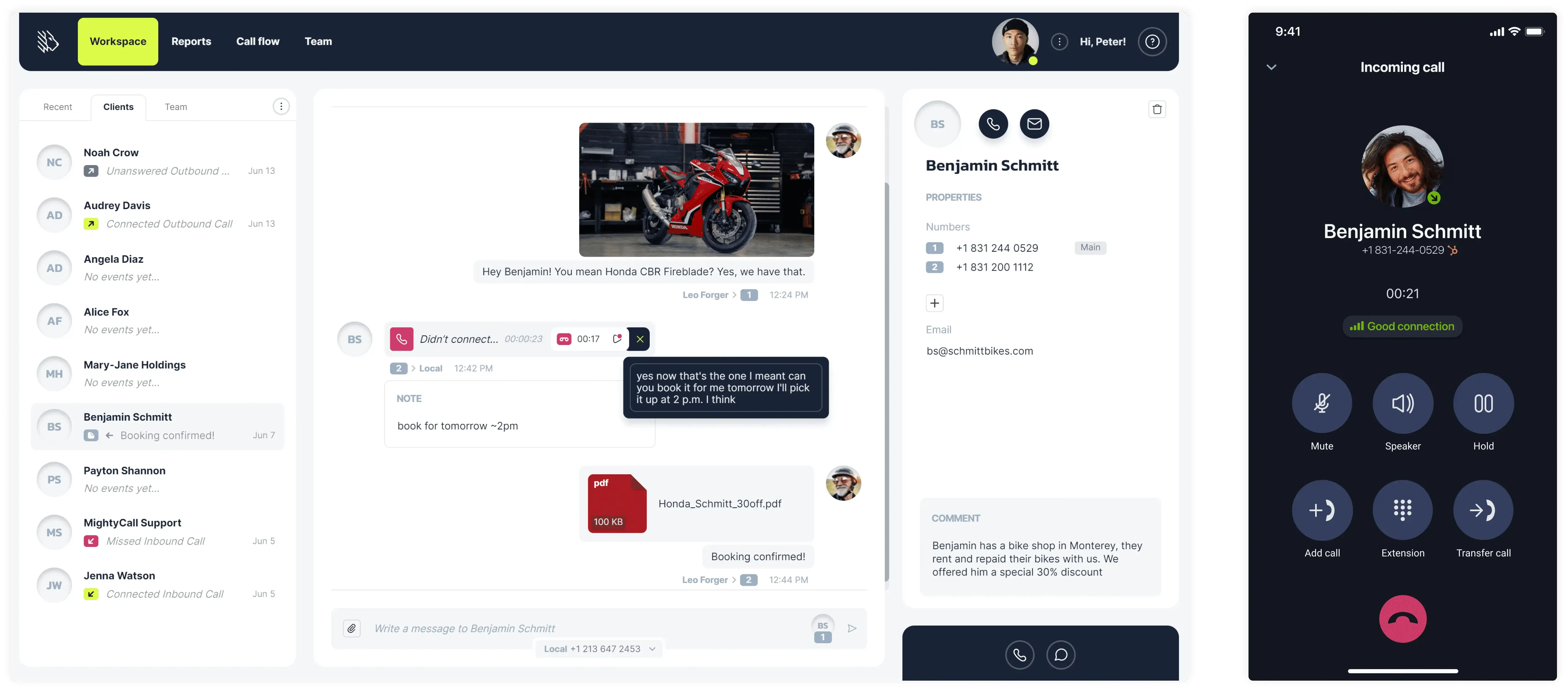
Features
- Fully customisable call routing
- Call recording
- Call queues
- Voicemail-to-text
- Voicemail drop
- Multi-level IVR
- Live call monitoring: call listening, barging, whisper, intercept
- Auto dialers: 10-line per agent predictive, power, and preview modes
- AI answering machine detection with a 97% accuracy
- Local presence dialing
- Number reputation management
- Caller ID whitelisting
- Real-time analytics
- AI call summary
- Business phone extensions
- Call recording
- Call waiting
Integrations
All major CRMs
Pricing
MightyCall offers the following price plans:
- Core: $120/mo/agent, billed annually
- Pro: $38/mo/agent, billed annually
- Power: $54/mo/agent, billed annually
- Enterprise: $65/mo/agent, billed annually
Free trial
MightyCall offers a 7-day free trial.
Support channels
- Live chat: Integrated into the website for quicker, interactive support.
- Phone support: You can talk to an actual human support agent by dialing +1 (888) 256-8312 ext.2
- Email support: You can email support@mightycall.com
- Onboarding and personalized help: New customers can book a demo session to help them set up their accounts.
- Help center: Documentation, articles, and how-to videos covering everything you need to know.
What makes it better than PhoneBurner?
- Workflows: MightyCall supports full inbound call-center workflows (ACD, IVR, queues, live monitoring), whereas PhoneBurner is more focused on outbound sales dialing, with less emphasis on inbound call routing.
- MightyCall tends to be more approachable for smaller or non-technical teams (e.g., ease of setup and user interface).
- Easy to start: If you need to transition from simple telephony to a more comprehensive call center environment, MightyCall provides that path without requiring separate inbound/outbound tools.
MightyCall limitations
- Some advanced outbound features (such as very high-volume predictive dialing) or very complex integrations may be less flexible than those in platforms built solely for outbound sales.
- Integrations with niche CRM/workflow tools may be less extensive for large enterprise call centers.
What customers are saying
Rating: 4.4/5 on G2
Users on G2 praise MightyCall for its intuitive interface and the relative ease of onboarding. They also highlight strong customer support and clear call quality. On the flip side, some users mention mobile app glitches.


Best for
MightyCall is best for small- to mid-sized businesses that require serious call-center capabilities without enterprise-level complexity.
schedule your personalized demo with our amazing team

2. JustCall
JustCall is a cloud communication platform that was launched in 2016. Headquartered in the United States with a development team in India, it’s a popular alternative to PhoneBurner that serves more than 6,000 businesses worldwide.
The platform brings together outbound and inbound calls, SMS, and communication management in one place. AI agents capture leads even after hours, and all conversations stay organized with integrations for over 100 popular business tools.
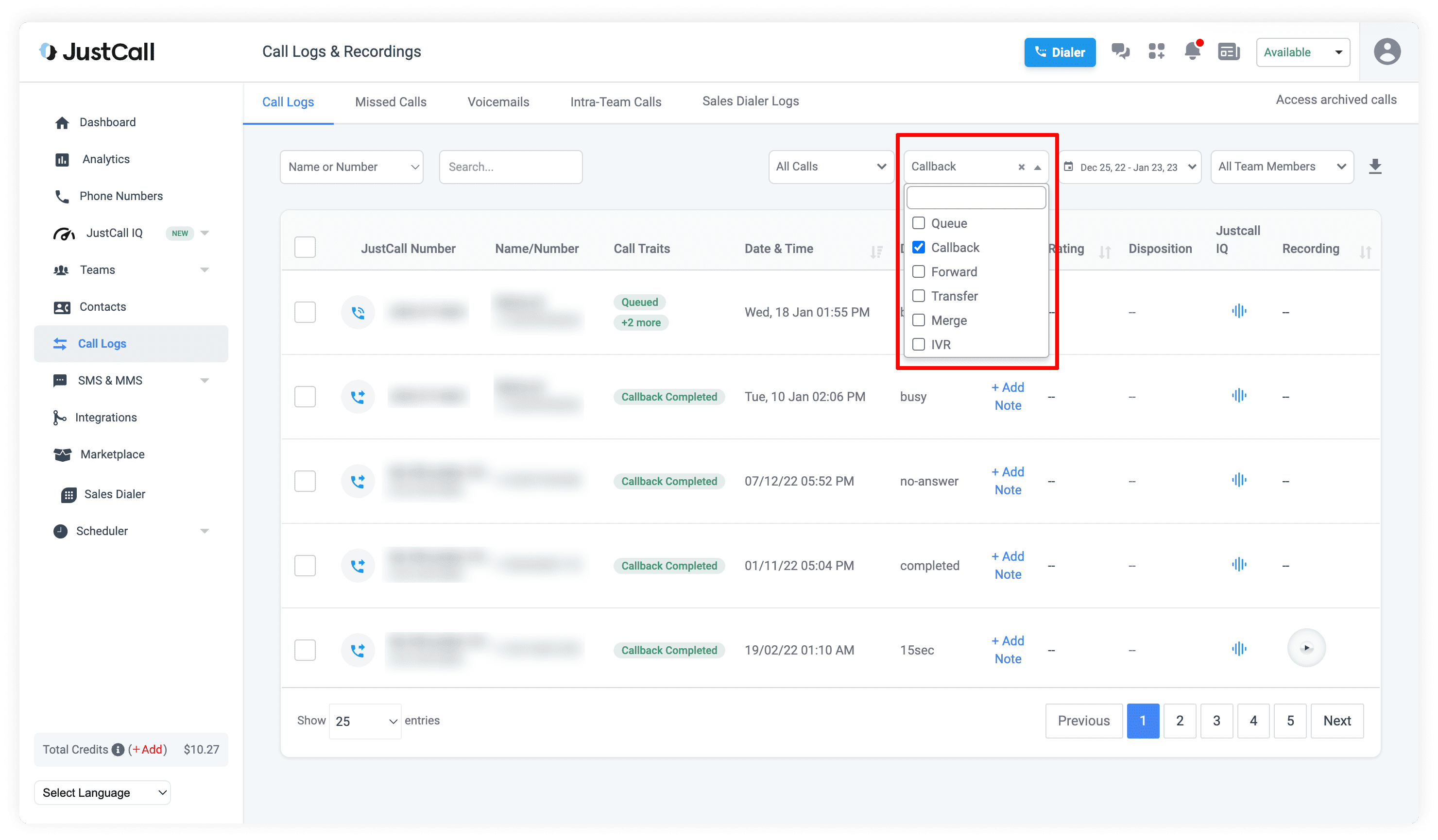
Features
- Power and predictive dialing modes
- Simultaneous calls
- Smart call routing
- Call notes and tracking
- Answering machine detection
- Automated insights and workspace tools
Integrations
- Salesforce
- HubSpot
- Pipedrive
- Bitrix24
- ActiveCampaign
Pricing
- Team: $39/user/month
- Pro: $69/user/month
- Pro Plus: $109/user/month
Free trial
JustCall is available with a 14-day free trial.
Support channels
JustCall offers support via chat, email, and phone, as well as a help center and a chatbot. Larger teams can access faster responses and personal onboarding through premium support.
What makes it better than PhoneBurner?
- Multi-channel communication: Teams can handle voice calls, SMS, MMS, and WhatsApp from one platform, while PhoneBurner focuses mainly on outbound calls.
- Global reach: JustCall provides local numbers in over 70 countries to support international operations.
- Faster setup and onboarding: This PhoneBurner competitor can get teams up and running quickly with guided support, whereas PhoneBurner requires more manual setup.
- AI-driven insights: JustCall offers conversation intelligence, predictive dialing, and automated reporting to improve performance.
JustCall limitations
- Learning curve for new users: The platform combines multiple communication channels and features, which may take time for teams to get used to.
- Add-on costs for certain functions: Advanced features, such as extra phone numbers or AI-powered voice agents, require additional fees beyond the base plan.
- Integration quirks: Certain app integrations or mobile features may encounter bugs, requiring troubleshooting or support intervention.
What customers are saying
Rating: 4.3/5 on G2
Users describe JustCall as straightforward and practical for managing daily communication. Many appreciate how it makes both outbound and inbound communication easier. Even those with limited technical experience report that they can start using it quickly and find the interface clear and intuitive.
Some users note minor delays with calls or occasional login difficulties, but these rarely disrupt work.
I’ve worked with computers/technology for 25 years and the system is not intuitive enough. While the support can be helpful, sometimes it does fall short. –
Read the full review
Best for
Growing sales and support teams, service providers, and companies that are looking for a cheap alternative to enhance customer communication.
3. RingCentral
RingCentral was founded in 1999 and is based in Belmont, California. It provides business communication solutions for companies of all sizes and has offices in North America, Europe, Asia, and Australia. Millions of users across industries (from retail to finance) rely on the platform, and it lets small teams and large enterprises adjust their communication systems as their needs change.
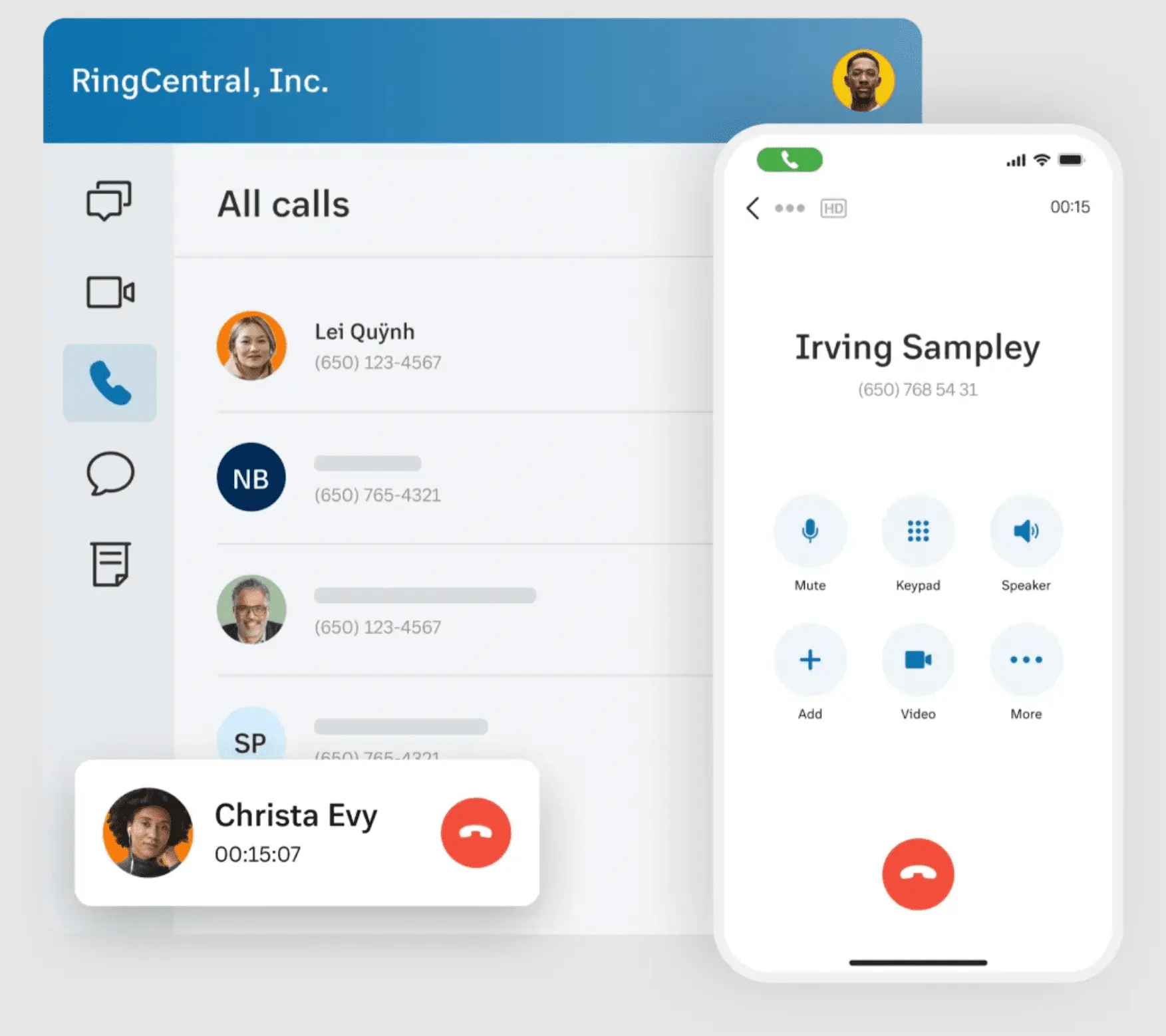
Features
- IVR with editor
- Answering machine detection
- Multi-way conference calls
- Preview, power, and predictive dialing modes
- Unified inbox
- Visual voicemail
- Background noise reduction
Integrations
- Salesforce
- HubSpot
- Zendesk
- Microsoft Teams
- Google Workspace
Pricing
- Core: $30/user/month
- Advanced: $35/user/month
- Ultra: $45/user/month
Free trial
RingCentral lets you try the platform free for 14 days.
Support channels
RingCentral provides customer assistance by phone, email, and live chat. Like PhoneBurner, it receives mixed feedback: some users find the responses quick and helpful, others feel it takes too long to get a reply.
What makes it better than PhoneBurner?
- Flexible dialer options: With preview, predictive, and progressive dialers, sales teams can choose the approach that best suits their outreach.
- AI-powered features: Built-in AI tools, like conversation intelligence and an AI receptionist, automate routine tasks, summarize calls, and help teams focus on meaningful interactions with prospects and customers.
- Global accessibility: RingCentral works across multiple regions and integrates with numerous business tools.
- Scalable for growing teams: The platform is designed to support large teams and complex operations.
RingCentral limitations
- Complex setup for smaller teams: The platform’s extensive features make initial configuration and customization time-consuming for smaller workgroups.
- High costs for advanced features: Accessing advanced features such as AI assistants often requires upgrading to higher-tier plans, which isn’t cost-effective for some businesses.
- Limited simultaneous calls: Unlike some alternatives, there are restrictions on the number of concurrent communications, which can impact high-volume call centers.
What customers are saying
Rating: 4.0/5 on G2
Reviewers appreciate the fast setup and consistent performance across desktop, smartphone, and web apps. Call and video quality is clear, and features like call recordings, messaging, and CRM or ATS integrations help teams stay organized. Many users find the support team helpful and well-informed.
Some users have reported occasional slowdowns, inconsistent call quality, delayed or double dialing, and text messages that auto-delete after a certain period. A few have experienced outages or issues with customer service.
Sometimes it gets a little bit slow but its no very common. –
Read the full review
Best for
Larger teams that are looking for a comprehensive set of tools.
4. Mojo Dialer
Mojo Dialer, founded in 2007 and headquartered in Littleton, New Hampshire, is a cloud-based auto-dialer and lead engagement platform. Trusted by thousands of professionals in real estate, insurance, and other industries, it helps users connect faster and manage leads. Like PhoneBurner, the platform primarily serves the North American market.
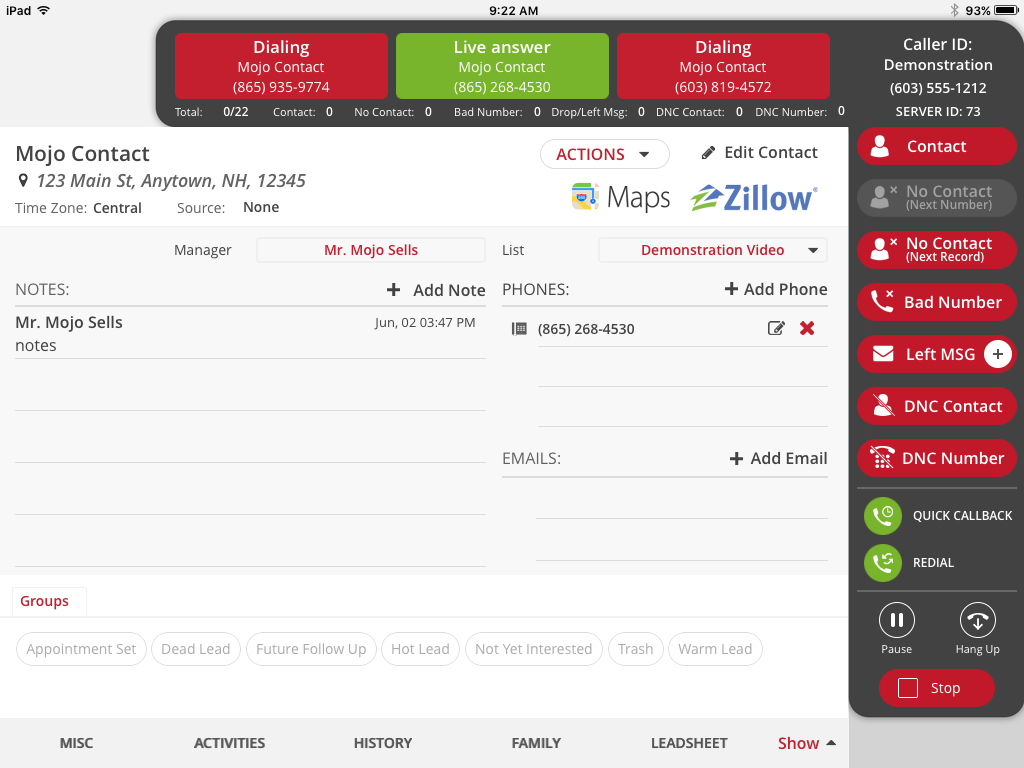
Features
- Single- & triple-line dialer
- Answering machine detection
- Call recording
- Caller ID
- Neighborhood search (custom calling lists)
Integrations
- Zapier
- Mailchimp
- Zillow
- BoomTown
Pricing
- Solo Agent: $99/month
- Neighborhood Farmer: $198/month
- Power Agent: $273/month
- Team Farming: $347/month
Free trial
No information on a free trial is available.
Support channels
Mojo Dialer’s support is available Monday through Friday, from 9 am to 5 pm EST. You can reach the sales team by phone or start a chat through the website.
What makes it better than PhoneBurner?
- Comprehensive lead management: Unlike PhoneBurner, Mojo Dialer offers robust lead management features, including lead segmentation, customizable scripts, and appointment scheduling.
- Real estate focus: Serves real estate professionals and includes features such as property discovery tools and integration with platforms like Zillow.
Mojo Dialer limitations
- User interface: Mojo Dialer’s interface may be harder for new users to navigate, and they may need extra time for training and adjustment.
- Lack of advanced analytics: Analytics in Mojo Dialer are limited, while competitors like PhoneBurner offer more comprehensive data.
What customers are saying
Rating: 4.1/5 on G2
Users appreciate the three-line dialer, reliable CRM integration, and quick setup. The interface is clear and straightforward, and many users have positive experiences with customer support and training resources.
Some limitations include occasional issues with caller ID, message recording, and data accuracy. Also, pricing is seen as relatively high, and some features can be challenging for first-time users.
There is often issues with the dialer and it hangs up on customers mid sentence. –
Read the full review
Best for
Sales and lead generation teams, particularly in real estate, insurance, and similar industries.
5. Aircall
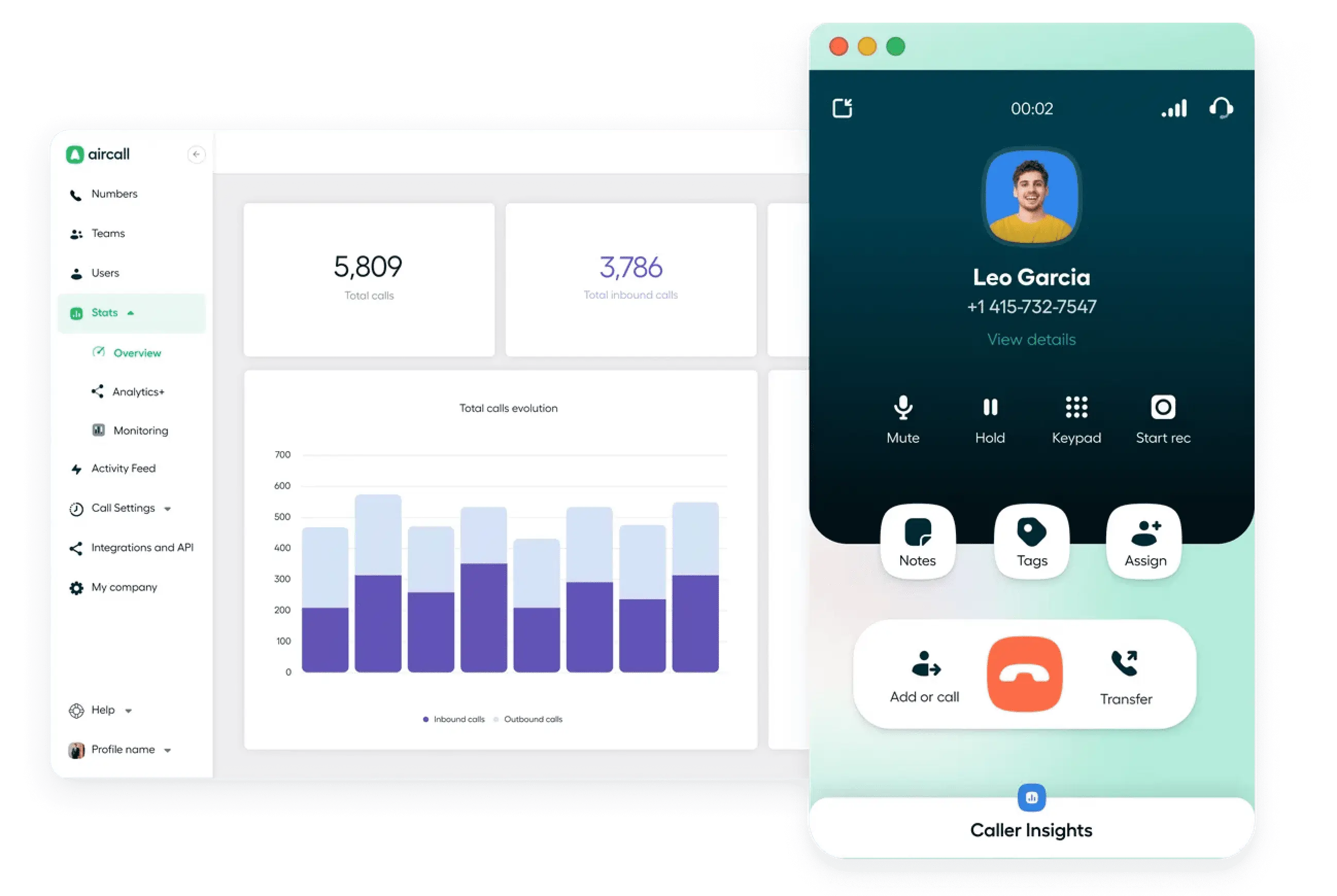
Founded in 2014 in Paris, Aircall is one of the top alternatives to PhoneBurner, helping sales and support teams manage calls and text messages in a single system. It has grown to serve over 20,000 businesses worldwide, with offices in Paris, New York, Madrid, and Sydney. The platform emphasizes a clear, efficient interface and supports companies across several countries.
Features
- IVR menus
- Queue callback
- Power dialing mode
- Shared call inbox and call assignment
- Call coaching and whispering
- AI-generated call summaries
Integrations
- HubSpot
- ActiveCampaign
- Zendesk
- Bullhorn
- Gong
Pricing
- Essentials: $40/user/month
- Professional: $70/user/month
- Enterprise: Custom
Free trial
Aircall gives users a 7-day trial with complete access.
Support channels
Aircall provides support through a help center, an AI assistant, and email tickets, with live chat included on some plans. Support is available 24 hours a day, Monday through Friday.
What makes it better than PhoneBurner?
- Multiple communication channels: Aircall supports voice calls and SMS in a single platform. PhoneBurner focuses mainly on voice, so teams need separate tools for other channels.
- Real-time analytics: Dashboards provide live metrics on calls, agent performance, and team activity.
- Extensive integrations: Aircall integrates with over 100 business tools, including CRMs and productivity apps, keeping data consistent and workflows coordinated.
- Assistance during calls: AI voice agents and call guidance give agents on-the-spot support.
Aircall limitations
- Pricing structure: Aircall’s pricing increases with additional features and users. For instance, advanced AI features cost an extra $9 per license per month.
- Call quality issues: Some users report occasional call drops and clarity problems, particularly during international calls.
- Lack of native collaboration tools: Aircall doesn’t offer native chat messaging, video conferencing, file sharing, or whiteboard features.
What customers are saying
Rating: 4.4/5 on G2
Many reviewers highlight how easy Aircall is to use, even for teams without technical expertise. The interface is clean, modern, and intuitive, which reduces onboarding time and daily friction. Users feel confident that client interactions will remain professional and uninterrupted.
Accessing recordings directly in the CRM is limited, and some users experience slight inconsistencies with retention when multiple tabs are open. Also, the interface can be awkward when handling large volumes of messages.
So far, I’ve loved the system just as it is. I cannot think of something that I dislike in this moment. The only issue that I’ve faced is that there seems to be a double ring with the incomming calls, but it might be a bug. –
Read the full review
Best for
Teams that require a scalable communication system with strong international integration options.
6. Dialpad
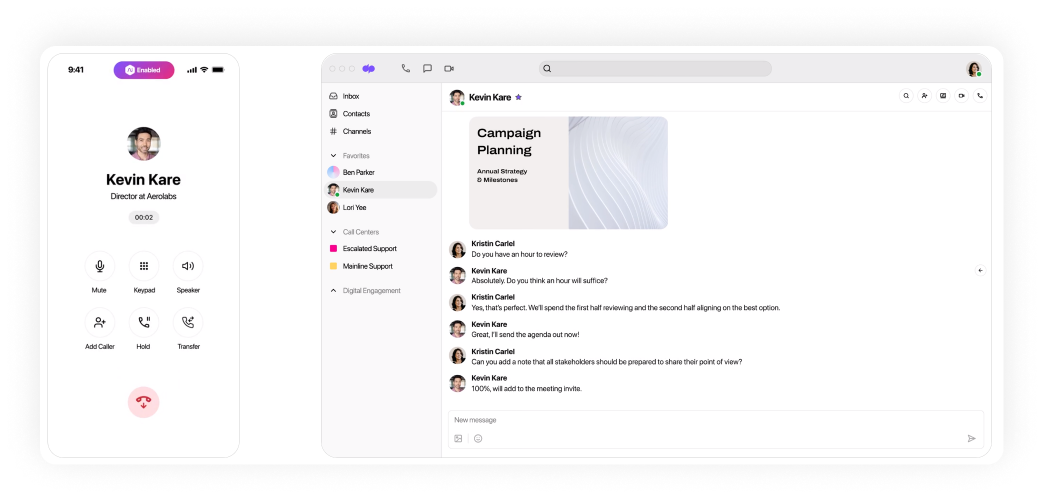
Dialpad, a cloud-based communication platform that brings together calls, video meetings, and messaging into a single system, was founded in 2011 and is headquartered in San Francisco. It supports businesses of all sizes and serves thousands of companies worldwide.
Operating in multiple countries, Dialpad incorporates AI-powered tools to help teams manage communications, monitor performance, and enhance customer interactions.
Features
- Business hours & time zones
- Customer callbacks
- Call tagging and quality monitoring
- Answering machine detection
- Team messaging
- Power dialing mode
- AI agent, sales coaching, and CSAT
Integrations
- Salesforce
- Microsoft Dynamics 365
- Freshdesk
- Zapier
- Front
Pricing
- Standard: $27/user/month
- Pro: $35/user/month
- Enterprise: Custom
Free trial
Users can use the platform for free for 14 days.
Support channels
Every plan comes with email and ticket support, plus a searchable help center. Users on Pro and Enterprise plans can also reach out via live chat or phone at any time.
What makes it better than PhoneBurner?
- AI support during calls: Dialpad is better than PhoneBurner in features such as real-time transcription, sentiment analysis, and coaching suggestions, which help agents respond more effectively.
- Cross-device flexibility: Users can switch between desktop, mobile, and tablet without losing call continuity.
- Modern interface: Dialpad’s intuitive layout helps new users get started quickly and reduces training time.
- Scalable across teams: This competitor lets teams set up custom call lists and view detailed analytics on agent activity and outcomes.
Dialpad limitations
- Call quality issues: Occasional missed calls, dropped connections, or unclear audio can disrupt conversations and slow down work.
- API limits affect high-volume users: SMS and call initiation limits may restrict larger teams.
- The interface can be complex: Some users find the layout less intuitive, which slows down onboarding for new agents.
What customers are saying
Rating: 4.4/5 on G2
Users like that it helps keep everything organized and accessible, and they appreciate the AI features for call summaries and notes. It works across devices, connects with popular tools, and customer support receives positive feedback for being helpful.
Some users feel it takes a little time to get fully comfortable with all features, and learning the system can require effort for both admins and team members.
Sometimes the mobile app lags and take sometime to load, and the transcription isn’t always perfect, but overall it works well. –
Read the full review
Best for
Customer support and sales teams that handle frequent inbound and outbound calls and need a single platform to manage them.
7. Aloware
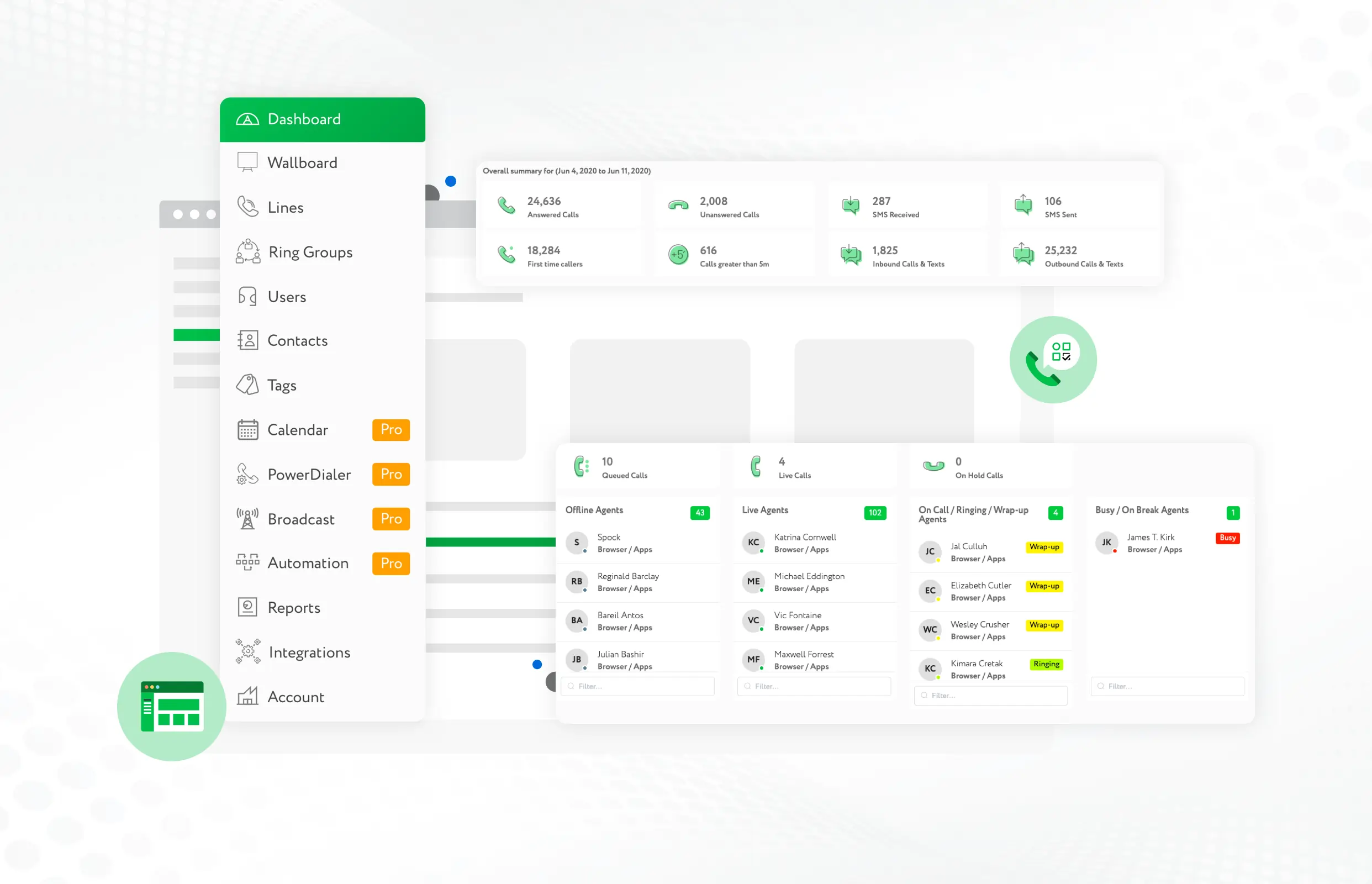
Aloware was founded in 2018 and is based in Los Angeles, California. It is an all-in-one cloud contact center platform for businesses that want to improve sales and customer engagement. The platform combines cloud telephony, contact center management, and business texting in a single solution.
Over the years, Aloware has supported clients across the United States and internationally.
Features
- Call routing
- AI IVR
- Spam protection
- Preview and power dialing modes
- Answering machine detection
- Call transcription
- Call recording for analysis
Integrations
- Salesforce
- Zapier
- HubSpot
- Gong
- Guesty
Pricing
- iPro + AI: $40/user/month (minimum 10 users)
- uPro + AI: $70/user/month (minimum 5 users)
- xPro + AI: $100/user/month (minimum 5 users)
Free trial
The trial lasts for 14 days.
Support channels
Aloware provides support through email, phone, and a support website, with advice and assistance available in the help center.
What makes it better than PhoneBurner?
- Advanced automation capabilities: Features like AI-powered voice agents, automated follow-ups, and intelligent call routing streamline workflows and reduce manual tasks.
- Flexible number options: Local and toll-free numbers across multiple regions let teams appear local to their contacts and expand internationally.
- Works for teams of any size: Aloware scales from small groups to larger operations, with multi-line dialing, call coaching, and performance analytics.
Aloware limitations
- User minimums: All plans require a minimum number of users, which won’t suit very small teams or solo operators.
- Learning curve for advanced features: Even though the basics are easy to use, AI agents and workflow automation can take longer to set up properly than some alternatives.
What customers are saying
Rating: 4.1/5 on G2
Users say the power dialer, automated workflows, call recording, and AI-generated summaries make it easier to save time and stay organized. Customer support is described as knowledgeable, approachable, and easy to reach. Many users also point to the platform’s reliability and straightforward setup.
Some limitations include occasional mobile app glitches, dropped calls, or CRM integration issues. New users may need some time to get comfortable with all the features.
I do not like the mobile app as much. My notifications are off put it still pushes calls through sometimes. Also I find the mobile app to be much more glitchy, for example I cannot change the line I use to make outgoing calls from the app. –
Read the full review
Best for
Businesses that are looking for a scalable solution to handle growing customer interactions.
8. Readymode
Readymode is a Canada-based alternative to PhoneBurner built for outbound sales. Originally launched in 2014 as Xencall and later rebranded, it has grown into a trusted predictive dialer solution.
Its hybrid-cloud setup reduces dialing costs and uses AWS and Cloudflare to maintain strong security. Today, companies in health insurance, real estate, travel, and BPO use Readymode to expand sales operations.
Features
- Integrated CRM
- Answering machine detection
- Call recording
- Live reporting
- Dynamic call scripts
- Preview, power, and predictive dialing
Integrations
- Salesforce
- HubSpot
- Stripe
- Zapier
- Slack
Pricing
- Starter plan: $199 per license/month
- iQ plan: $249 per license/month
Free trial
You can experience the platform through a free demo.
Support channels
The Help Center provides assistance via an online contact form, email, or phone for any questions or system issues. Support is available Monday to Friday from 6 am to 9 pm PST, and Saturday from 7 am to 6 pm PST.
What makes it better than PhoneBurner?
- Predictive dialing efficiency: Readymode’s predictive dialer can place 20+ concurrent calls per agent, which increases call volume and agent productivity compared to PhoneBurner’s power dialer.
- Comprehensive compliance tools: The competitor offers robust compliance features, including DNC list management, compliant call recording, state calling restrictions, and customizable call cadences.
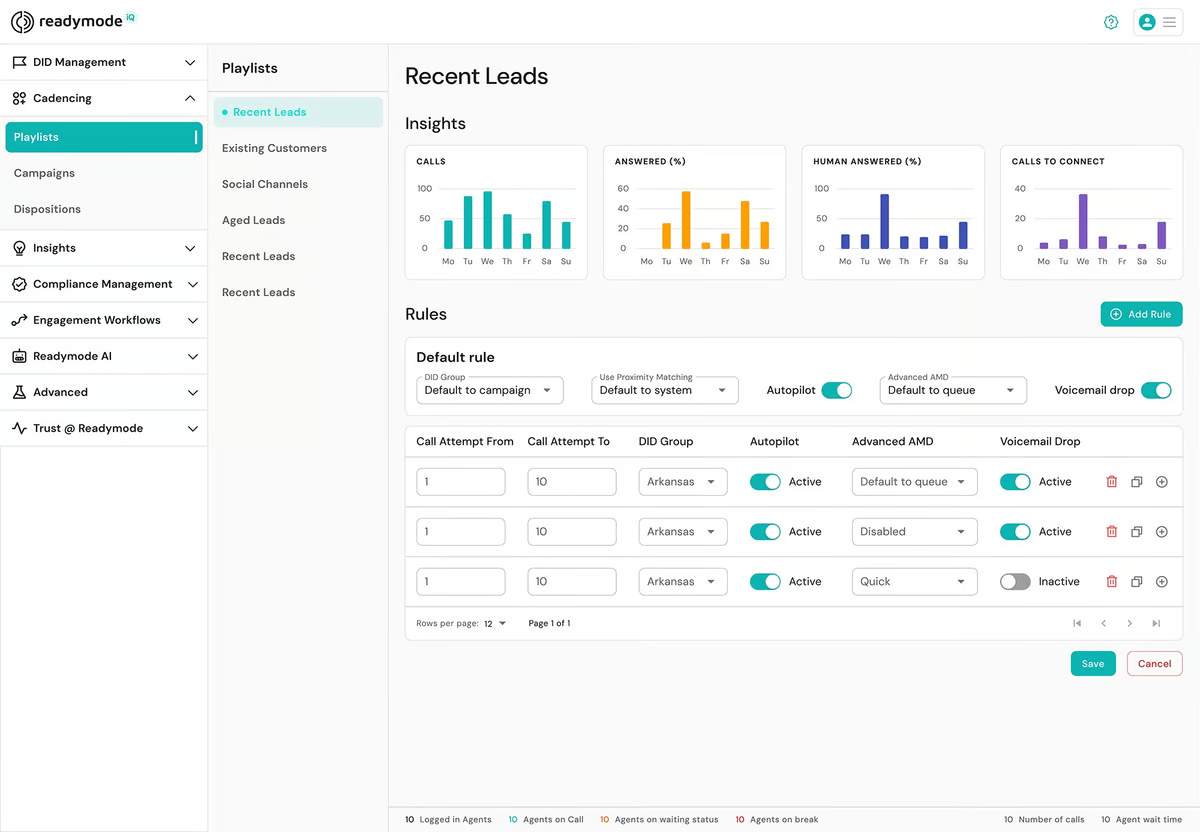
- Real-time reporting and agent monitoring: Readymode provides visual dashboards that track key performance indicators and support live coaching with listen, whisper, and barge-in capabilities.
Readymode limitations
- Interface complexity: Some users find that parts of the interface feel a bit dated compared with newer solutions. Menus and dashboards aren’t always intuitive.
- No real free trial: Many businesses like to “try before they buy,” especially when adopting a platform that will touch every call and interaction. Readymode doesn’t provide a hands-on trial that truly lets teams test its full capabilities.
What customers are saying
Rating: 4.6/5 on G2
Users appreciate the ease of use, clear call quality, and the ability to organize tasks, calls, and campaigns in one place. The platform supports multiple integrations, automated dialing, and offers analytics and reporting tools that help teams work efficiently and stay focused.
Some users mention that it takes time to get familiar with all the features, and they talk about occasional performance issues or minor interface limitations, particularly with large campaigns or multiple tabs.
Some issue with callback scheduling that didn’t reschedule calls automatically, usually the system will show prompt to proceed with reschedule, but many time the prompt not pop-up, agent had to mark it themselves, it wasn’t a big problem, but can saves agents time if it working correctly. –
Read the full review
Best for
Outbound sales teams and businesses that need to reach a large number of prospects efficiently.
9. Ringover
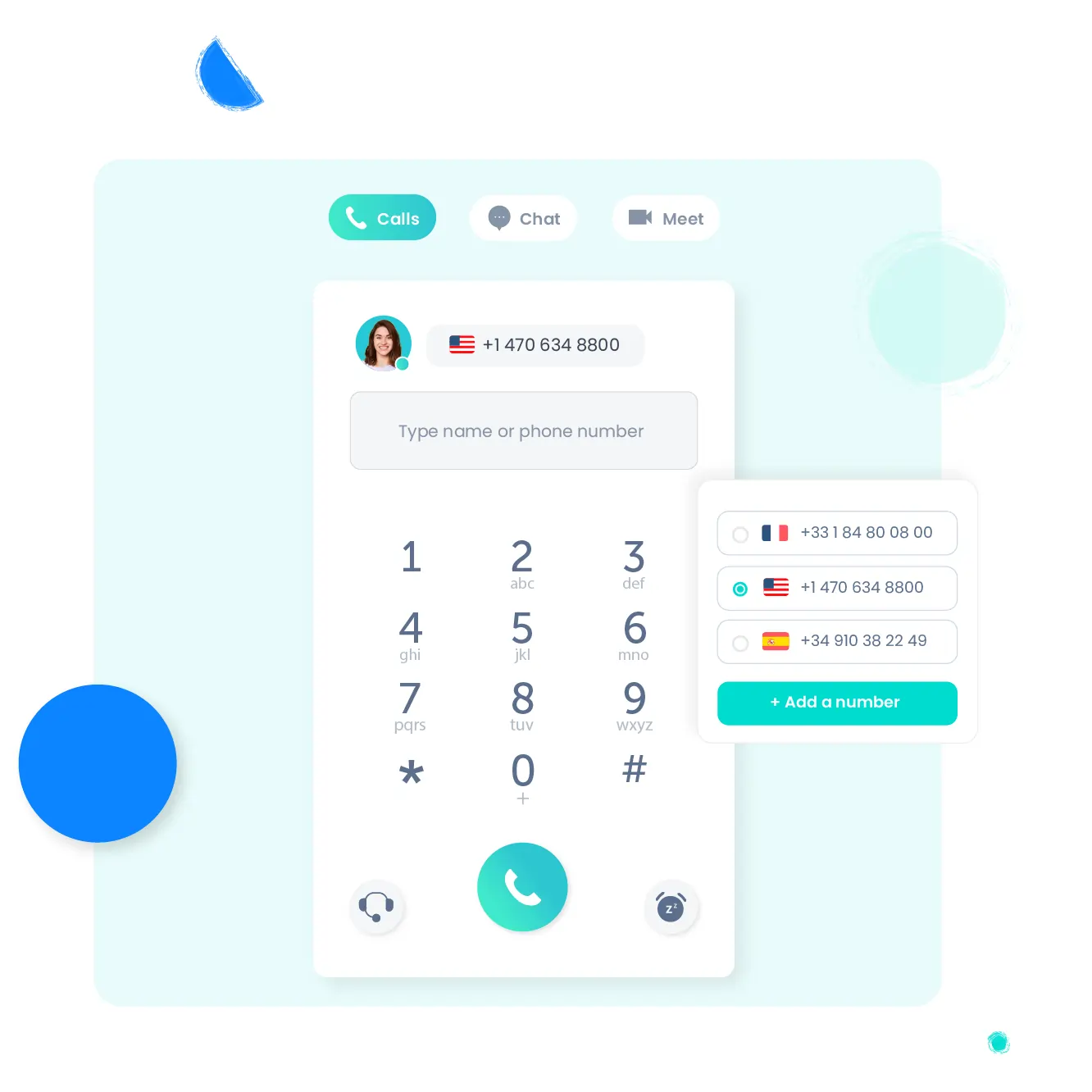
Ringover is a top PhoneBurner alternative that helps sales and support teams communicate more easily through calls and messages. The company began in Paris in 2005 and relaunched in 2018, focusing on WebRTC-powered CCaaS. It now operates across Europe and the US, with offices in London, Barcelona, and Atlanta.
The platform combines VoIP, AI tools, and call center features into a single service and has gained recognition for supporting small and midsize businesses.
Features
- Auto-attendant
- Conference calls
- Power dialing
- Answering machine detection
- Videoconferencing and screen sharing
- Call monitoring, intervention, and coaching
- AI call analysis, meeting assistant, and AIRO voice agent
Integrations
- Salesforce
- HubSpot
- Pipedrive
- Vincere
- Bullhorn
Pricing
Small & mid plan:
- Smart: $29/user/month
- Business: $54/user/month
- Advanced: Custom
Free trial
You can try Ringover free for 7 days.
Support channels
Ringover provides support Monday through Friday from 8 am to 8 pm ET, excluding public holidays. You can contact the team by phone using a local number or by email.
What makes it better than PhoneBurner?
- Integrated team collaboration tools: Built-in features like team messaging and video calls improve internal communication and lower the need for third-party applications.
- Advanced analytics and reporting: Unlike PhoneBurner, Ringover delivers detailed analytics and reports that give insights into call performance and team productivity.
- Global reach with virtual numbers: The platform provides virtual international numbers in over 60 countries, allowing businesses to better support global customers than PhoneBurner.
Ringover limitations
- Learning curve for new users: Teams may need time to become familiar with menus, dashboards, and feature placement.
- Limited customization: Users can’t modify greetings or call flows as freely as with some competitors.
- Feature set may exceed needs: Smaller teams that do not require all functions may find the platform more complex than necessary.
What customers are saying
Rating: 4.6/5 on G2
The interface is intuitive, so new employees can get up to speed quickly. Call quality remains clear and stable, and Ringover’s features (call recording, call forwarding, and CRM integration) make communication more efficient. Many people find customer support attentive and genuinely helpful.
Mobile apps can show minor glitches or delays with notifications, and certain integrations feel limited. Also, account setup and user management can be less straightforward at first, and some notifications feel overwhelming.
The mobile app can sometimes bug or take time to load.
Some features could be more customizable (for example: voicemail or queue). –
Read the full review
Best for
Organizations of any size, from solo operators to big enterprises.
10. CloudTalk
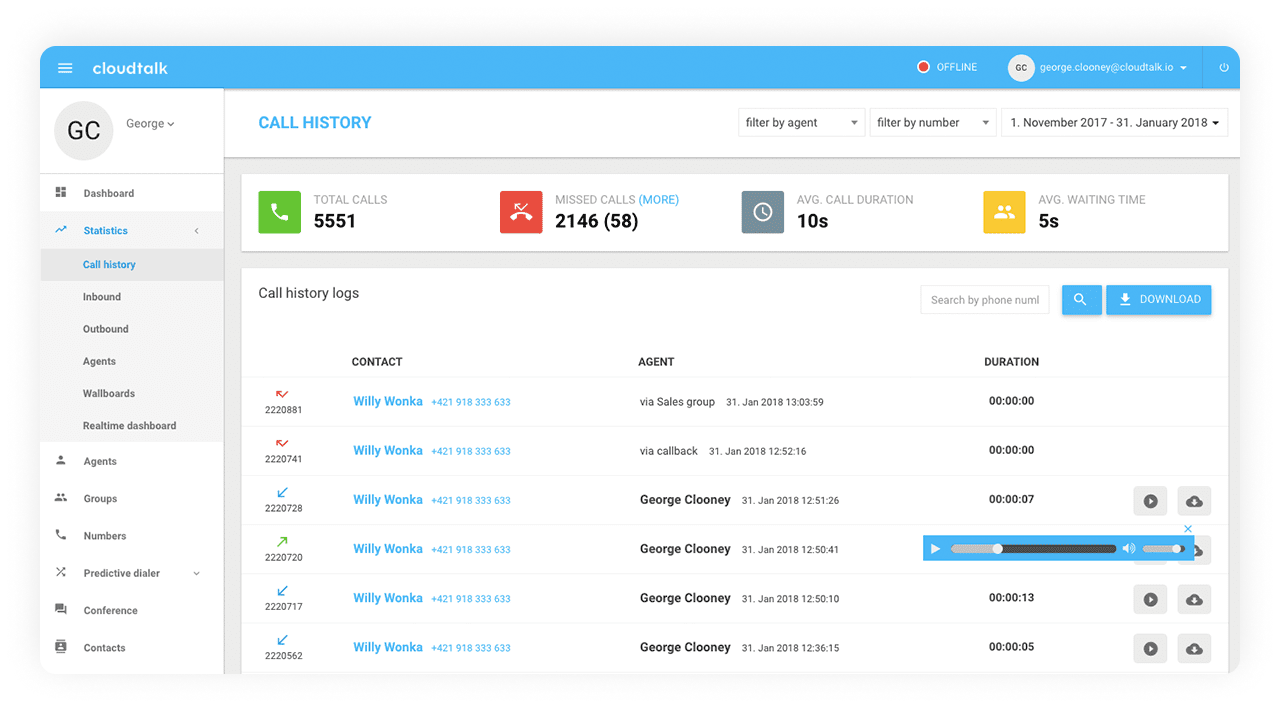
CloudTalk is a cloud phone system built for sales and support teams. This PhoneBurner alternative was founded in 2016 in Slovakia and supports over 4,000 businesses worldwide. The platform combines smart automation, AI tools, and reliable international calling. It helps teams reach more customers quickly and manage conversations across different markets.
Features
- Multiple dialer modes
- Click-to-call
- AI voice agents and voicemail drop
- Call transcripts and summaries
- Answering machine detection
- Preview, power, and predictive dialing modes
- Real-time dashboards and analytics
Integrations
- Zoho
- Pipedrive
- Zendesk
- Intercom
- Zapier
Pricing
- Starter: $34/user/month
- Essential: $39/user/month
- Expert: $69/user/month
Free trial
CloudTalk is available with a 14-day free trial.
Support channels
CloudTalk provides support via phone (multiple local lines) and email, as well as a help center with detailed guides and instructions.
What makes it better than PhoneBurner?
- Global coverage: CloudTalk provides international, toll-free, and local numbers across over 160 countries.
- Comprehensive analytics: The platform includes real-time dashboards, sentiment data, and call summaries, which give in-depth insights into call performance and team productivity.
- Reliable global voice quality: Emphasizes strong call clarity worldwide, reducing dropped calls and poor connections compared with PhoneBurner.
CloudTalk limitations
- Poor mobile performance: The desktop dashboards are strong, but tab and call history transitions are slow, limiting access to analytics and reports.
- Setup time for large teams: Implementing the platform for larger organizations may require more planning and support, even though smaller teams can get started quickly.
What customers are saying
Rating: 4.4/5 on G2
According to users, follow-ups are much easier, and important details never slip through the cracks. The dashboard provides insights into agent performance, call durations, and customer engagement. Even during peak hours, users report minimal call drops or latency.
That said, system updates or high call volumes can sometimes cause temporary issues, such as dropped calls or delayed AI notes. Scheduling updates during off-peak hours could improve this.
At times, the call quality can decrease depending on the strength of the internet connection, and there are a few integrations that could use some improvement. –
Read the full review
Best for
Global sales and support teams that are managing large call volumes and using CRM and automation extensively.
How to choose the right PhoneBurner alternative?
Finding the right PhoneBurner competitor depends on what your business truly needs from a VoIP, call center, or dialing solution. With numerous tools available on the market, it’s essential to evaluate each option carefully. Here are key factors to consider:
- Feature set: Ensure the platform provides the specific tools your team relies on. Some alternatives may specialize in sales outreach, while others are better for customer support.
- Ease of use: A user-friendly interface can significantly reduce onboarding time and help your team stay productive.
- Integration capabilities: Check whether the service integrates with your CRM, helpdesk software, or productivity tools.
- Call quality and reliability: Prioritize providers known for high uptime and clear audio, especially if your business relies on real-time communication.
- Scalability: Choose a solution that can grow with your business. Whether you’re adding users or expanding into new regions, the system should handle increased demand without complications.
- Pricing and value: Look beyond the monthly fee. Compare what each plan includes. Some providers charge extra for essential features, while others offer better all-in-one pricing.
- Customer support: Responsive support can make a significant difference, especially during setup or when encountering technical issues. Check for 24/7 assistance or dedicated account management if needed.
Wrapping up: Smarter options beyond PhoneBurner
Among the best alternatives to PhoneBurner, each one has its own strengths. Some focus on lower costs, others on easy setup or helpful support. The right choice depends on what matters most to your team and how you prefer to manage communication.
If you want a reliable option that stays simple while still offering the tools you need, MightyCall may be worth a closer look. It provides a steady, well-rounded experience that suits both new and growing businesses. Give MightyCall a try and decide for yourself.