
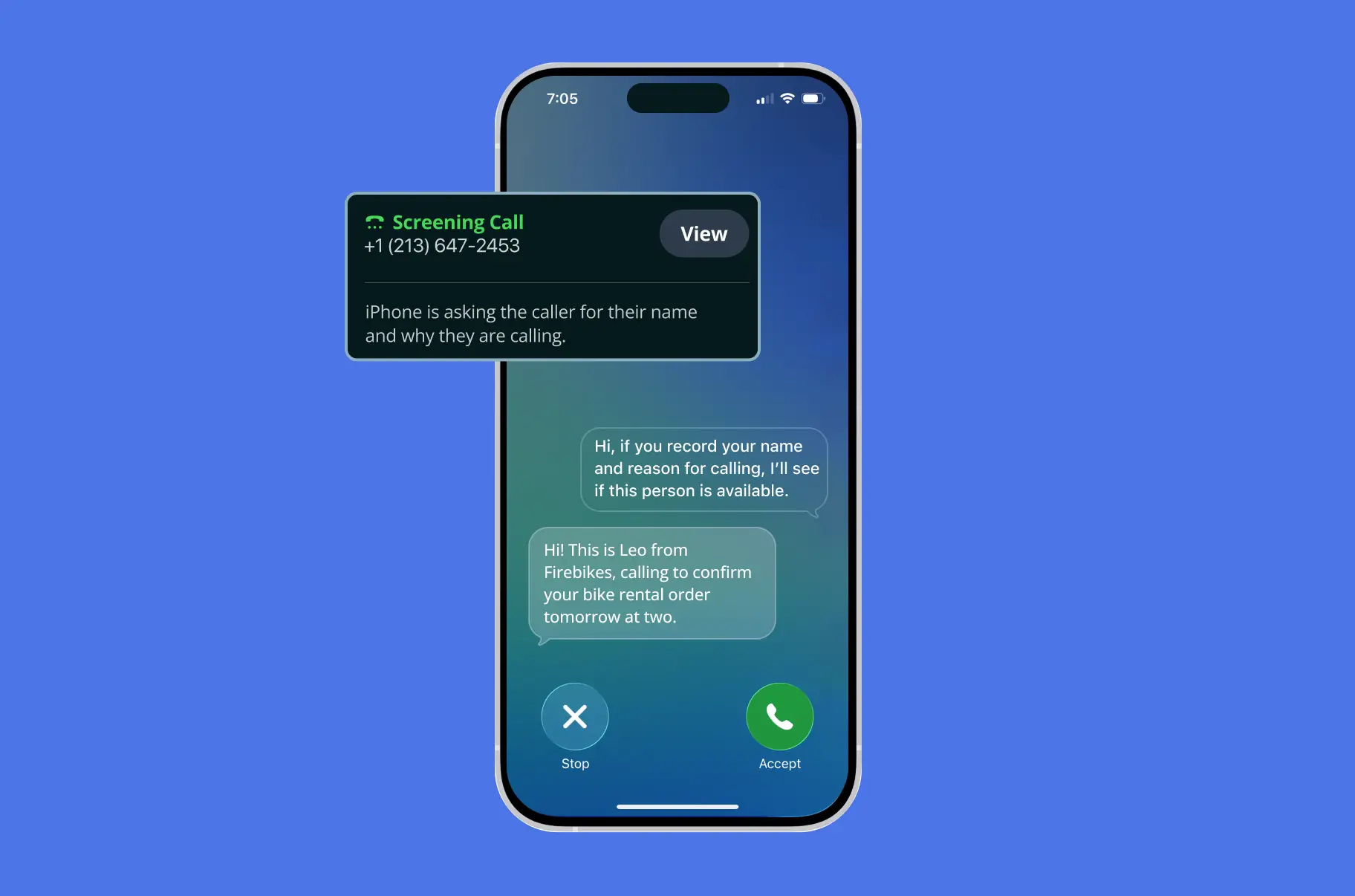
More and more outbound calls are being answered by call screening before they reach the person you’re trying to contact. iPhone, Pixel, and Samsung now offer features that answer calls from unknown numbers, ask who’s calling and why, and display the response on the recipient’s screen.
For outbound campaigns, this creates a problem. When a screening system answers, the dialer may mistake it for voicemail and end the call.
MightyCall’s new AI call screening handling feature addresses this issue. . It recognizes when a screening assistant answers, plays your prerecorded message, and waits for the contact’s decision. If they accept the call, the system connects them to an available agent.
What’s new
Call screening is detected separately from voicemail
MightyCall now runs two detection processes on every outbound campaign call: one to distinguish a person from voicemail and another to identify call screening. This prevents screening systems from being mistaken for answering machines. AI detection typically takes 2-3 seconds.
Your recorded message is played to the screening system
You can record a short message introducing your company and explaining why you’re calling. When MightyCall detects call screening, it plays your message. The screening system then displays the information to the contact as text, so they can decide whether to answer.
The contact chooses what happens next
MightyCall responds to the contact’s decision automatically:
- Accepted: MightyCall plays “Hi, one moment please while we connect you” and routes the call to the first available agent.
- Declined: The call ends.
- Replied by text: The call is directed to voicemail.
- No response: The call ends after 20 seconds.
We record every outcome using new call dispositions and a dedicated Call Screening column in campaign reports.
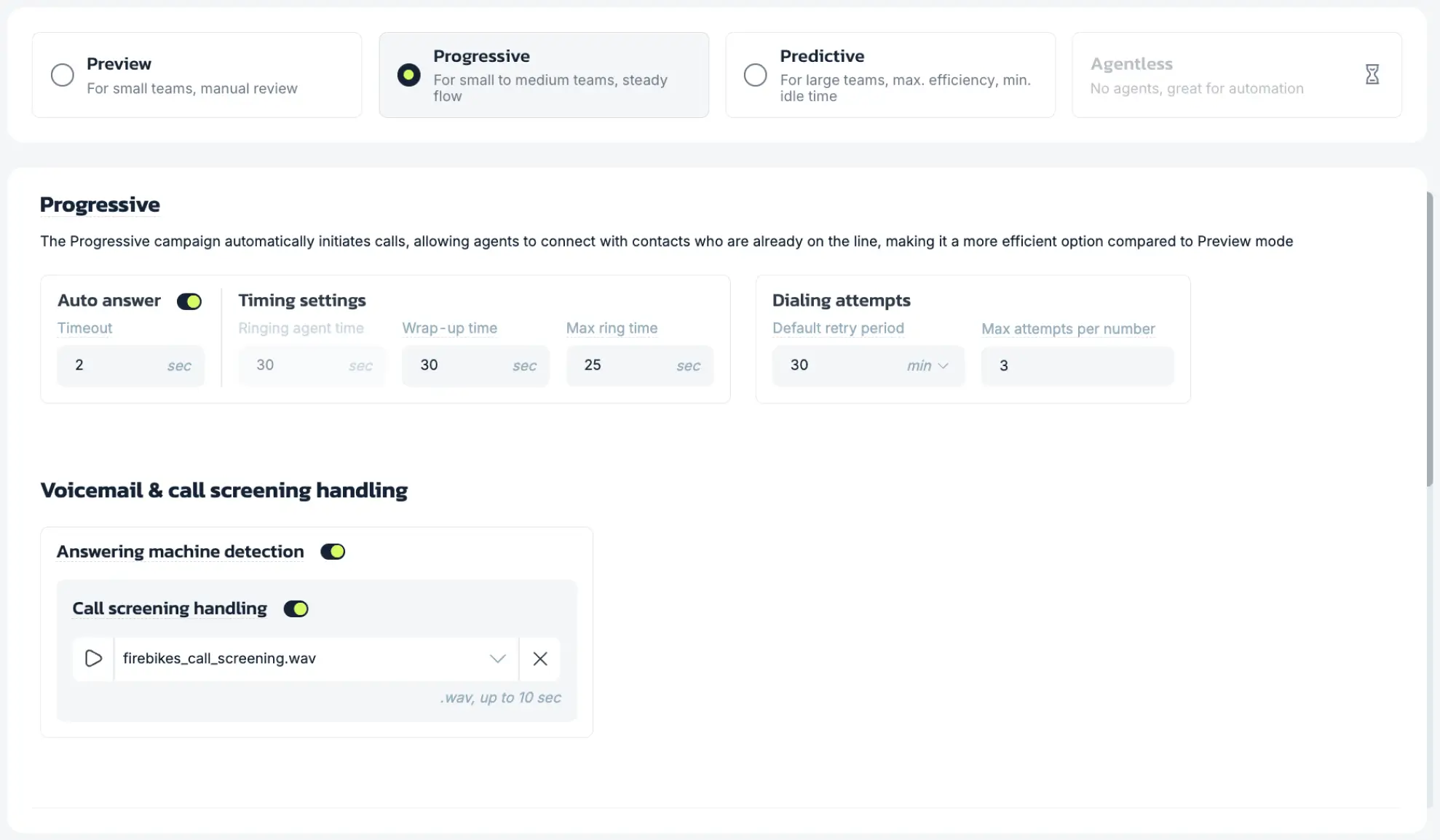
How to record the message
Keep your message short, clear, and easy to understand. MightyCall supports the following recording requirements:
- File format: .wav
- Maximum duration: 10 seconds
- Maximum file size: 1 MB
- Recording limit: 10 files per account
Include your company name and the reason for your call. This is the information the contact will see before deciding whether to answer. Keep it brief – under 12-20 words.
Why it matters for outbound campaigns
Call screening doesn’t necessarily reduce the number of calls your team places, but it can reduce how many reach potential customers. When a screening system answers and the dialer mistakes it for voicemail, the call ends before the contact can respond. Across large campaigns, these attempts can add up, consuming dialing capacity without reaching an agent conversation.
With AI call screening handling, MightyCall gives your campaign another opportunity to reach the contact. Instead of disconnecting immediately, the system introduces your business and explains the purpose of the call. Giving people a clear reason to answer creates an opportunity you might otherwise lose, while helping your team better understand what happens to screened calls.