
What is AI Call Screening Handling?
AI Call Screening Handling is a MightyCall feature that helps outbound campaigns navigate automated call screening systems. When a screening assistant answers, MightyCall identifies it, plays a prerecorded message introducing your business, and waits for the recipient’s decision. If the person accepts, MightyCall connects the call to an available agent.
Unlike traditional answering machine detection, this feature recognizes call screening as a separate call scenario, helping prevent legitimate calls from being disconnected prematurely.
How MightyCall AI Call Screening Handling works
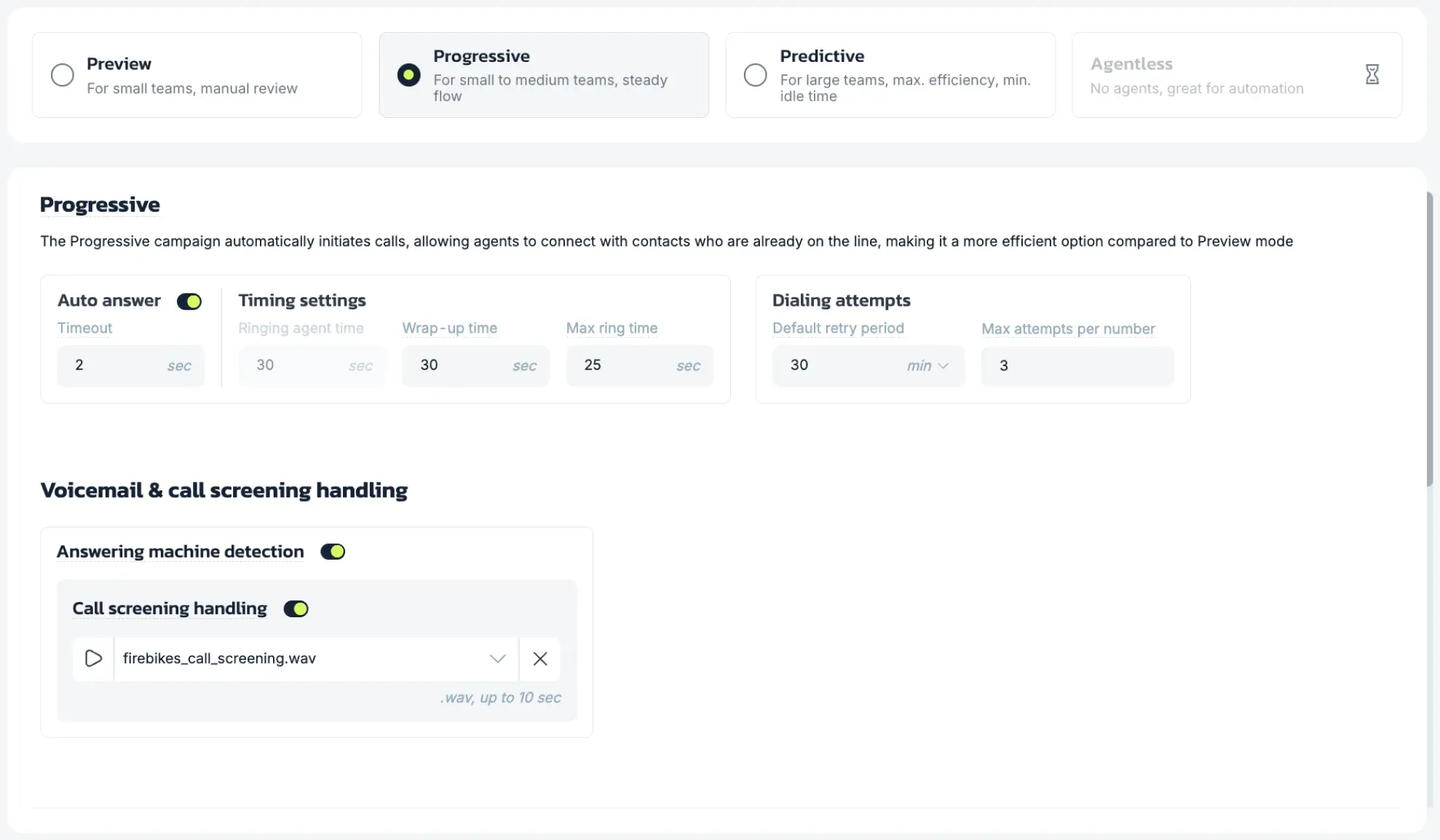
MightyCall automatically manages the screening process, so your agents can focus on live conversations.
1. Detects the screening assistant
When an outbound campaign call is answered, MightyCall checks whether it has reached a person, voicemail, or an automated screening assistant. Screening detection typically takes 2–3 seconds.
2. Plays your recorded introduction
If it detects screening, MightyCall plays a short prerecorded message that identifies your company and explains the reason for the call. The screening assistant can present this information to the recipient. Upload your introduction as a .wav file, with a maximum duration of 10 seconds and a file size of up to 1 MB. We recommend keeping the message between 12 and 20 spoken words. You can upload up to 10 audio files per account.
3. Waits for the recipient’s decision
MightyCall keeps the call in the screening flow while the recipient decides whether to answer. If the person declines or doesn’t respond, the system handles the outcome automatically.
4. Connects the call to an agent
When the recipient accepts, MightyCall plays a brief connection message and prioritizes the call over other queued calls, routing it to the first available agent. The team can then continue the conversation as usual.
Handle AI call screening across popular smartphones
AI-powered call screening is no longer limited to a single smartphone brand. MightyCall’s AI Call Screening Handling helps outbound teams respond to automated screening prompts instead of treating them as voicemail.
Apple iPhone
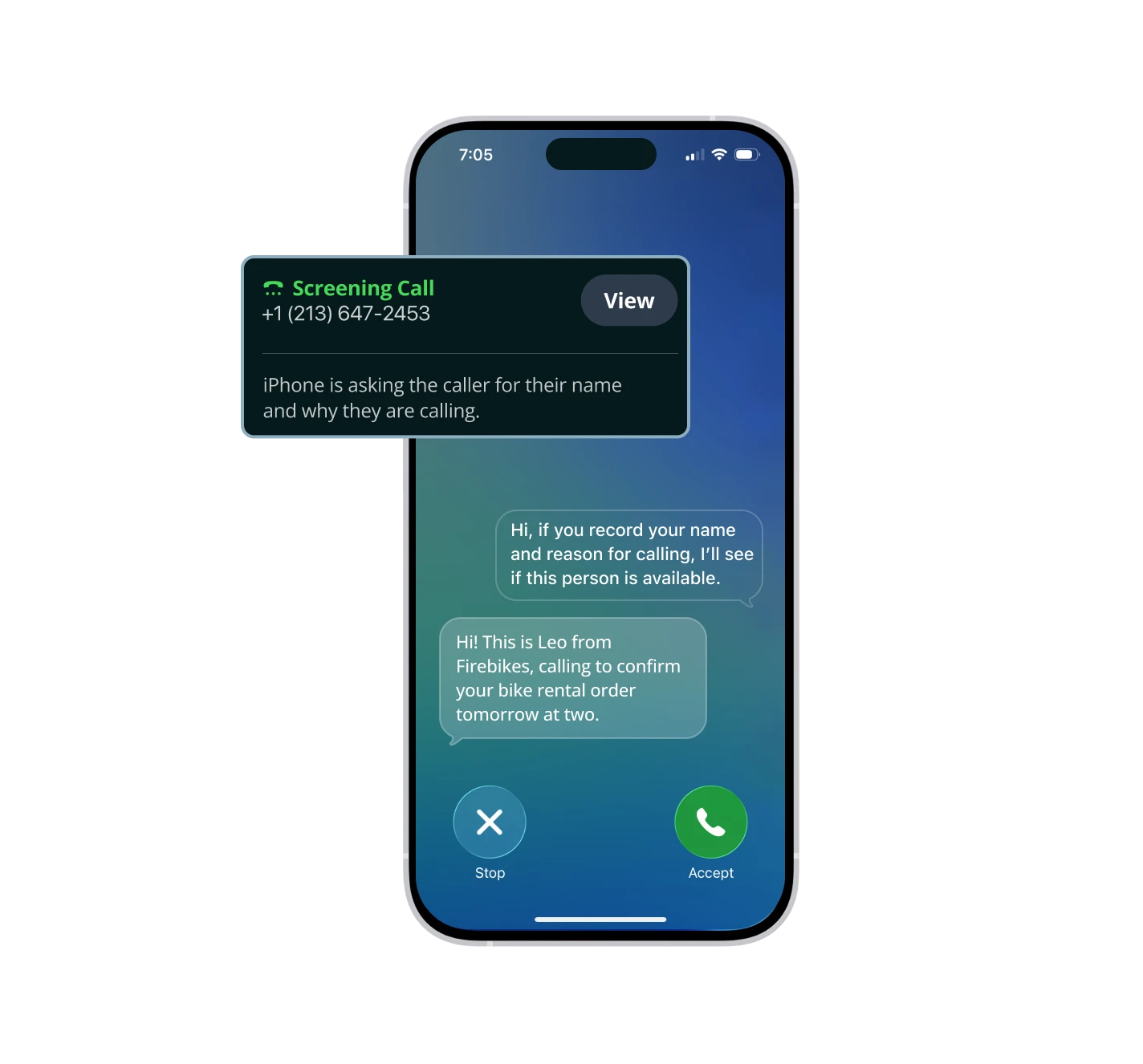
Apple’s iOS 26 Call Screening feature can ask unknown callers to identify themselves and explain why they’re calling. MightyCall plays your recorded introduction so the recipient has context before deciding whether to answer.
Google Pixel
Google Pixel’s Call Assist feature can answer calls and collect caller information. MightyCall’s screening handling delivers your business introduction when it detects a compatible screening flow.
Samsung Galaxy
Samsung Galaxy devices offer call-screening capabilities that let recipients review caller information before speaking. MightyCall helps outbound campaigns navigate supported automated screening interactions.
Where AI Call Screening Handling makes a difference
Sales outreach
Give prospects a clear reason for your call before they decide whether to answer. When a prospect accepts, MightyCall connects them with an available sales agent.
Customer callbacks
Help customers recognize legitimate callbacks from business numbers they may not have saved. Your recorded introduction explains who is calling and why.
Appointment and service follow-ups
Introduce your business and the purpose of a follow-up call, whether you’re confirming an appointment, providing a service update, or checking in with an existing customer.
High-volume outbound campaigns
Handle automated screening across campaign calls without requiring agents to respond to each screening assistant manually.
Why outbound teams need AI Call Screening Handling
Reduce wasted agent time
MightyCall handles automated screening interactions, so your agents can focus on conversations with people who are ready to talk.
Create more opportunities for live connections
Avoid losing potential conversations simply because an automated screener was mistaken for voicemail. Give recipients the information they need to decide whether to answer.
Keep outbound campaigns moving
MightyCall manages screening interactions within your outbound calling workflow, reducing the need for manual intervention.
Track screening outcomes
See how screened calls are handled through dedicated call dispositions and screening information in campaign reports. Understand which calls were accepted, declined, or left unanswered.
Make AI Call Screening Handling part of your outbound strategy
AI Call Screening Handling works alongside other MightyCall features to help your team manage outbound campaigns more efficiently.
- Auto Dialers: Run outbound campaigns with Preview, Progressive, or Predictive dialing modes.
- AI Answering Machine Detection: Distinguish live answers from voicemail while AI screening detection handles automated screening separately.
- Number Reputation Management: Monitor your business numbers’ reputation and identify potential spam-labeling issues.
- Local Presence Dialing: Automatically select business numbers with area codes that match your contacts’ locations.
- CRM Integrations: Connect MightyCall with your CRM to keep customer information and calling workflows organized.
- Caller ID / CNAM: Help recipients identify your business through supported caller name display options, complementing your recorded introduction during AI call screening.
- Campaign Analytics: Review campaign performance, call outcomes, and screening-related dispositions to identify opportunities for improvement.
Together, these tools help outbound teams manage the different factors that influence whether a call becomes a live conversation.
Don’t let call screening stall outbound conversations
Your agents shouldn’t lose opportunities just because an automated assistant answers first. With MightyCall AI Call Screening Handling, your outbound campaigns can respond to screening assistants automatically and connect accepted calls to real agents.
Book a demo today to find out all the details!