

Key takeaways
- Best for small outbound teams that want an all-in-one stack: MightyCall, JustCall, and Readymode deliver progressive dialing plus supervisor tools.
- Best for CRM-centric teams: Kixie remains the strongest preliminary fit for HubSpot/Salesforce-heavy workflows.
- Best for high-volume or blended contact centers: RingCentral RingCX, Five9, and Talkdesk provide progressive dialing alongside preview, predictive, and HCI/manual modes.
- How progressive dialing improves efficiency: It reduces manual lookup and dialing between calls, and (when integrated with CRM and workflow automation) cuts post-call admin hustle.
- Core buying principle: The best progressive dialer isn’t the one with the most features or the lowest advertised price; it is the one that best matches your team’s operating model.
No single dialer is universally best. It comes down to CRM fit, team size, required dialing software, total cost of ownership (TCO), and deployment requirements. We put together a comparison of the top progressive dialing software so you can pinpoint the one that best fits your business needs.
Top 10 progressive dialer software: Quick comparison
| Product | Cheapest Price (with Progressive) | Auto Dialer Types | Local Presence | AI Call Summary | Live Call Monitoring | G2 Rating |
|---|---|---|---|---|---|---|
| MightyCall | $54/user/mo | Preview, Progressive, Predictive | Yes | Yes | Yes | 4.4/5 |
| RingCentral RingCX | $65/agent/mo | Preview, Progressive, Predictive, HCI/Manual | Yes | Yes | Yes | 4.4/5 |
| Kixie | Not publicly listed | Power, Multi-line parallel; progressive workflows via CRM triggers | Yes | Limited/optional | Limited | 4.8/5 |
| JustCall | $49/user/mo | Power, Predictive, Dynamic (Sales Suite) | Yes | Yes | Yes | 4.3/5 |
| Five9 | $159/user/mo | Preview, Progressive, Power, Predictive | Yes | Yes | Yes | 4.1/5 |
| Talkdesk | $105/user/mo | Preview, Progressive, Power, Predictive | Yes | Yes | Yes | 4.4/5 |
| Readymode | $249/license/mo | Preview, Progressive, Power, Predictive | Yes | Limited | Yes | 4.6/5 |
| VICIdial | $0 software; $15–$30/seat self-hosted or $49–$499/mo managed | Manual, Preview, Progressive, Ratio, Predictive, Broadcast | Via config | Via add-ons | Yes | 4.1/5 |
| CallTools | Quote-based | Preview, Progressive, Power, Predictive, Parallel | Yes | Limited | Yes | 4.8/5 |
| Nextiva Contact Center | $75/agent/mo | Preview, Progressive, Predictive | Yes | Yes | Yes | 0/5 (no reviews yet) |
This table gives a quick overview of vendors on our list. We will dive deeper into each one a bit later.
How we selected the progressive dialers on this list
We compared these dialers using publicly available information from official pricing pages, product documentation, and independent user reviews.
We focused on:
- Whether progressive mode is available and which plan includes it.
- Other dialing modes offered.
- The depth of CRM and workflow integrations.
- How well each product fits different team sizes and call volumes.
- Pricing and total cost of ownership.
- Setup and ongoing administration.
- Supervisor tools, reporting, quality assurance, and performance monitoring.
- Compliance-related controls such as DNC management, consent records, call recording, and audit trails.
We also looked beyond the advertised starting price. A lower entry price is less meaningful if progressive mode is only available on a more expensive plan or comes with substantial usage fees.
What is a progressive dialer and how does it work?
A progressive dialer is an auto dialer that places the next outbound call only when an agent is available, maintaining a 1:1 call per agent ratio to avoid dropped calls or call abandonment.
How it works:
- Agent completes a call and selects a disposition or wrap-up code.
- System marks the agent as “ready” after the configured wrap-up time.
- The dialer automatically dials the next number in the campaign list.
- When the contact answers, the call is immediately connected to the waiting agent.
This reduces manual dialing between conversations and keeps agents in a steady outbound workflow without the over-dialing risk of predictive modes.
The 10 best progressive dialers: detailed overviews
1. MightyCall — best entry price for a complete outbound stack
MightyCall is a cloud-based call center and business phone platform for small and midsize teams that need outbound dialing, call management, supervisor tools, and CRM integrations in one system. Its main differentiator is the Power plan: progressive and preview dialing are bundled with local presence, number autorotation, and AI answering machine detection rather than sold as separate dialer add-ons.
Pricing (annual)
- Core: $20/user/mo
- Pro: $38/user/mo
- Power: $54/user/mo
- Enterprise: $65/user/mo
Pros and cons
| Pros | Cons |
|---|---|
| Progressive and preview dialing are included in the $54 Power plan. | Some advanced integrations are reserved for Enterprise. |
| AI AMD, local presence, and number autorotation | Power plan requires at least three users. |
| Supervisor Workspace, live monitoring, and AI summaries |
Top dialer features & integrations
- Auto dialers: Progressive, preview, predictive modes
- AI answering machine detection (AMD)
- AI call summaries and transcription
- Local presence and number autorotation
- Campaign dispositions and reporting
- All major CRM integrations
User feedback
MightyCall currently has a 4.4/5 rating on G2. Recent reviewers frequently mention straightforward setup, ease of use, and responsive customer support. Some noted that agents could start using the system within about an hour and that the full business setup took one day. Users also report occasional connectivity issues.


Best fit
MightyCall is great for a 3-15 seat outbound team that needs dialing, call review, and supervisor tools without buying multiple add-ons.
2. RingCentral RingCX — best value for full CCaaS dialing flexibility
RingCentral RingCX is an AI-powered omnichannel platform for teams that need outbound dialing alongside inbound voice, digital channels, analytics, and supervisor tools. Its main advantage for outbound operations is dialing flexibility: RingCX supports manual, preview, progressive, and predictive dialing, letting teams use different modes for different campaign types instead of adopting a separate dialer for each workflow.
Pricing (annual)
- Standard: $65/agent/mo
- Professional: $95/agent/mo
- Elite: $145/agent/mo
- Enterprise Contact Center: Contact sales
Pros and cons
| Pros | Cons |
|---|---|
| Four outbound dialing approaches support different campaign workflows. | Organizations that need only basic outbound dialing may pay for broader CCaaS functionality they don’t use. |
| RingCX combines outbound campaigns with inbound queues and 20+ digital channels. | Some reviewers report CRM integration lag or gaps with industry-specific systems. |
Top dialer features & integrations
- Multiple dialing options (preview, progressive, predictive, HCI)
- AI summaries and agent assist
- Omnichannel routing
- WFM and AI QM on higher tiers
- All major CRM integrations
User feedback
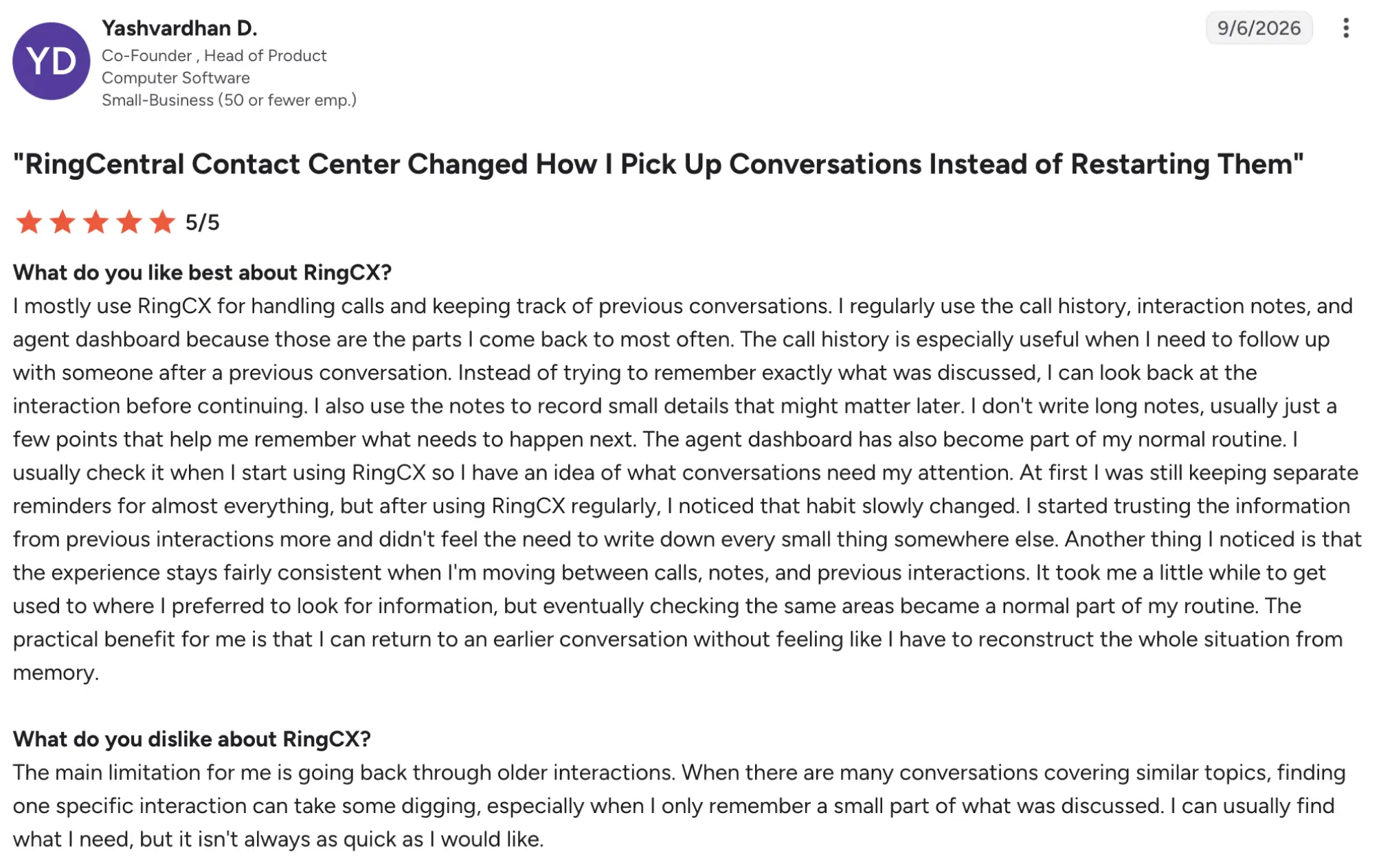
RingCX has a 4.4/5 rating on G2. Reviewers most frequently highlight ease of use, broad functionality, straightforward implementation, and the ability to manage several communication channels in one system. Reviews also mention recurring concerns around customization, integration limitations, and support response times.
Best fit
Existing RingCentral organizations consolidating inbound, outbound, and supervised calling under one vendor.
3. Kixie — best progressive dialer for CRM-first sales teams
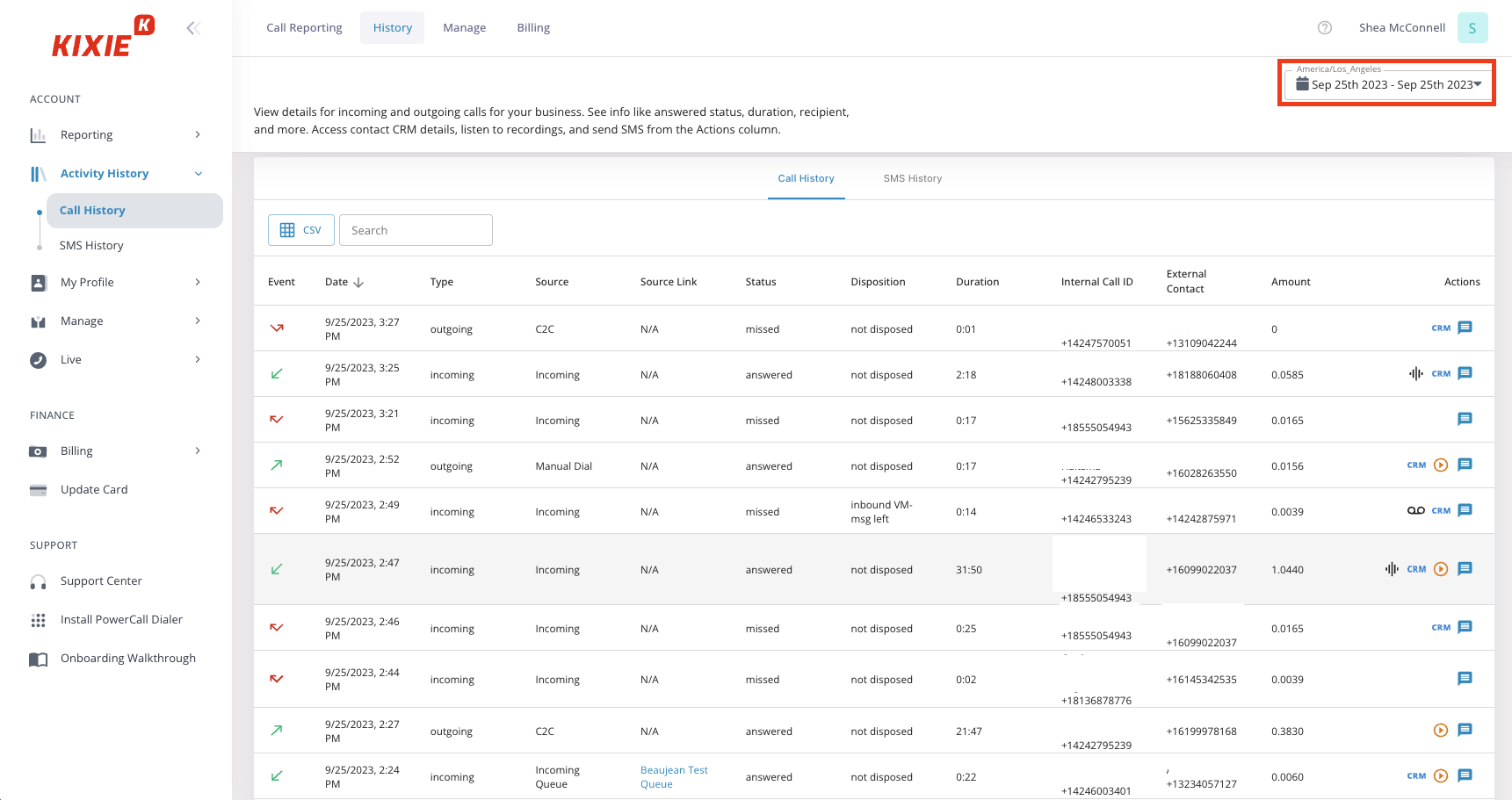
Kixie is a sales-dialer platform for teams that want outbound calling, texting, and follow-up activity connected directly to their CRM. Its strongest differentiator is the depth of its CRM workflow: calls, texts, outcomes, recordings, and activities can sync with systems such as HubSpot, Salesforce, Pipedrive, and Zoho, while call outcomes can trigger follow-up workflows and tasks.
Pricing
Kixie does not have publicly displayed pricing. You will need to contact their team.
Pros and cons
| Pros | Cons |
|---|---|
| Deep CRM synchronization | No public subscription pricing |
| Call outcomes can trigger CRM actions such as creating tasks, sending follow-up emails, or changing deal stages. | User-reported reliability issues |
| Teams can choose a single-line dialer or a multi-line setup depending on calling volume. |
Top dialer features & integrations
- Single-line and multi-line PowerDialer
- Local Presence and voicemail drop
- AI Human Voice Detection
- Automatic CRM call, outcome, and activity logging
- Workflow triggers based on call outcomes
User feedback
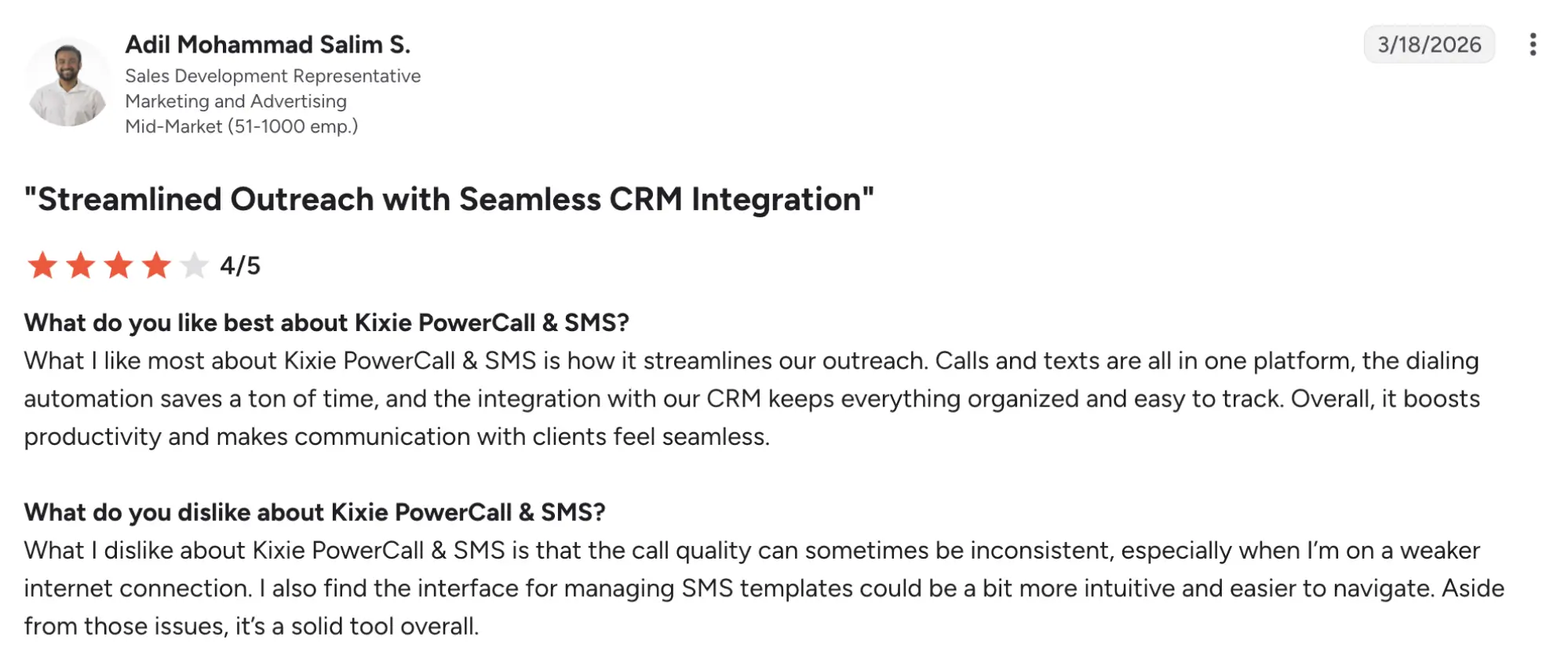
Kixie has a 4.8/5 rating on G2. Reviewers frequently praise its ease of use, CRM integrations, dialing speed, automation, and time savings. Recent reviews, however, also mention support frustrations, connection problems, CRM syncing delays, and limited reporting in some workflows.
Best fit
Kixie is best suited for 5-20 rep teams whose outbound workflow begins and ends in HubSpot, Salesforce, Pipedrive, or another supported CRM. It is especially relevant when the goal isn’t just to place more calls, but to reduce manual logging, keep dispositions synchronized, and automate what happens after each conversation.
4. JustCall — best modern multichannel option for small sales teams
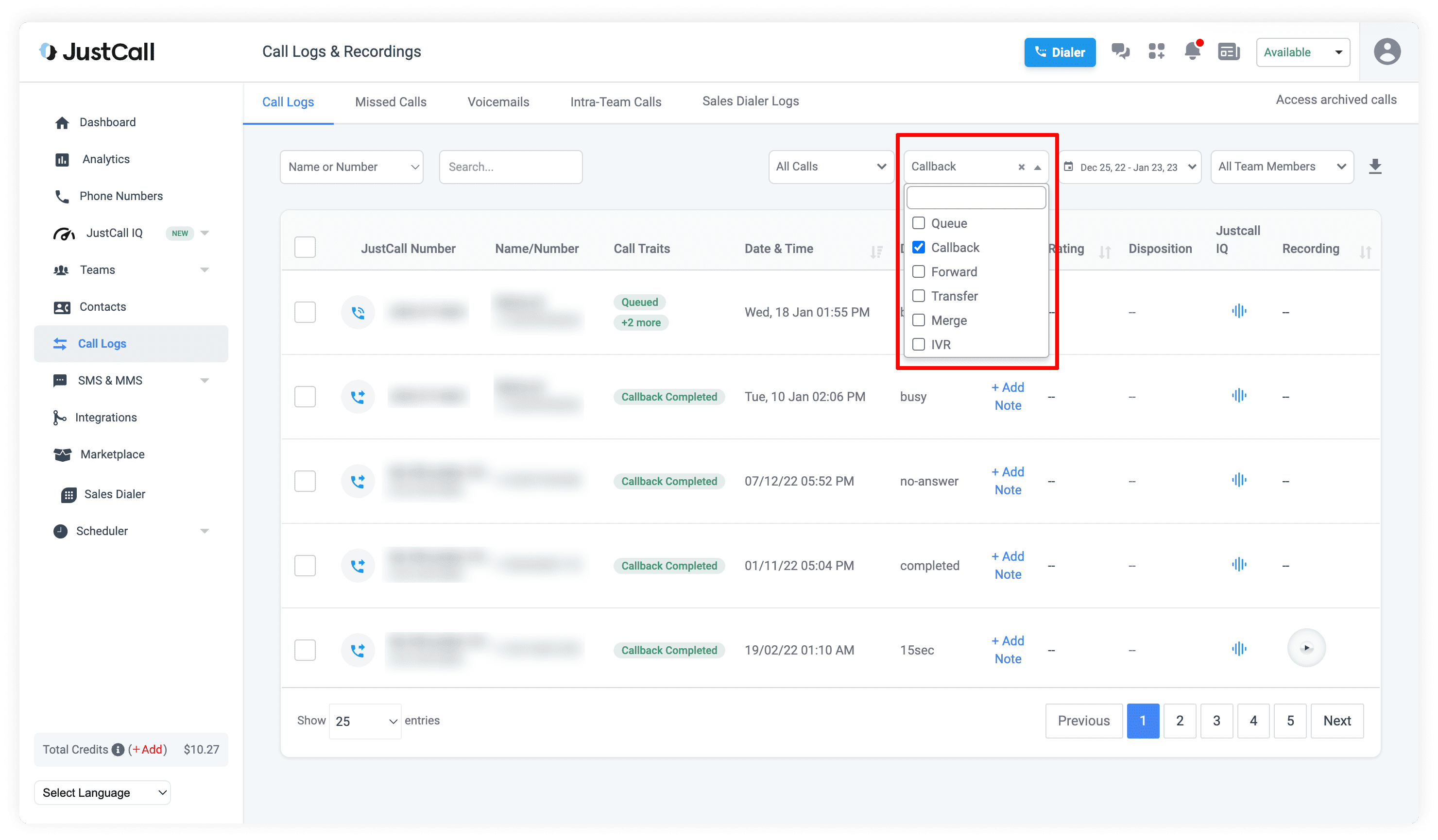
JustCall is a cloud communications platform for sales and customer-facing teams that want calling, outbound dialing, SMS, AI tools, and CRM integrations in one workspace. Its main differentiator is combining multiple dialer modes with messaging and follow-up workflows, making it especially relevant for teams that use call scripts during prospecting.
Pricing (annual)
- Team: $29/user/mo
- Pro: $49/user/mo
- Pro Plus: $89/user/mo
- Business: Request a quote
Pros and cons
| Pros | Cons |
|---|---|
| Calling and SMS can operate within the same sales workflow. | Most AI-related features require add-ons. |
| JustCall connects with 100+ CRM and business applications. | |
| Teams can move from single-line dialing to predictive or dynamic campaigns as requirements change. |
Top dialer features & integrations
- Power, predictive, dynamic dialers
- SMS campaigns and workflows
- AI call summaries and transcription
- Live call monitoring
- Local presence and intelligent routing
User feedback
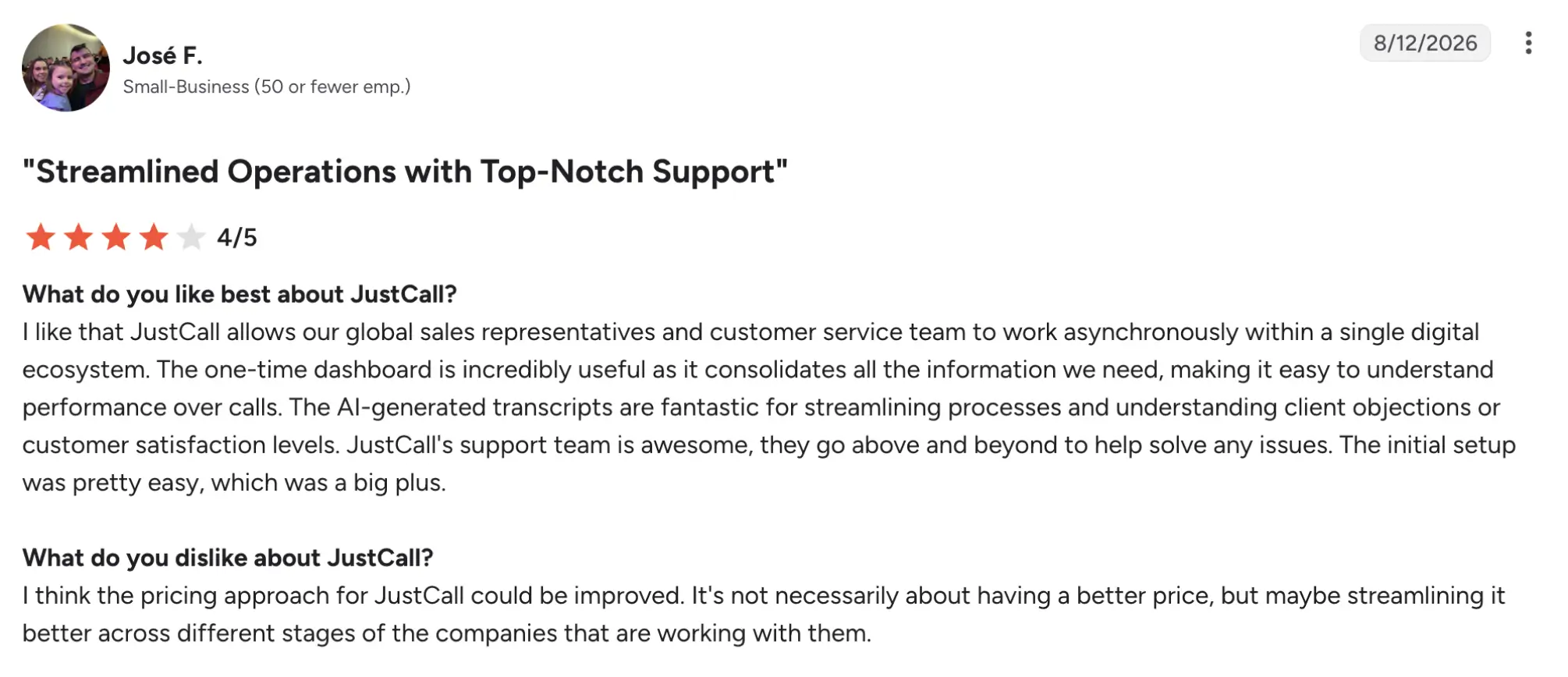
JustCall has a 4.3/5 rating on G2. Reviewers frequently praise its ease of use, call-management tools, integrations, and all-in-one communication features. Common complaints include call connectivity issues, dropped calls, glitches, and slower loading in some workflows.
Best fit
JustCall is best suited to small teams that combine outbound calling with SMS follow-ups and want CRM integrations and AI tools in the same platform.
5. Five9 — best for blended inbound and outbound enterprise operations
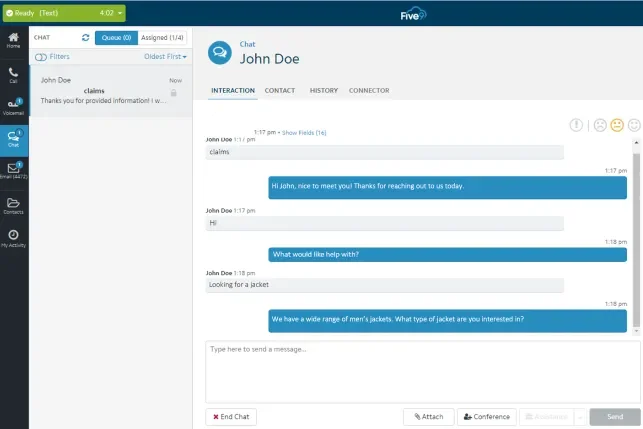
Five9 is a cloud contact center platform for mid-market and enterprise teams that need outbound dialing alongside inbound routing, digital channels, workforce tools, reporting, and AI. Its main differentiator is the extent of its outbound campaign engine: predictive, progressive, power, preview, and Manual Touch dialing can operate within the same broader contact center environment.
Pricing
- Digital: $119/user/mo
- Core: $159/user/mo
- Plus: Contact sales
- Pro: Contact sales
- Enterprise: Contact sales
Pros and cons
| Pros | Cons |
|---|---|
| Teams can match dialing behavior to campaign volume, personalization needs, and operational requirements. | High entry price |
| Agents can move between inbound and outbound work within the same platform. | Some users report dropped calls and system disruptions |
| Built-in compliance-related controls |
Top dialer features & integrations
- Predictive, progressive, power, and preview dialing
- Manual Touch Mode
- Answering machine detection
- DNC list management and time-zone dialing rules
- Local Caller ID and STIR/SHAKEN-related Certified Caller tools
- Real-time reporting
- Quality monitoring and campaign management
User feedback
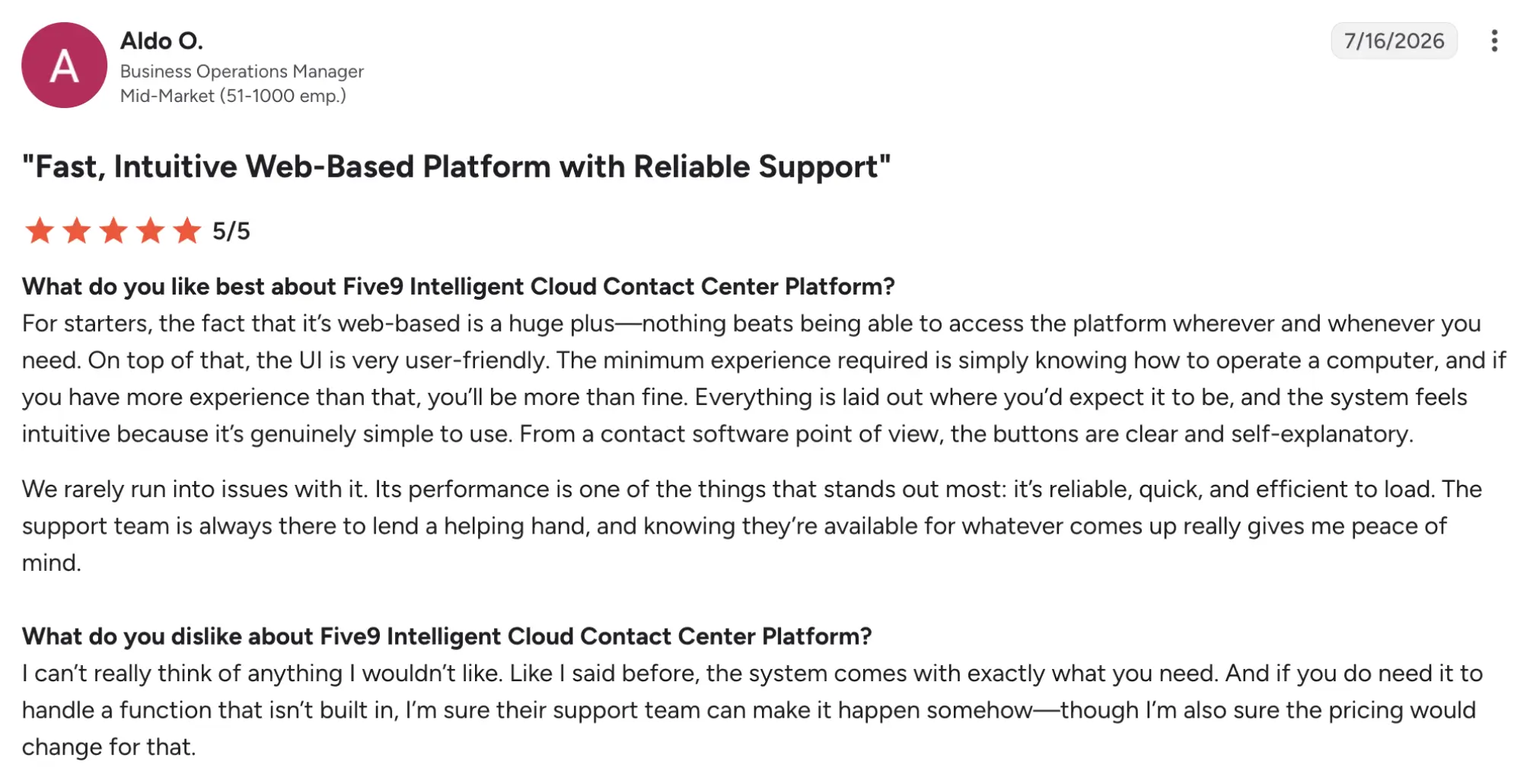
Five9 has a 4.1/5 rating on G2. Users frequently highlight integrations, call management, monitoring, and implementation, while recurring criticisms include reporting complexity, customization limits, occasional technical issues, and mixed support experiences.
Best fit
Five9 is best suited to larger blended contact centers where outbound campaigns are only one part of a broader inbound, digital, quality-management, and workforce operation.
6. Talkdesk — best mid-market CCaaS for configurable operations
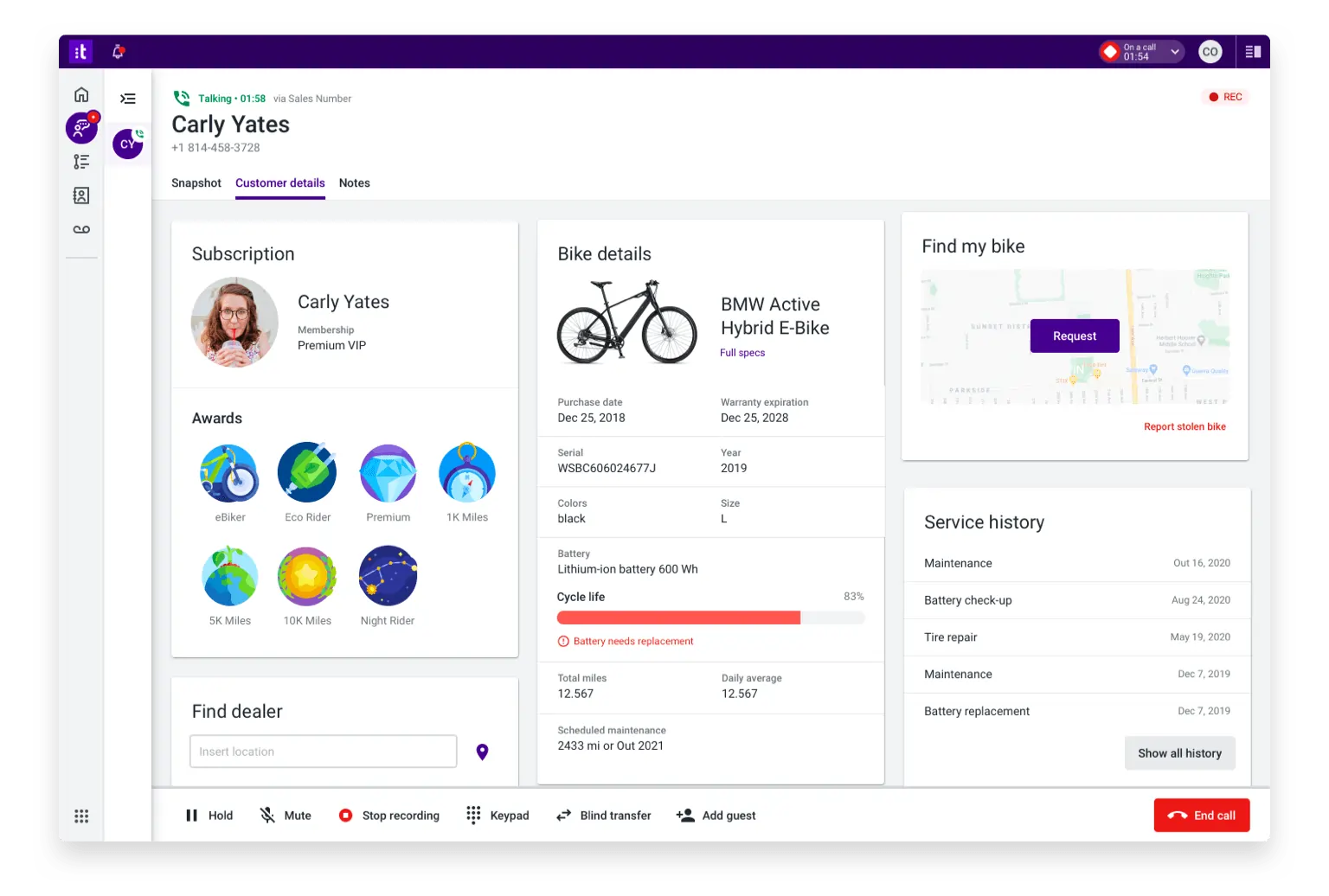
Talkdesk is a cloud contact center platform for organizations that need voice, digital channels, outbound campaigns, analytics, AI assistance, and supervisor tools in one environment. For outbound teams, its key differentiator is combining progressive and other dialing software with a broader omnichannel workflow, rather than operating dialing as a separate sales tool.
Pricing (monthly)
- Digital Essentials: $85/user/mo
- Voice Essentials: $105/user/mo
- Elite: $165/user/mo
- Industry Experience Clouds: $225/user/mo
Pros and cons
| Pros | Cons |
|---|---|
| Teams can adjust the dialing approach to the campaign instead of using one universal mode | Users report dropped calls, audio problems, connectivity issues, and occasional app restarts. |
| Omnichannel workflow | |
| Strong administrative tools |
Top dialer features & integrations
- Progressive, predictive, power, and preview dialing
- Agentless outbound dialing
- AI-powered answering machine detection
- Two-way SMS and email campaigns
User feedback
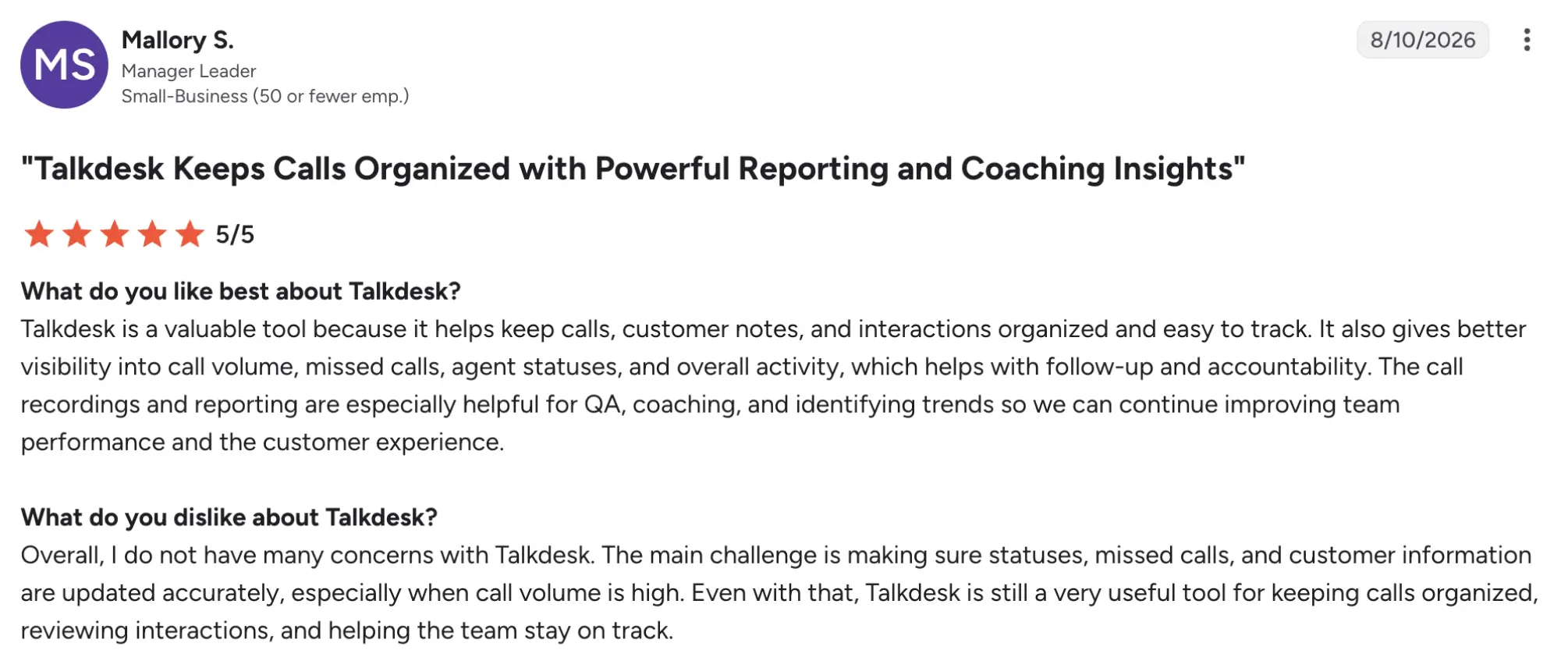
Talkdesk has a 4.4/5 G2 rating. Users commonly praise its interface, call management, reporting, CRM integrations, and omnichannel functionality. Negative feedback is more often tied to connectivity issues, call-quality glitches, and gaps in individual features.
Best fit
Talkdesk is best suited to mid-market contact centers where operations teams need to manage and modify omnichannel campaigns without building the entire workflow around a standalone outbound dialer.
7. Readymode — best all-inclusive dialer option for outbound floors
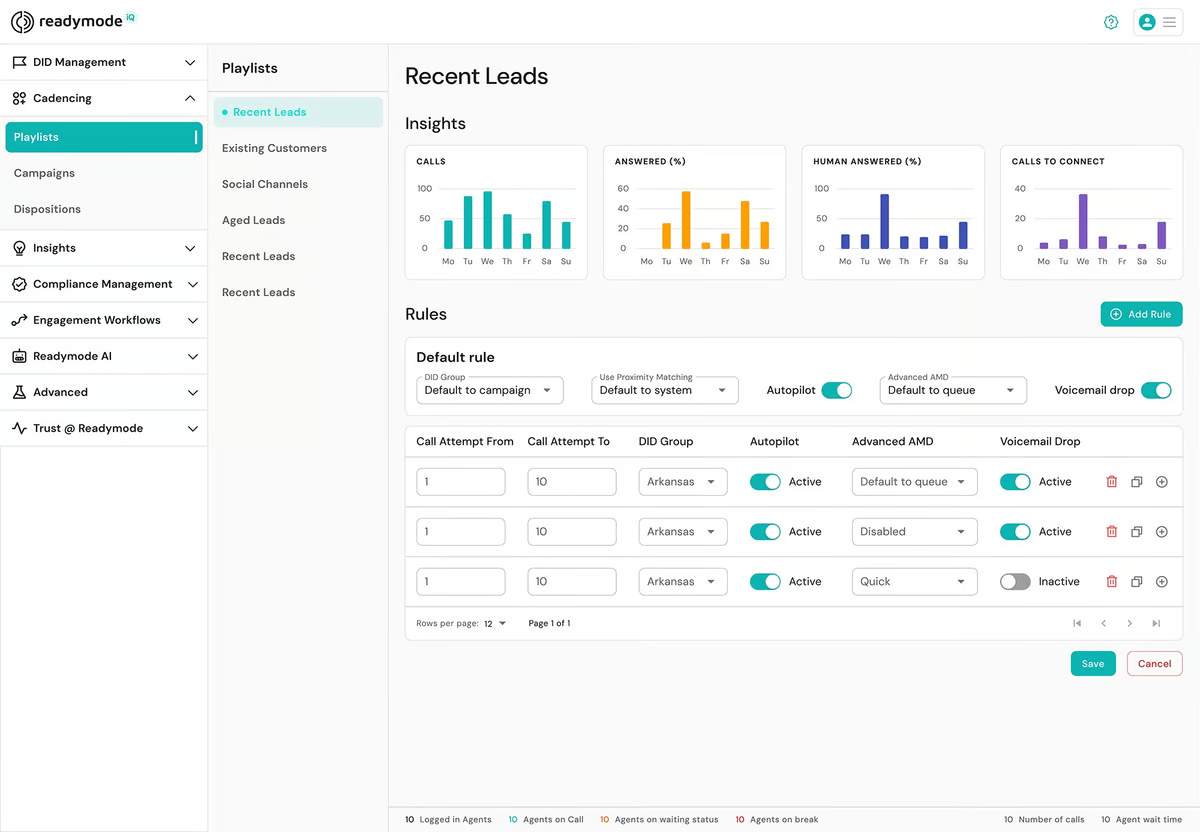
Readymode is a cloud-based outbound customer engagement platform that combines multiple dialing software with a built-in CRM, lead management, reporting, and compliance-related tools. Its differentiator is that teams can run the dialing workflow and manage lead data inside the same system instead of pairing a standalone dialer with a separate CRM.
Pricing
- Starter: $199/license/mo
- iQ: $249/license/mo
Pros and cons
| Pros | Cons |
|---|---|
| Managers can monitor, whisper, or join active calls | High entry cost for very small teams |
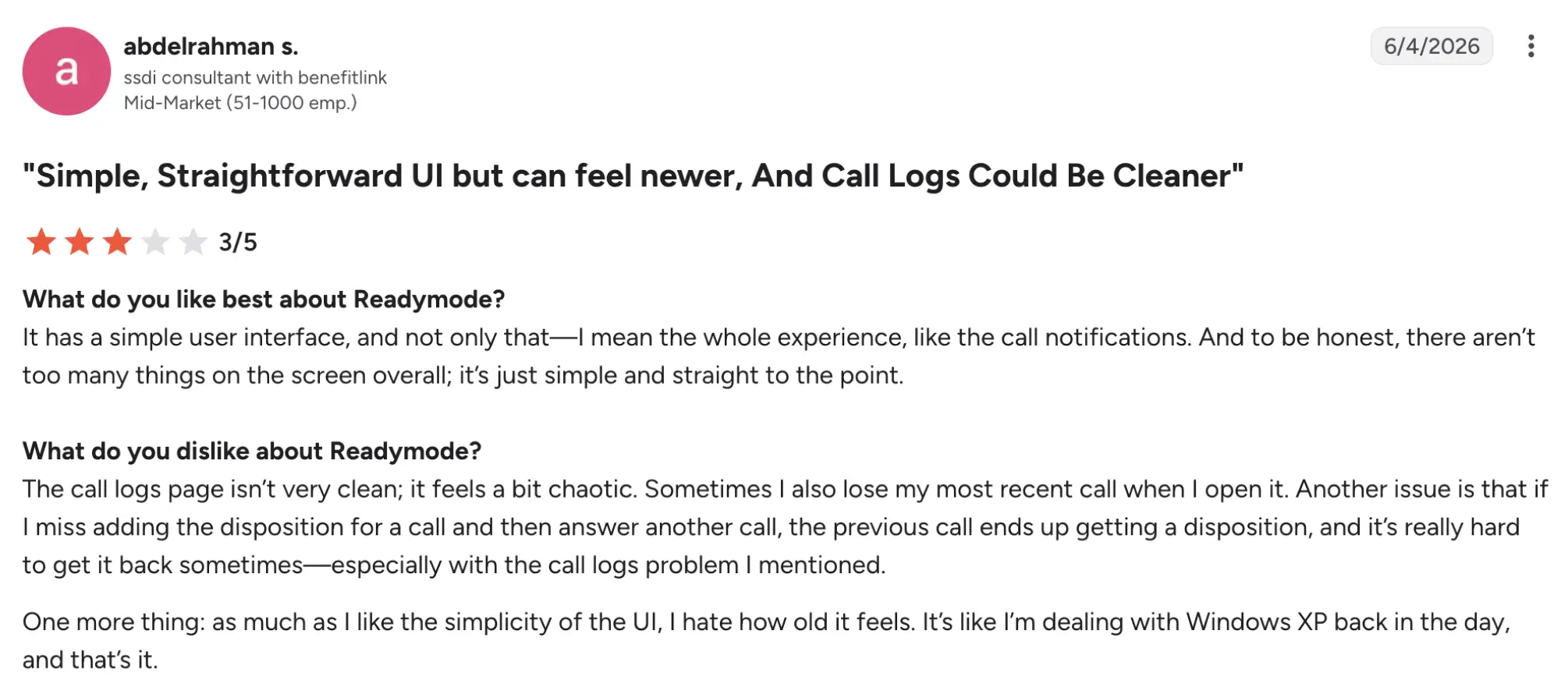
| CRM included: Lead profiles, scripts, lists, and dialing operate in one environment | Reviews mention slow loading, dropped calls, limited customization, and occasional performance problems |
| Four dialing modes: Teams can switch approaches without changing platforms |
Top dialer features & integrations
- Preview, power, progressive, and predictive dialing
- Built-in CRM and lead management
- Dynamic scripts using lead data
- Real-time reporting and agent monitoring
- Listen, whisper, and barge supervision
- DNC.com integration and compliance-related controls
User feedback
Readymode currently has a 4.6/5 G2 rating. Users commonly praise dialing efficiency, ease of use, support, and time savings. The most frequent negative themes are learning curve, call issues, slow performance, and customization limitations.
Best fit
Readymode suits small and midsize outbound teams that want the dialer, CRM, lead management, and reporting under one subscription rather than maintaining a separate sales stack.
8. VICIdial — best value for technically capable high-volume teams
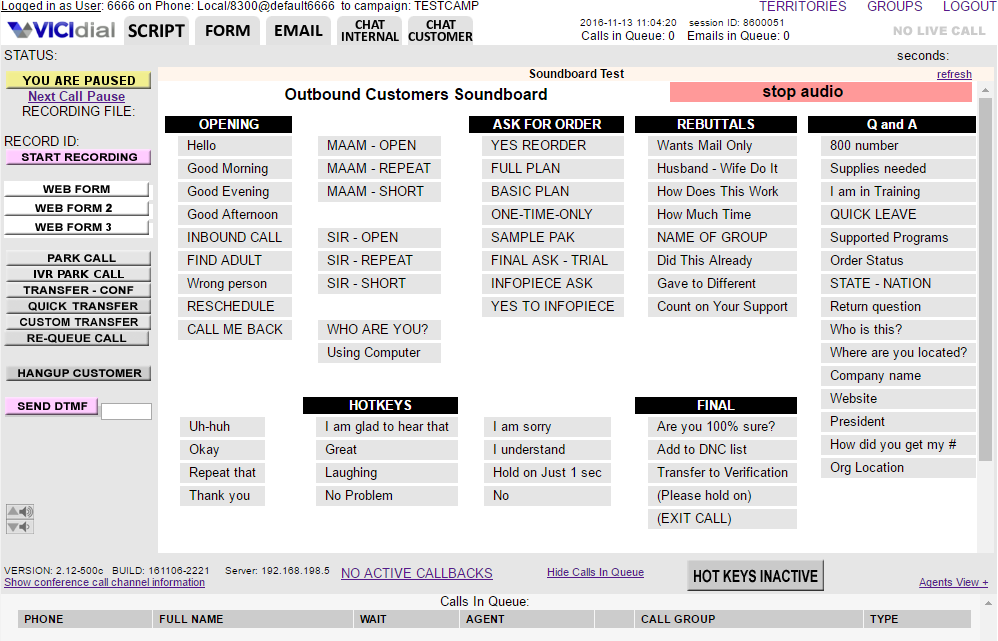
VICIdial is an open-source platform for organizations that want to run and customize their own outbound, inbound, or blended calling infrastructure. Unlike the SaaS platforms on this list, VICIdial can be installed on a company’s own hardware, giving technically capable teams considerably more control over configuration and infrastructure.
Pricing
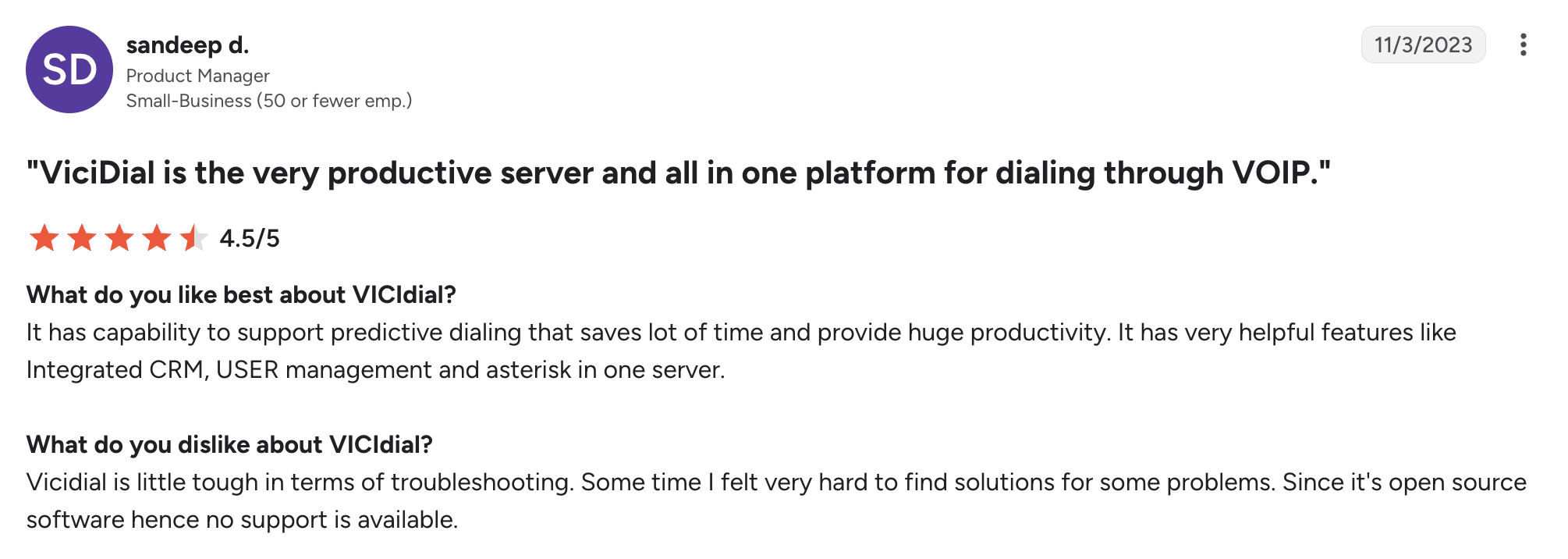
The open-source VICIdial call center software is available for $0, although organizations still need to pay for servers, telephony, maintenance, and technical administration.
Pros and cons
| Pros | Cons |
|---|---|
| No software license fee for self-hosting | Server management, Asterisk/Linux administration, carriers, security, and maintenance are not handled like a conventional SaaS subscription |
| Administrators can customize campaigns, routing, permissions, scripts, and dialing behavior | The interface looks dated |
| VICIdial supports both campaign dialing and inbound contact-center workflows | Implementation can be difficult |
Top dialer features & integrations
- Preview, progressive, and predictive dialing
- Adaptive predictive dialing
- Auto-dial campaigns
- Inbound, outbound, and blended calling
- IVR and automatic call distribution
- Call recording and callback scheduling
- Real-time reports and campaign management
User feedback
VICIdial has a 4.1/5 rating on G2. Users value its flexibility, reporting, scalability, feature set, and lack of software licensing costs. The trade-off is equally consistent: reviewers point to difficult implementation, a steep learning curve, and an outdated interface.
Best fit
VICIdial suits technically capable outbound or blended call centers with Linux/Asterisk expertise that value infrastructure control and customization over managed SaaS convenience.
9. CallTools — best for specialized lead-generation call floors
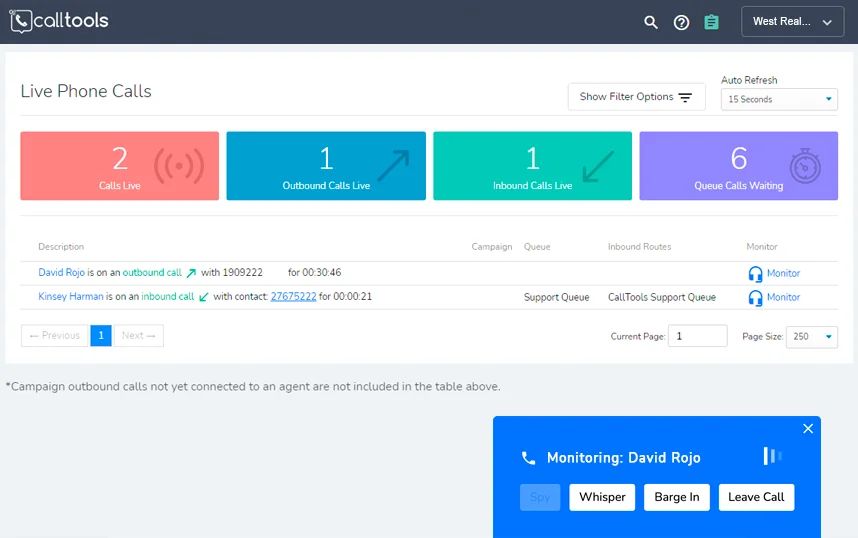
CallTools is a cloud contact center and outbound dialing platform for sales, lead-generation, and call-center teams that need multiple dialing software, CRM functionality, inbound queues, and live supervision. It fits best for high-volume lead outreach where managers need both outbound campaign controls and real-time visibility into agent activity.
Pricing
CallTools does not publicly display prices. Buyers must request a custom quote.
Pros and cons
| Pros | Cons |
|---|---|
| Multiple dialer modes | No transparent public price |
| Strong integration layer | Some reviewers find onboarding and initial configuration complex |
| The platform offers live monitoring, whisper, barge, reporting, and campaign tracking |
Top dialer features & integrations
- Progressive, predictive, power, and preview dialing
- Built-in CRM and list management
- Answering/voice activity detection
- DNC call scrubbing
- Live monitoring, whisper, and barge
- Real-time analytics and reporting
User feedback
CallTools has a 4.8/5 G2 rating. Users particularly praise customer support, ease of use, integrations, and outbound workflow efficiency. Recurring drawbacks include cost, onboarding complexity, and occasional dialer or audio issues.
Best fit
CallTools is best suited to lead-generation teams, particularly in sectors such as real estate and financial services, that need high-volume outbound campaigns, inbound handling, and close supervisor oversight.
10. Nextiva Contact Center — best for consolidating business communications
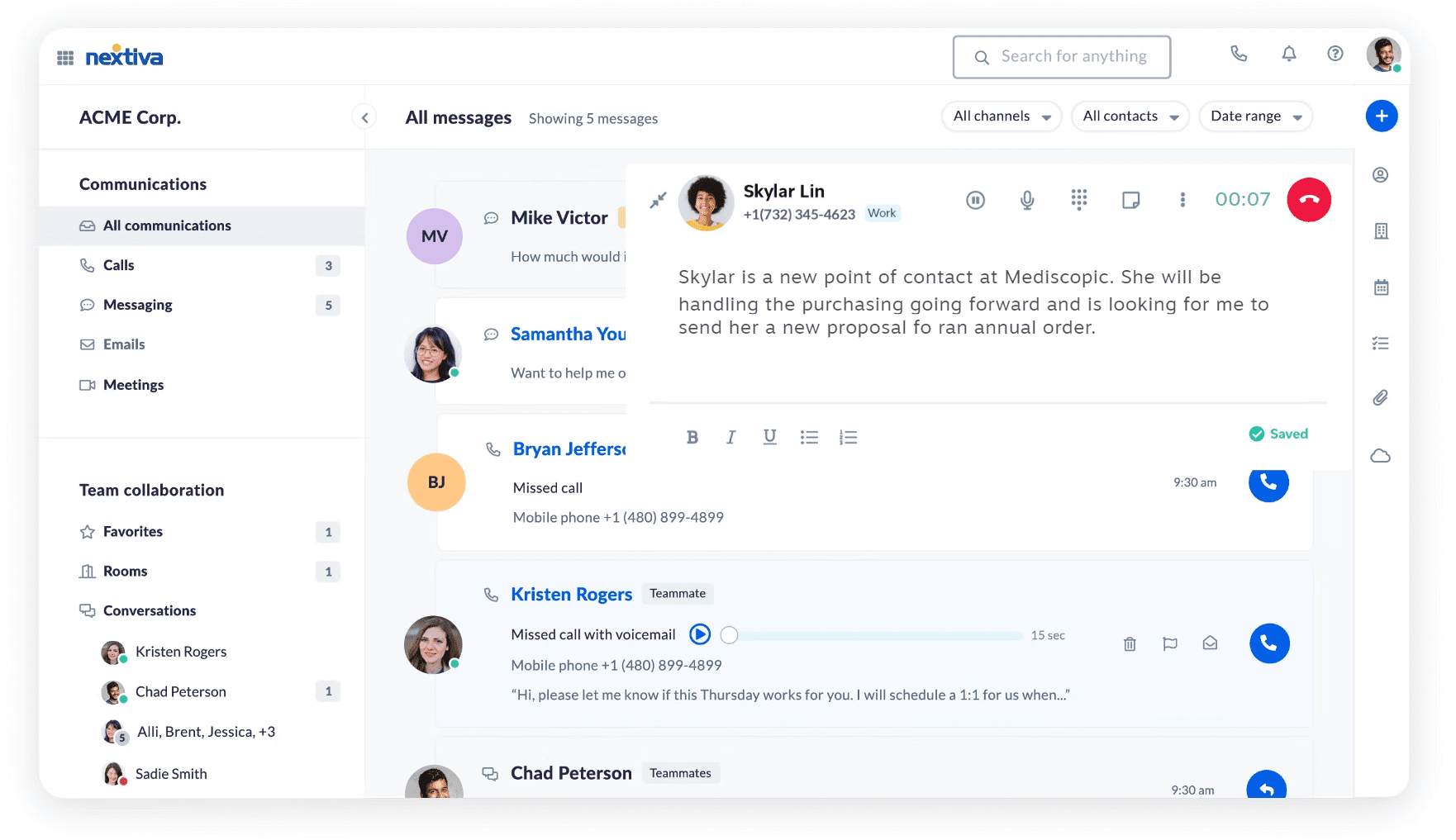
Nextiva Contact Center is a cloud contact center platform for organizations that want inbound and outbound calling, digital channels, workflow automation, routing, analytics, and business communications under the same vendor. Its clearest differentiator is the ability to combine Nextiva’s broader communications ecosystem with more advanced contact-center functionality as operational requirements grow.
Pricing
- Essential: from $75/agent/mo
- Professional: Custom quote
- Premium: Custom quote
Pros and cons
| Pros | Cons |
|---|---|
| Agents can handle inbound and outbound interactions from the same environment. | Professional and Premium prices are not public |
| Organizations can keep business communications and contact-center operations within Nextiva. |
Top dialer features & integrations
- Progressive, preview, predictive dialing
- Built-in CRM and journey orchestration
- Omnichannel routing (voice, chat, email, SMS)
- AI transcription and summarization
- Skills-based and smart call routing
User feedback
Nextiva Contact Center currently has 0 reviews on its dedicated G2 profile.
Best fit
Nextiva Contact Center is best suited to organizations that want to consolidate their business phone system and contact-center operations with one provider, particularly when outbound campaigns need to coexist with inbound routing, digital channels, and broader company communications.
How progressive dialers improve call center performance across use cases
Progressive dialers can improve call-center efficiency by reducing manual dialing, shortening gaps between calls, minimizing administrative work, and keeping calling workflows connected with CRM and contact-center systems.
Measure gains in operational terms rather than assume them from the dialer label alone. Useful metrics include productive talk time, idle time between attempts, post-call administration, calls handled per agent, supervisor workload, and cost per productive conversation.
High-volume outbound call centers
For high-volume outbound teams, the main benefit is a steadier calling rhythm. Once an agent wraps up a conversation and becomes available, the next call can begin without the agent manually searching for and dialing another number. This can reduce idle time and make metrics such as agent utilization, productive talk time, calls handled per agent, and campaign pacing easier to manage. Supervisors can then focus on bottlenecks rather than individual dialing activity.
Five9, Talkdesk, CallTools, Readymode, and VICIdial.
CRM-centric sales teams
For CRM-focused teams, the bigger productivity gain may happen around the call rather than during it. When contact information, call outcomes, notes, dispositions, and follow-up actions move automatically between the dialer and CRM, reps spend less time switching tools or manually updating records. The most useful metrics here are post-call administration time, follow-up completion, CRM data accuracy, and the amount of agent time available for customer conversations.
Kixie, MightyCall, and JustCall.
Small outbound teams that need an all-in-one stack
Smaller outbound teams may benefit more from simplifying their toolset than from maximizing calls per hour. Combining dialing, call monitoring, CRM connectivity, follow-up tools, and reporting can reduce the number of systems agents and managers have to maintain. That can simplify onboarding and administration while making it easier to track conversations from one workflow. Useful metrics include time spent on manual admin, supervisor workload, and cost per productive conversation.
MightyCall, JustCall, and Readymode.
Blended inbound and outbound contact centers
In blended contact centers, progressive mode can help outbound campaigns fit into operations that also handle inbound queues and other customer interactions. The operational challenge is balancing agent availability across both directions without creating excessive idle time or disrupting inbound service levels. Here, teams should monitor agent utilization, queue performance, outbound campaign pacing, supervisor workload, and how efficiently agents can move between inbound and outbound work.
RingCentral RingCX, Five9, Talkdesk, and Nextiva Contact Center.
Technically capable teams prioritizing control and infrastructure flexibility
Some call centers value infrastructure control more than the convenience of a fully managed SaaS platform. Self-hosted systems can give technical teams more control over dialing rules, carriers, servers, campaigns, and integrations, but they also shift responsibility for setup, maintenance, security, and telecom management in-house. The key comparison is therefore not software price alone, but total cost of ownership, including infrastructure, carrier charges, engineering time, and ongoing administration.
VICIdial
What’s changing in progressive dialing software in 2026
Progressive mode is becoming one part of a broader sales or contact-center workflow rather than a standalone feature. In 2026, buyers are increasingly comparing what happens before, during, and after the call – from AI-generated notes and CRM automation to compliance controls and remote management. However, the depth of these capabilities varies considerably between vendors and plans.
AI is moving beyond basic dialing automation
AI features increasingly focus on reducing the work around each call, not just placing calls faster. Current platforms use AI for tasks such as answering-machine detection, automatic summaries, real-time agent guidance, and conversation analysis. MightyCall, for example, offers AI answering-machine detection and call summaries, while Five9 provides real-time transcription and Agent Assist.
For buyers, the important question is what the AI actually does and whether it reduces a specific manual task, not simply whether the product is described as “AI-powered.”
CRM integration is becoming workflow automation
According to Salesforce research, sales reps spend only 40% of their working time selling. A useful CRM integration should do more than display contact details or log a call. For example, Kixie can log calls, notes, recordings, and dispositions in Salesforce, while dispositions can trigger downstream CRM actions such as follow-up tasks, emails, or deal-stage changes. JustCall also supports automated SMS follow-ups within workflows.
When comparing products, focus on what data syncs and what actions can be triggered, not just the number of CRM logos on the integrations page.
Compliance and security controls are becoming buying criteria
Call center software can help teams manage compliance processes, but it does not make a campaign automatically compliant. Buyers should check how the system handles DNC lists, consent and opt-out records, calling windows, recording controls, user permissions, and audit trails. This matters especially when a customer withdraws consent or asks not to be contacted again. FTC rules, for example, restrict calling times and require telemarketers to honor do-not-call requests.
The practical question is whether the platform gives your compliance team enough control and evidence to enforce the rules that apply to your campaigns.
Cloud platforms are making distributed call centers easier to manage
According to Natterbox’s 2024–2025 dataset, 60% of calls were outbound, highlighting the continued importance of outbound call operations.
Cloud-based dialers make it easier to manage agents across locations because you can handle calling, monitoring, reporting, and administration centrally rather than through on-premises infrastructure. For example, Five9 supports remote agents and centralized cloud management.
That convenience comes with a trade-off. A self-hosted system such as VICIdial gives technical teams more control over servers and configuration, while a managed cloud platform shifts much of that infrastructure work to the vendor.
For buyers, the best choice comes down to operational convenience versus infrastructure control.
How to choose a progressive dialer for your call center
Choosing the best call center dialer takes more than comparing feature lists. The software needs to fit your call volume, existing workflows, team structure, and budget. Before committing to a platform, work through these seven points during demos and trials.
- Confirm what “progressive dialing” actually means. Vendors sometimes use dialing terms differently. Ask to see the workflow in action and confirm that the system automatically places the next call when an agent becomes available.
- Check which plan includes it. A low advertised starting price may not include progressive software.
- Look closely at CRM integration. Check what happens before and after each call. Ideally, contact details, call outcomes, notes, and dispositions should sync automatically, not create more manual work for agents.
- Calculate costs based on your actual call volume. Factor in calling minutes, phone numbers, SMS, international rates, add-ons, and other usage charges.
- Test the agent and supervisor experience. Have agents make calls, complete wrap-up, switch campaigns, and update dispositions. Supervisors should also test monitoring, reporting, and campaign controls.
- Consider setup and ongoing administration. Cloud platforms usually shift infrastructure management to the vendor, while self-hosted systems give you more control but require technical resources. Include onboarding and maintenance in your evaluation.
- Review compliance controls with the right specialists. Check how the platform handles DNC lists, consent, calling windows, recordings, and opt-outs. These tools can support compliance processes, but they do not replace legal or compliance review.
Questions to ask during a demo:
- Does progressive software require an upgrade?
- Are calls or minutes charged separately?
- What happens during agent wrap-up?
- Can agents switch between dialing modes?
- How are DNC, consent, and time-zone rules configured?
- What information is written back to the CRM?
- What does onboarding include?
- What level of support is included?
Pricing and total cost of ownership
The advertised starting price rarely tells you what a progressive software will actually cost. Compare the plan that includes the dialing features you need, then factor in minimum seats, usage charges, add-ons, integrations, and support.
For example, MightyCall includes progressive in its $54/user/month Power plan, while RingCentral CX starts at $65/user/month. The higher-priced option is not necessarily more expensive overall, though: total cost depends on which required features are already included and which need separate add-ons or usage fees.
Self-hosted platforms such as VICIdial work differently. There may be no software license fee, but hosting, telecom, installation, maintenance, security, and technical administration still contribute to the total cost.
When estimating TCO, include:
- Required plan and minimum seats
- Calling and messaging usage
- Paid add-ons and integrations
- Implementation and support
- Hosting and technical administration
Model these costs around your actual team size, call volume, and workflow, not the lowest price on the pricing page.
Compliance and dialing risk: what buyers should verify
A dialer isn’t automatically compliant just because of its dialing mode. It can support a more controlled outbound workflow, but compliance still depends on factors such as the campaign, the jurisdiction, consent, contact preferences, recording rules, and platform configuration.
Before choosing a provider, check whether it gives your team the controls needed to manage those requirements in practice. A useful starting point is to verify:
- DNC and opt-out management
- Consent records
- Calling-hour and time-zone controls
- Call-recording settings
- Dialing rules and campaign restrictions
- Audit trails and activity logs
- Role-based access and permissions
Also check whether these controls are included in the plan you are considering or require an upgrade. One practical question to ask during a demo is: What happens when a contact opts out, and how is that preference recorded and enforced?
For regulated industries or campaigns across multiple regions, the appropriate legal or compliance specialists should review the final workflow.
Choosing the right progressive dialer for your team
The best option is the one that fits your team’s actual workflow, budget, call volume, and technical requirements, not simply the product with the longest feature list.
Before signing a contract, confirm the plan that includes progressive software, calculate the real total cost, test how the platform works with your CRM, and review the controls available for compliance and administration. It usually makes sense to shortlist two to four platforms that match your operating model and compare them through demos or trials.
If MightyCall fits your team size and requirements, you can also explore its dialer and pricing options to see how the workflow would fit your outbound operation.