

Key takeaways
- Cloud phone systems replace traditional phone lines with internet-based business calling.
- The 12 providers compared here serve different priorities: MightyCall for small teams that need phone and call-center tools, Dialpad for built-in AI, RingCentral for scaling, Quo for shared customer communication, and other platforms for specific use cases.
- There is no universal best cloud phone system. Team size, call volume, integrations, AI features, and existing business tools all affect the choice.
- Entry-level plans typically cost about $10–$30 per user per month.
- Check the total cost, not just the subscription price. Extra numbers, AI tools, hardware, international usage, and other features can drastically change the bill.
A 12-person remote team should not have to wonder who is near the office phone when a customer calls. A cloud phone system moves calling to internet-connected apps and devices, making the same business phone number available to employees at the office, at home, or on the road.
12 best cloud phone systems at a glance
The top cloud phone systems for business range from simple virtual-number products to full contact-center platforms. The table below compares each provider using the same practical criteria so small businesses can narrow the list before looking at individual features.
| Cloud Phone System | Starting price* | Standout feature | Unlimited calling area | Free trial | Best for |
|---|---|---|---|---|---|
| MightyCall | $20/user/mo | Call-center tools | U.S. & Canada | 7 days | Small operational teams |
| Dialpad | $15/user/mo | Built-in AI transcription | U.S. & Canada | 14 days | AI-focused teams |
| RingCentral | $20/user/mo | Broad UC platform | U.S. & Canada | Available; duration varies | Scaling organizations |
| Quo | $15/user/mo | Shared phone inbox | U.S. & Canada | 7 days | Startup collaboration |
| Zoom Phone | $16/user/mo | Zoom ecosystem | U.S. & Canada | Available | Zoom-first teams |
| Ooma Office | $19.95/user/mo (monthly billing) | Desk-phone support | U.S., Canada, Mexico, Puerto Rico | Not publicly listed | Traditional-phone replacement |
| Grasshopper | $14/user/mo | Flat account pricing | Unlimited minutes | No public free trial | Solopreneurs |
| Google Voice | $10/user/mo (monthly billing) | Google Workspace integration | U.S. domestic | Workspace trial available | Google Workspace users |
| Vonage** | $13.99/user/mo | Modular communications | U.S. domestic | Not publicly listed | Configurable deployments |
| GoTo Connect | Not publicly listed | 50+ calling countries | U.S. & Canada (overall 50+ calling countries) | 14 days | Simple administration |
| Microsoft Teams Phone | $10/user/mo | Microsoft 365 integration | Depends on calling plan | 1 month | Microsoft 365 Teams |
| Aircall | $30/user/mo | 250+ integrations | U.S. & Canada | 7 days | International sales/support |
* Prices are current at the time of publication for the annual billing cycle, unless stated otherwise. Annual billing, taxes, add-ons, extra numbers, hardware, international usage, and premium features can affect the final price.
** Vonage currently has a 30% sale.
For smaller teams, the main differences are less about basic calling and more about AI, integrations, call-center functionality, international coverage, and pricing structure. Comparing those requirements against total monthly cost makes it easier to narrow the 12 providers to a practical shortlist.
How we evaluated cloud phone system providers
We compared each cloud phone system provider using the same criteria: pricing and value, features, call management, integrations, scalability, ease of administration, customer feedback, and pros and cons. To determine the best cloud-based business phone system, we focused on:
- Base price and likely add-on costs
- Calling, routing, SMS, recording, and analytics
- AI, CRM, collaboration, and automation features
- Support for desk phones, mobile apps, and remote work
- Scalability, contract terms, and geographic coverage
- Verified customer feedback and recurring limitations
We found pricing and product information primarily from official vendor pages and support documentation. We cite user reviews from G2 when the user experience is relevant.
12 top cloud-based phone systems: Detailed overview
1. MightyCall: Best overall cloud phone system for small teams
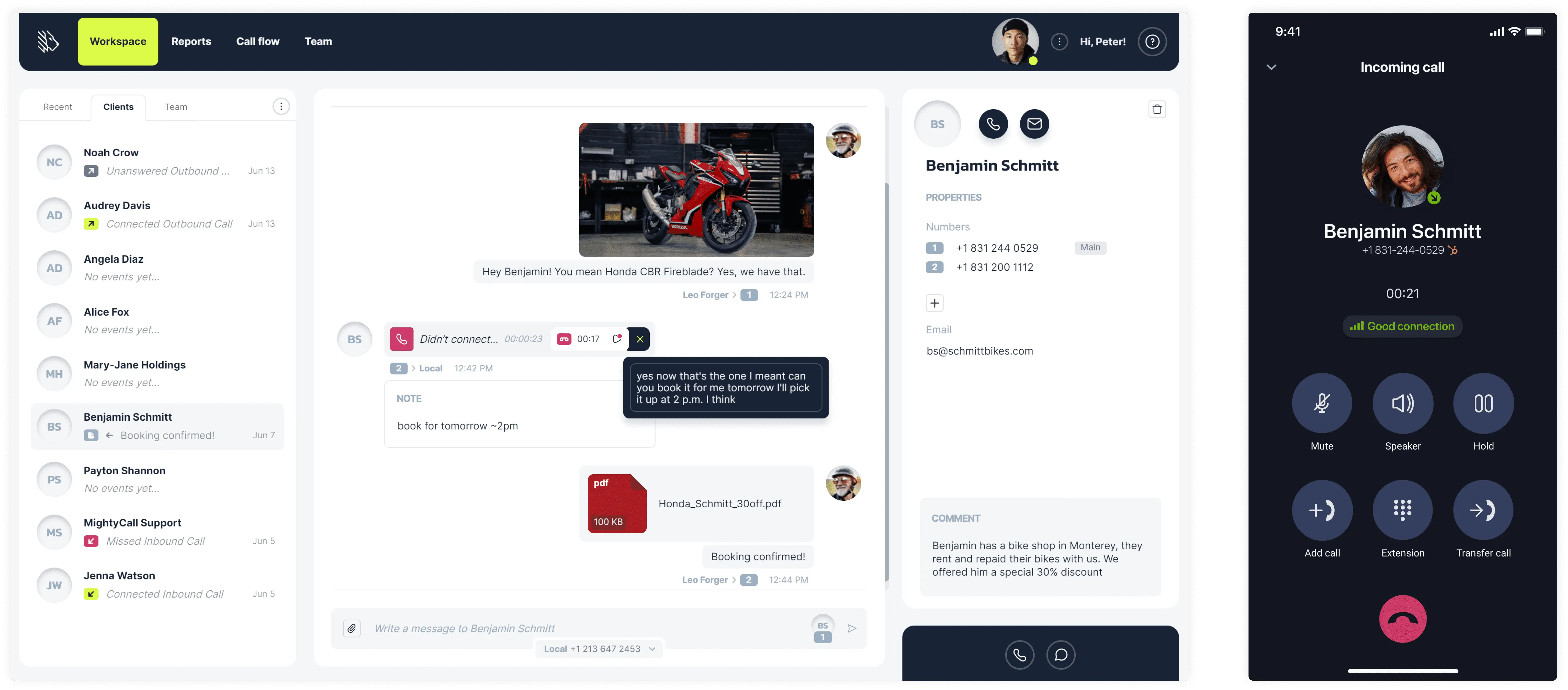
MightyCall is a cloud phone system for small and midsize businesses that need more than basic calling but do not want to manage a large enterprise contact center. It combines everyday business phone features such as IVR, SMS, voicemail, and call recording with supervisor tools and outbound sales capabilities. That makes it particularly relevant for teams that may start with a straightforward business phone setup but expect their sales or customer-service workflows to become more structured over time.
Pricing (annual)
- Core: $20/user/mo
- Pro: $38/user/mo
- Power: $54/user/mo
- Enterprise: $65/user/mo
Top features and integrations
- Multi-level IVR and call routing
- Call recording
- Business SMS and MMS
- Supervisor workspace and live monitoring
- AI call summaries
- Preview and progressive dialers
- HubSpot, Salesforce, Zoho, Zapier, and API access
Pros and cons
| Pros | Cons |
|---|---|
| On top of toll-free numbers, the platform includes three local phone numbers | MightyCall has a three-user minimum requirement on certain pricing plans |
| Preview and progressive dialing, local presence, and AI answering-machine detection. | Some advanced outbound features require higher-tier plans. |
| Supervisor tools and AI summaries |
User feedback
MightyCall has a 4.4/5 rating on G2. Users frequently praise its straightforward setup, easy-to-navigate interface, and responsive customer support, with several reviewers also highlighting call management and texting features. Some users report occasional call drops and connection issues.


Best fit
Teams of roughly 3–50 people that need a business phone system today but may also need outbound campaigns, supervisor functionality, or call-center workflows as they scale.
schedule your personalized demo with our amazing team

2. Dialpad: Best value for AI features
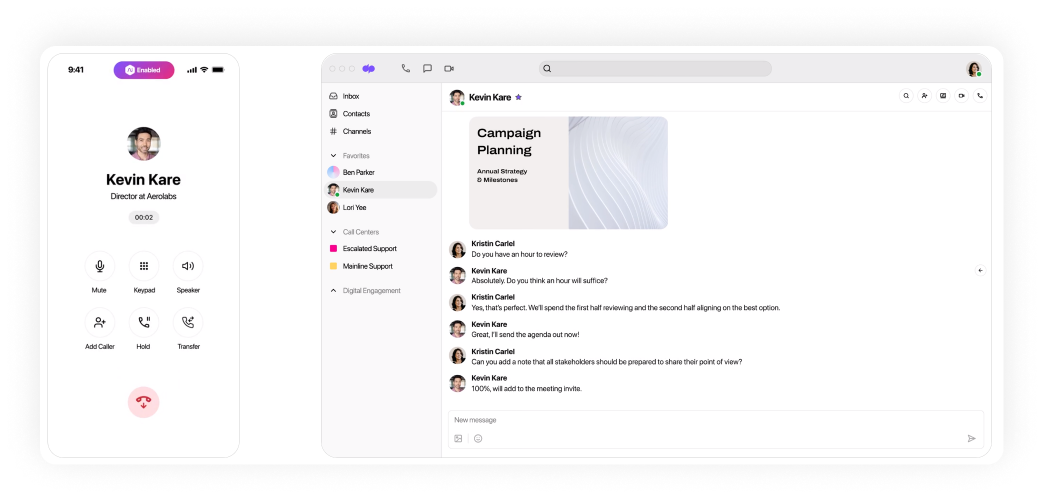
Dialpad is a cloud-based phone system built around voice, messaging, meetings, and AI-assisted conversations. AI is more deeply integrated into the everyday calling experience than in many traditional business phone systems. The platform can transcribe calls in real time, generate summaries, identify action items, and help teams review conversations without relying entirely on manual notes.
This makes Dialpad especially useful for sales, support, and other customer-facing teams that handle enough calls for transcription and post-call automation to save meaningful time.
Pricing (annual)
- Standard: $15/user/mo
- Pro: $25/user/mo
- Enterprise: Custom pricing
Top features and integrations
- Real-time AI transcription
- Automated call summaries and action items
- Call recording
- IVR
- Business messaging
- Google Workspace and Microsoft 365
- CRM integrations on higher plans
Pros and cons
| Pros | Cons |
|---|---|
| AI transcription, call summaries, and recording are built into the platform. | Some advanced AI, analytics, and integrations require higher plans. |
| Employees can use the same number across desktop and mobile devices. | Users report occasional call and connection issues. |
| Call routing and team numbers support distributed teams. | Advanced settings and customization can take time to configure. |
User feedback
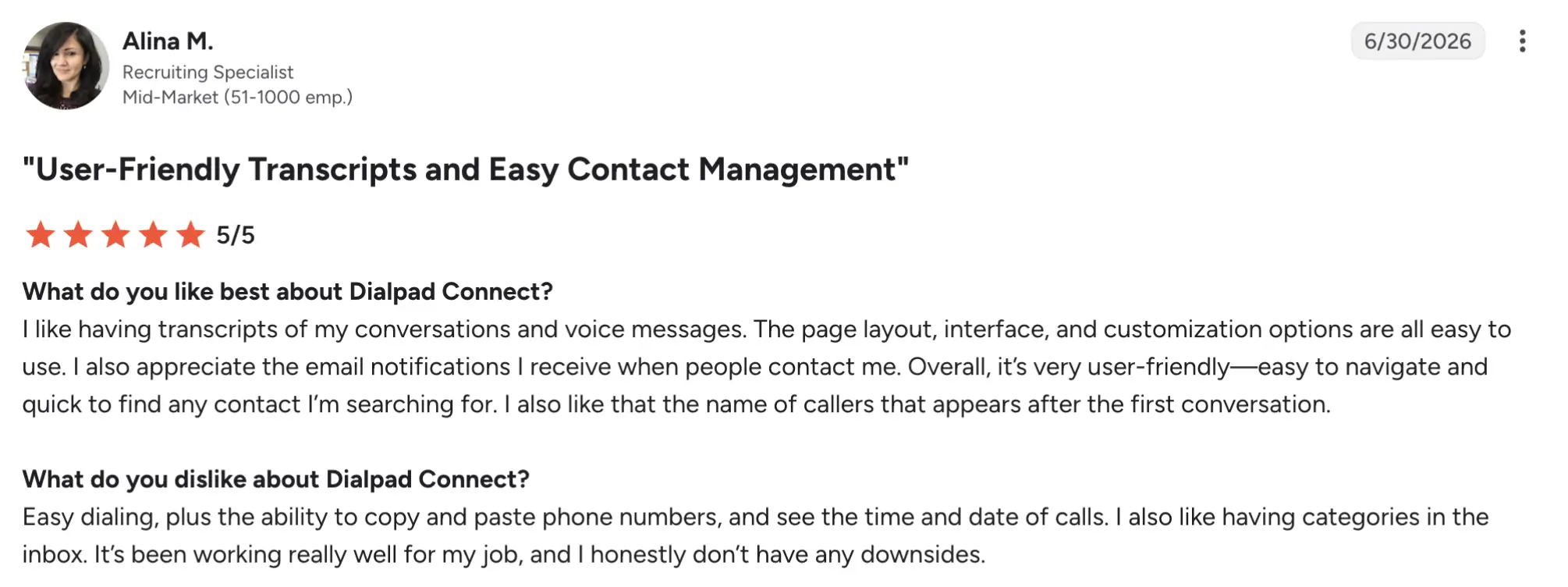
Dialpad Connect has a 4.4/5 rating on G2. Reviewers particularly like the clean interface, AI transcription and summaries, call recording, and the ability to work across desktop and mobile devices. Less positive feedback commonly mentions intermittent connection or call-quality problems, limitations around call forwarding and customization, and occasional complexity when configuring advanced features.
Best fit
Teams that want AI transcription, summaries, and call intelligence built directly into everyday business communications.
3. RingCentral: Best for growing teams (10–50) that will scale
RingCentral RingEX is a broader communications platform that brings calling, messaging, video meetings, administration, and integrations into one environment. Rather than focusing only on phone service, it supports companies whose communication needs may grow as they add employees, departments, locations, or business applications.
Its larger feature set can be more than a very small company needs, but it gives growing teams room to add more sophisticated routing, analytics, integrations, and administrative controls without immediately moving to another provider.
Pricing (annual)
- Core: $20/user/mo
- Advanced: $25/user/mo
- AI Customer Engagement Bundle with AIR: Custom pricing
- AI Customer Engagement Bundle with AIR and ACE: Custom pricing
Top features and integrations
- Calling and SMS
- AI Assistant
- Video meetings
- Call queues and routing
- Automatic call recording on higher tiers
- Microsoft 365 and Google Workspace
- Salesforce and other CRM integrations
Pros and cons
| Pros | Cons |
|---|---|
| RingEX combines calling, messaging, meetings, and administration. | The platform may be more complex for small teams. |
| The platform supports a broad range of integrations and business workflows. | Some integrations, analytics, and administration tools require higher plans. |
User feedback
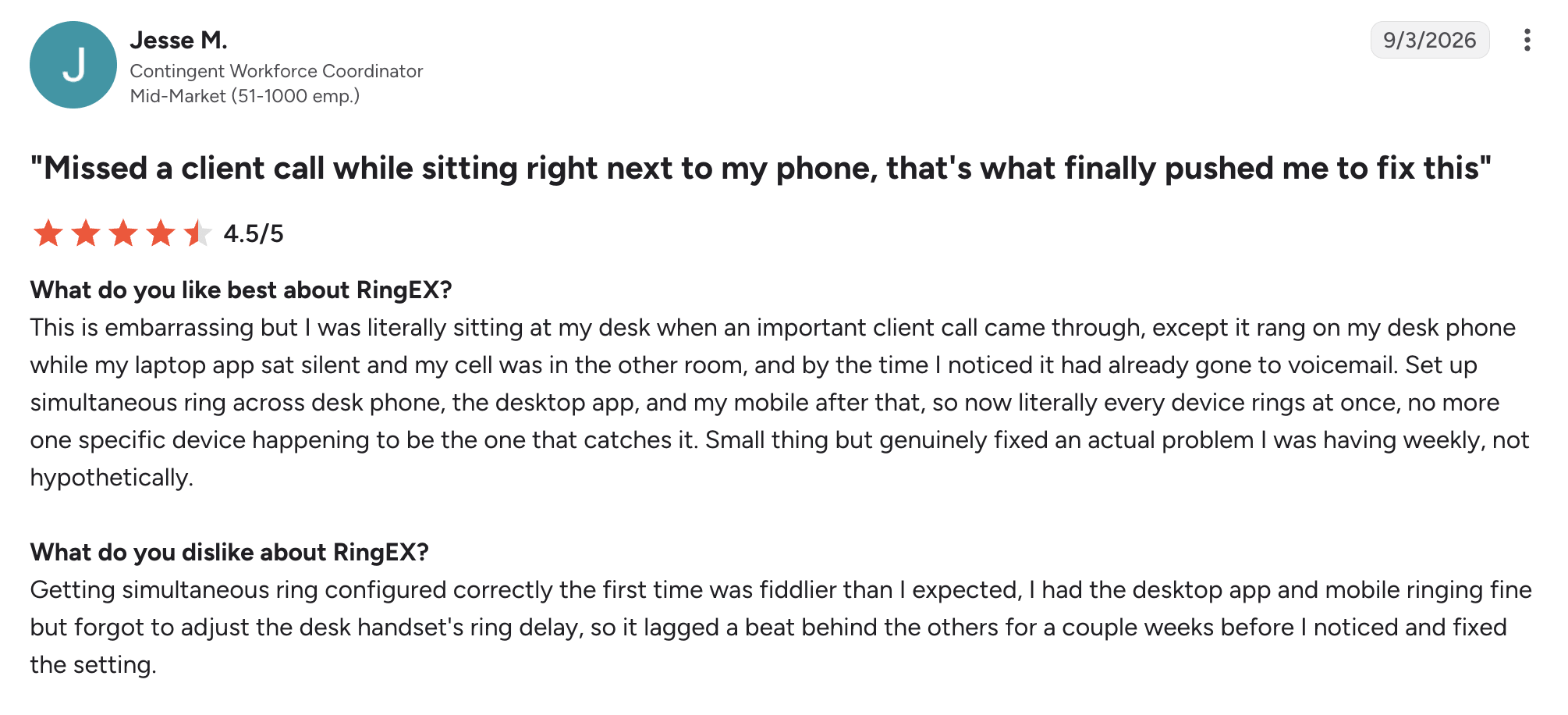
RingEX has a 4.2/5 rating on G2. Users often highlight its ease of use, reliable calling, call quality, and ability to manage several communication channels from one platform. Complaints are more concentrated around support and administration, including complicated troubleshooting, SMS setup, and occasional call issues; some reviewers also find the back-end configuration harder to learn than the end-user application.
Best fit
Growing organizations that expect their calling, messaging, administration, and integration needs to scale and become more complex over time.
4. Quo: Best for startups and modern small teams
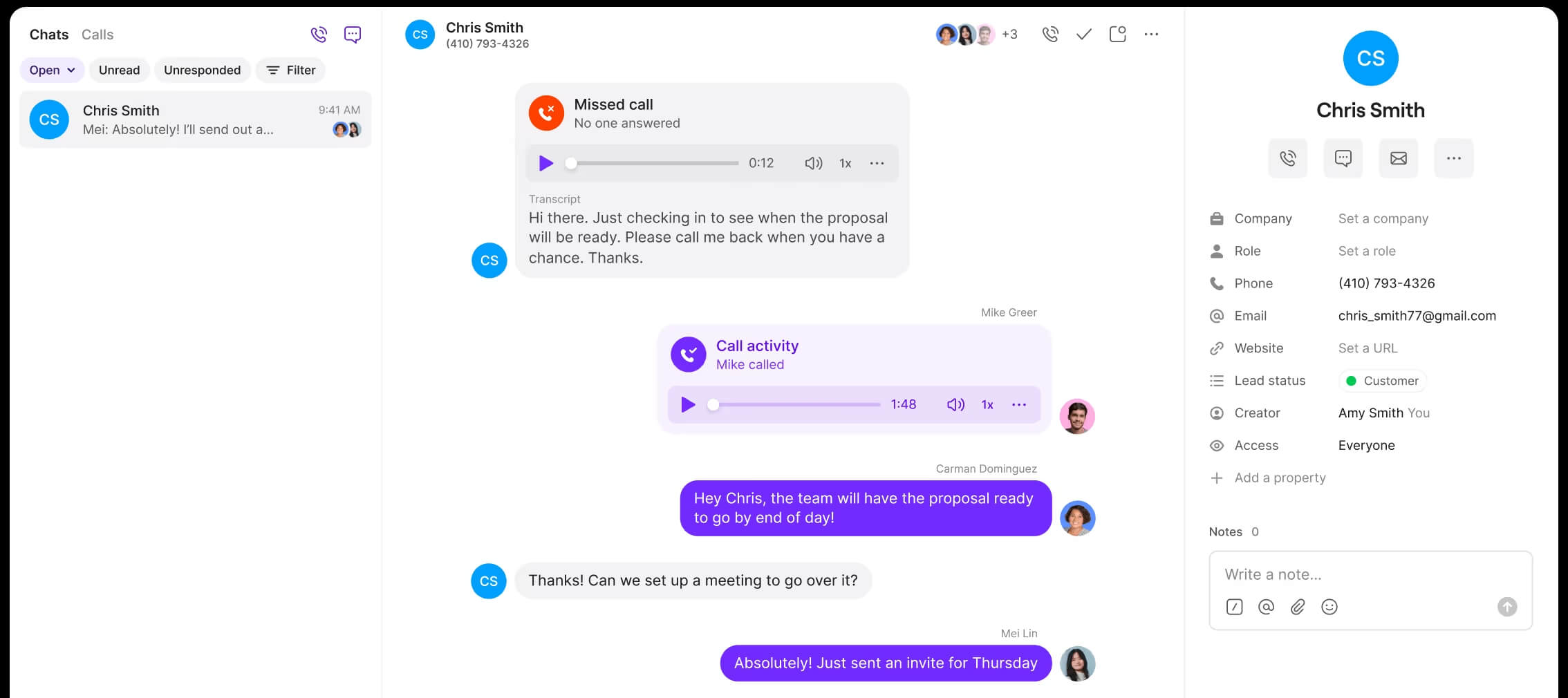
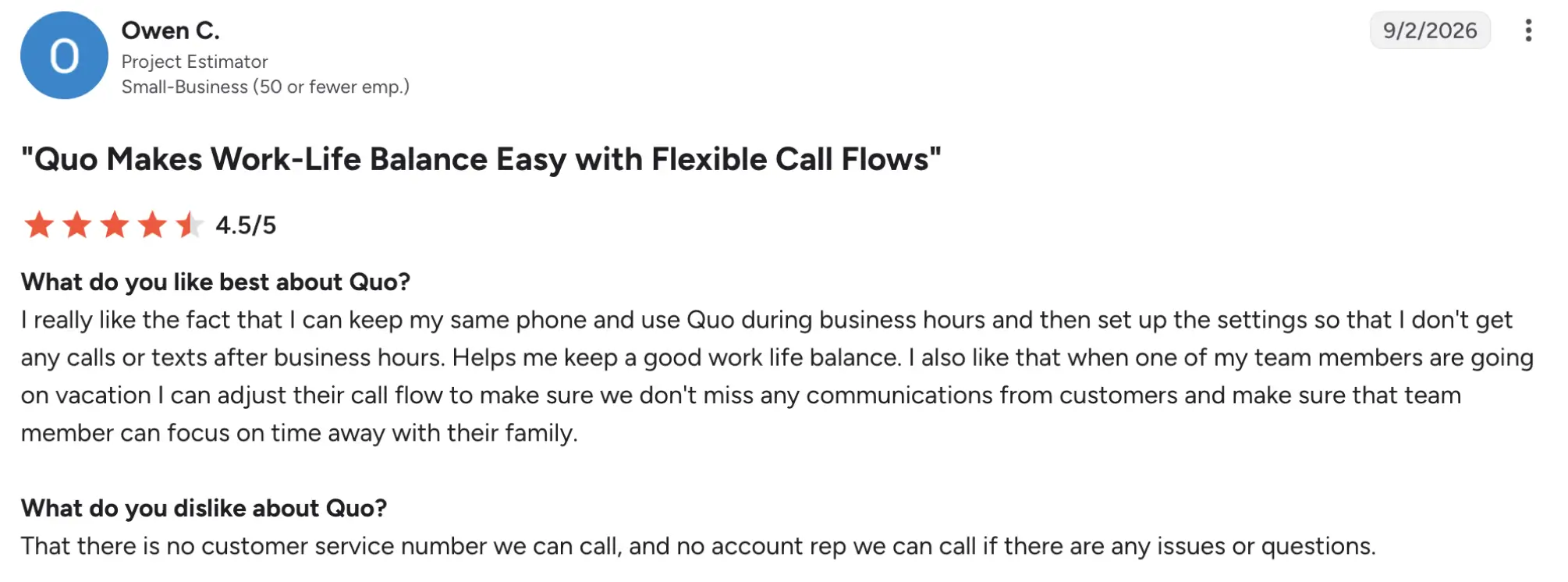
Quo (formerly OpenPhone) is an AI-powered phone cloud solution that takes a collaborative approach to calling by organizing calls and messages around shared phone numbers and conversation histories. Instead of tying a number to one employee or desk phone, Quo lets a small team view previous conversations, leave internal notes, and work together on customer communication from the same inbox.
This setup can be particularly practical for startups and service businesses where several people regularly respond to the same customers and need context before picking up a conversation.
Pricing (annual)
- Starter: $15/user/mo
- Business: $23/user/mo
- Scale: $35/user/mo
- Sona: Credits-based
Top features and integrations
- Shared numbers and inboxes
- Internal conversation notes
- Voicemail transcription
- Sona AI agent
- AI summaries and transcripts on Business
- HubSpot and Salesforce integrations
- API, Zapier, and automation options
Pros and cons
| Pros | Cons |
|---|---|
| Internal notes and shared inboxes help teams coordinate customer responses. | AI summaries and several collaboration features require higher tiers. |
| Each user includes one new or ported local or toll-free number. | It has fewer advanced contact-center supervision tools than specialized platforms. |
User feedback
Quo has a 4.7/5 rating on G2. Users consistently highlight the simple interface, easy setup, customer support, shared communication features, and call recording, making it particularly popular among small teams. Negative feedback includes occasional connection problems, disconnected calls, performance delays, and requests for features that are either unavailable or restricted to higher plans.
Best fit
Startups and small teams where several employees need to collaborate on calls, texts, and customer conversations.
5. Zoom Phone: Best for teams already using Zoom Meetings
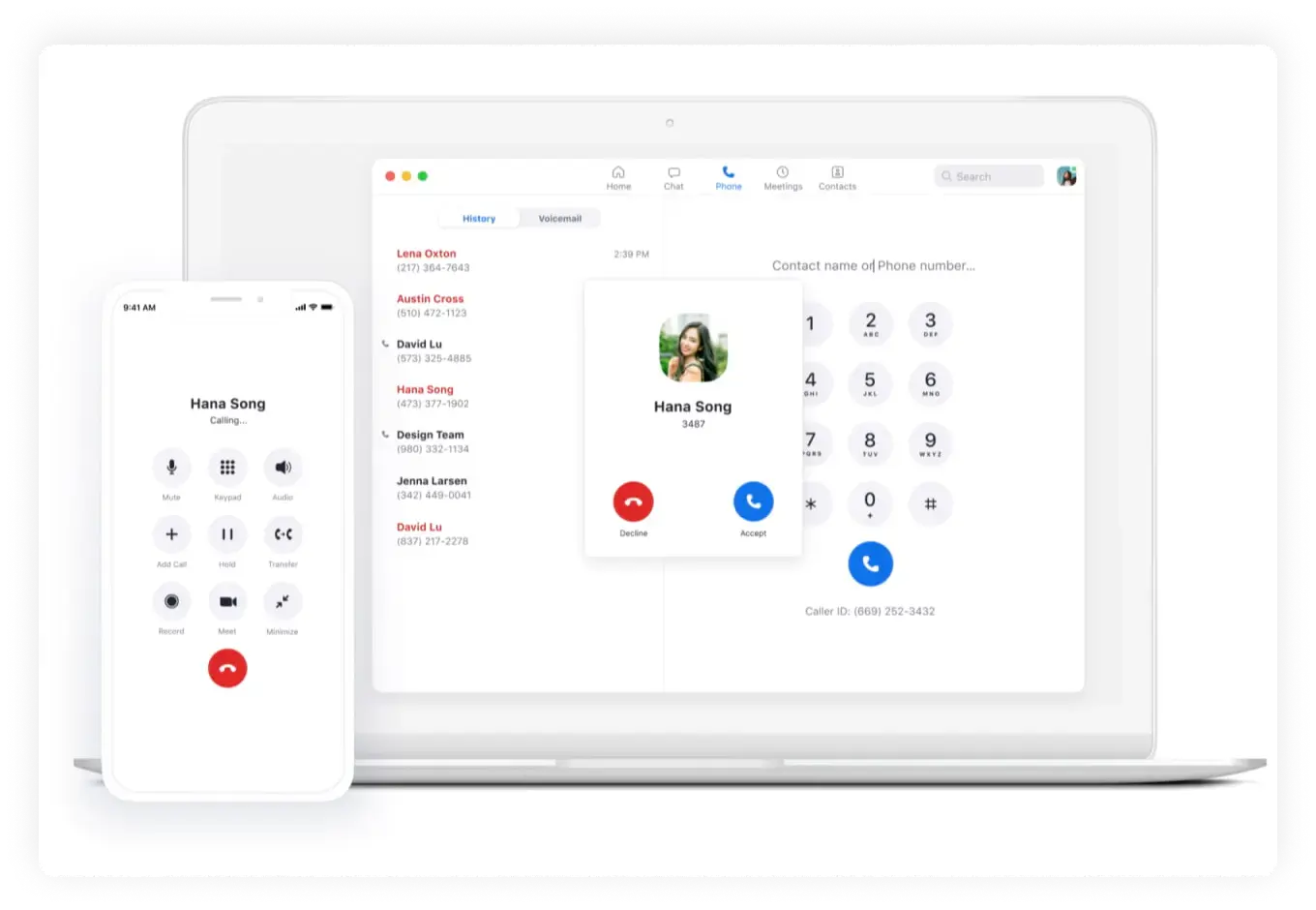
Zoom Phone is a cloud-based business phone that extends the Zoom ecosystem beyond meetings by adding calling, SMS, voicemail, recording, and other telephony features.
Its biggest practical advantage is consolidation: companies already using Zoom can manage meetings and phone conversations without introducing a separate communications app. For businesses that rarely use Zoom elsewhere, that ecosystem advantage matters less, but for existing Zoom customers it can simplify both the employee experience and administration.
Pricing (annual)
- US & CA Unlimited: $16/user/mo
- Pro Plus: $20.50/user/mo
- Business Plus: $24.50/user/mo
Top features and integrations
- Unlimited regional calling
- SMS and MMS
- Call recording
- Auto attendant
- Online fax
- AI call summaries and task extraction
- Salesforce, Slack, Microsoft, and Google integrations
Pros and cons
| Pros | Cons |
|---|---|
| Calling integrates directly with Zoom Meetings and the wider Zoom environment. | Advanced routing can require more configuration than basic calling. |
| Users can manage calls, messages, voicemail, and meetings from one application. | Some advanced capabilities are limited to higher plans or add-ons. |
| Teams that don’t use Zoom in general get less from the ecosystem advantage. |
User feedback
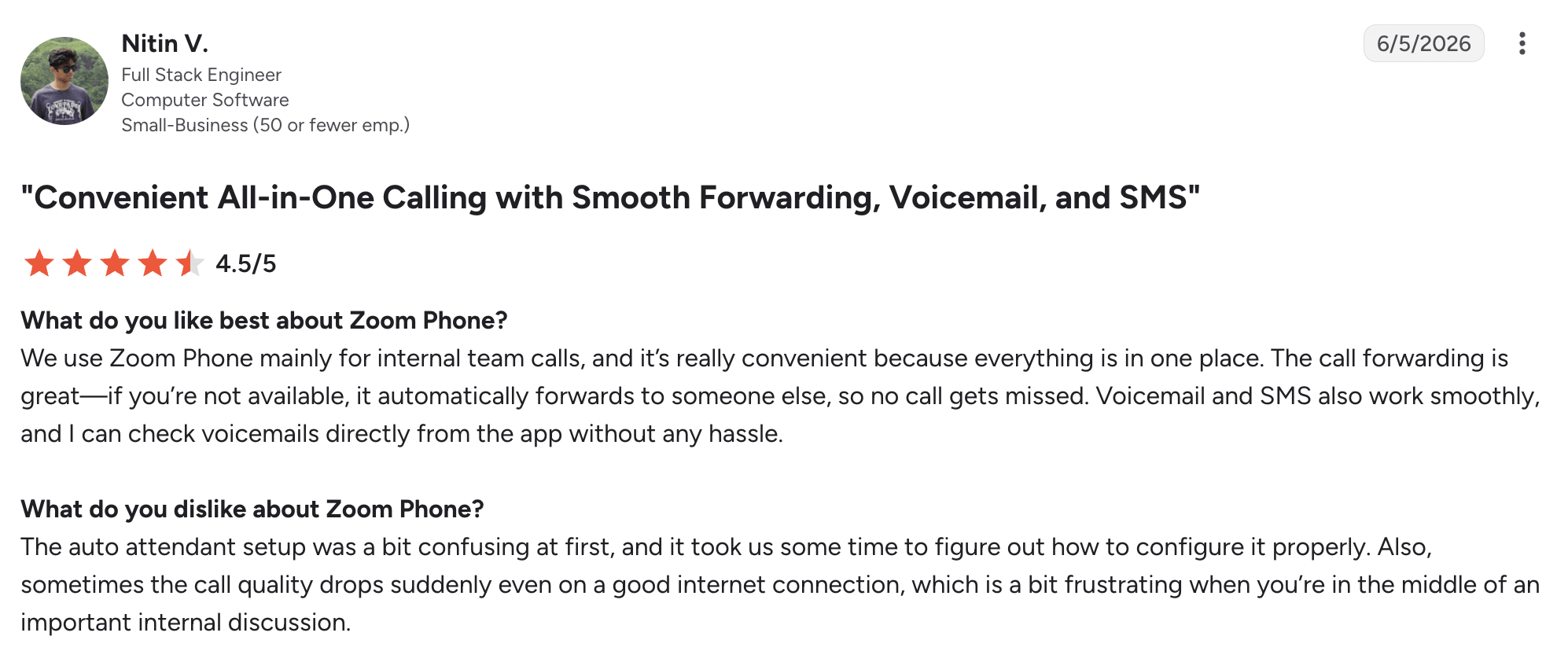
Zoom Phone has a 4.6/5 rating on G2. Users commonly like its familiar interface, integration with Zoom Meetings, straightforward calling, and ability to manage voice, voicemail, and messaging from the same environment. Reviews also point to occasional connection and call-quality problems, while some users find auto attendants, routing, and other advanced administration settings less intuitive than the core calling experience.
Best fit
Teams already using Zoom Meetings that want calling and collaboration managed within the same ecosystem.
6. Ooma Office: Best for replacing traditional desk phones
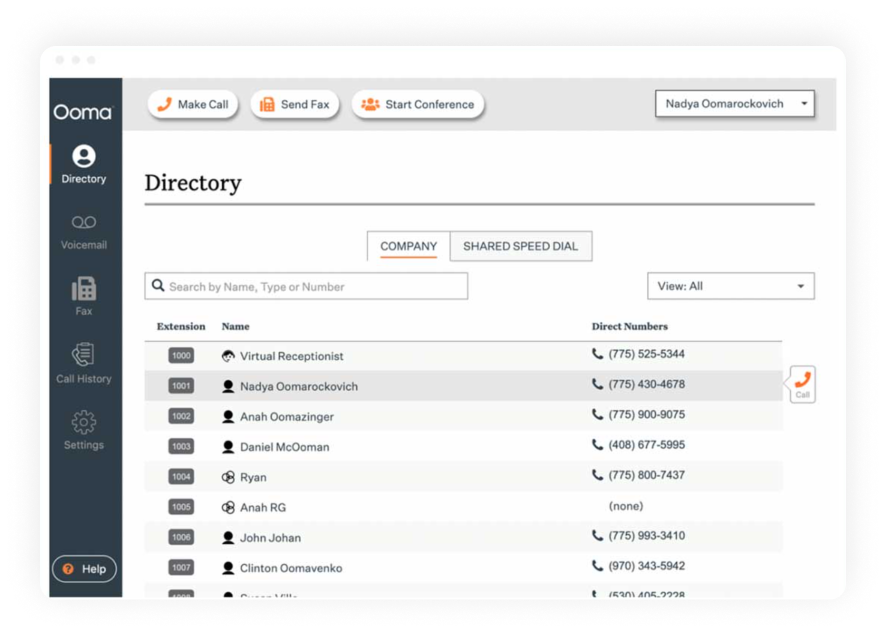
Ooma Office is a VoIP phone system designed for small businesses that want the flexibility of cloud calling while keeping a relatively familiar traditional phone system setup. It supports physical desk phones alongside desktop and phone apps, making it easier for businesses to move away from traditional phone lines without requiring every employee to adopt an app-first workflow immediately.
Features such as Virtual Receptionist, ring groups, extensions, voicemail, and higher-tier call queues also make it a natural step up from a basic office telephone system.
Pricing (monthly)
- Ooma Office Essentials: $19.95/user/mo
- Ooma Office Pro: $24.95/user/mo
- Ooma Office Pro Plus: $29.95/user/mo
Top features and integrations
- Virtual Receptionist
- Ring groups
- Mobile app
- Digital fax
- Desk-phone support
- CRM integrations
Pros and cons
| Pros | Cons |
|---|---|
| It supports both desk phones and mobile applications | The base price may not include everything growing teams need |
| Virtual Receptionist and ring groups | Advanced analytics are more limited than on some call-center platforms |
User feedback
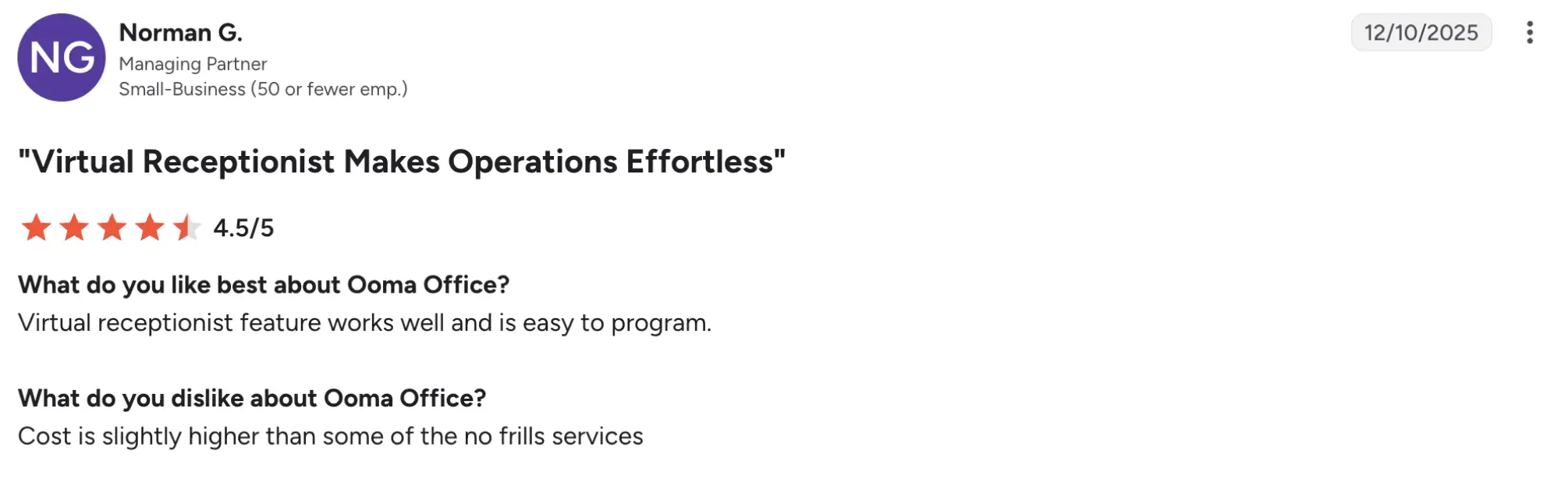
Ooma Office currently sits at about 4.5/5 on G2. Users frequently describe the system as straightforward to set up and administer, and they particularly value reliable calling, the Virtual Receptionist, and remote work. Critical reviews mention higher costs than simpler services, and limitations in analytics or integrations; support experiences also vary by reviewer.
Best fit
Small offices replacing traditional desk-phone service while retaining physical phones alongside cloud and mobile capabilities.
7. Grasshopper: Best cloud business phone system for solopreneurs
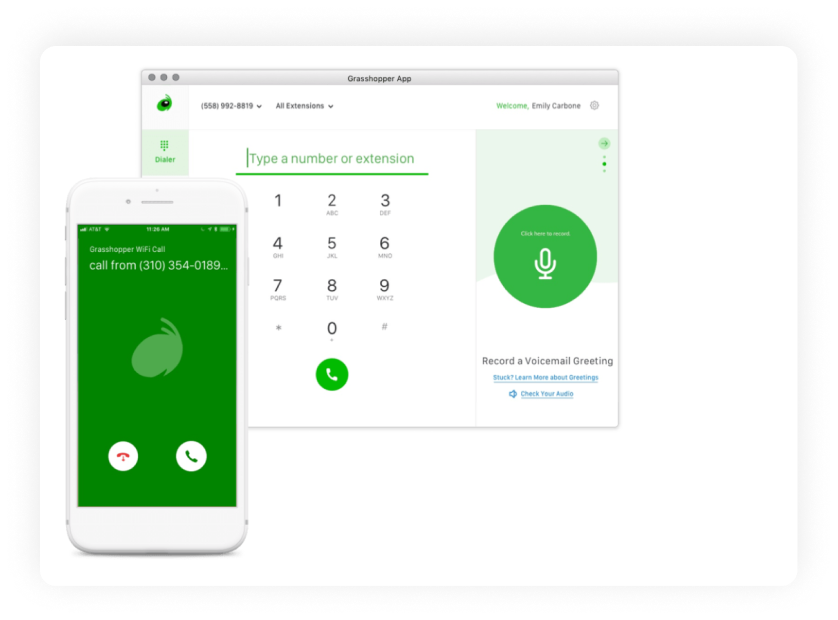
Grasshopper is a virtual phone system option aimed primarily at solopreneurs and very small companies that need a separate professional phone presence without deploying a full PBX phone system.
Calls to a Grasshopper number can be routed to an existing personal phone, while features such as extensions, voicemail transcription, texting, and call forwarding help keep work communication separate from personal calls. Its pricing also sets it apart from many per-user systems, though businesses that later need advanced queues, analytics, CRM workflows, or contact-center tools may eventually outgrow it.
Pricing (annual)
- True Solo: $14/user/mo
- Solo Plus: $25/user/mo
- Small Business: $55/user/mo
Top features and integrations
- Business calling
- Business texting
- Call forwarding
- Extensions
- Voicemail transcription
- Mobile and desktop apps
- Additional virtual phone numbers
Pros and cons
| Pros | Cons |
|---|---|
| True Solo is specifically structured for one-person businesses | Grasshopper has fewer advanced PBX and contact-center features |
| Small Business includes multiple phone numbers and unlimited extensions | CRM integrations and analytics are limited |
| Users can route calls to existing personal devices | Some users report app glitches and dropped calls |
| It may become restrictive as call-management requirements grow |
User feedback
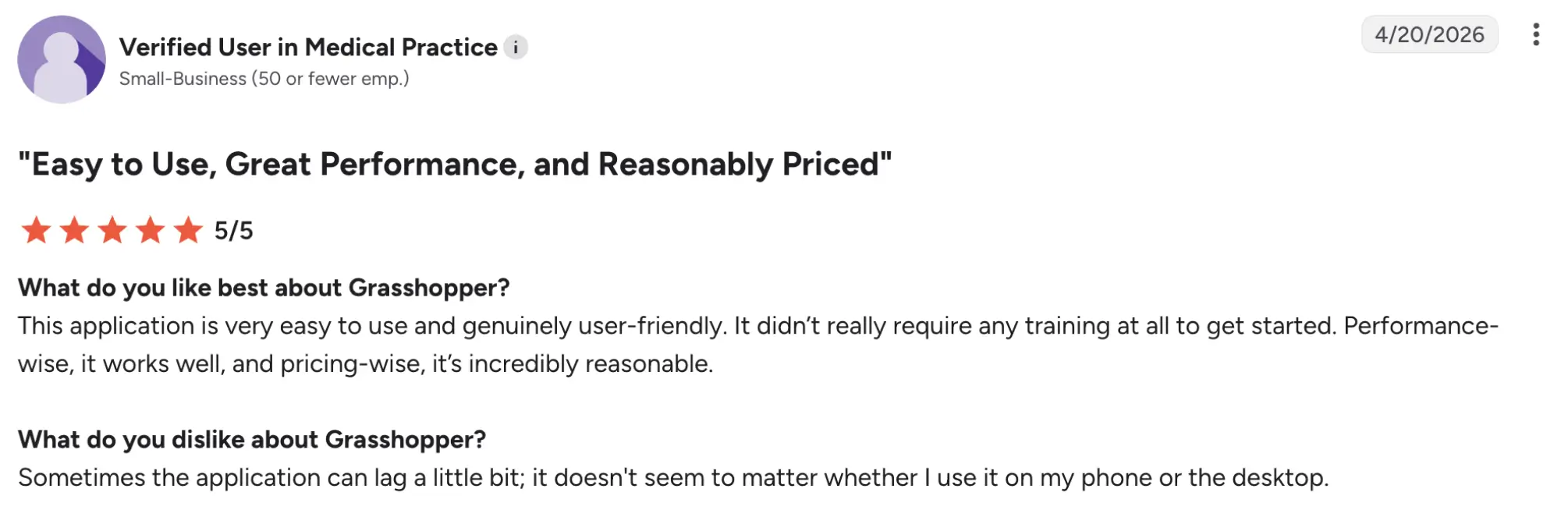
Grasshopper has a 3.9/5 rating on G2. Positive reviews often focus on easy call forwarding, maintaining a separate work number, and handling business communication from a personal phone without carrying another device. More critical reviewers report app freezes, occasional call-quality or dropped-call problems, and difficulties with customer service or account cancellation, making its feedback more mixed than several other providers in this comparison.
Best fit
Solopreneurs and very small businesses that primarily need a professional number, extensions, voicemail, and call forwarding.
8. Google Voice: Best budget pick for Google Workspace users
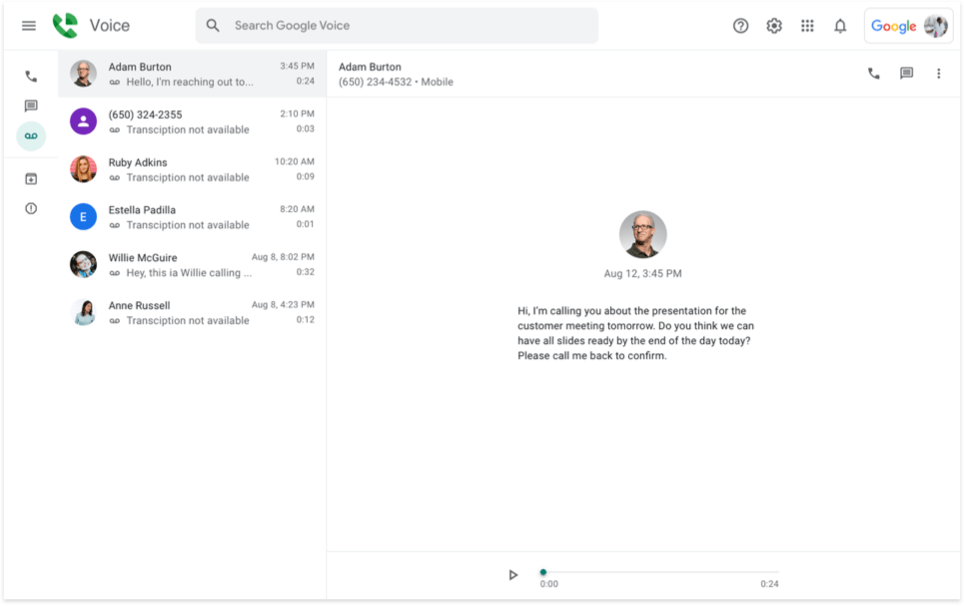
Google Voice is one of the top-rated basic business phone systems that fits most naturally into organizations already using Google Workspace. Employees can make and receive calls from web and mobile apps while keeping a dedicated number, and higher plans add tools such as auto attendants, ring groups, recording, and additional administration controls.
It is considerably simpler than a full contact-center platform, which can help companies that mainly need dependable calling and messaging without adding another complex communications system.
Pricing
- Starter: $10/user/mo
- Standard: $20/user/mo
- Premier: $30/user/mo
Top features and integrations
- Web and mobile calling
- Call forwarding
- Voicemail transcription
- Google Calendar
- Google Meet
- Auto attendants on Standard
- Ring groups and eDiscovery on Standard
Pros and cons
| Pros | Cons |
|---|---|
| Starter pricing is quite affordable | Business use generally requires Google Workspace. |
| Voice integrates naturally with Google Workspace tools | Starter is limited to 10 users |
| Standard adds auto attendants, ring groups, and additional administration features | Advanced call-center and analytics capabilities are limited |
| Employees can call and text from web and mobile applications |
User feedback
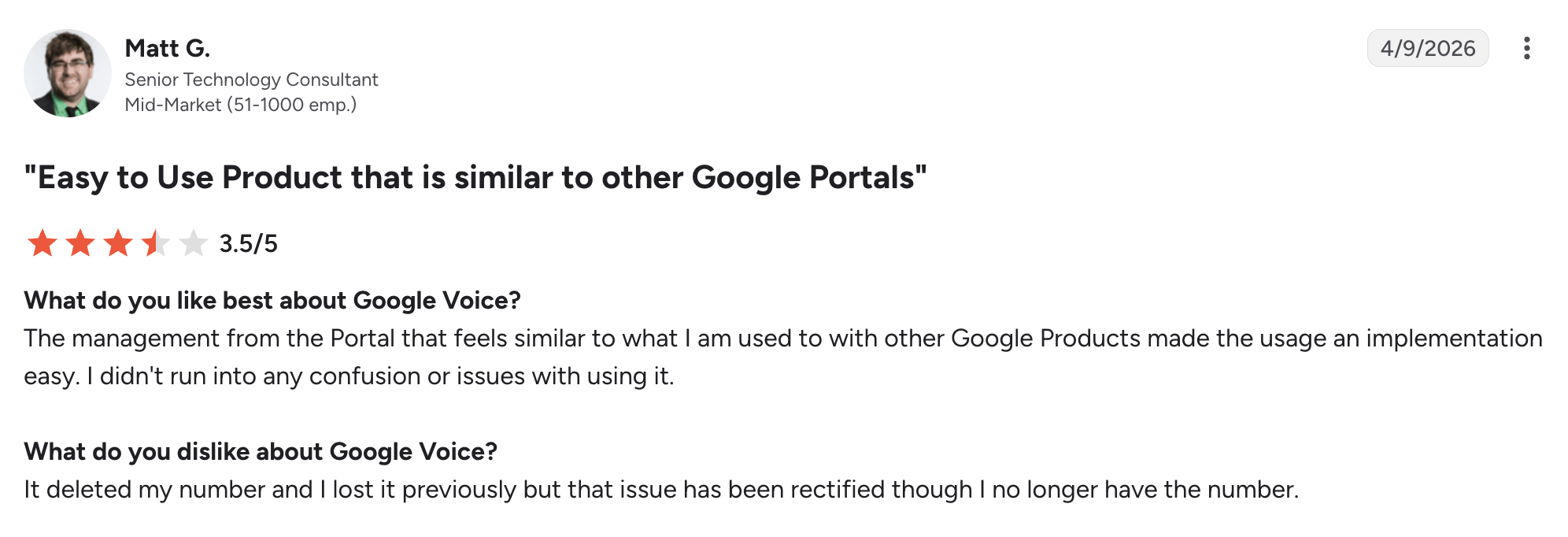
Google Voice has a 4.1/5 rating on G2. Users like its straightforward setup, text messaging, familiar Google-style interface, and the ability to maintain a separate phone number without exposing a personal one. Criticism centers on its relatively limited feature set compared with dedicated business phone platforms, along with occasional app, connection, and number-management issues.
Best fit
Smaller organizations already using Google Workspace that need straightforward calling rather than advanced contact-center functionality.
9. Vonage: Best for flexibility and mix-and-match features
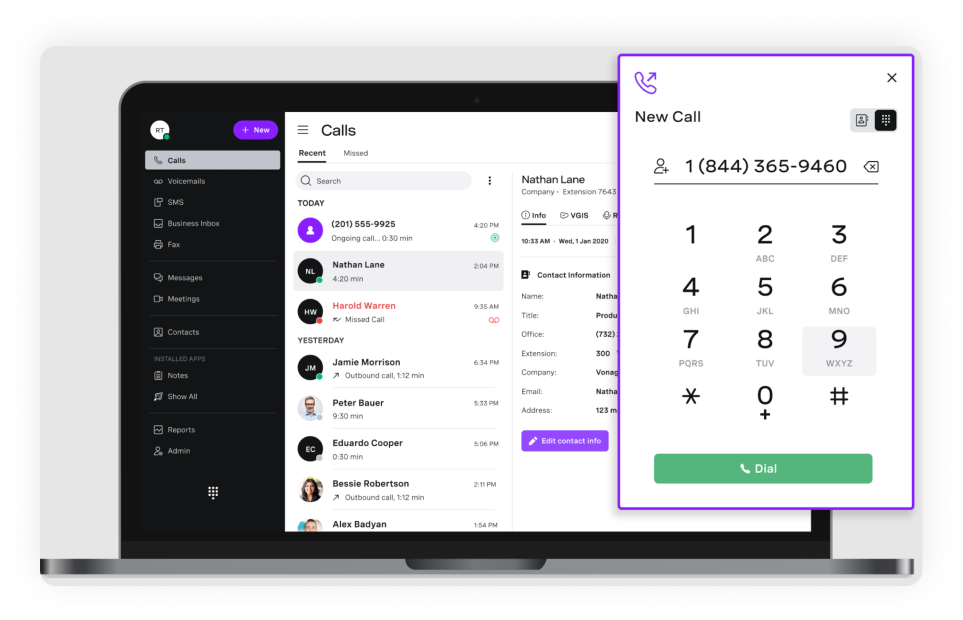
Vonage Business Communications combines business voice, messaging, video, mobile access, and integrations within a configurable cloud communications platform. Its strength is building around the core telephone system by adding collaboration tools, integrations, recording, and other capabilities as requirements change.
That flexibility can work well for businesses with a specific mix of communication needs, although it also means buyers need to look beyond the advertised starting price and consider which additional features their eventual setup will require.
Pricing (annual)
Please be aware that Vonage currently has a 30% sale, and under that sale, the pricing is the following:
- Mobile: $13.99/user/mo
- Premium: $20.99/user/mo
- Advanced: $27.99/user/mo
Top features and integrations
- Desktop and mobile calling
- SMS and MMS
- Virtual Receptionist
- Number porting
- Video meetings
- App Center integrations
- Call groups and recording on Advanced
Pros and cons
| Pros | Cons |
|---|---|
| Voice, messaging, video, and mobile calling are available in one platform | Some users report intermittent connection or call-quality issues |
| Integrations allow businesses to connect communications with existing workflows | The interface may feel less modern than some newer competitors |
User feedback
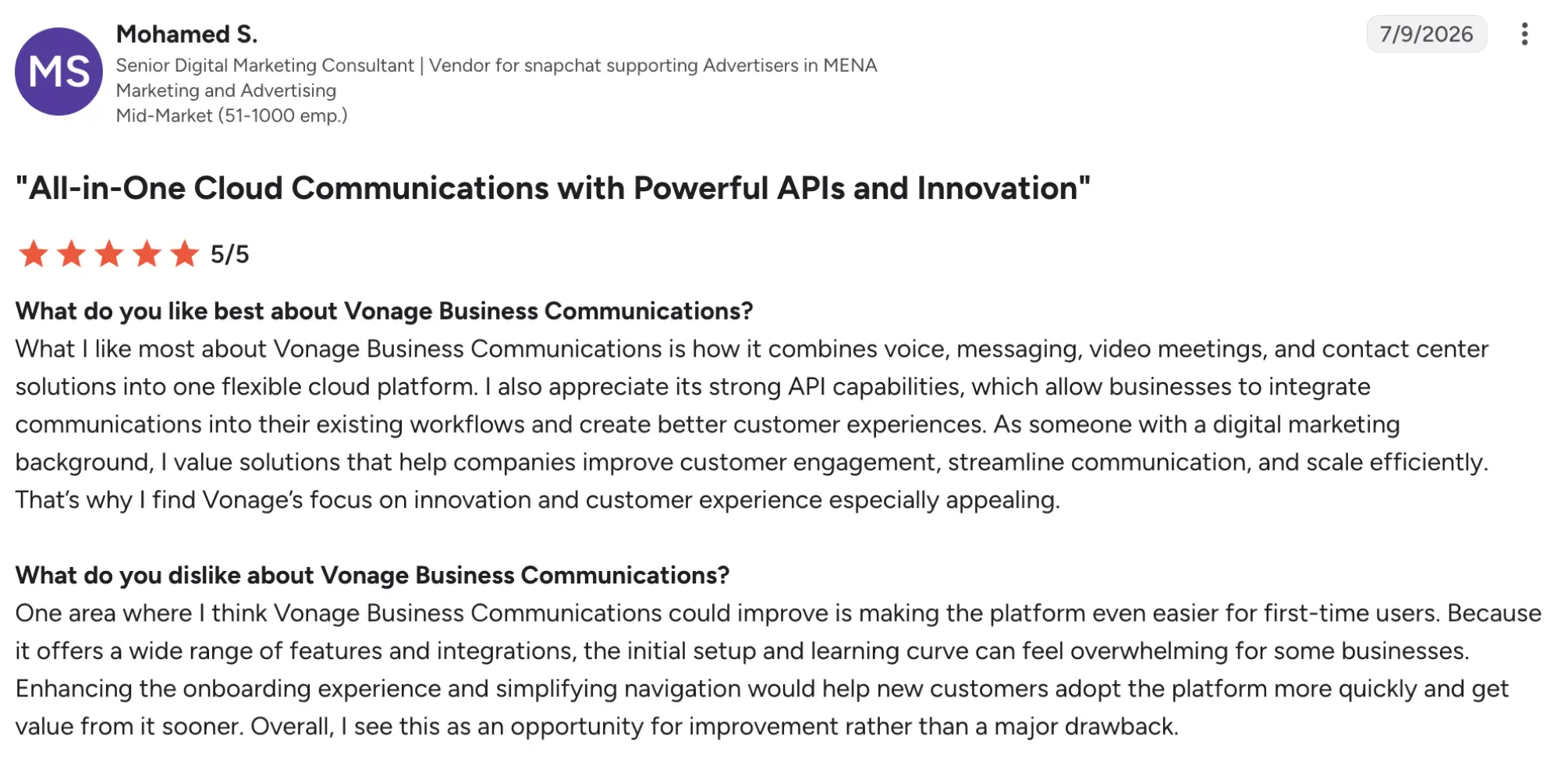
Vonage Business Communications has a 4.3/5 rating on G2. Reviewers often praise its ease of use, call quality, mobile access, and ability to combine calling and messaging for teams working across locations or time zones. On the downside, users mention occasional call drops and connection issues, a dated interface, mobile-app performance problems, and inconsistent support experiences.
Best fit
Businesses that want a configurable communications system and expect to mix calling with messaging, mobile access, integrations, and collaboration tools.
10. GoTo Connect: Best for easy administration
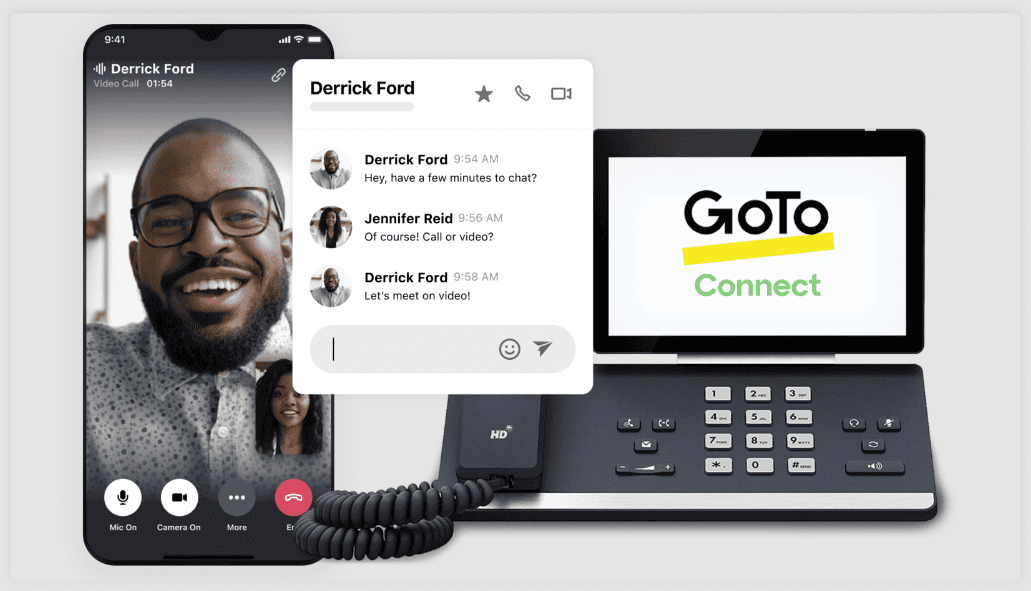
GoTo Connect combines a cloud-hosted phone system with messaging, meetings, and centralized administration. One of its more distinctive tools is a visual dial-plan editor that lets administrators build call flows and routing rules without configuring every step through separate menus. It also supports calling a broad range of international destinations, making it worth considering for companies that communicate frequently across borders but still want phone, meetings, and administration managed from one platform.
Pricing
GoTo doesn’t publicly display the pricing. Customers need to contact sales.
Top features and integrations
- Visual dial-plan editor
- Unlimited auto attendants
- Call queues
- Desktop and mobile apps
- Video meetings
- Number porting
- CRM and productivity integrations
Pros and cons
| Pros | Cons |
|---|---|
| Phone plans include calling to more than 50 countries | Pricing is not publicly listed |
| The platform combines a VoIP solution, messaging, and meetings | Some users report call issues or poor voice quality |
| Reporting and fax functionality can feel limited |
User feedback
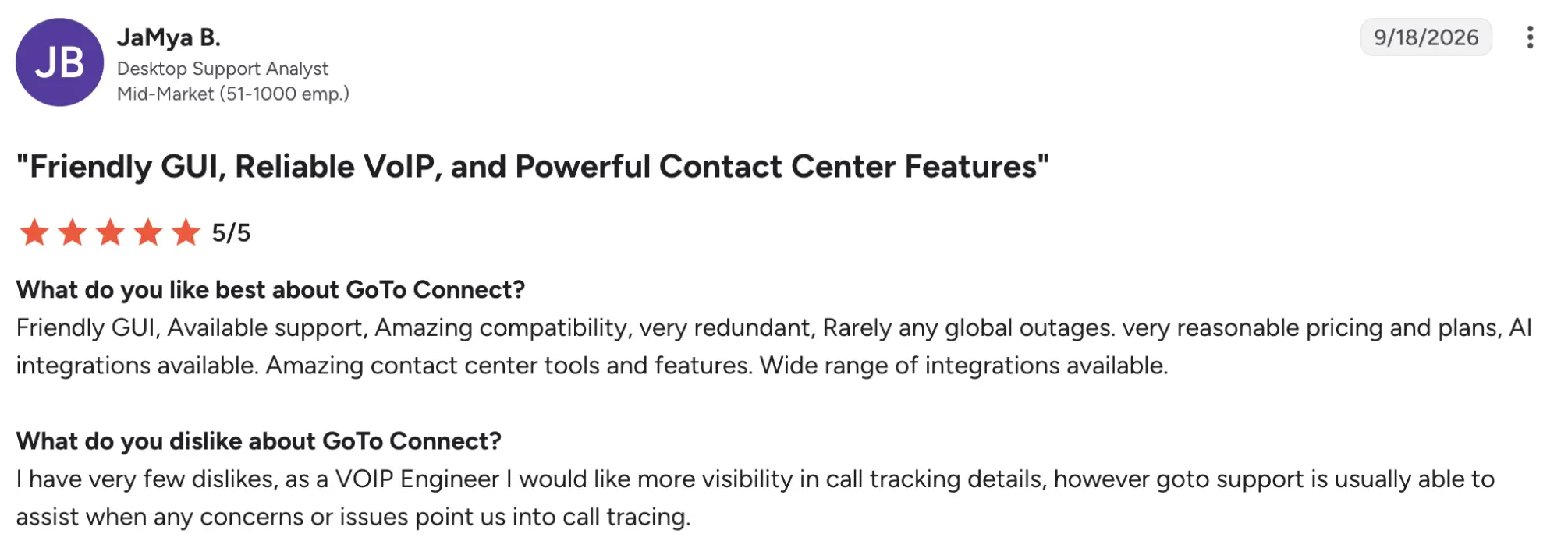
GoTo Connect has a 4.4/5 rating on G2. Users frequently praise its ease of use, straightforward administration, reliability, customer support, and ability to combine calling, messaging, and meetings. Less positive reviews mention call delays or voice-quality problems, limited reporting or fax functionality, and occasional friction during onboarding or when seeking help with more complex configurations.
Best fit
Businesses that want centralized administration and broad international calling without managing separate voice and meeting platforms.
11. Microsoft Teams Phone: Best for Microsoft 365 shops
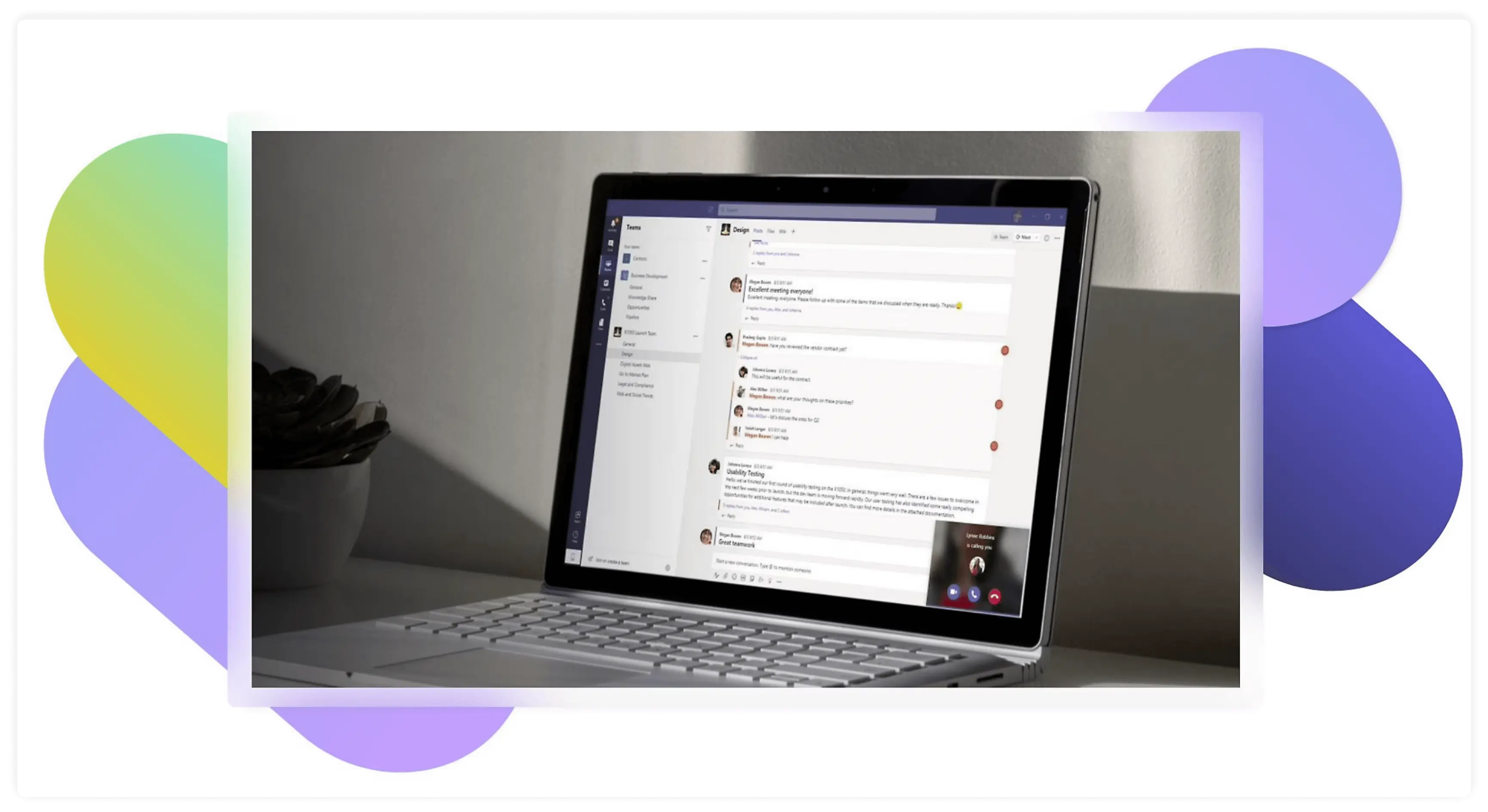
Microsoft Teams Phone adds cloud PBX and external calling capabilities to the Microsoft Teams environment, allowing organizations to handle calls alongside meetings, chat, calendars, and Microsoft 365 collaboration. The system is especially relevant for companies where employees already spend much of the day in Teams, since adding telephony can reduce the need for another standalone business phone service.
However, setup is more complex than simply buying a phone subscription because businesses must also choose how to connect Teams to the public telephone network through Microsoft Calling Plans, Operator Connect, or Direct Routing.
Pricing (annual)
- Microsoft Teams Phone Standard: $10/user/mo
- Teams Phone with pay-as-you-go calling (country zone 1 – US): $13/user/mo
- Teams Phone with Calling Plan (country zone 1 – US): $17/user/mo
- Teams Phone with domestic and international calling: $34/user/mo
Top features and integrations
- Cloud PBX
- Auto attendants
- Call queues
- Call transfer
- Teams desktop and mobile apps
- Operator Connect
- Direct Routing
Pros and cons
| Pros | Cons |
|---|---|
| Phone functionality works inside the Microsoft Teams environment | Teams Phone Standard alone does not provide PSTN service |
| Auto attendants and call queues are supported | A separate eligible Teams license is required |
User feedback
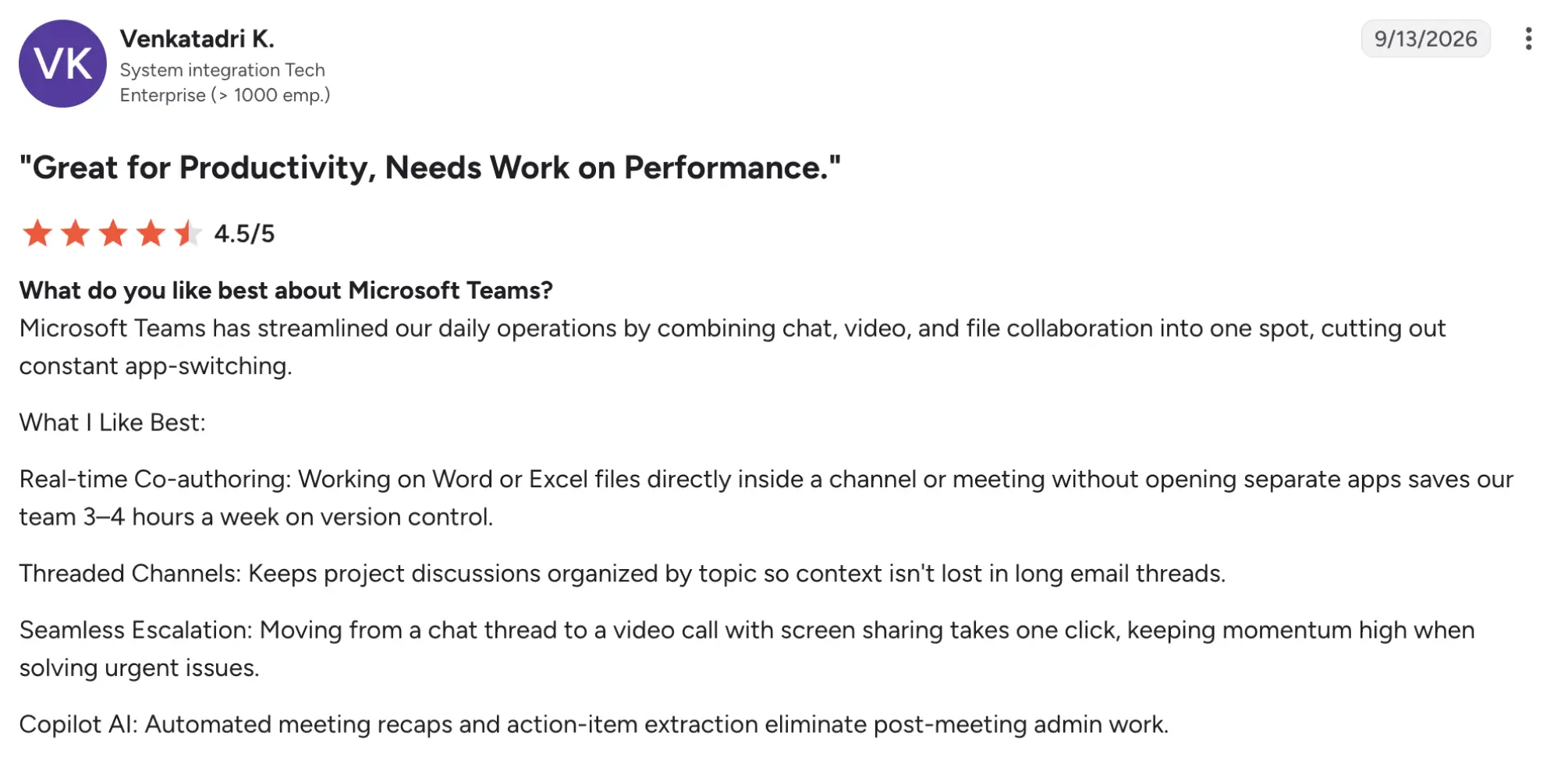
Microsoft Teams has a 4.4/5 rating on G2. However, this rating covers the broader Teams platform rather than Teams Phone specifically. Users particularly value Microsoft 365 integration and having chat, meetings, calls, and file collaboration within one workspace, which can reduce switching between applications. Common complaints include high memory usage, slower performance on less capable computers, notification overload, and difficulty finding older conversations or files when many channels are active.
Best fit
Organizations already invested in Microsoft 365 that want business telephony integrated with their existing collaboration environment.
12. Aircall: best cloud-based phone system for international teams
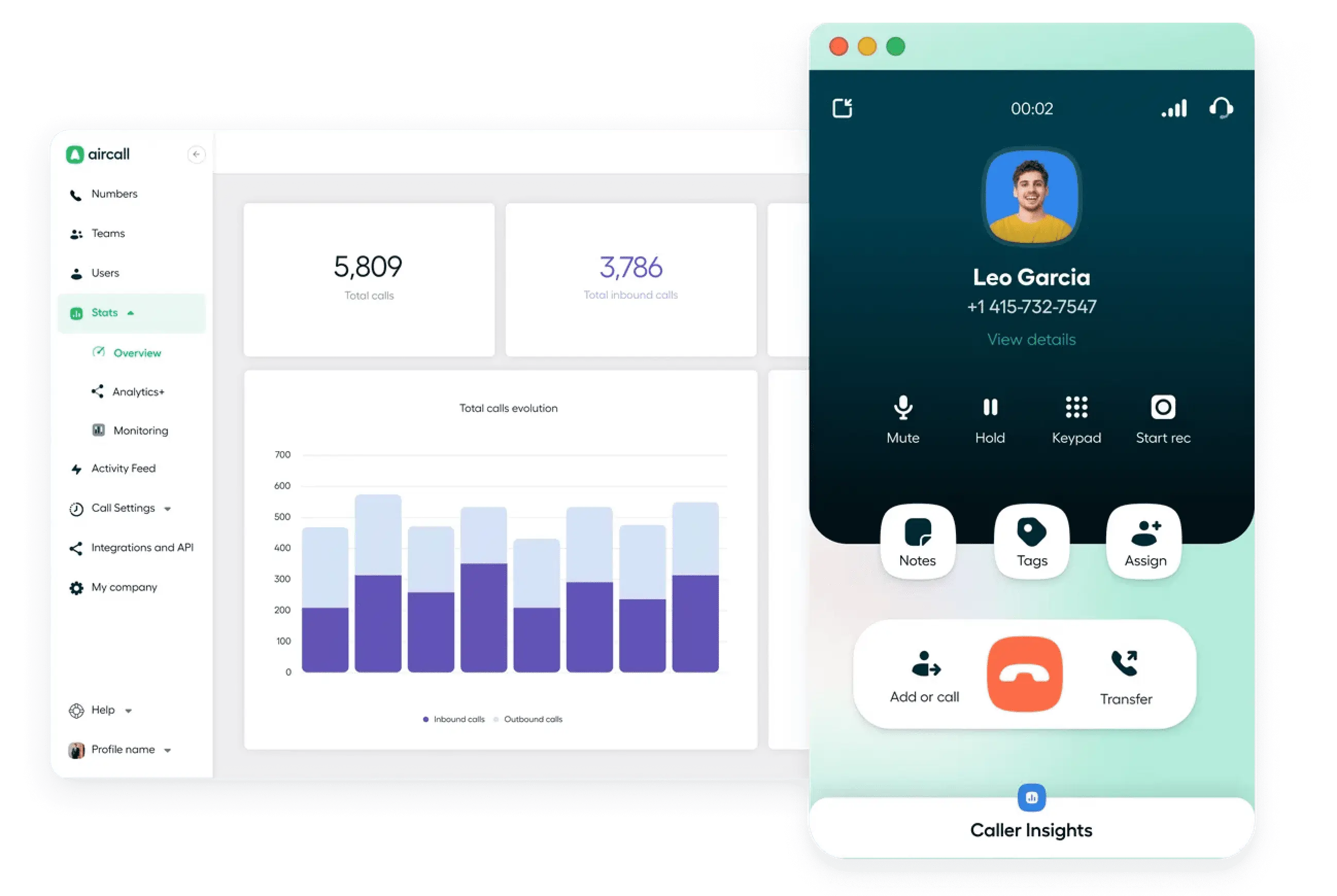
Aircall is one of the best cloud-based phone system options built primarily around the workflows of sales and customer-support teams. In addition to calling, routing, recording, analytics, and coaching tools, it connects with more than 250 CRM, helpdesk, productivity, and business applications, making call activity part of the systems teams already use to manage customers.
That integration-first approach is particularly useful for distributed or international teams that want calls, customer records, and follow-up activity to stay connected rather than being managed in separate tools.
Pricing (annual)
- Essentials: $30/license/mo
- Professional: $50/license/mo
- Enterprise: Custom pricing
- AI Voice Agents: $100/month minimum
Top features and integrations
- IVR and call flows
- SMS and MMS
- Analytics
- CRM/helpdesk integrations
- Power Dialer on Professional
- Live monitoring and coaching
Pros and cons
| Pros | Cons |
|---|---|
| CRM and helpdesk integrations suit sales and support workflows | International outbound calling is not universally unlimited |
| Essentials includes unlimited domestic outbound calling in the U.S. and Canada | Some advanced analytics and AI functions require additional plans or add-ons |
| Power Dialer, live monitoring, and advanced routing |
User feedback
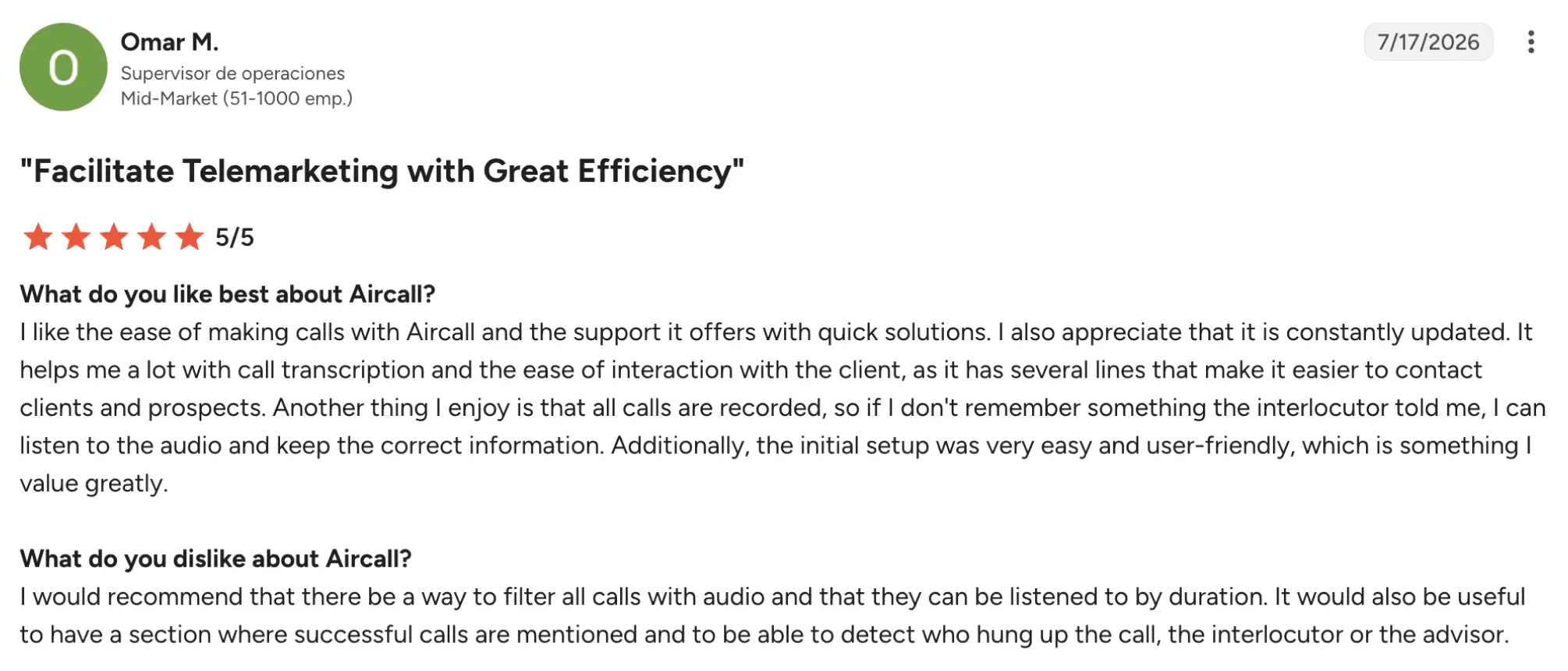
Aircall has a 4.4/5 rating on G2. Users frequently praise its ease of use, mobile functionality, and integrations with CRM and helpdesk systems, particularly for sales and support workflows. Critical feedback includes occasional interface glitches, inconsistent call quality on unstable internet connections, and integration problems that may require troubleshooting.
Best fit
Sales and support teams that rely heavily on CRM, helpdesk, and other business integrations alongside their phone system.
How to choose the right cloud phone system for your business
According to Grand View Research, the UCaaS market is projected to grow at a 17.7% CAGR from 2026 to 2033, reflecting continued demand for cloud-based business communications. With many providers competing across pricing, AI, integrations, and calling features, use the shortlist above to test each candidate against these five questions.
First, shortlist options, then test each candidate against these five questions:
- Size the system around team size and call volume. For example, a five-person office with occasional inbound calls does not need the same dialing capacity as a 40-person sales operation.
- Separate must-have features from nice-to-haves. Decide whether you genuinely need AI reception, automatic transcription, CRM integrations, or advanced reporting before paying for them.
- Calculate total cost of ownership. Factor in extra phone numbers, AI features, SMS fees, hardware, and other add-ons. A low advertised subscription with add-ons becomes a much higher operational bill.
- Verify reliability, security, and compliance. Regulated businesses should check for E911, encryption, SOC 2 documentation, HIPAA availability, call recording rules, and data-retention controls rather than assuming every cloud-based VoIP phone system meets the same standards.
- Plan the switch before canceling the old service. Confirm the contract term, number-porting requirements, implementation timeline, and fallback routing before switching to a cloud-based phone platform.
The right phone solution for small business depends less on the longest feature list and more on matching capacity, workflows, and total cost to how employees actually communicate.
Finding the right cloud phone setup for your small business
The best cloud phone system depends on what your team needs to accomplish, not which provider has the largest feature list. MightyCall combines everyday calling with call center functionality for smaller operational teams, Dialpad puts AI transcription at the center of communication, while RingCentral offers broader UCaaS depth for companies expecting to scale.
Before committing to a platform, compare the full monthly cost, confirm your must-have integrations, and test the workflow with real employees. If MightyCall makes your shortlist, its seven-day free trial lets you test calling, routing, and administration with low risk before moving business numbers.