
What is call center Agent Workspace
The Agent Workspace brings together all communication tools in one place, helping call center agents and teams manage calls, messages, and customer data. It is designed to simplify daily customer interactions by displaying all essential tools within a single interface.
What’s included in the MightyCall Agent Workspace
Real-time metrics
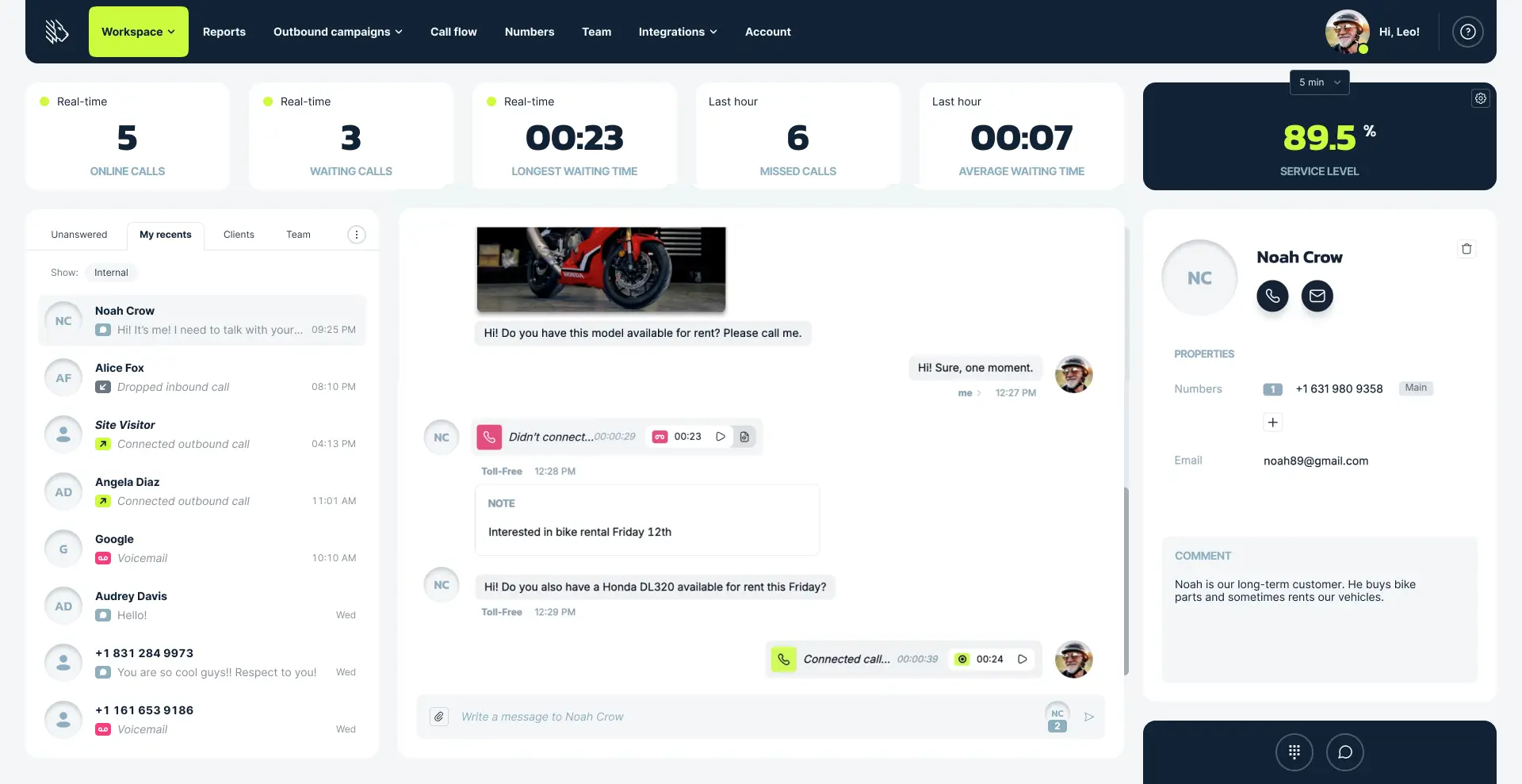
If an agent has supervisor permissions, the first panel in the Agent Workspace displays real-time metrics, including the number of online and waiting calls, the longest waiting time, the number of missed calls, the average waiting time within the last hour, and the service level based on a custom threshold.
While primarily designed for supervisors to monitor ongoing activity, this panel is also available in the Agent Workspace so managers can access key performance metrics at any time—even while handling calls or performing hands-on responsibilities.
The recents section
The recents section displays the latest interactions, divided into four tabs:
- Unanswered – for calls and messages that have not yet been followed up. Agents only see the interactions they have permission to access, and these permissions can be customized.
- My recents – with all recent conversations
- Clients – showing customer communication only
- Team – containing internal interactions among call center members
This section also serves as the area for managing client lists, allowing searches, new contact additions, and exports. It provides a compact, and organized space for managing every interaction.
Communication history
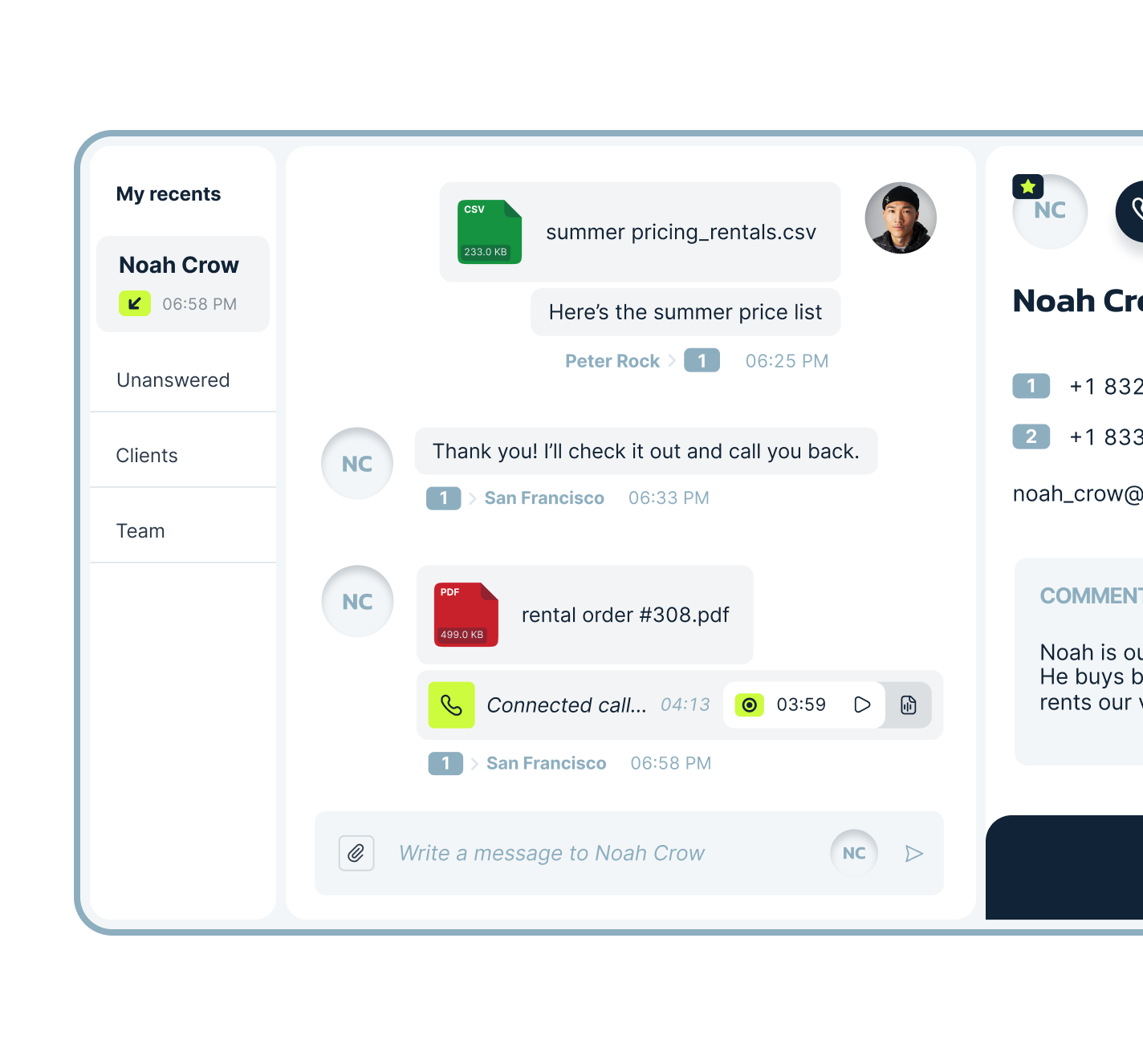
The communication history displays all past interactions with the selected contact or team member, including calls, SMS, MMS, call recordings, and voicemails. Agents can also leave internal notes about any event, adding context or comments that make it easier to track important details.
One of the key advantages of MightyCall’s communication history is that it can be shared across the call center team. This means all interactions with a contact are visible, even those handled by other call center agents. At the same time, the history can be limited to only the calls and messages made by the current agent, so interactions from other team members will not appear.
These visibility settings can be customized through custom roles and permissions.
Contact card
Alongside the communication history, the right panel displays key contact details, including the contact’s name, phone numbers, email address, and internal comments. The contact card also allows calls or emails to be initiated with a single click, and contacts can be deleted directly from this panel when necessary.
This feature provides quick access to essential contact information at any time, even during active calls.
Webphone
The integrated webphone in MightyCall remains accessible across all sections of the platform, including the Agent Workspace. Located in the bottom-right corner, it opens with a single click and provides multiple options: sending messages, dialing numbers from saved contacts, or entering them manually. Once a call is initiated, the webphone enables call transfers, adding participants, dialing extensions, or dropping pre-recorded voicemail messages when the call reaches voicemail:
MightyCall’s webphone allows agents to handle incoming and outgoing calls within seconds and stay connected at all times.
Business number switching
Flexibility in business numbers is an important part of effective communication. Depending on the call center’s structure and strategy, managers can add multiple business numbers and assign them for specific purposes.
When a number switch is needed, MightyCall makes the process easy: agents can choose the desired business number to contact a customer directly from the communication history panel or the webphone, ensuring every call aligns with the right campaign or department.
Benefits of MightyCall Agent Workspace
All customer conversations in one place
The workspace consolidates voice and digital conversations into a single, unified interface. Critical information and customer context stay accessible at every step, creating a smoother and more consistent communication experience.
Enhanced visibility and collaboration
Shared communication history, call notes, AI call summaries, and internal comments ensure complete visibility across the team. Agents and supervisors can stay aligned, track updates, and maintain clear context for each customer.
Improved agent efficiency
With all tools accessible in one workspace, agents stay organized and avoid missed calls or messages. Streamlined access to data helps reduce handling time and improves response speed.
Unparalleled agent productivity
The Agent Workspace provides instant access to customer data on one screen, removing the need to switch between browser tabs or multiple systems. Agents can easily transition between live calls, voicemail handling, and after-call work, improving overall productivity.
Integrated and automated CX workflows
The workspace integrates with CRMs and other business platforms through MightyCall’s API and built-in connectors, allowing customer data and activity logs to sync automatically.
Mobile app and desktop
The same functionality is available through the MightyCall Call Center mobile app and the desktop application for Windows and macOS. Agents can make and receive calls, manage messages, and view communication history directly from their devices.