

TL;DR
- MightyCall is the best choice for SMBs that want a simple, well-rounded business phone system with calling, texting, call routing, and team features that are easy to manage.
- RingCentral is the best fit for enterprise teams that need advanced admin controls, broad integrations, and a platform built to support larger, more complex communication workflows.
- Dialpad is the best option for businesses that want AI built into their phone system, with tools like call summaries, recaps, and smarter conversation support.
- Quo is the best pick for solopreneurs and startups that need a modern, lightweight phone system with shared numbers, business texting, and an easy setup.
You’re in search of a VoIP phone system for your business, right? It’s a smart move. Choosing the right one can be daunting, given the multitude of options available in the Canadian market. But don’t worry – we’ve compiled a list of the best VoIP services in Canada for you.
What is a VoIP?
VoIP stands for Voice over Internet Protocol. It lets you make and receive phone calls over the internet. Using a VoIP phone service in Canada is simple. Instead of desk phones, you can use a VoIP service on any internet-connected device (laptop, smartphone, or tablet).
Voice over IP technology often includes features such as IVR, call forwarding, call queues, and more, which improve communication quality with clients and business partners.
How does a VoIP phone service work?
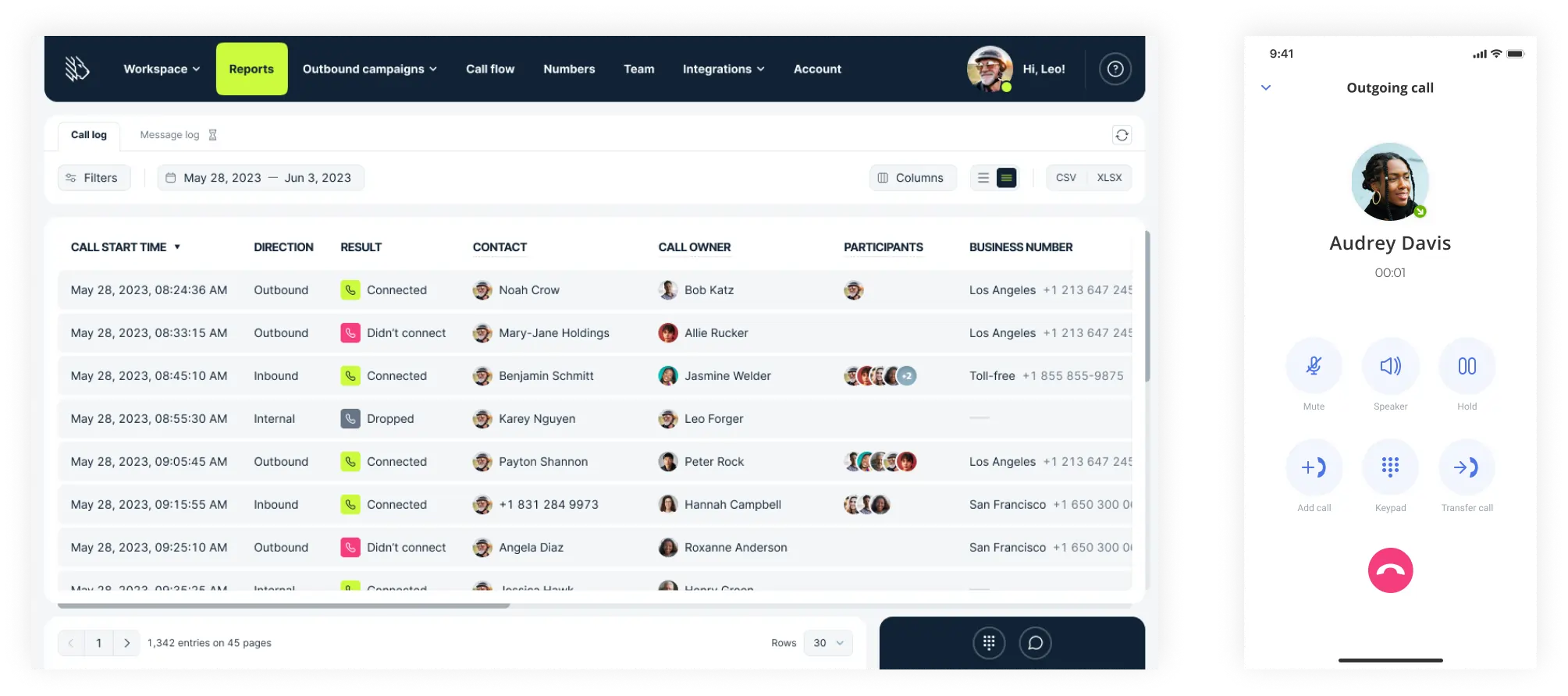
When you use your VoIP phone, you begin a call by dialing (or by picking up if you have been dialed). Then, when you speak, the sound is broken up into what we can call digital packets. Those packets are then sent over the internet to the destination (namely, the person or people you are speaking with). They are reconstructed there and emerge out of the receiver as audio (your voice).
This all happens incredibly rapidly; if it did not, conversations would be impossible. This is done over the internet, so to use a VoIP phone system in Canada, you need to be plugged into a router/wall socket (as some computers have this capability), or you need Wi-Fi or a satellite signal (an internet-connected phone).
Top VoIP services in Canada: Comparison
| Service Name | Unlimited Calling and texting in Canada/USA | Price* | Additional Numbers (per month)** | G2 rating |
|---|---|---|---|---|
| MightyCall | Yes | $25 | $5 per number | 4.4/5 |
| GoTo | Yes (texting costs extra) |
Request a quote | $5 per number | 4.4/5 |
| RingCentral | No (texting is limited) |
$30 | $4.99 per number | 4.1/5 |
| Net2Phone | Yes | $22.99 | Cost varies | 4.4/5 |
| OpenPhone (Quo) | Yes | $19 | $5 | 4.7/5 |
| Dialpad | Yes | $27 | $10 | 4.4/5 |
| Ooma | No | $19.95 | $9.95 | 4.5/5 |
| CallHippo | Minutes unlimited/texting is limited | $25 | Varies | 4.5/5 |
| 8×8 | Yes | Request a quote | $5 | 4.1/5 |
| Aircall | Yes (4000 outbound messages per month) |
$40 | $6 | 4.4/5 |
| Sonetel | No | $13.95 | $1.79 | 4.4/5 |
| Grasshopper | Yes | $18 | $10 | 3.9/5 |
**Information was obtained to the best of our abilities.
10 best VoIP providers in Canada: Overview
1. MightyCall – best for SMBs
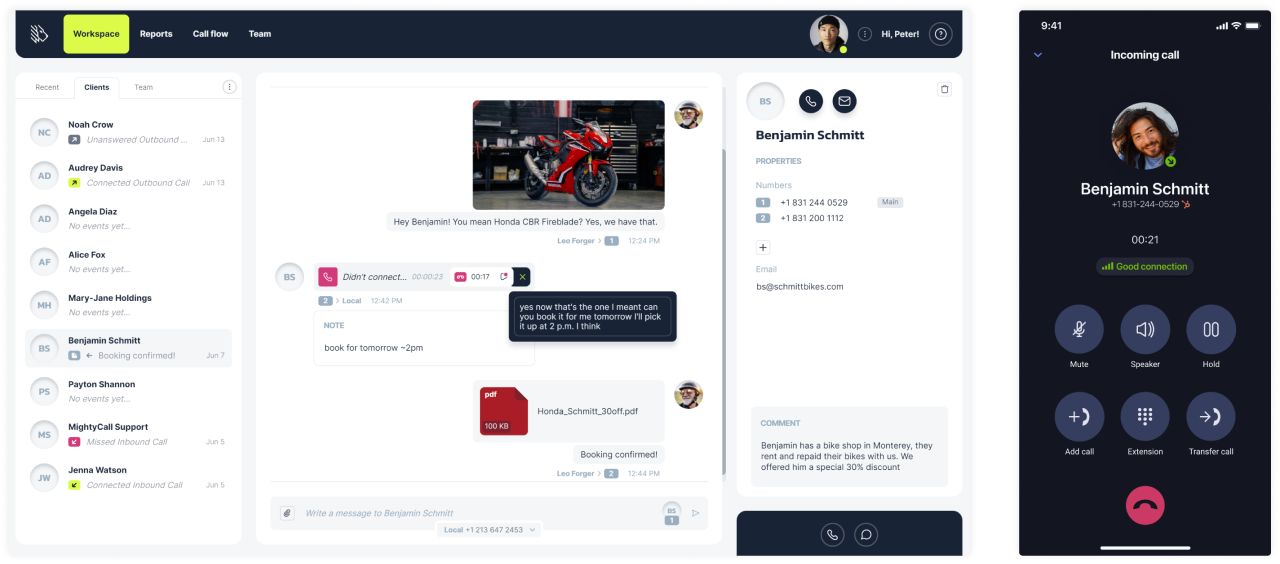
MightyCall is a premier company and one of the top VoIP providers in Canada. That’s because they offer features useful to companies of all sizes, from small businesses to call centers. Constantly innovating and offering a deep bench of crucial features, they are well-equipped to take your burgeoning business to the next level – and if your business is not burgeoning, they can help get it jump-started.
Why we picked it
MightyCall is an incredibly well-rounded program that provides the tools and features businesses need. The interface is extremely user-friendly, and no features are wasted.
Best for
While MightyCall is best suited for small to medium-sized businesses and call centers, it can comfortably serve many types of businesses, including solopreneurs.
Pricing (user/month)
- Core: $25
- Pro: $45
- Power: $65
- Enterprise: $75
Features
MightyCall has a lot of features, the key ones of which (though to be clear, this is not an exhaustive list) are:
- Voicemail & Transcription
- Call recording
- Call notes
- Automatic call distribution
- Multi-level IVR
- Live call monitoring
- Call routing
- Auto dialer
- Live call monitoring
- Voicemail drop
- AI call summaries
Integrations
MightyCall offers integration with plenty of the top integration tools, like:
- HubSpot
- Salesforce
- Zapier
- API
Pros & Cons
| Pros | Cons |
|---|---|
| Offers international numbers and area codes, including Canadian | The ”Core” price plan does not offer many call analytics features |
| Offers toll-free calling | Does not offer video conferencing features |
| Has a well-rounded call center features list, including advanced call monitoring, analytics, and more | Larger teams may outgrow the platform as their needs become more complex. |
| Extremely high uptime | Not the strongest option for businesses with complex multi-site or multinational structures. |
| One of the best customer support teams on the market |
User reviews
Reviewers particularly liked the customer service and support, as well as the ease of use.


schedule your personalized demo with our amazing team

2. GoTo – best for video calling
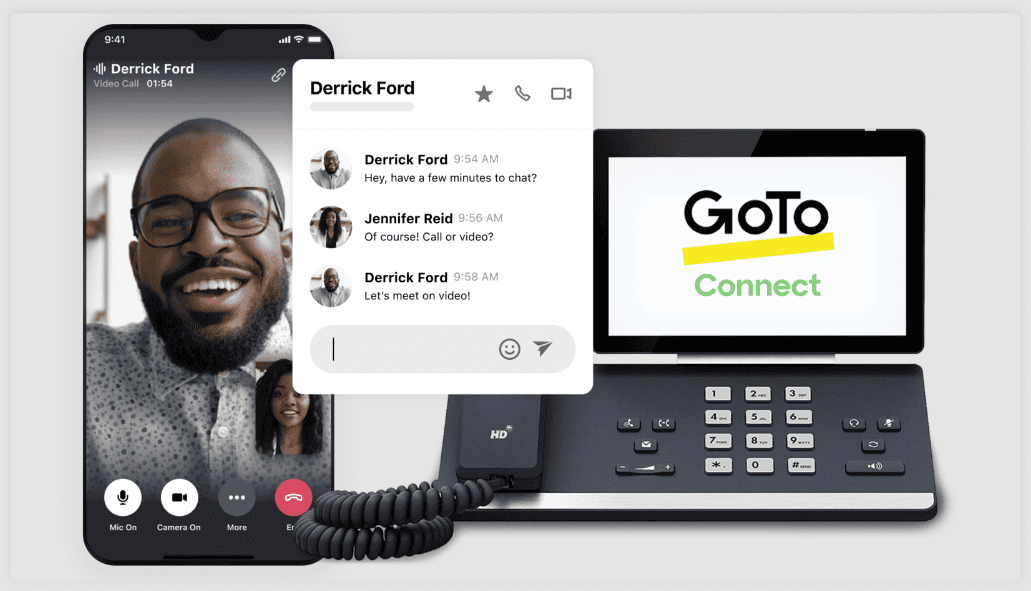
Number two on our list of business VoIP Canada companies is GoTo (also known as GoToMeeting). A long-serving company, GoTo has a ton of experience bringing businesses closer to their clients. With a focus on meetings – both audio and video – this can be a powerful tool for businesses hoping to have a closer or more personal touch.
Why we picked it
GoTo is a well-known name in the business VoIP phone service industry, and it is not hard to figure out why. Their focus on high-quality “face-to-face” meetings sets them apart.
Best for
GoTo is best for small to medium-sized businesses.
Pricing (user/month)
GoTo offers several plans; however, the pricing is custom – you will need to request a quote.
Features
GoTo offers lots of features, including:
- Desk phone compatibility
- Quick-launch meetings
- Dial Plan Editor
- Call-routing scheduling
Integrations
GoTo offers integration with lots of things, like:
- Marketo
- Slack
- Zendesk
Pros & Cons
| Pros | Cons |
|---|---|
| Offers screen-sharing and video calling | Many users have raised concerns about a lack of support |
| Extremely easy to use | Connection issues have been a problem in the past |
| Can jump from chat straight into a meeting | App crashes have been reported |
| Offers separate rooms for callers |
User reviews
Reviewers particularly liked the video/audio quality and interface, though some had negative comments about the support.
There’s nothing I don’t like so far; it’s a platform with great qualities and easy access.
Read the full review
3. RingCentral – best for enterprise
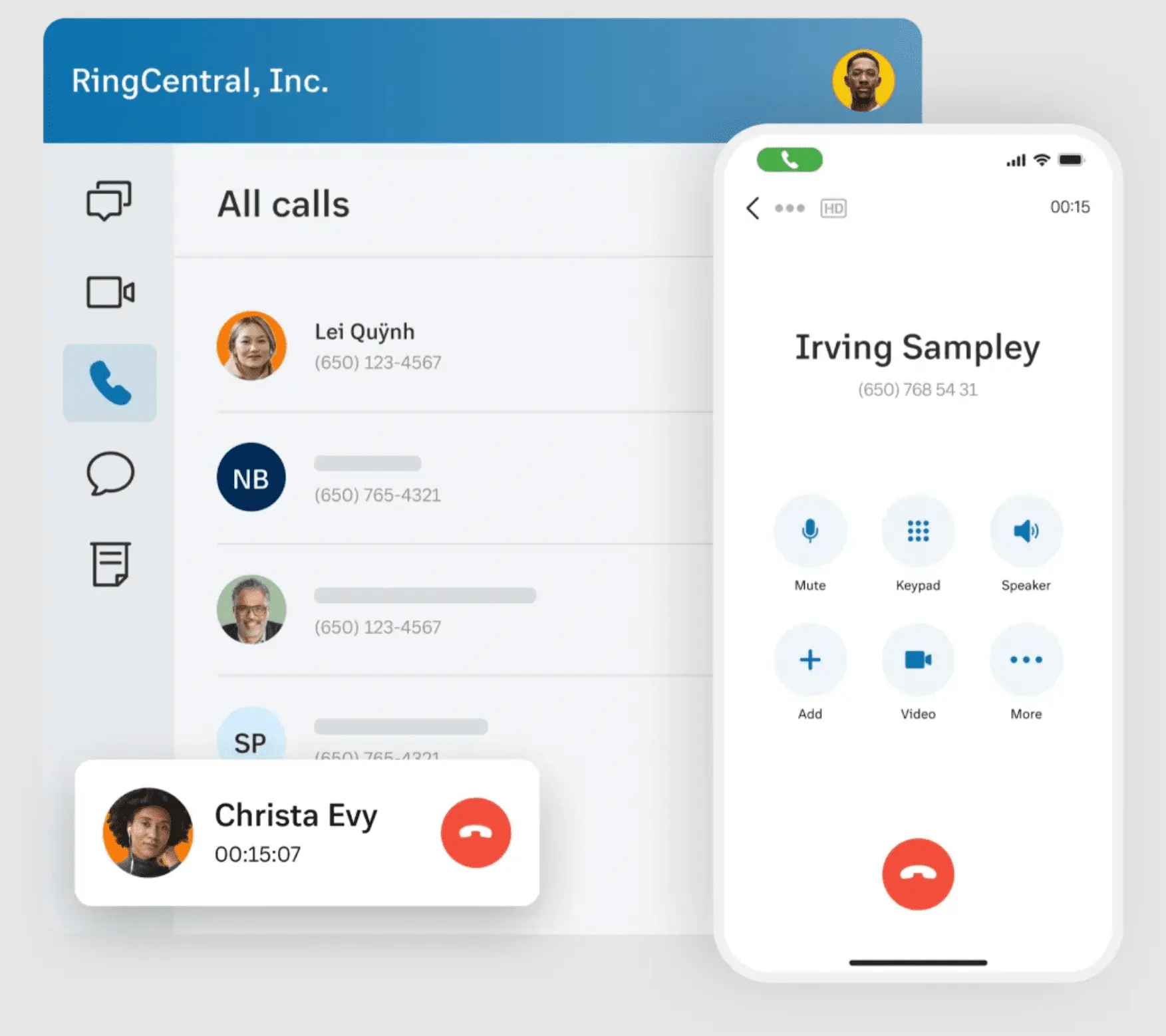
RingCentral rounds out our top three on the list; if you are looking for the best VoIP provider for small businesses in Canada, RingCentral is an option you should not skip. They have a ton of experience delivering quality service to their customers and ensuring they are equipped with the key features they need to succeed.
Why we picked it
RingCentral has extensive experience as a well-rounded communications platform, which is why it deserves a high spot on our list. Their recent acquisition of Hopin Events, an event management platform, is also particularly noteworthy.
Best for
RingCentral is best for medium-sized to larger businesses.
Pricing (user/month)
- Core: $30
- Advanced: $35
- Ultra: $45
- Customer Engagement Bundle: Custom
Features
RingCentral’s long list of features includes:
- Auto call recording
- Digital whiteboards
- IVR
- Internet Fax
Integrations
RingCentral has the following integrations (this list is not exhaustive):
- Salesforce
- Zendesk
Pros & Cons
| Pros | Cons |
|---|---|
| Years of experience | Service is significantly more expensive than other similar services |
| Unique features like internet fax | Some key features are not available on lower tiers |
| Video calling is a plus | Some issues have been reported with the Caller ID features |
| Has a solid amount of integrations |
User reviews
Reviewers found the software extremely user-friendly and time-saving, but took issue with customer service. Others reported having video issues.
While RingEX offers a lot of great features, there are a few areas that could be improved. At times, the system can feel a bit complex, especially when navigating between different tools or settings.
Read the full review
4. Net2Phone – best for lower prices
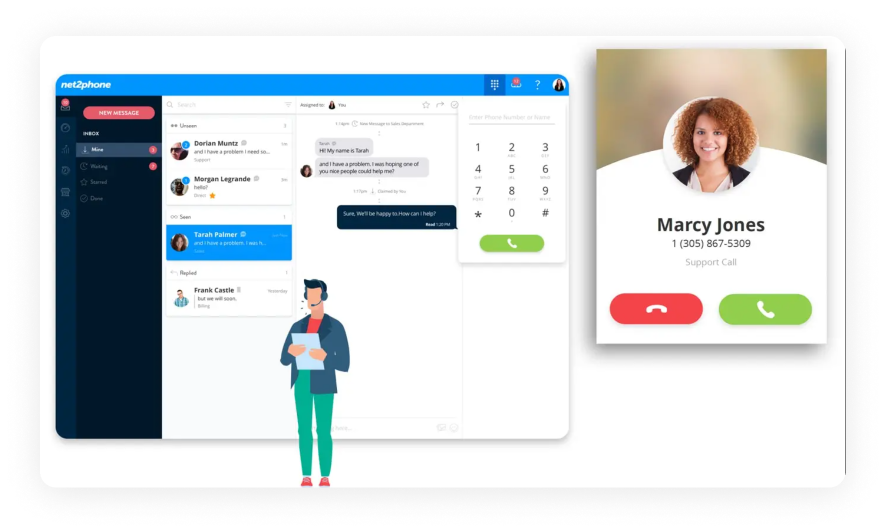
Coming in at number 4 on our list of VoIP phone providers in Canada is Net2Phone. While these guys are not as well-known as some of the other options on our list, their ability to conduct business from a single place (thanks to the power of the VoIP phone) earns them a spot on our list.
Why we picked it
Net2Phone seems to know it is less well-known. They try to make up for this with much lower prices than many competitors, as well as providing all of the classic features you have come to expect from internet phone companies, and then some, such as 7-digit dialing and a company directory, which are not as common.
Best for
Net2Phone is best for medium-sized businesses, as it seems built for medium-sized offices (or at least workers of that number who may be spread out over a geographic area).
Pricing (user/month)
- Essentials: $22.99
- Professional: $27.99
- Ultimate: $33.99
Features
Net2Phone has plenty of features, including:
- Video conferencing
- Receptionist console
- User portal
- Auto attendant
- Busy lamp field
Integrations
Net2Phone offers integration with plenty of the top integration tools, like:
- Zoho
- Slack
- Zapier
Pros & Cons
| Pros | Cons |
|---|---|
| Many key calling features are available on lower tiers | Many key integrations are only available on the highest tier |
| Video conferencing is woven into the service instead of being a separate add-on | Call recording is not available on the lowest tier |
| Very well-received customer service | Some users found the onboarding to be rocky |
| Great sound quality |
User reviews
Reviewers had good things to say about the service’s user-friendliness and top-notch customer service. However, some had negative comments about the mobile app.
Best thing about Net2Phone is their support. They have been prompt to respond and eager to help with whatever problem I’ve thrown at them.
Read the full review
5. OpenPhone (Quo) – best for solopreneurs & startups
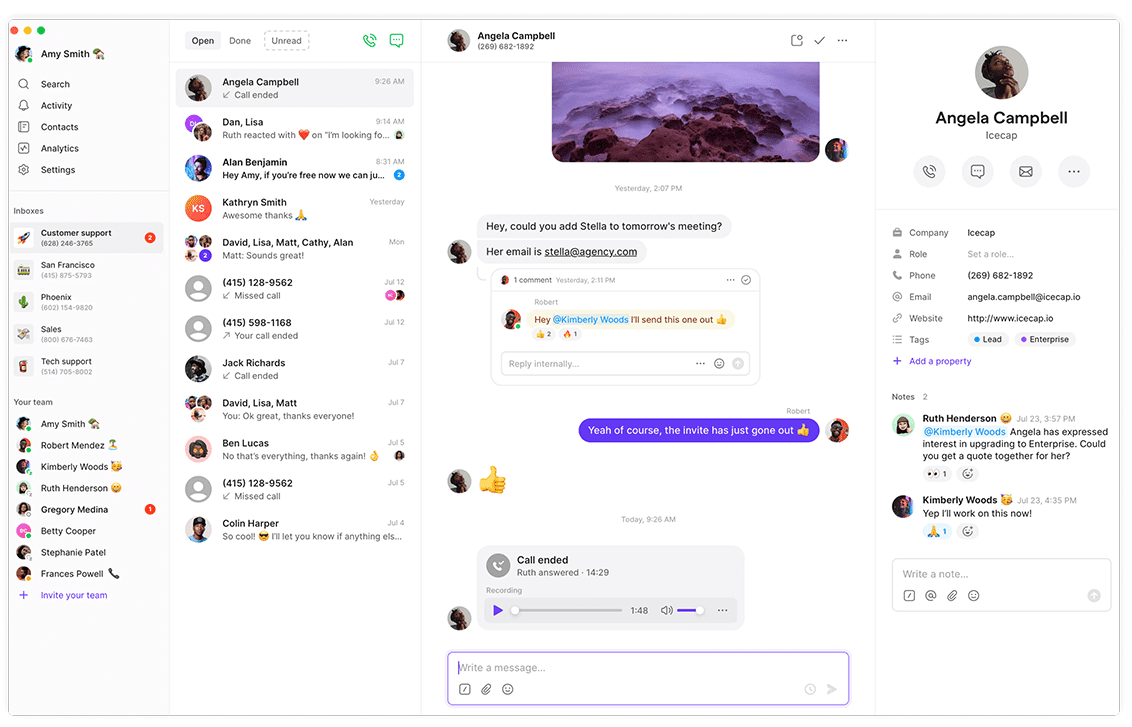
Just about halfway down our VoIP phone Canada comparison list, we have Quo, formerly OpenPhone. Like Net2Phone, they advertise as a one-stop shop for business communications. And they are not wrong: whether you want to call Vancouver or Ontario, they are one of the companies you should consider going with when looking for a company that can keep you connected with your clientele.
Why we picked it
OpenPhone (Quo) tries hard to make itself more than a place to make calls – and on that front, they succeed. Their SMS software is intuitive and does not feel like an add-on; rather, it feels well thought out and a real part of the software.
Best for
OpenPhone is best for solopreneurs and smaller to medium-sized businesses.
Pricing (user/month)
- Starter: $19
- Business: $33
- Scale: $47
- Sona: Custom
Features
OpenPhone offers plenty of features, like:
- Snippets
- Internal threads
- Shared contacts
- User groups
- Auto-replies
Integrations
OpenPhone has the classic integrations, including:
- Zapier
- Webhooks
Pros & Cons
| Pros | Cons |
|---|---|
| Long list of integrations | Some important features are only accessible through fees |
| Unlimited phone numbers are available on the second tier | Call recording on the lowest tier is manual as opposed to automatic |
| Dedicated account manager available for the highest levels | Limited customer support options in the basic plan |
| Flexible SMS and calling plans suitable for varying business sizes |
User reviews
While some reviewers had issues with the Windows app, many liked the voicemail transcription and the service’s flexibility.
Quo makes difficult conversations incredibly easy to handle. As a business owner, the platform saves me time, protects my revenue, and gives me a clear and professional system for resolving disputes.
Read the full review
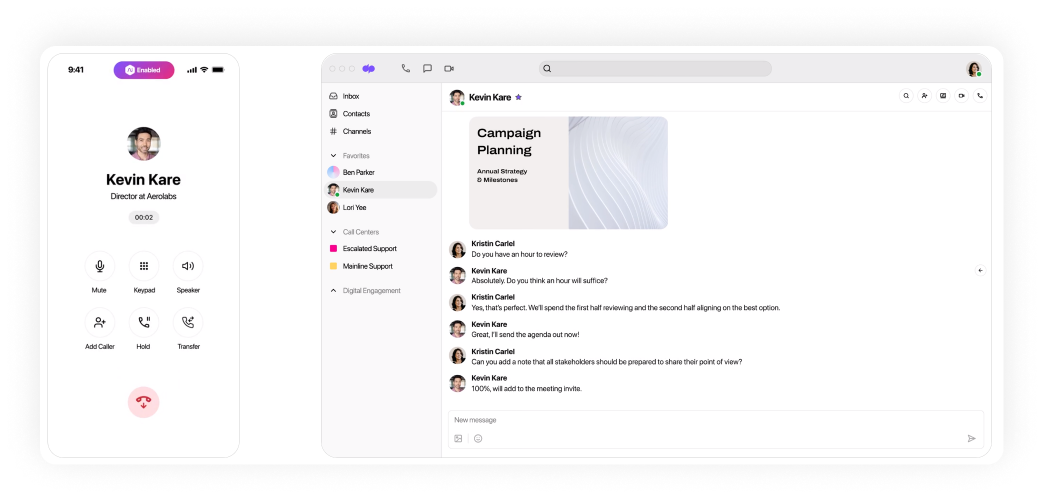
6. Dialpad – best for AI
Leading off the back half of our list of Canadian VoIP providers is Dialpad, a solid service well-regarded for its offering of easy-to-conduct business meetings. Read on to find out how it stacks up to the other services on our list.
Why we picked it
Dialpad is very well known and has been a major peer competitor of other services for a while. Recently, however, they took a big step forward by becoming one of the first internet phone companies in Canada to make AI a major part of their software, integrating it to help their users in new ways.
Best for
Dialpad is best for larger companies.
Pricing (user/month)
- Standard: $27
- Pro: $35
- Enterprise: Custom
Features
Dialpad’s feature list includes:
- AI Recap
- Action item capture
- Web and chat support
- Global SMS capabilities
- 24/7 live agent support
Integrations
Dialpad’s integration list includes:
- Microsoft Teams
- Google Workspace
- Microsoft 365
Pros & Cons
| Pros | Cons |
|---|---|
| Integrated use of AI is a unique and useful feature | Adding on new toll-free numbers is rather pricey |
| Constant live agent support means not needing to wait for help | 100% uptime is only promised on the highest/most expensive plan |
| Support for up to 10 office locations makes the service very helpful for geographically spread-out users | Certain advanced features may require additional expenses |
| Effective for conducting online business meetings with advanced features |
User reviews
Reviewers were very happy with customer support, but some complained about system glitches.
I sometimes experience minor bugs or inconsistencies with the desktop application, particularly related to notifications or when the application needs to quickly switch between Wi-Fi networks.
Read the full review
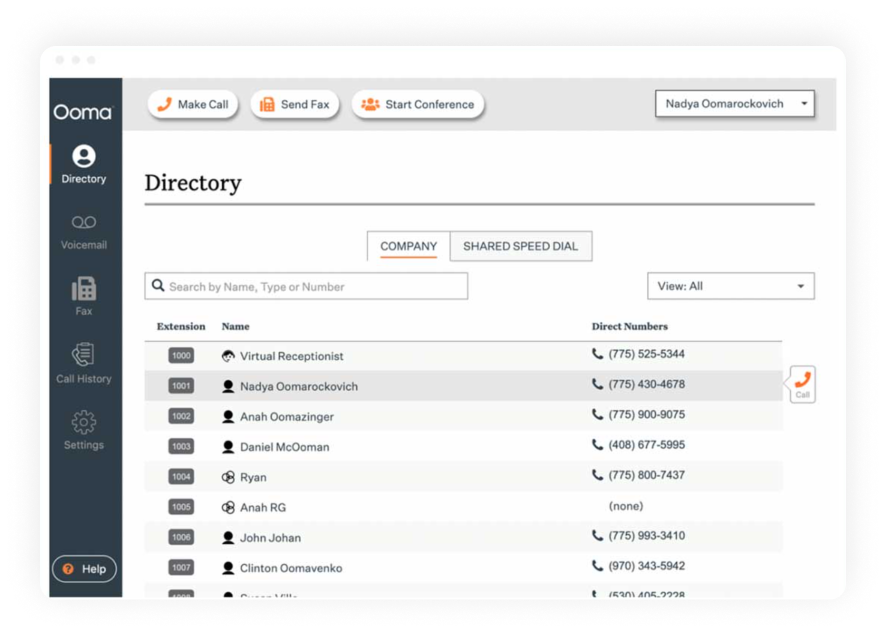
7. Ooma – best for unique features
Ooma offers both residential and business-oriented plans. As our list focuses on business tools, we will only discuss the latter.
Why we picked it
As a company with many offerings for both home and business solutions, you may worry that they are not sufficiently focused on being a great VoIP option. But fret not: their plethora of features shows they put out a finely crafted product.
Best for
Ooma is best for smaller, family-owned businesses.
Pricing (user/month)
- Ooma Office Essentials: $19.95
- Ooma Office Pro: $24.95
- Ooma Office Pro Plus: $29.95
Features
Ooma’s features include:
- Ring groups
- Digital Fax
- Call Recording
- Enhanced Call Blocking
- Hot Desking
Integrations
Ooma’s integration list includes:
- Salesforce
- Microsoft Dynamics 365
Pros & Cons
| Pros | Cons |
|---|---|
| Tons of features ensure you will not be missing key services | Does not seem to be available for tablets |
| The Hot Desking feature is extremely useful for employees who work from home | Call queuing and important integrations are only available on the most expensive plan |
| Prices are relatively low | Some users reported issues with call quality |
| Effective digital fax and enhanced call blocking features |
User reviews
Reviewers have reported serious audio quality issues. However, others have noted that adding new extensions is fairly easy.
Still a rock solid service. I had a very small issue with text messaging. I called support, spoke to a human being. It was resolved within minutes!
Read the full review
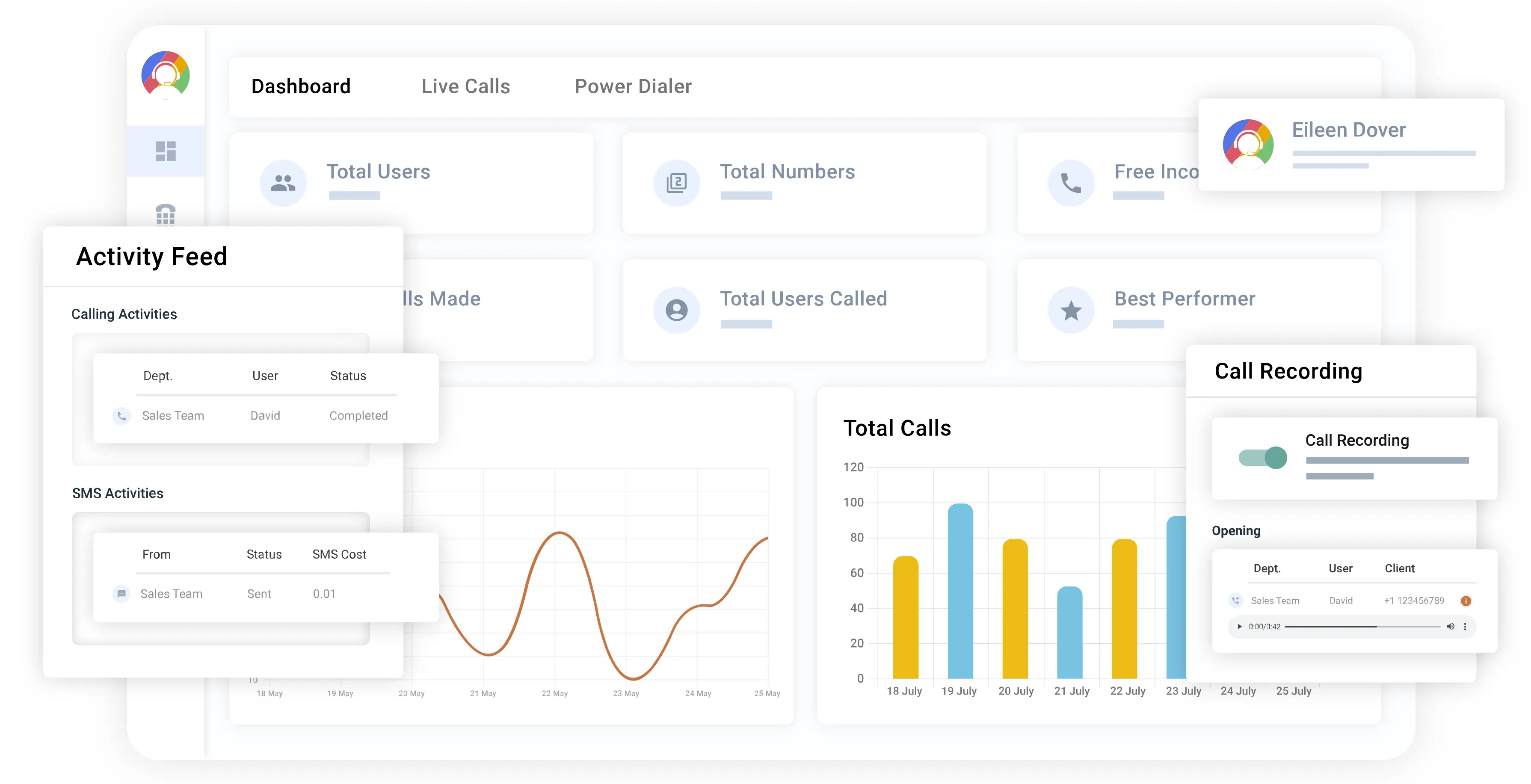
8. CallHippo – best for ease of use
Like Ooma and other VoIP companies in Canada, CallHippo offers two different types of services: one for call centers and one for office phone systems. As before, we will focus on how CallHippo serves offices across Canada.
Why we picked it
CallHippo has lots of experience with VoIP. They also offer some fairly rare features, like Email Tagging, which make them worth a look.
Best for
CalHippo is best for larger offices.
Pricing (user/month)
- Basic: $1
- Starter: $25
- Professional: $39
- Ultimate: $55
- Enterprise: Contact for pricing
Features
CallHippo has features like:
- Call Tagging
- Digital Fax
- Call Notes & Ratings
- Call Cascading
- Web Hooking
Integrations
CallHippo’s list of integrations includes:
- Hubspot
- Zoho
- Zapier
Pros & Cons
| Pros | Cons |
|---|---|
| The mid-tier plan can have up to 50 users | Number blocking is only available for the highest-tiered plan |
| The top two plans save call logs for lifetime usage | Charges for international numbers can be pricey |
| All plans allow for concurrent calling | Some users reported issues with task management and dashboard glitches |
| Features like Email Tagging and Call Notes & Ratings enhance user experience |
User reviews
Users have said the sound is clear, but there are sometimes minor dashboard glitches.
Sometimes, there are call connectivity issues, like when I was on a call with a customer and the call got dropped suddenly, even though everything was fine with the internet and everything.
Read the full review
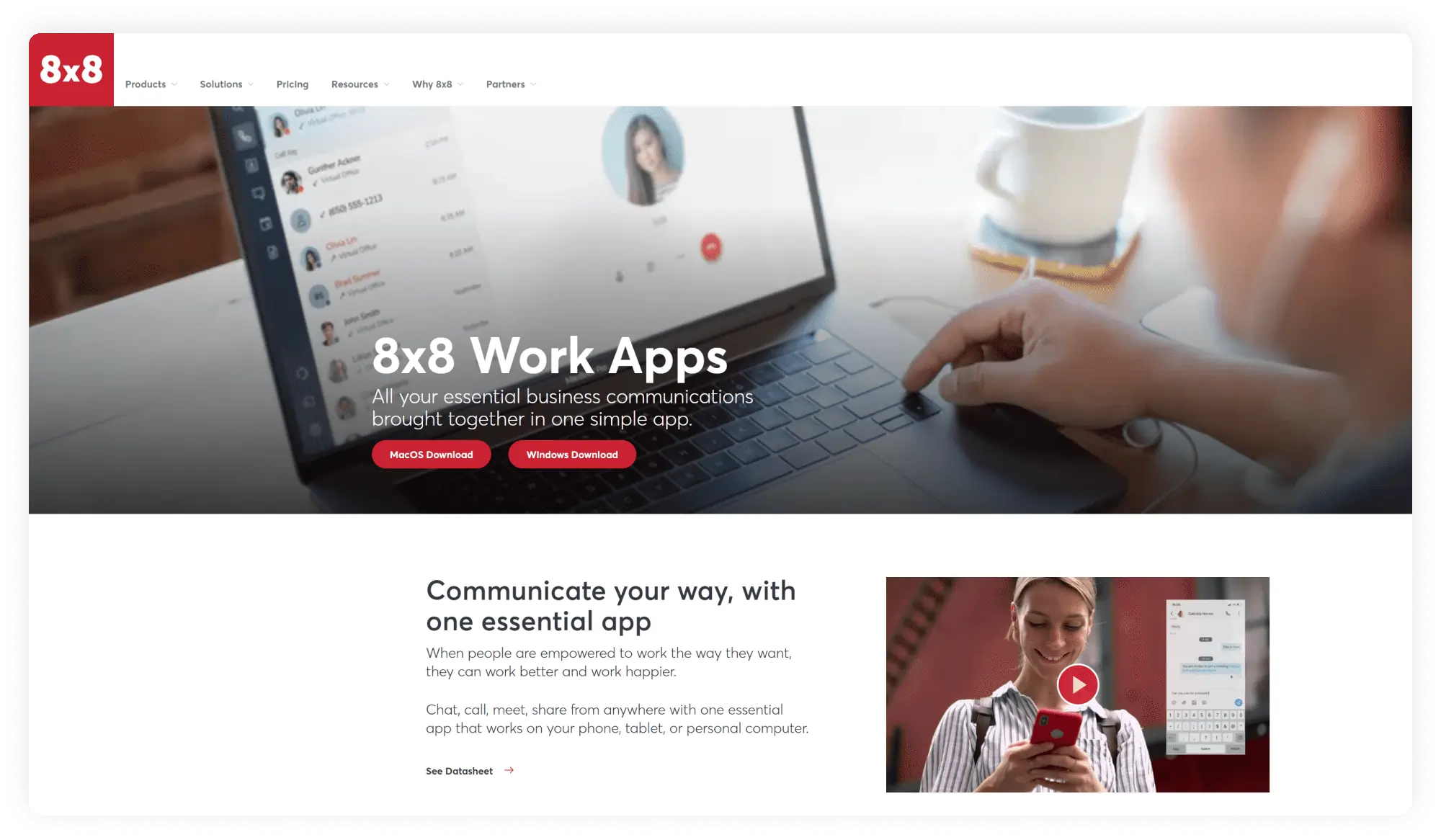
9. 8×8 – best for streaming meetings
8×8 is an advanced system that offers a large number of features, including unique ones like Conversation IQ.
Why we picked it
8×8 is also a VoIP phone company in Canada, specializing in contact centers, business phones, and video meetings. For our purposes, we will be focusing on their business offerings.
Best for
8×8 is best for medium to larger businesses.
Pricing (user/month)
The company offers custom pricing; you will need to request a quote.
Features
8×8’s features include:
- Voicemail transcription
- Private/public live streaming of meetings on YouTube
- Call analytics
- Multi-level auto attendant
- Presence detection
Integrations
If you are looking for 8×8’s integrations, you’ll be happy to be able to use:
- Salesforce
- Google Workspace
- Copper
Pros & Cons
| Pros | Cons |
|---|---|
| Very useful for international companies | Very vague about pricing |
| Speech analytics can help with training employees | Some users find the system less user-friendly for the less technically proficient |
| Advanced moderator controls put you in the driver’s seat | |
| Presence detection and multi-level auto attendant for enhanced communication |
User reviews
Users have praised the reliability while also criticizing the ease of use for those who are less technically proficient.
Honestly, we haven’t found much that is unhelpful. The system has been intuitive, and any updates or adjustments haven’t effected us.
Read the full review
10. Aircall – best for flexibility
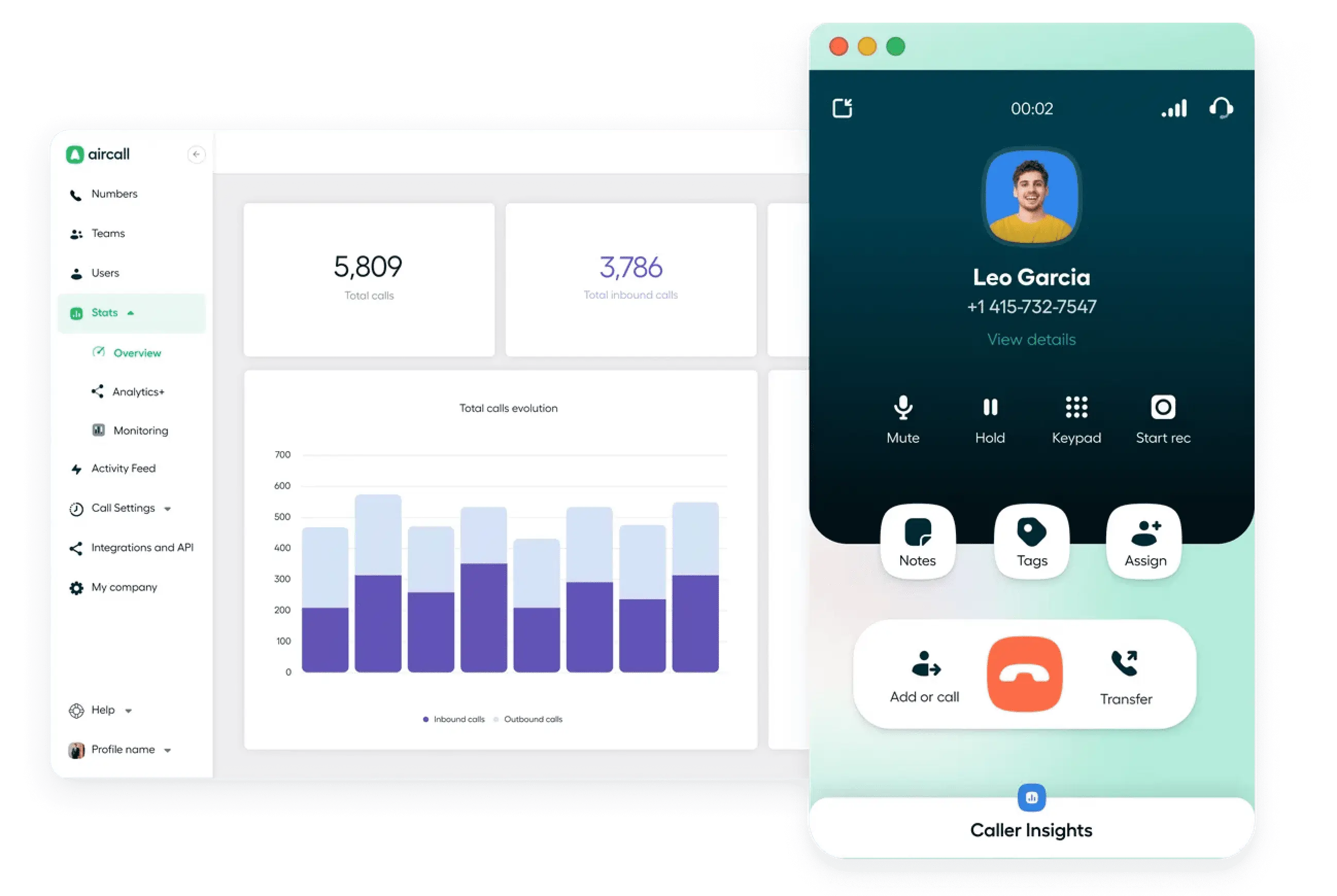
Serving Canada with VoIP calling, Aircall features all the key tools they need to qualify as one of the best VoIP providers in Canada.
Why we picked it
Aircall focuses on flexibility, and it shows in their offerings. One of their most notable options is the ability to have simultaneous outbound calls.
Best for
Aircall is better for larger companies.
Pricing (user/month)
- Essentials: $40
- Professional: $70
- Custom: Contact them for details
Features
Aircall features include, but are not limited to:
- Mandatory call tagging
- Power Dialer
- Unlimited calls within the US and Canada
Integrations
Aircall has plenty of integrations, including:
- Hubspot
- ActiveCampaign
- Salesforce
Pros & Cons
| Pros | Cons |
|---|---|
| All team members get an easy extension | Call analytics history goes back only to six months for all plans |
| Call Commenting helps keep your team in-sync | Prices are among the highest on our list |
| Real-time modifications allow for system flexibility | Some app bugs have been reported |
| Unlimited calls within the US and Canada on all plans |
User reviews
With such a rating on G2, Aircall ranks solidly in the midst of the best VoIP phone services in Canada. Users appreciate the platform’s convenience and the helpful support.
Aircall is really reliable and provides great service overall. The only small downside I’ve noticed is that sometimes the connection can act up and cause issues.
Read the full review
11. Sonetel – best for global business numbers
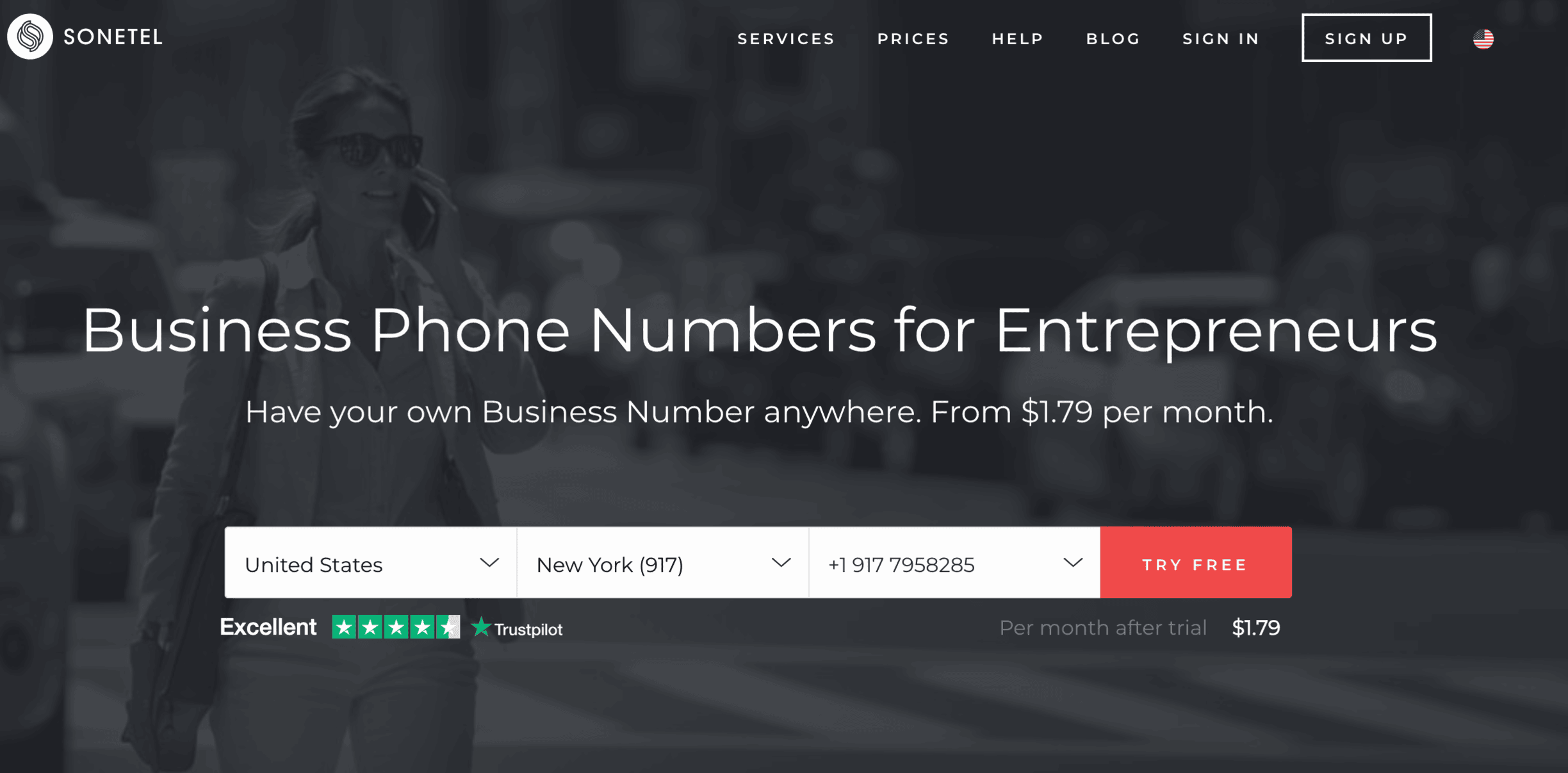
Sonetel is a strong option on our list of VoIP service providers. Focused on delivering reliable service, they ensure users have access to important features that support clear and effective communication.
Why we picked it
Sonetel provides businesses with reliable and affordable international phone services, including local phone numbers in over 40 countries.
Best for
Ideal for small to medium-sized businesses.
Pricing (user/month)
- Basic: $0*
- Premium: $13.95
- Business: $39.95
* Sonetel operates on a pricing structure that depends on the area code.
Features
- Virtual phone numbers in more than 40 countries
- Voicemail transcription
- Call forwarding
- Real-time call tracking
- Call recording
Integrations
Sonetel integrates with CRM systems such as Zapier
Pros & Cons
| Pros | Cons |
|---|---|
| Affordable international calls | Advanced features are available only on higher-tier plans |
| Flexible phone number options | Some integrations can be complicated to set up |
| User-friendly interface |
User reviews
Sonetel is appreciated for its affordable pricing and simplicity, though some users find configuring advanced features difficult without technical expertise.
After a system update, it took quite some time to resolve our problem.
Read the full review
12. Grasshopper – best for solopreneurs and small teams
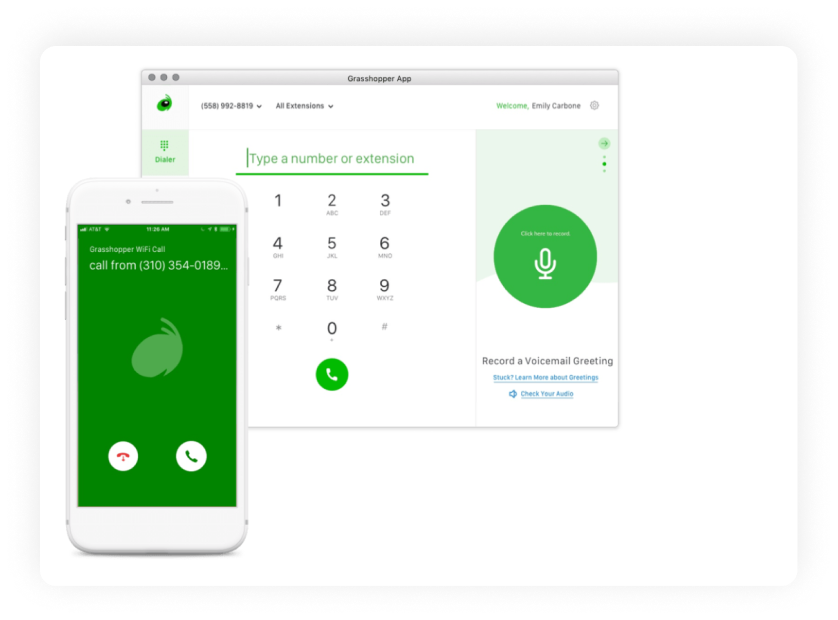
Grasshopper is one of the first providers to offer virtual phone system services without requiring special hardware. Over the years, it has remained a popular choice for those seeking a simple and reliable communication option.
Why we picked it
Grasshopper allows businesses to create a professional phone system with features like call forwarding to multiple devices and customizable voicemail greetings.
Best for
Small businesses and entrepreneurs.
Pricing (user/month)
True Solo: $18
Solo Plus: $32
Small business: $70
Features
- Call forwarding to multiple devices
- Customizable greetings
- Voicemail transcription
- Call recording
- Virtual fax
Integrations
Grasshopper integrates with:
- Skype
- CRM systems such as Zapier
Pros & Cons
| Pros | Cons |
|---|---|
| No physical hardware required | Limited advanced reporting features |
| Mobile app ensures flexibility for remote teams | Higher pricing for multi-user plans |
| Easy-to-use interface |
User reviews
While users value the platform’s simplicity and intuitive design, some have raised concerns about the limited functionality for more complex businesses.
It freezes a lot. It asks for multiple updates, and it does not update. Sometimes calls drop without a notice, and if they close the call, then it freezes and we have to restart the app.
Read the full review
How we ranked these 10 best VoIPs in Canada
If you are wondering how we ranked our list of VoIP service providers, do not fret: we did not just throw darts at a wall. Our rankings were developed by analyzing the following criteria, all of which are key to a functioning Canadian business VoIP provider:
- Features: Does the system actually offer you something serious? Some hosted VoIP services are extremely bare-bones, while others offer a lot of what we might call “fluff features” that don’t actually help you much. The right balance is key.
- Price: How much does the software cost? This is pretty important for any small business, and it was important in our rankings as well. Is the price corresponding to the service provided?
- Call quality: Do phone calls sound like you are speaking through a blender? Does it only work when the signal is at its absolute best? All of these mattered in our ranking system.
- User support/quality of service: When you actually need help, which should hopefully be rare, can you get it? Or are you directed to an FAQ page with the option to have an agent get back to you in a week?
- Ease of use: Is it easy for non-techies to use? We do not mean it should be made for a five-year-old, but is it overly complex in an unnecessary way?
- Reliability: High uptime is extremely important. The last thing you want is for an important meeting or call to be interrupted because of a signal or audio issue. It won’t be your fault, but it will still look bad for you. Don’t take the risk.
How to choose the best Canadian VoIP phone for business
What about the things you yourself should be paying attention to? We have covered quite a lot; however, there may be things you want to follow up on yourself. It could be:
- Baseline VoIP Features: Does the service have the tools you need? Does it have things like an auto attendant? If not, keep on looking elsewhere.
- Cloud-based or on-premises system: Is the system based in the cloud – meaning you can access it from anywhere – or is it an older system, based around a physical box? If it is the latter, that can be more expensive and can require technicians to fix.
- Network and hardware considerations: How many people are in your office? Is your Wi-Fi the kind that is made for one person living in a college dorm, or is it the kind that can handle potentially dozens of calls being made at the same time? Some VoIP in Canada may require the most reliable internet, whereas others can work with weaker signals.
- Make sure remote workers are up to speed: Do your employees know how everything works? Have they worked with this system before, or have they never even worked remotely? How difficult will it be to train them?
- Provide your workers with convenience: Making calls all day can be stressful enough. Don’t add to that stress for your agents by providing them with difficult-to-use software.
- Security: Your employees working from afar may use Wi-Fi, which isn’t the safest option (like unsecured coffeehouse internet). If they do, will your VoIP provider have other protections?
- Integration capabilities: Does the VoIP system integrate with the tools you already use, like your CRM, helpdesk, or email platform? If not, your team may waste time switching tabs instead of focusing on customers.
Key features to look for in Canadian VoIP providers
We have discussed some of the key features offered by Canadian VoIP providers above in our pros and cons lists, but in case you need it crystal clear so that you do not leave any off your list, here are a few that your business cannot do without:
- Call recording: This is a staple, fundamental VoIP feature. This can help you avoid frivolous lawsuits, train your employees, and remember what you may have forgotten.
- Auto attendant: Up there with call recording is this crucial feature. Without this feature, you simply are not getting the best for your small business. This feature helps you to organize your callers without having to speak to any of them.
- Call forwarding: Another crucial feature of any VoIP plan. This allows you to forward calls to a specific number to another number; it lets you have calls to numerous numbers go to one central “place.”
- Texting: Modern communication relies heavily on texting. Not having this feature would be to be stuck in the past.
- Real-time analytics: Always know what is happening in your business. Find out when calls are being made, when they are being missed, who is making them, and more.
- Call whisper: Being able to speak to your agents without the other person knowing can be a big boon for training new agents.
- Call notes: With cloud-based VoIP phones, your employees can leave notes about calls for fellow agents, keeping them in the loop so there are no awkward moments or important information missed. This can be really important when it comes to appearing professional and serious.
- Virtual voicemail: Your colleagues and employees may need to listen to a ton of voicemails – and some of them can get rather meandering. But here, you do not need to worry about that, because with virtual voicemail, you can read them, which is a far quicker solution.
- Power dialer: Does the provider offer power dialing to automate outbound calls and boost agent productivity? Without it, your team spends extra time manually dialing, slowing down outreach efforts.
- Voicemail transcription: Can voicemails be automatically converted to text for quick reading and searching? This saves time over listening to lengthy messages, especially for busy teams handling high call volumes.
How much does a VoIP provider in Canada cost?
While you can look above for the specific prices of the VoIP providers we reviewed, you may be wondering what the average price is across all companies. While a singular industry average is hard to pinpoint – especially when prices scaled on how many employees you have are taken into consideration – generally speaking, prices range from around CA$15 to as high as CA$100 or more.
MightyCall’s prices are on the lower side, with the lowest tier starting at only $25 a month.
With a VoIP phone in Canada, be present from Newfoundland and Labrador to Yukon
When looking for a phone service provider, you want to ensure you get the best for yourself, your employees, and your business. After all, you do not want to be jumping around a lot with providers, so it is best to take your time and really think about what YOU need for YOUR business. Don’t rush with what will be such an important decision. To help you make it, we scoured Canada for nothing but the best Canadian VoIP providers, and the result was our list above. When you are ready to make a purchase and select a company, be sure to consult our list to ensure it aligns with your needs.
And while you are looking, we’d love it if you checked out MightyCall. It’s a system made for businesses like yours: with a laundry list of key features, security, and customer service to boot.