

TL;DR
- Mojo Dialer is best for solo agents and small teams focused on expired listings, FSBOs, and circle prospecting.
- MightyCall is best for small outbound teams that want preview, progressive, or predictive dialing, local presence, call monitoring, and DNC screening.
- Kixie is best for CRM-native teams that need parallel dialing, SMS, and automated CRM tasks.
- Connect rate and included value matter more than dial speed only.
- AI summaries are also becoming common in accessible team plans.
- DNC and litigator scrubbing should be baseline requirements because TCPA exposure can reach $500–$1,500 per violation.
10 best real estate dialers in 2026 at a glance
| System | Lowest price with dialer | Unlimited calls | Unlimited texts | Auto dialer types | Local presence | AI call summary | Call recording |
|---|---|---|---|---|---|---|---|
| MightyCall | $54 | Yes (US/CA) | Yes (US/CA) | Preview, Progressive, Predictive | Yes | Yes | Yes |
| Mojo Dialer | $99/user/mo (Single-Line + Agent Access) | Yes (US/CA) | No | Single-line, Triple-line | No | No | Add-on ($25) |
| Vulcan7 | Custom pricing | Yes | No | Single-line | No | No | Yes |
| BatchDialer | $95 | Yes | No | Power + predictive, up to 5 lines | Yes (Pro) | Yes (Pro) | Yes |
| PhoneBurner | $140 | Yes | No | Power dialer | Yes | No | Yes |
| Kixie | Custom pricing | Yes (US/CA) | Metered | Multi-line (up to 10) | Yes | Add-on | Yes |
| CallTools | Custom pricing | Yes | No | Predictive, Preview, Power | Yes | No | Yes |
| ReadyMode | $199** | Yes | No | Predictive, Power, Preview | Yes | No | Yes |
| JustCall | $49 | Metered | Metered | Power, Predictive, Dynamic | Yes | Yes (Pro Plus+) | Yes |
| Follow Up Boss (built-in dialer) | Not specified | Yes (Pro/Platform) | Yes (Pro/Platform) | Power dialer | No | No | Yes |
** Readymode’s starting price is indeed $199. However, the dialer pricing plan is not specified.
MightyCall’s dialers for real estate agents are the top recommendation for small-to-mid teams that want a stack of great features in one platform. Mojo Dialer and Vulcan7 are the runner-ups for solo agents and listing-focused prospectors prioritizing raw dialing speed or premium data bundles.
How we evaluated these dialer systems
Our rankings are based on several criteria we tested and verified. We gave the most attention to the overall value each platform provides. We evaluated these top dialers based on:
- Value for the price: What’s included in the base plan, and what’s locked behind add-ons or more expensive tiers.
- Features that affect connect rates: Local presence, spam-reputation management, and caller ID options.
- CRM and workflow integrations: Native integrations, automatic call logging, and tools that trigger follow-up tasks after a call.
- Compliance features: Do-not-call list and litigator scrubbing, recording a call, consent management, and TCPA safeguards.
- Pricing transparency: Clearly published rates, straightforward plan differences, and whether providers require a custom quote.
- Fit for real estate teams: Whether the dialer works best for solo prospecting, small teams, or investor-focused call floors.
What is a real estate auto dialer?
An auto dialer for real estate agents is software that imports lead lists, dials numbers automatically, and connects agents only when a live person answers. A dialer can also handle repetitive tasks such as redialing busy numbers, leaving pre-recorded voicemails, and recording call outcomes. That way, agents can spend more time having conversations and less time dialing and clicking through call lists.
According to Vida, with manual dialing, an agent may typically make around 15–20 calls per hour, depending on the workflow. And there’s no guarantee that every single call will be picked up. Real estate dialer software can increase that pace to roughly 40–60 (depending on the dialing mode and number of lines) or more calls per hour, with automatic dialing and connecting agents only when someone answers. It can filter out busy signals, unanswered calls, and voicemails, reducing downtime between conversations.
Why are cold-call contact rates falling in 2026?
Cold-call contact rates are falling in 2026 because consumers, carriers, and regulators have all raised the bar on what counts as a legitimate call that gets answered.
- Consumer call-screening behavior: Most smartphone users now silence or ignore unknown numbers, and Pew Research Center and YouMail data show sustained robocall volumes (4.3 billion robocalls in July 2026 alone) that train the reflex to reject unfamiliar caller IDs.
- Robocall volume training the reflex: YouMail Robocall Index reports 52.5 billion robocalls in 2025, conditioning consumers to treat unknown numbers as spam by default.
- Carrier spam-labeling mechanics: STIR/SHAKEN and carrier spam-scoring systems flag high-volume, short, unanswered-call patterns as “Spam Likely,” disproportionately affecting multi-line and predictive dialing that generates many simultaneous unanswered calls.
- TCPA compliance exposure: TCPA statutory damages run $500 per violation, up to $1,500 per willful violation, making high-volume dialing to non-consenting numbers a growing financial risk, not just a legal footnote.
In 2011, Baylor University’s Keller Center conducted detailed research on real estate cold calling. Over two weeks, 50 real estate agents placed 6,264 cold calls. It was concluded that it takes roughly 209 cold calls to book one appointment, demonstrating how much this problem compounds for agents relying on dial volume alone. To this day, it’s considered one of the most reliable statistics.
This is why tool selection matters: dialers with spam-flag monitoring and compliance tooling (DNC/litigator scrubbing, consent handling) are no longer optional extras but core requirements for sustainable real estate outreach in 2026.
Which dialer type fits real estate the most?
The best dialer for real estate balances throughput with compliance and reputation risk, since high-volume multi-line dialing can trigger spam flags and TCPA abandoned-call exposure.
| Type | How it works | Best for | Watch-out |
|---|---|---|---|
| Power dialer | Dials one number at a time, sequentially, and connects agent on live answer | Individual listing agents working expireds/FSBOs | Lower throughput than multi-line options |
| Progressive dialer | Dials one number when agent is ready, waits for answer before connecting | Teams with structured workflows and compliance focus | Still single-line; not ideal for high-volume floors |
| Predictive dialer | Algorithmic multi-line pacing, dials multiple numbers per agent, connects first answer | Large investor/wholesaler call floors (10+ seats) | Higher dead-air and TCPA abandoned-call risk |
| Parallel dialer | Dials several numbers simultaneously per agent, connects first live answer | High-volume agents or small teams prioritizing raw dials/hour | More spam-flag risk; requires reputation monitoring |
For most use cases, a single-line power dialer for real estate is the safest default because it maximizes conversation quality while minimizing spam-flag and TCPA exposure. Multi-line or predictive dialing makes sense only for high-volume, low-compliance-risk floors like wholesaling or investor call centers with 5-10+ seats and dedicated compliance tooling (DNC/litigator scrubbing, reputation monitoring). There’s also an option of a preview dialer that gives real estate agents a quick snapshot of the client and property before the call connects, so they can personalize their pitch.
Now, let’s have a detailed look at the selection of the best real estate auto dialers.
Top real estate auto dialers for cold calling: Detailed software overview
1. MightyCall – best for teams that want calling, texting, and AI summaries in one plan
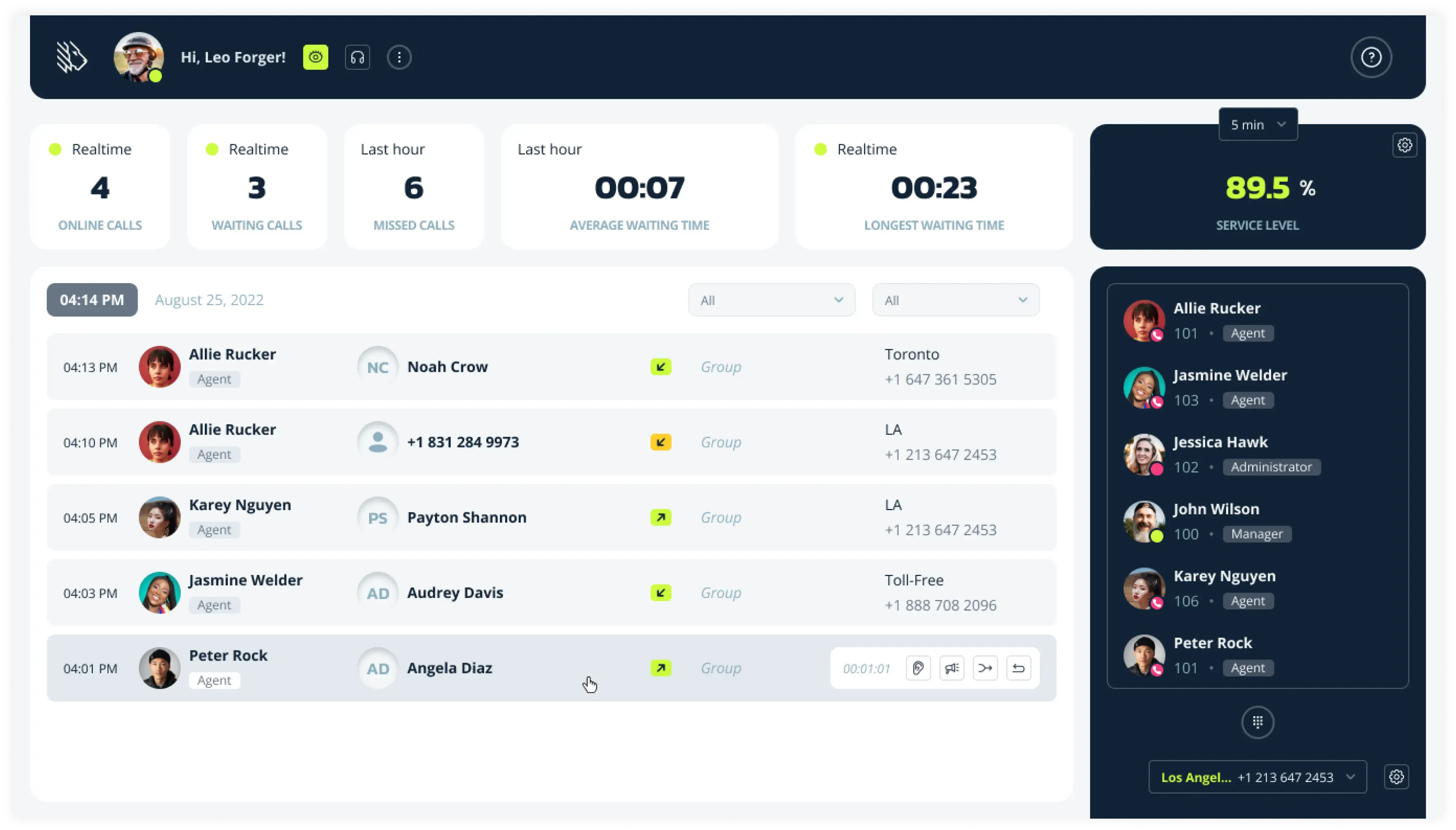
MightyCall is an all-in-one business phone system with predictive, preview, and power dialers (up to 10 lines) for real estate agents and teams who want calling, texting, and AI summaries of calls in a single plan instead of stacking separate tools.
Pricing (annual)
- Core: $20
- Pro: $38
- Power: $54
- Enterprise: $65
Pros and cons
| Pros | Cons |
|---|---|
| Unlimited calls and texts included at the base tier | Not a real estate-specific lead-data vendor (no built-in expired/FSBO data feed the way Vulcan7 provides), so lead lists must be sourced separately |
| Up to 10-line multi-mode dialer included in the Enterprise plan | |
| AI summaries of calls included in plans instead of being an add-on | |
| Call recording included across all plans |
Top features & integrations
- Predictive, preview, and power dialer modes up to 10 lines
- Unlimited calling and texting to US/Canada
- Local presence caller ID with number autorotation
- AI call summaries
- CRM integrations
User reviews
MightyCall has a 4.4/5 rating on G2. Users praise ease of use, quick setup, intuitive interface, excellent customer support, app-based flexibility, and strong reporting features. Some users report occasional dropped calls.


MightyCall solved the problem by enabling bulk calling and SMS, because we got to make a lot cold calls and SMS. Then, it also helps with auto recording call feature, that as a supervisor I can listen to, by just going in the report section. Also, there are unlimited minutes for USA and Canada, please addition of new phone numbers that help a lot.
Best fit
Teams and agents who want one platform for calling, texting, and CRM-logged AI summaries without assembling several point tools.
schedule your personalized demo with our amazing team

2. Mojo Dialer – best for high-volume solo agents and small teams
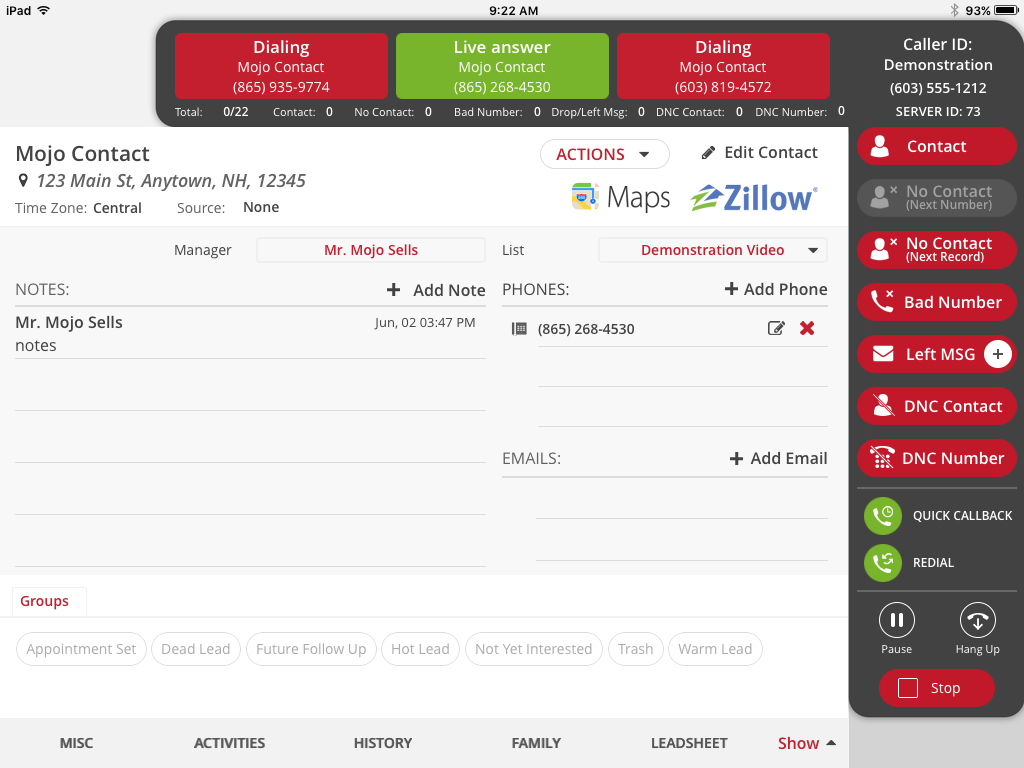
Mojo Dialer is a triple-line cloud-based dialer for high-volume solo agents and small teams. Reaching roughly 300 calls/hour on copper-based infrastructure with A-level caller ID attestation, Mojo Dialer helps keep call quality high and local numbers from being flagged as spam.
Pricing (per month)
- Single Line Dialer: $99/license (Single-Line Dialer $89 + $10 Agent Access)
- Triple Line Dialer: $139/license
Pros and cons
| Pros | Cons |
|---|---|
| Strong dials-per-dollar; up to 300 calls/hour on triple-line | No SMS included |
| Industry-default status for expired/FSBO prospecting | No AI summaries |
| A-level caller ID attestation on copper-based infrastructure |
Top features & integrations
- Single-line and triple-line power dialing
- Unlimited US/Canada minutes on dialer licenses
- Call recording as a $25/month add-on
User reviews
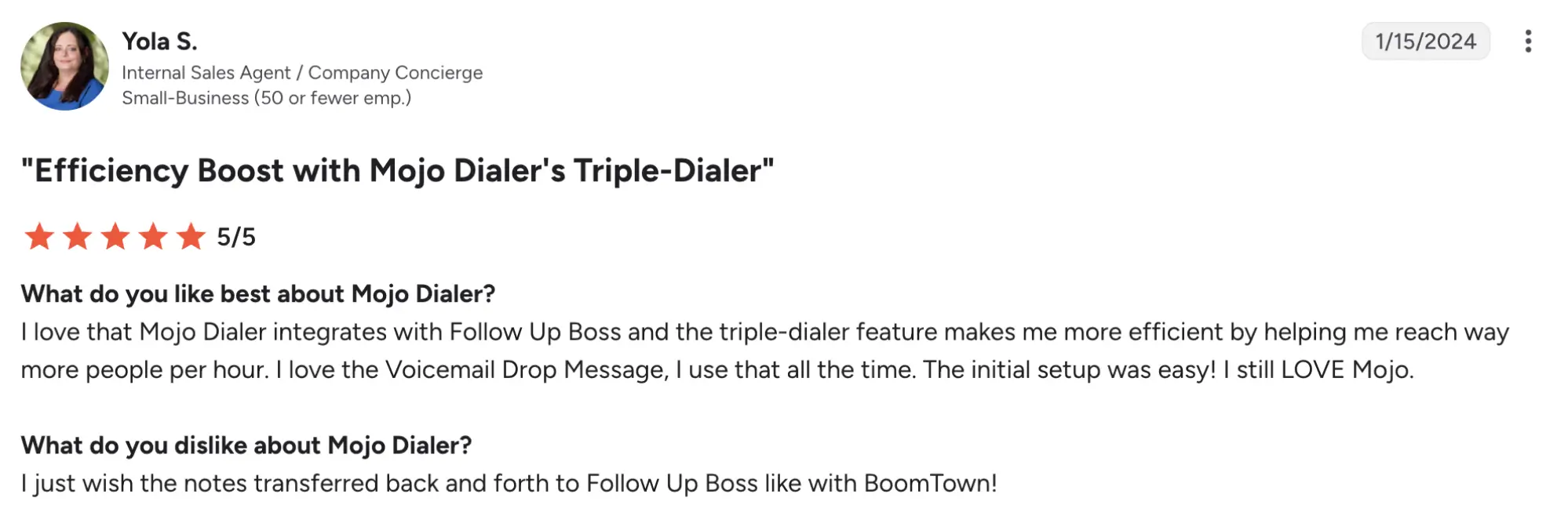
Mojo Dialer has a 4.1/5 rating on G2. Users praise high call volume and call quality; some note that add-on costs add up quickly and that it lacks SMS/AI features.
Best fit
Solo agents and small teams prioritizing pure dial volume above all else.
3. Vulcan7 – best premium all-in-one for committed listing prospectors
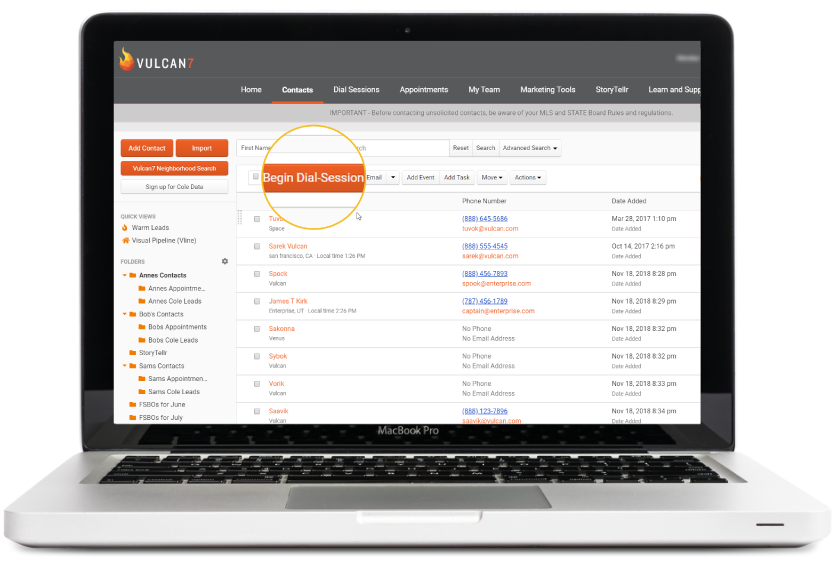
Vulcan7 is a premium all-in-one bundle pairing a single-line power dialer with proprietary seller-lead data for committed listing prospectors. They offer one of the top-notch real estate software solutions. The platform’s main draw is its data drop of daily-refreshed expired, FSBO, and FRBO leads, so agents can start calling verified numbers immediately without importing lists.
Pricing
Vulcan7 offers three pricing plans; however, pricing seems to be custom, so you will need to contact their team.
Pros and cons
| Pros | Cons |
|---|---|
| Best-in-niche cell-number match rates | No SMS or AI features |
| Data + dialer + CRM in one bundle | |
| Daily fresh lead delivery |
Top features & integrations
- Daily morning seller-lead data drop (FSBO/FRBO/expired)
- Built-in CRM
- Video email
- Call recording
User reviews
Despite having a G2 profile, Vulcan7 doesn’t have reviews yet.
Best fit
Committed listing prospectors who dial daily and want lead data bundled with the dialer.
4. BatchDialer – best for investors, wholesalers, and compliance-focused teams
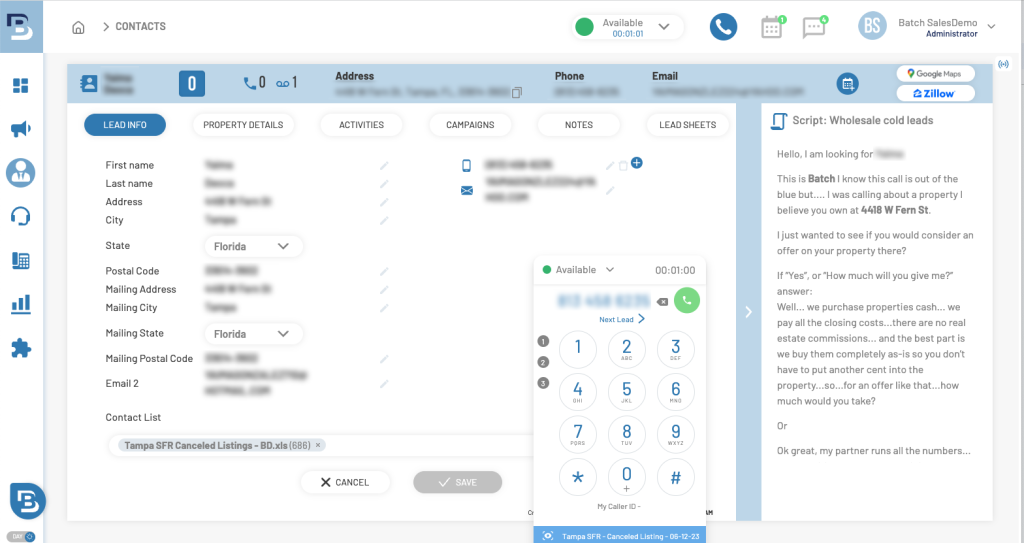
BatchDialer is a multi-line dialer (up to 5 lines) built for investors, wholesalers, and compliance-focused teams. It combines predictive and preview dialing with built-in DNC and litigator scrubbing, and caller-ID reputation monitoring. The platform also includes a lightweight CRM, voicemail drops, and real-time dashboards so managers can distribute lists, coach agents, and track KPIs without juggling multiple tools.
Pricing (annual)
- Starter: $95
- Pro: $151
- Enterprise: $199
Pros and cons
| Pros | Cons |
|---|---|
| DNC/litigator scrubbing | Local presence and AI summaries are locked behind the $151 Pro tier |
| Phone-reputation monitoring built in | |
| Up to 5-line predictive dialing |
Top features & integrations
- Power and predictive dialing up to 5 lines
- Phone-reputation monitoring
- DNC and litigator scrubbing
- AI summaries
- Call recording
User reviews
BatchDialer has a 4.3/5 rating on G2. Users praise the clean interface for agents, and live monitoring with whisper/barge features that help managers coach in real time. Some users report call/audio quality degradation on weak internet connections.
5. PhoneBurner – best for teams that value conversation quality and clean numbers
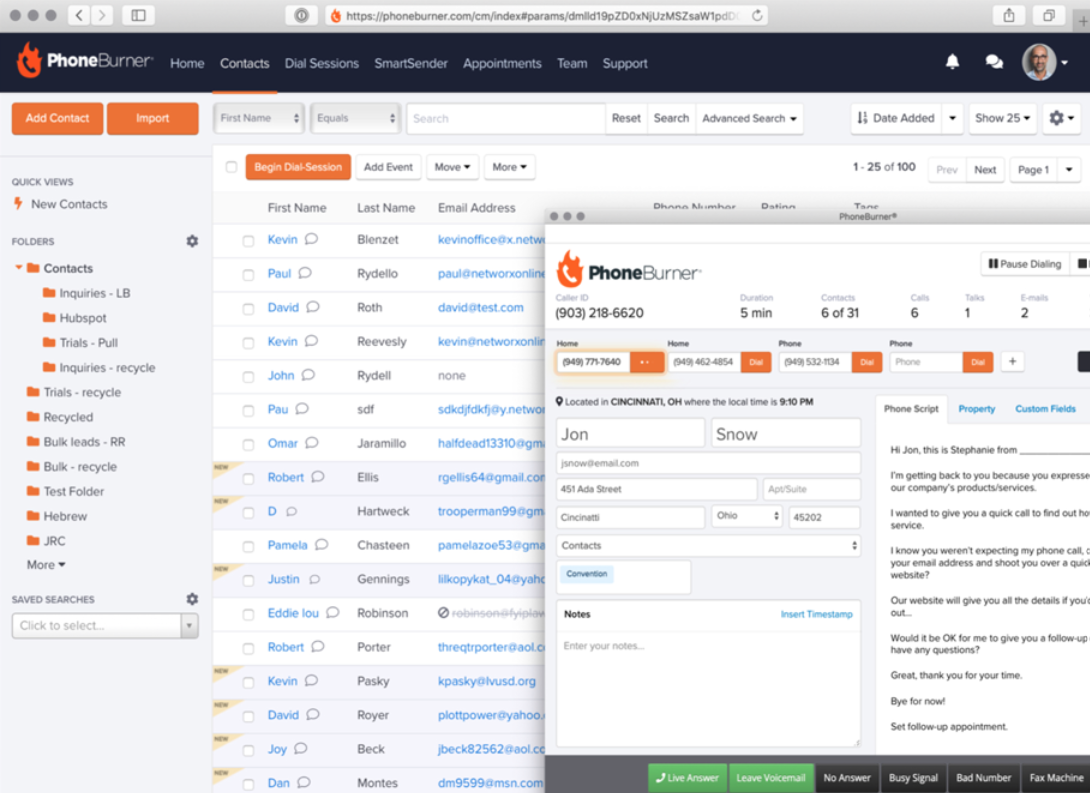
PhoneBurner is a single-line power dialer built around call quality and number reputation rather than raw multi-line speed. The platform pairs unlimited dialing minutes with a built‑in CRM, one‑click voicemails, email/SMS follow‑up, and workflow automation so managers can coach reps, distribute leads, and track dispositions without leaving the dialer.
Pricing (annual)
- Standard: $140
- Professional: $165
- Premium: $183
Pros and cons
| Pros | Cons |
|---|---|
| Zero connection delay on a single line | $140/user/month is among the higher per-seat prices in this set |
| ARMOR spam-flag remediation built in | SMS requires the Premium tier |
Top features & integrations
- Single-line power dialer
- ARMOR spam-flag monitoring and remediation
- Unlimited dialing minutes
- SMS on Premium tier (metered)
User reviews
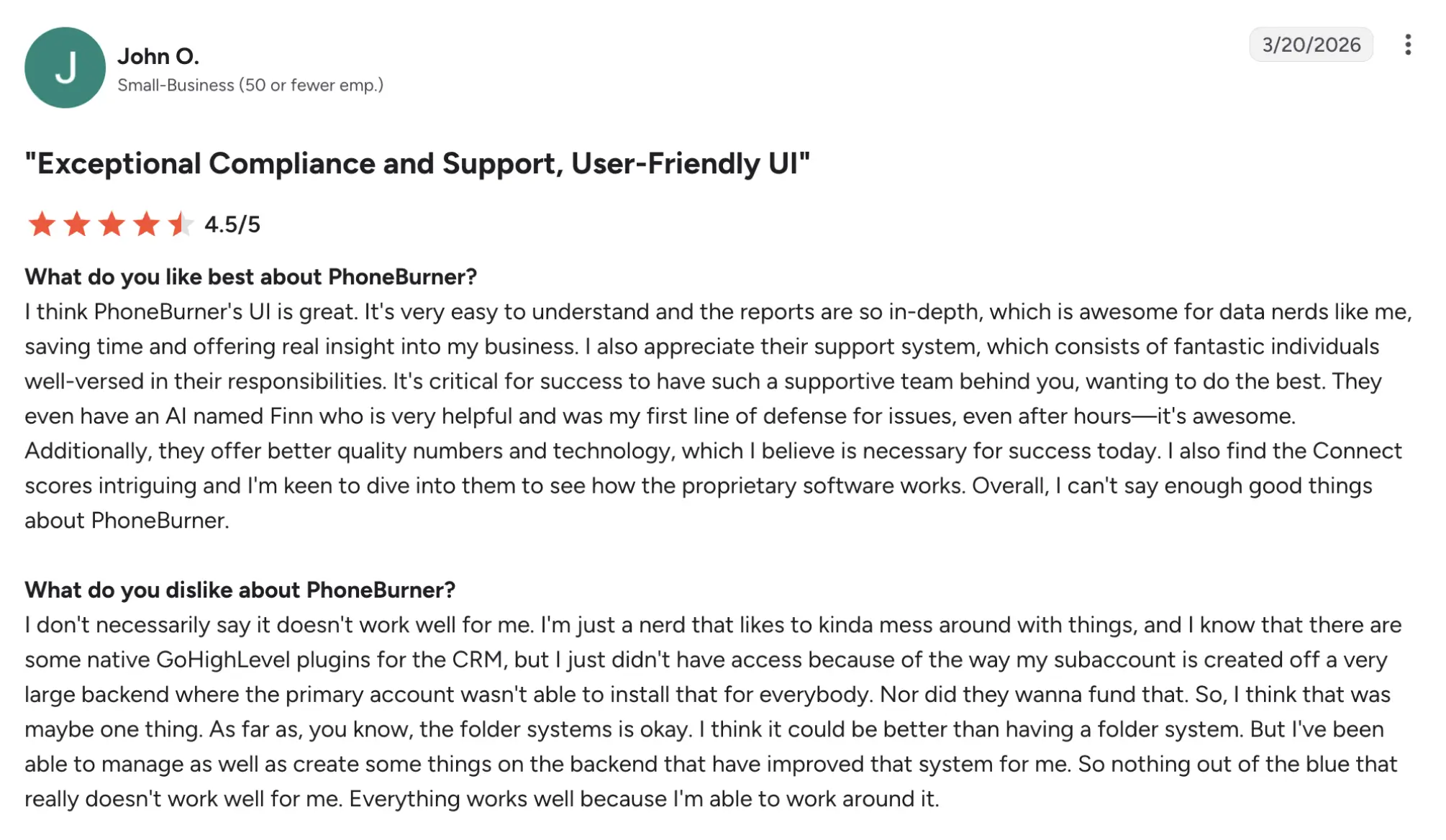
PhoneBurner has a 4.7/5 rating on G2. Users consistently praise PhoneBurner’s ease of use and fast onboarding. They highlight number-reputation management (ARMOR spam monitoring) as a key time-saver. Some users report the per-seat cost is high for small teams.
Best fit
Teams whose numbers keep getting flagged “Spam Likely” and need active remediation.
6. Kixie
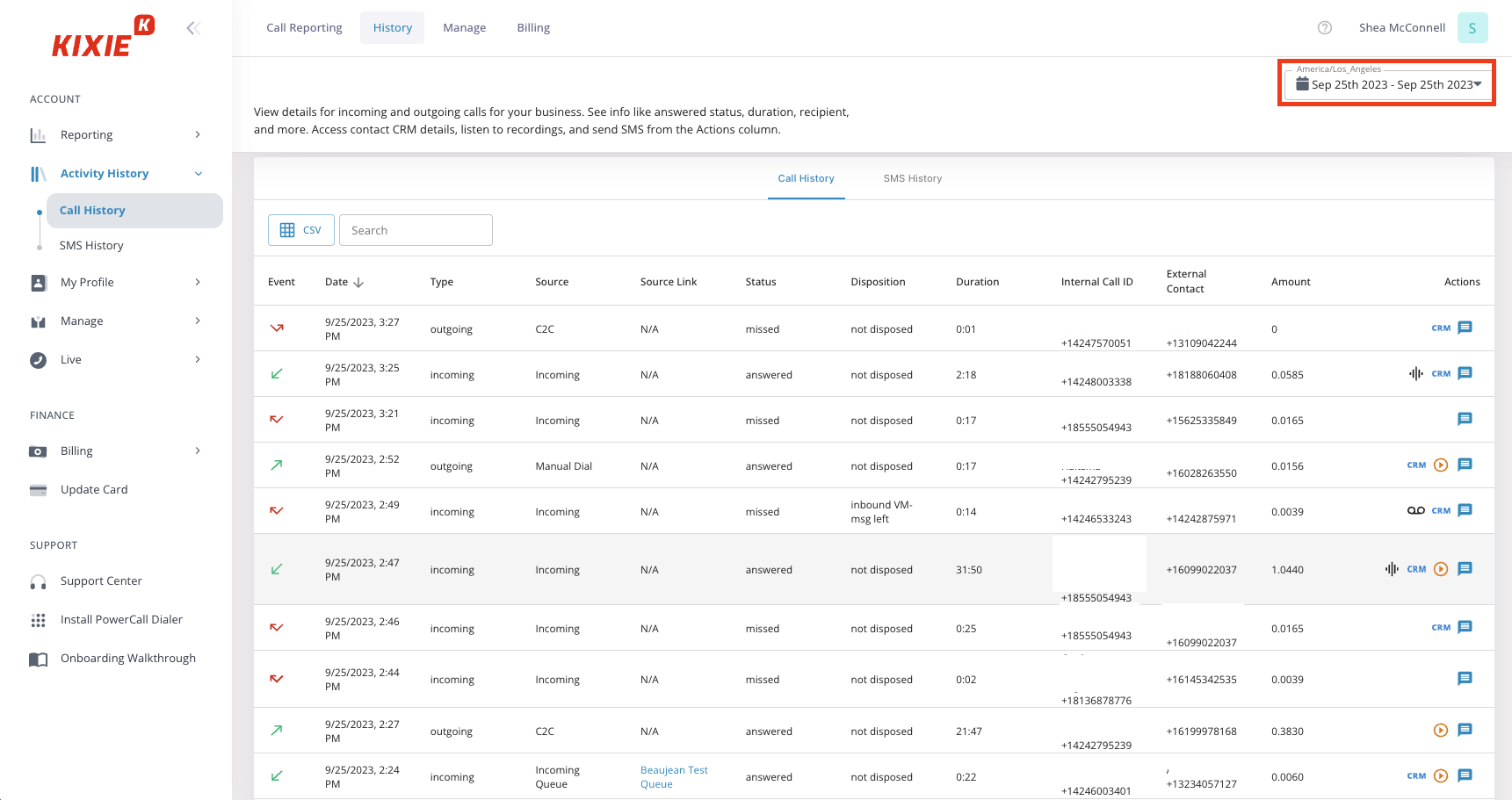
Kixie is a CRM-native parallel dialer software (up to 10 lines) built for teams whose pipeline already runs through a mainstream CRM.
Pricing
Kixie doesn’t publicly specify their prices. You will need to request a quote.
Pros and cons
| Pros | Cons |
|---|---|
| Up to 10-line parallel dialing | Unlimited US/CA calling isn’t included at the entry price point |
| Automatic post-call CRM task logging | SMS is metered |
Top features & integrations
- Power, progressive, and parallel dialing up to 10 lines
- Automatic post-call CRM task creation
- HubSpot, Salesforce, Pipedrive, Zoho integrations
- AI Human Voice Detection
User reviews
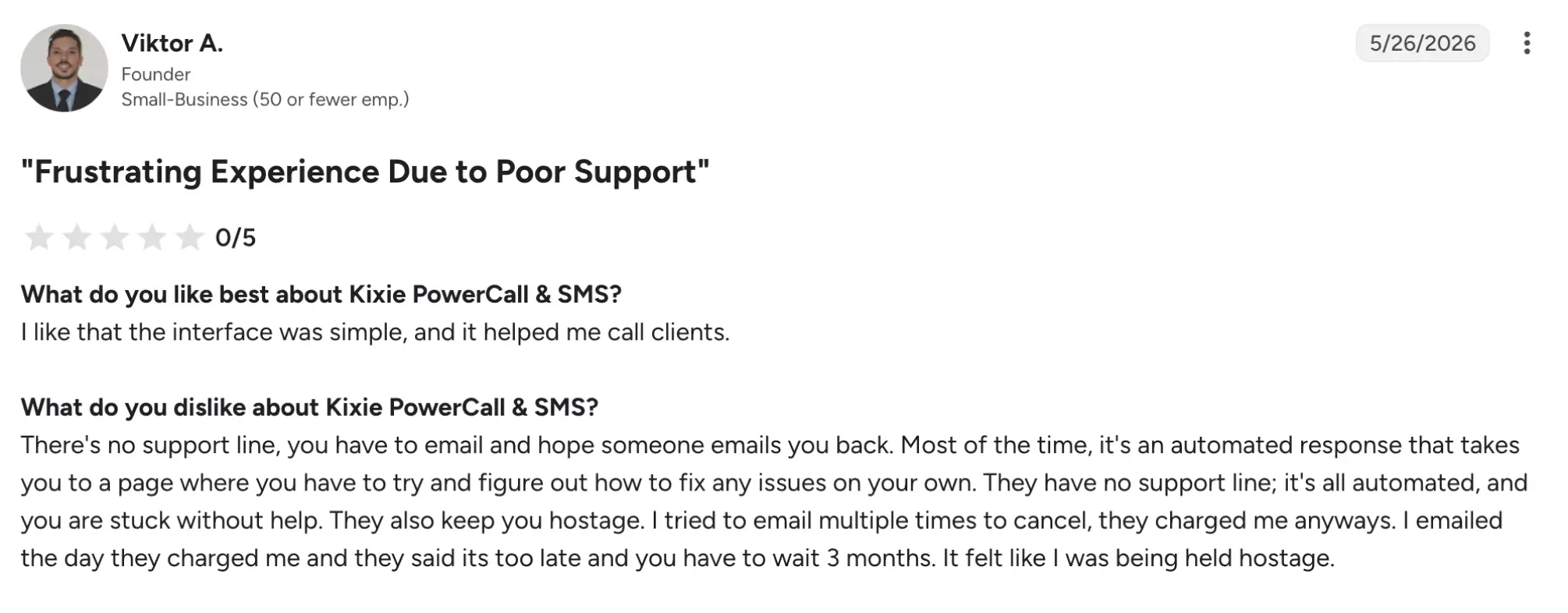
Kixie has a 4.8/5 rating on G2. Users highlight Kixie’s ease of use, fast onboarding, and deep CRM integrations. Some users report occasional call quality issues, dropped calls, and dialer quirks that affect ringing and lead-review workflows.
Best fit
Teams whose workflow already functions inside HubSpot, Salesforce, Pipedrive, or Zoho.
7. CallTools
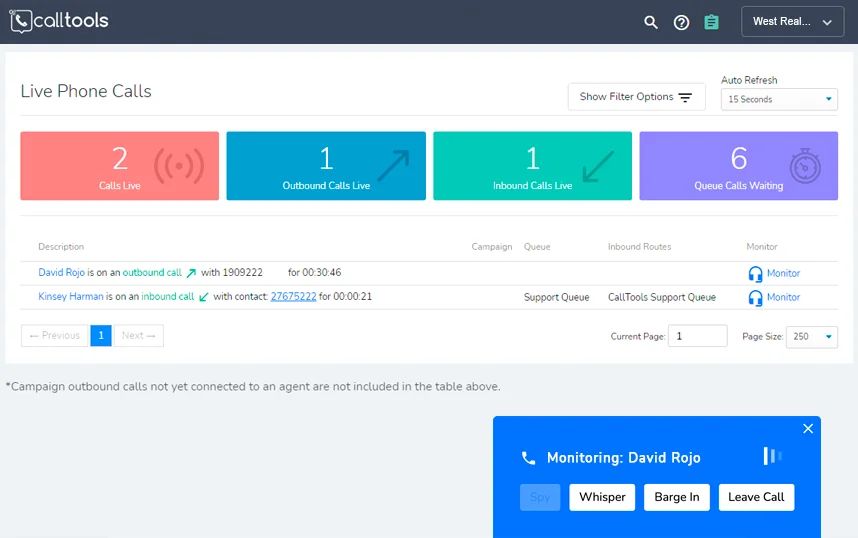
CallTools is a call-center-grade predictive software (up to 10 lines) built for real estate investors and wholesaler call floors of 5 or more seats.
Pricing
CallTools offers custom pricing.
Pros and cons
| Pros | Cons |
|---|---|
| Predictive dialing at up to 10 lines | Quote-based pricing |
| Inbound queue management | Lack of AI summaries of calls |
| Top-rated support |
Top features & integrations
- Predictive, preview, and power dialing up to 10 lines
- Inbound call queues
- DNC scrubbing
- Answering-machine detection
User reviews
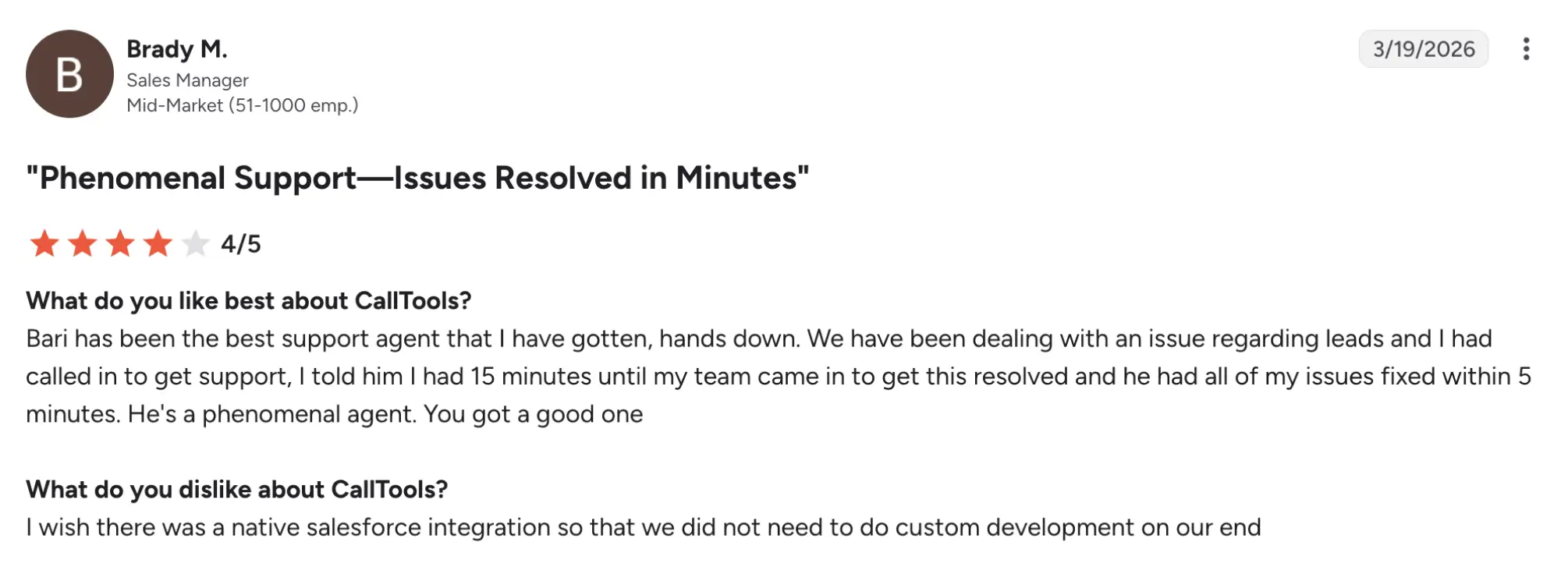
CallTools holds a 4.8/5 rating on G2. Users highlight the features that make coaching and QA practical for managers. They also praise the local caller ID and inbound routing. Some users report onboarding complexity and a steeper learning curve, plus occasional audio issues or dropped calls.
Best fit
Investor and wholesaler call floors of 5 or more seats running predictive dialing at scale.
8. ReadyMode
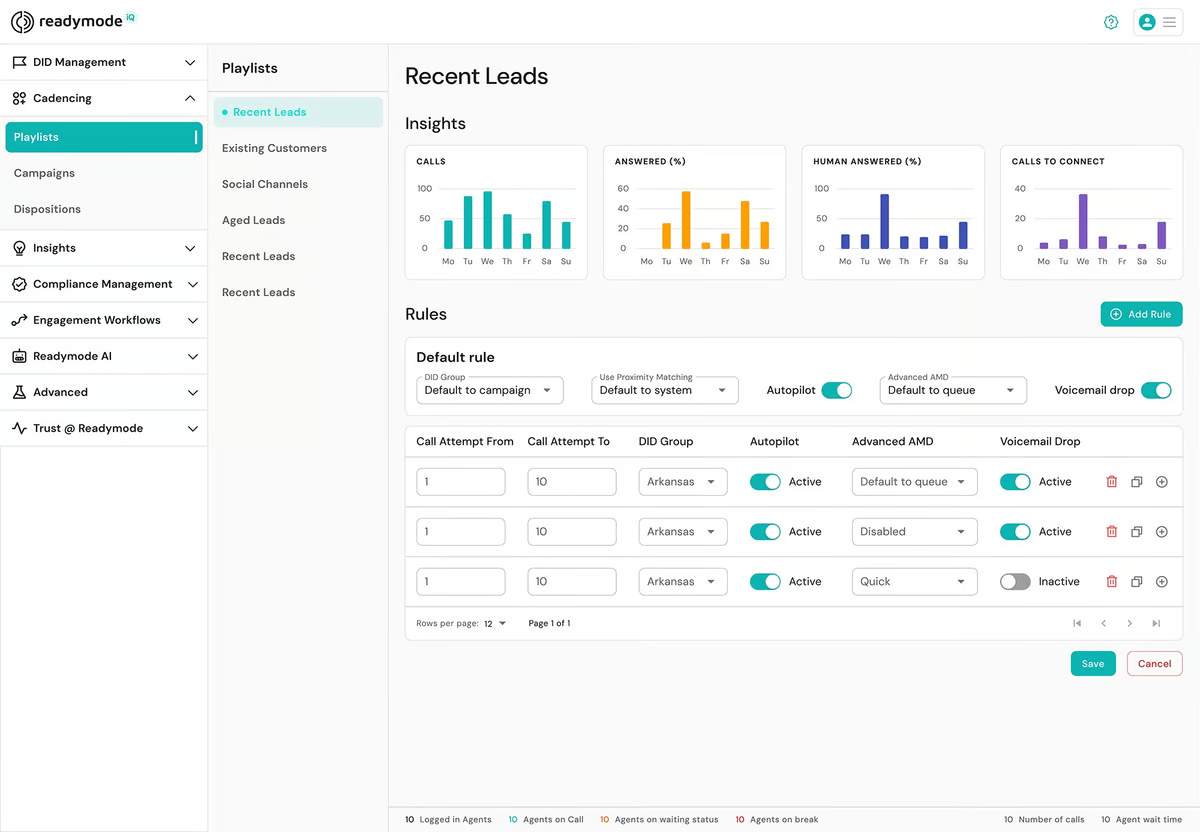
ReadyMode is an algorithmic predictive and multi-line dialer designed for large outbound call acquisition teams that call motivated-seller lists at high volume.
Pricing (annual)
- Readymode Starter: $199
- Readymode IQ: $249
Pros and cons
| Pros | Cons |
|---|---|
| Algorithmic pacing keeps agents continuously talking rather than waiting | No local presence caller ID |
| Built for 10+ seat scale | Lack of AI summaries of calls |
| Multi-line predictive dialing |
Top features & integrations
- Predictive and multi-line dialing
- Algorithmic pacing across many agents
- Unlimited outbound minutes (fair use policy)
User reviews
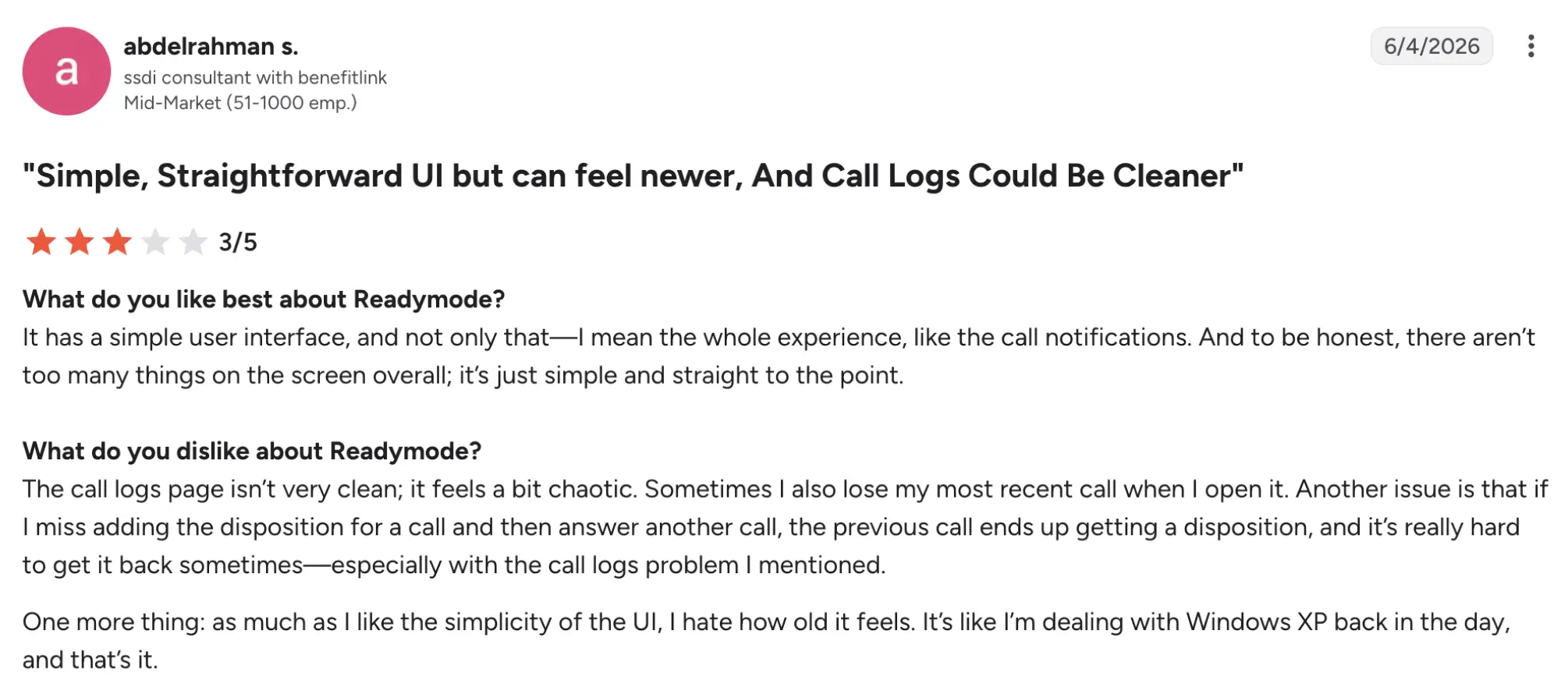
Readymode holds a 4.6/5 rating on G2. Users mention their support quality, seamless CRM and third‑party integrations, and live listening/whisper features that help managers train reps in the moment. Some report a steep learning curve and an older-looking, cluttered UI.
Best fit
The platform is built for acquisition teams with 10 or more seats that are going through motivated-seller lists at serious scale.
9. JustCall
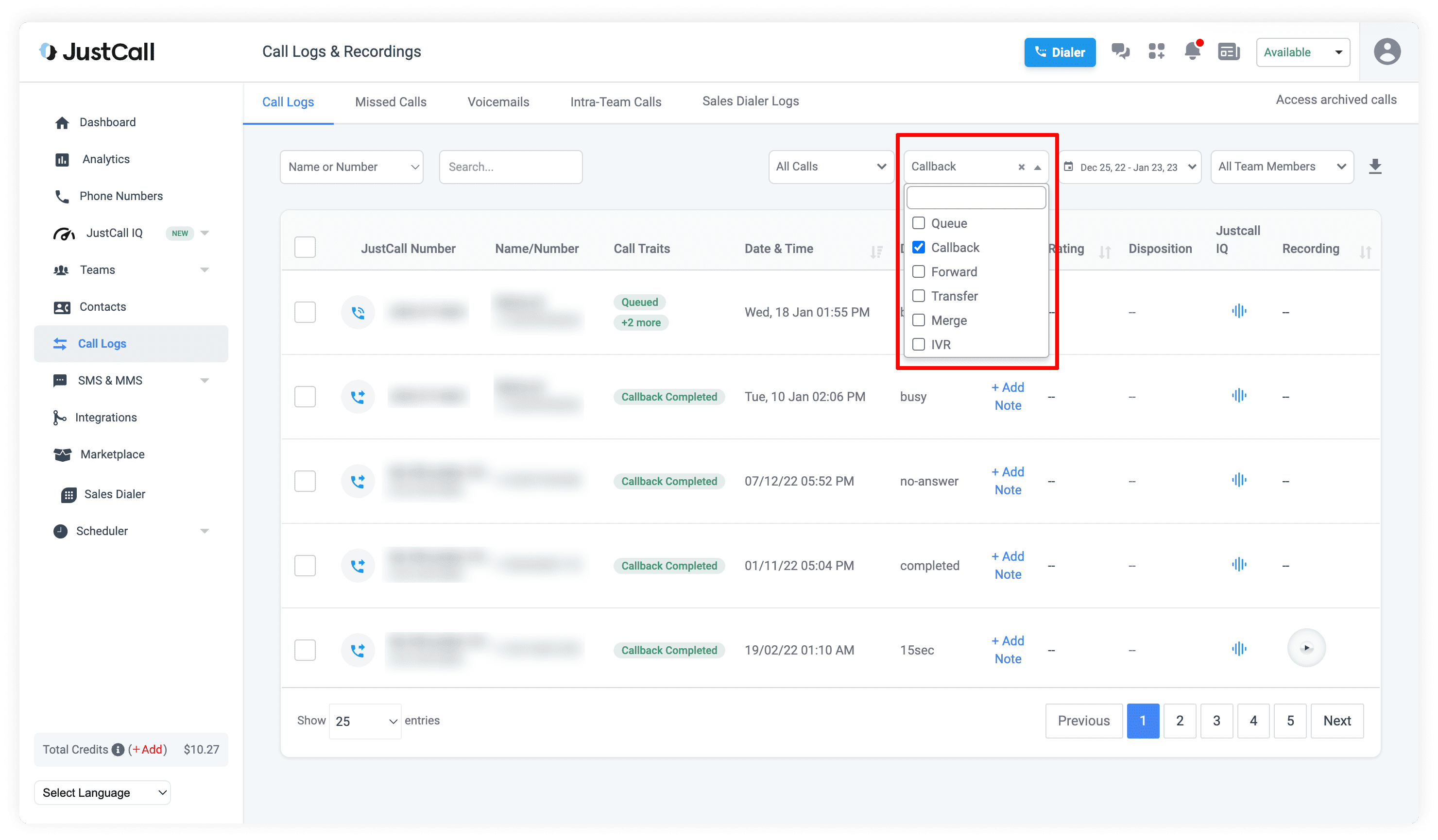
JustCall is a modern, all-channel calling and texting platform that combines auto, predictive, and 10-line dynamic dialers with SMS campaigns for small teams.
Pricing (annual)
- Team: $29
- Pro: $49
- Pro Plus: $89
- Business: Request a quote
Pros and cons
| Pros | Cons |
|---|---|
| Broad integration ecosystem (100+ apps) | Calling is metered/tiered rather than flat-rate |
| SMS campaigns included | |
| AI call summaries |
Top features & integrations
- AI voice agent
- Auto, predictive, and 10-line dynamic dialing
- SMS campaigns
- 100+ third-party integrations
User reviews
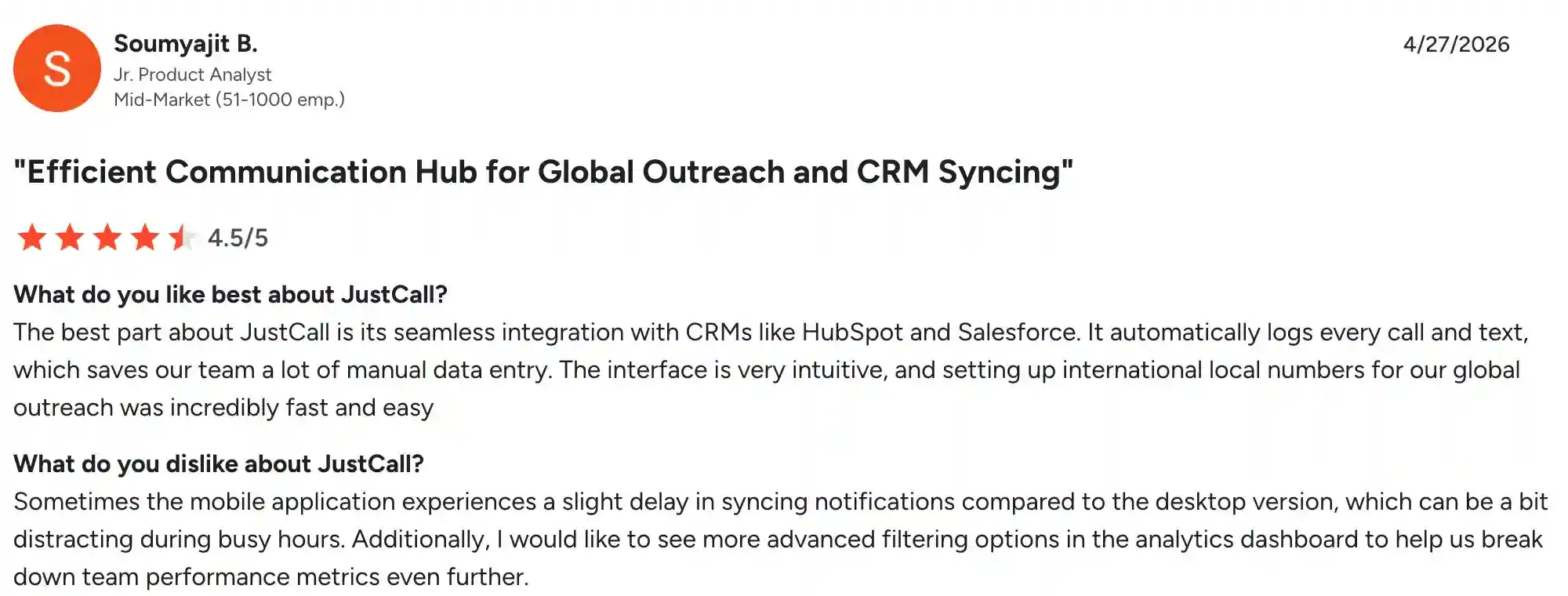
JustCall holds a 4.3/5 rating on G2. Users appreciate JustCall’s ease of use and seamless CRM integrations that auto-log calls and texts, saving significant manual data entry time. The dominant complaint is inconsistent call quality – users report dropped calls and audio delays.
Best fit
Small teams that want dialer, texting, and AI summaries in one modern app and can accept metered calling costs.
10. Follow Up Boss
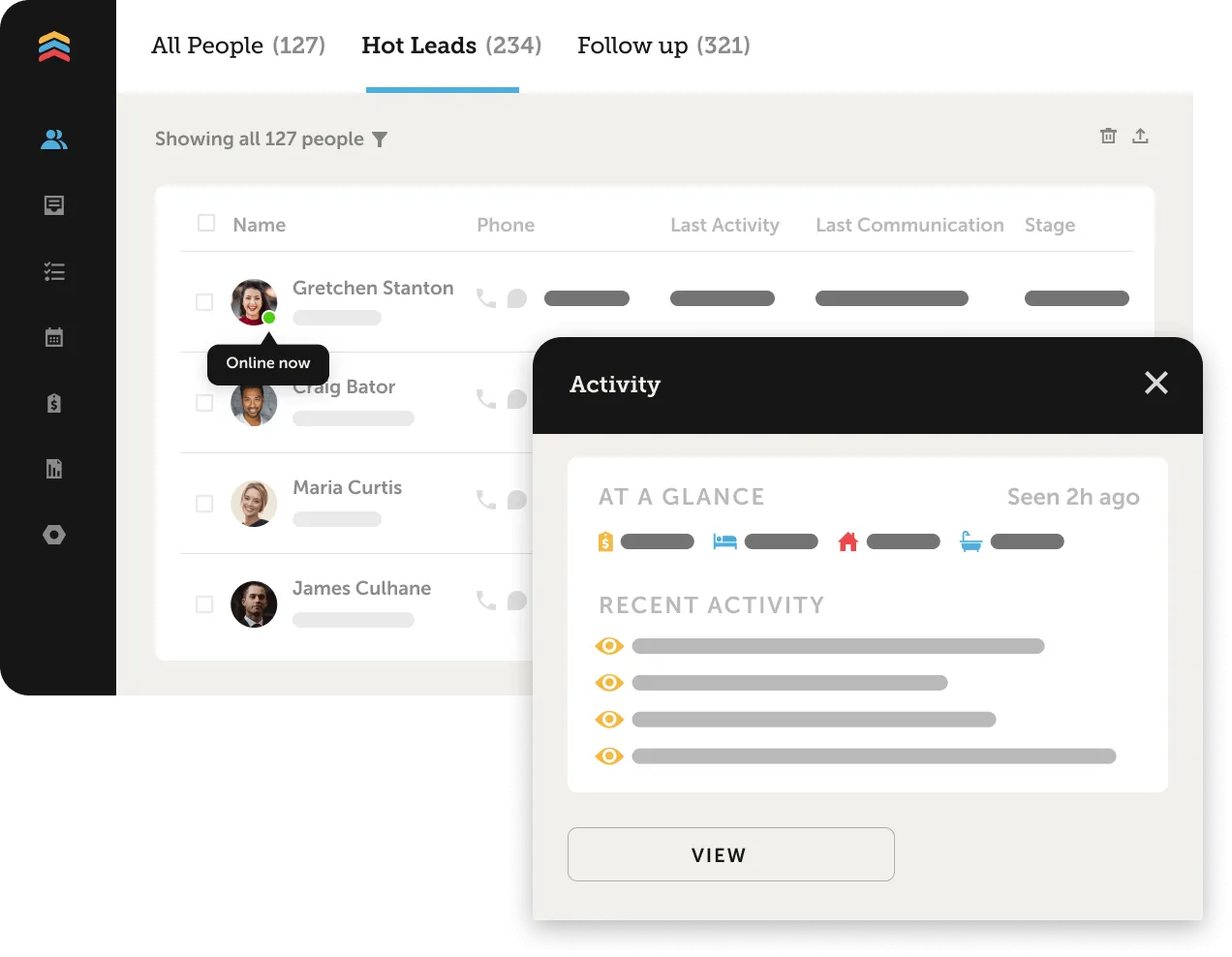
Follow Up Boss is a real estate CRM with a built-in single-line power dialer for teams that want calling handled inside the CRM they already use.
Pricing (annual)
- Grow: $58/user
- Pro: $416 for 10 users
- Platform: $833 for 30 users
Pros and cons
| Pros | Cons |
|---|---|
| Call logs automatically sync to existing CRM contacts, with no second system to sync | Calling minutes are bundled/capped rather than unlimited |
| No need to pay for a separate dialer platform | Lack of local presence |
| Power mode built into the CRM workflow | Lack of AI call summaries |
Top features & integrations
- Single-line power dialing
- Automatic call logging tied directly to CRM contact records
- Native CRM lead/pipeline management
- Local caller ID
User reviews
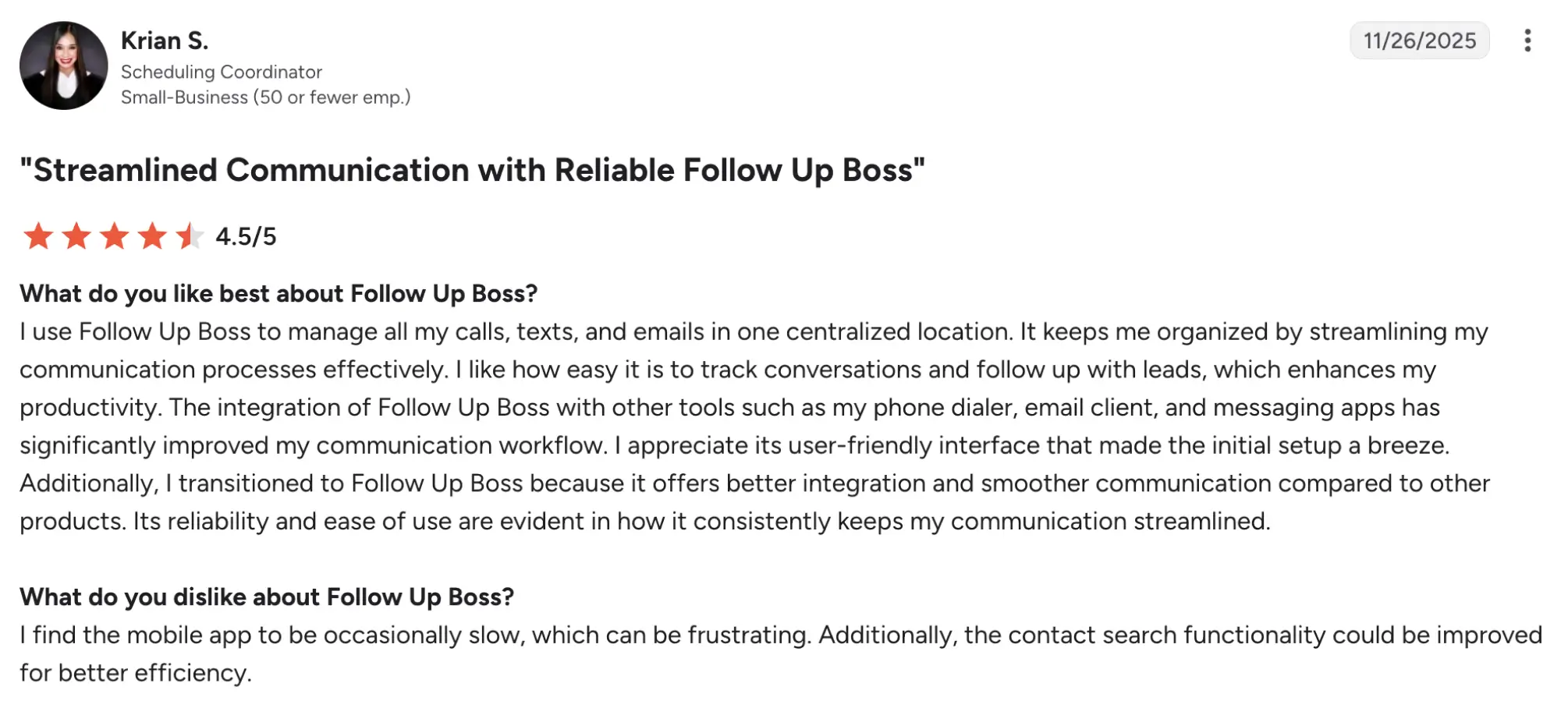
Follow Up Boss has a 4.6/5 rating on G2. Users appreciate lead routing (round-robin) and responsive, knowledgeable support that helps teams set up workflows quickly. The most common complaint is cost for small operators: $58/month for an agent with low lead volume feels steep. Some also mention that the app is occasionally slow.
Best fit
Teams already running their business inside Follow Up Boss who want to avoid a second, separately billed dialer platform.
Benefits of using an auto dialer for real estate
Auto dialers deliver measurable productivity and compliance gains for real estate agents by automating repetitive calling tasks and demonstrating actionable call data.
More calls per hour without burnout
Single-line power dialers can lift an agent’s output from roughly 15–20 manual dials per hour to around 60 dials per hour. Multiple-line dialers push that even further by dialing multiple numbers at once and connecting the agent only when a live person answers.
Higher connect and answer rates via local presence and caller-ID management
Local presence caller ID, which matches the outbound number to the prospect’s area code, can lift answer rates by roughly 27.5% compared to toll-free or unfamiliar numbers, and spam-flag monitoring tools like PhoneBurner’s ARMOR actively work to remediate “Spam Likely” labels so your calls actually get through.
Time saved via voicemail drop and CRM-logged recordings
Voicemail drop saves about 20-30 seconds of repeating yourself, and automatic CRM call logging, like what Follow Up Boss and Kixie offer, eliminates manual data entry, saving agents hours of call administration each week.
Real-time insights via call logs/recordings for coaching
Call recordings and AI summaries (e.g., MightyCall, BatchDialer Pro) allow managers to review conversations, identify coaching opportunities, and track agent performance in real time.
Compliance support via automatic recording, consent logging, and DNC scrubbing
Built-in DNC and litigator scrubbing (e.g., BatchDialer, CallTools), plus automatic call recording and consent logging help lower TCPA exposure (which runs $500 to $1,500 per violation) and create clear, auditable compliance trails.
Fewer leads falling through the cracks via automated follow-up scheduling
Automated post-call tasks and follow-up scheduling (e.g., Kixie, Follow Up Boss) ensure no lead goes uncontacted, with CRM-logged reminders and call-back triggers reducing lead leakage.
Auto dialer compliance for real estate agents: TCPA, DNC, and call recording rules
Auto dialer compliance matters because TCPA statutory damages run $500 per violation, up to $1,500 per willful violation, and each unlawful call or text is a separate violation that can compound into six- or seven-figure exposure. This is not legal advice; agents should consult counsel for specific guidance, but the following checklist covers core federal obligations that affect dialer selection and use.
- TCPA statutory damages: $500 per violation, up to $1,500 per willful violation, with no injury requirement; each call or text to a non-consenting number is a separate violation.
- Do Not Call Registry scrubbing: Agents must scrub against the National Do Not Call Registry and maintain an internal DNC list; calling a registered number without consent is a TCPA violation.
- Consent for autodialed and prerecorded calls: Prior express written consent is required for autodialed or prerecorded calls to cell phones; verbal consent may suffice for landlines in some contexts but is riskier.
- Call-recording consent laws: Recording a call requires one-party consent in most states but all-party consent in California, Florida, Pennsylvania, and others. Agents must know their state’s rule and disclose recording where required.
- Predictive and multi-line dialing exposure: Predictive and multi-line dialing carries elevated abandoned-call risk under TCPA rules, making a sales dialer the safer default for most real estate use cases.
What does a real estate dialer actually cost?
The cost of a real estate dialer typically has three layers: the base platform, dialing capabilities, and additional features or services. Say you run one seat: Mojo Dialer starts at $99/month for a single-line license with Agent Access, while its Triple Line Dialer costs $139/month.
BatchDialer starts at $95/month, while the Pro tier costs $151/month and adds local presence and AI summaries. Vulcan7 takes a different approach, combining its dialer with seller-lead data and a CRM, but its pricing is custom.
A bundled approach can make the total easier to predict because more calling and productivity features are included in the plan rather than added separately. MightyCall’s Power plan is $54/month and includes unlimited calls and texts, local presence, and call recording.
That doesn’t necessarily eliminate every additional cost: MightyCall is not a lead-data vendor, so expired, FSBO, or other seller-lead lists may need to be purchased separately. The same consideration applies when comparing dialers with bundled data services, making lead-data costs an important part of total cost of ownership.
- Mojo Dialer: $99/month single-line; $139/month triple-line
- BatchDialer: $95/month Starter; $151/month Pro
- Vulcan7: Custom pricing
- MightyCall Power: $54/month on annual billing
How to choose the right dialer for a real estate team
Choosing the best auto dialer for real estate requires looking beyond price, feature stack, CRM integration depth, compliance tooling, and team size.
1. Don’t compare sticker price alone
Instead of comparing prices alone, look at total included value across three layers – dialer seat, lead data, and reputation/connect-rate tooling. Stacking add-ons is the most common way the actual dialer costs start to inflate, like balloons. Lead-vendor dialers often split platform access, per-line dialer licensing, and lead-data subscriptions into separate line items, while communications platforms tend to bundle more into a single seat price.
2. Separate the must-have dialer features from the nice-to-haves
For most real estate teams, features like voicemail drop, call recording, and DNC/litigator scrubbing are essentials, not extras. More advanced tools, such as AI transcription, sentiment analysis, and coaching features, can be useful too, but they tend to make more sense for larger teams or teams with room in the budget. Key features to look for include voicemail drop, local presence, caller ID, call recording, and DNC/litigator scrubbing.
3. Make sure it plays nice with your CRM
Make sure the dialer connects calls to the right CRM contacts and deals, rather than simply logging them as generic call activities. It should also work with the CRM your team already uses, whether that’s HubSpot, Salesforce, Pipedrive, Zoho, or Follow Up Boss.
Some agents prefer using a CRM with a built-in dialer, such as Follow Up Boss’s power dialer, because it means they don’t have to manage a separate calling system. Others may get more flexibility from a dedicated dialer that integrates with their existing CRM.
4. Don’t treat compliance as an afterthought
Compliance isn’t something you can come back to later. TCPA requirements, DNC scrubbing, and consent logging should be part of your must-have checklist from day one. As we have mentioned earlier, a single violation can cost $500 in statutory damages, while willful violations can go up to $1,500 each.
5. Match the tool to your team’s shape
The right dialer depends a lot on how your business is set up. A solo agent may care most about keeping the per-seat cost low while making as many calls as possible. A team will likely need stronger admin and reporting tools, along with features that make it easy for multiple agents to work together. A brokerage, on the other hand, may need a full call-floor setup with multi-agent controls and tighter compliance oversight.
In other words, don’t just look for the tool with the longest feature list. Look for one that matches how your one agent, team, or brokerage actually works.
Which auto dialer should you choose for your real estate team size?
The right dialer depends on your team’s size and structure. Each dialer setup has different priorities, from keeping costs under control to fitting software into your existing workflow and having enough capacity to scale.
- Solo agent: If you’re working on a budget and mainly care about keeping the calls coming, Mojo Dialer is a solid option for getting a lot of dials for your money, with around 300 calls per hour on expired and FSBO lists. But it’s worth putting MightyCall next to it, especially with their stack of features that cost extra with Mojo or aren’t available at all.
- Team running daily outbound: For teams making calls every day and managing leads inside a CRM, MightyCall and Kixie are both strong contenders. MightyCall stands out for its all-inclusive approach; Kixie makes more sense for teams already deeply invested in CRMs and want their dialer tightly connected to those workflows.
- Brokerage: MightyCall can be a good choice if you want to consolidate everything under one system, with one bill, one login, and unlimited calling and texting across seats. For larger investor or wholesaler teams with 10+ seats, CallTools or ReadyMode are better suited to that kind of call-floor environment.
Real estate cold calling works when your dialer fits your workflow
It’s very true. Real estate sales via cold calling only work when you have the right and best dialers under your belt. The problem is that chasing raw dial speed can come at a cost. A dialer that promises hundreds of calls an hour doesn’t help much if your numbers get flagged as spam, your CRM workflow becomes a mess, or you run into TCPA compliance issues.
The main takeaway is this: don’t choose a dialer based on calls per hour alone. Look for the right balance of dialing speed, spam-flag monitoring, CRM automation, and compliance features. With that approach, choosing the best dialer becomes less difficult.
MightyCall comes out on top because it offers the most complete feature set at the lowest starting price among the tools we compared: great pricing, a multi-mode dialer with preview, progressive, and predictive dialing (up to 10 lines), and a bunch of helpful features.
Start with a free trial or book a demo, and see how well it fits into your day-to-day calling workflow.