| MightyCall | Aircall | Dialpad Connect | |
|---|---|---|---|
| Phone numbers included | 3 | ||
| Minutes included | Unlimited* | Unlimited* | Unlimited* for local, pay-per-minute for toll-free |
| SMS and MMS included | Unlimited* | ||
| Voicemail & transcription |  |
 |
|
| Voicemail drop Send pre-recorded voicemail messages straight to customers’ voicemail 
|
|
 |
|
| Call routing | |
|
|
| Call monitoring | |
|
|
| Power dialer | Advanced | Basic | Salesforce dialer only |
| Preview dialer | |
|
|
| Predictive dialer | |
|
|
| AI Answering machine detection MightyCall's AI AMD detects voicemail with over 97% accuracy and in under 3 seconds
|
|
|
|
| Local presence dialing Automatically match business numbers to your contacts’ area codes
|
|
|
|
| National Do Not Call List integration | |
|
|
| Advanced call analytics | |
|
|
| Roles & permissions system Admin, supervisor, and agent roles with custom permissions
|
Advanced | Basic | Basic |
| CRM integrations | |
|
|
| High-availability seamless redundancy infrastructure MightyCall runs multiple dedicated physical servers simultaneously, ensuring real-time synchronization for zero downtime and built-in redundancy
|
|
|
|
Feature set: Which provider is the best fit for your team’s needs?
There are a few differences between Dialpad and Aircall when it comes to how they support business communication. Both platforms offer strong feature sets, but there are still things to consider before deciding which one fits your team best.
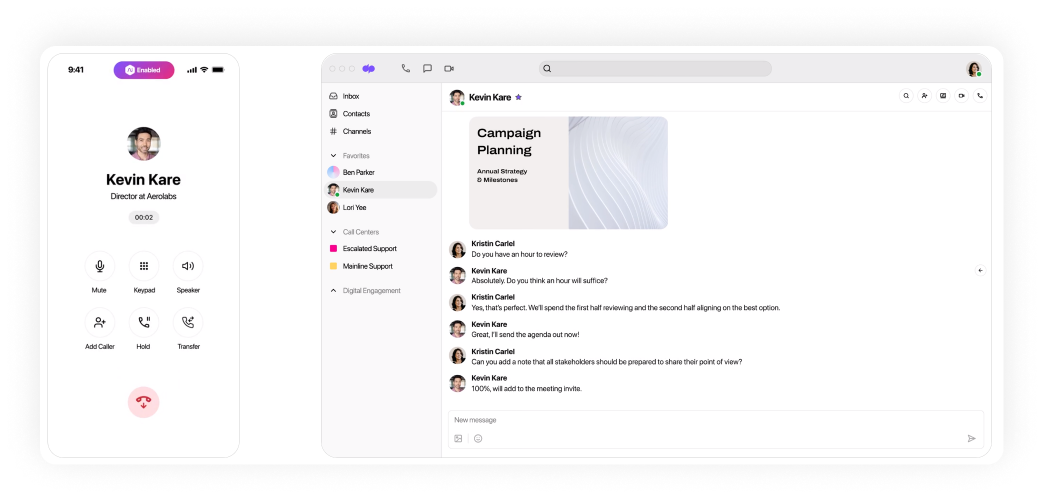
Dialpad
Dialpad focuses on call management and workflow automation, AI, and user productivity. It offers AI-powered transcriptions, call summaries, smart routing, and real-time coaching, which help teams work more efficiently. It also offers unlimited calling, SMS/MMS, and call recording and monitoring. These tools are all available from desktop computers and mobile devices. Many of these features are included in lower-tier plans.
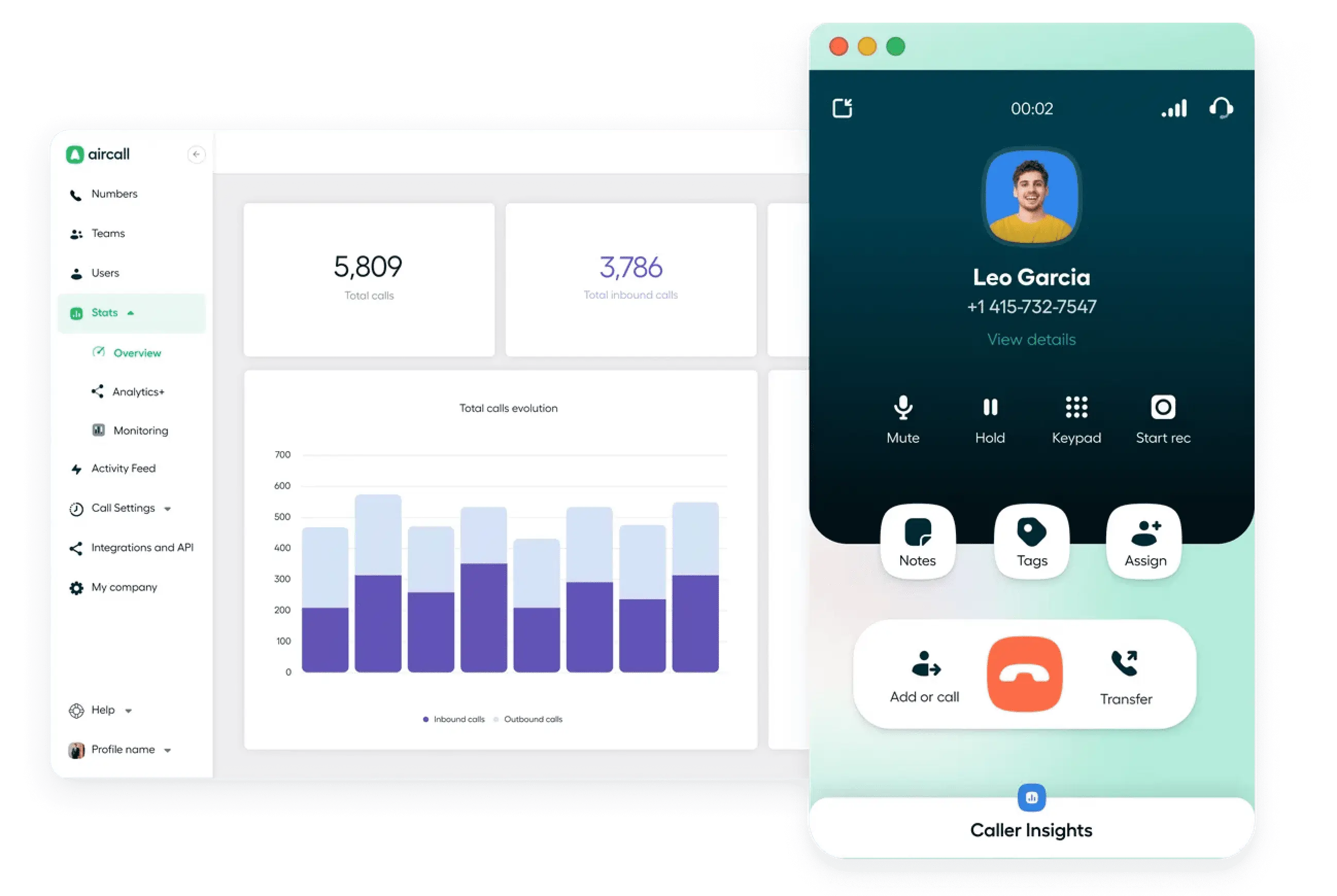
Aircall
Aircall excels in collaboration and CRM integrations, with a shared call inbox, simple ring group setup, call queues, and built-in CRM synchronization. It supports live call monitoring, voicemail transcription, basic analytics, and SMS, though some messaging features may require third-party tools. Unlike Dialpad, Aircall’s advanced reporting is only available on premium plans, which limits access for smaller teams.
Winner: Dialpad. It has AI capabilities included in its base plans, while Aircall offers them only as a paid add-on. The overall value Dialpad provides on its entry-level plans is also higher.
Pricing & plans: Does Dialpad or Aircall best match your financial goals?
Let’s look at the pricing structure from entry-level to enterprise:
| Dialpad | Aircall | |
|---|---|---|
| Lower-tier plans | $27 per user/month | $40 per user/month |
| Mid-tier plans | $35 per user/month | $70 per user/month |
| Highest-tier plans | Custom | Custom |
| Trial | Available | Available |
Dialpad’s pricing starts at $27 per user/month and includes unlimited calling in the US and Canada, voicemail transcription, AI-powered call summaries, and integrations with Google Workspace. Its mid-tier plan adds CRM integrations, open APIs, and telephone support.
Aircall starts at $40 per user/month and is designed more with sales and support teams in mind. Even at the entry level, Aircall includes extensions, flexible call distribution rules, and some CRM integrations, but key features like advanced analytics, call monitoring, and Salesforce integration are reserved for higher-tier plans.
Winner: Compared to Aircall, Dialpad offers a lower entry price and generous features right from the start.
Security, service reliability, and compliance: Which service provider is safer?
When it comes to protecting customer data, both follow high industry standards.
Dialpad
Dialpad offers strong protection through end-to-end encryption, AI-powered fraud detection, and single sign-on. It meets SOC 2 Type II standards and complies with GDPR, which makes it suitable for businesses with demanding security requirements. Dialpad also emphasizes secure voice and messaging across devices.
Aircall
Aircall places a strong focus on enterprise-grade security, supporting GDPR, HIPAA, SOC 2, and STIR/SHAKEN standards. It uses TLS 1.2 and AES-256 encryption, and offers advanced features like call scrambling via TLS/SRTP, caller ID protection, and SAML authentication. AI tools include data anonymization for extra privacy.
Winner: Aircall, compared to Dialpad, offers broader compliance coverage and more advanced security features.
Integrations: Which platform supports more app connections?
There are clear differences between these platforms when it comes to integrations.
Dialpad
Dialpad supports integrations like Salesforce, Microsoft 365, Zendesk, and Zapier. It also features an open API and webhooks. However, the lower-tier plan only includes the Google Workspace integration, while the others are gated behind higher tiers.
Aircall
Aircall offers 100+ integrations with CRM and customer support tools (HubSpot, Salesforce, Zendesk, and Pipedrive). It also provides a user-friendly app marketplace and open API, with CTI support and a shared call inbox for collaborative teams.
Winner: Aircall takes the lead in this category with a broader range of integrations. The majority of them are even included in the entry-level plan.
Customer support and satisfaction: Which company cares the most?
Now, we’ll compare how each company supports its users, what real customers are saying, and which call center platform comes out ahead.
Dialpad
Dialpad has a 4.4 out of 5 rating on G2, based on thousands of reviews. The company offers support through email, live chat, and help center resources, with 24/7 availability and expanded options on higher-tier plans. The platform is available in English, with some resources also translated into other languages.
Users on G2 consistently praise Dialpad’s AI-powered features, smooth integrations, and user-friendly design. However, some mention a learning curve for advanced tools and occasional call quality issues as drawbacks.
“Dialpad Connect”
Feature rich VoIP solution for our business. It is very easy to manage online and can access phone and messaging features from anywhere – desk phone, cell phone, laptop. Been using Dialpad for a few years now for both VoIP and conference call solutions.Started nickel and diming for text messages. Constantly getting charged a minimum of $1.50 a month even in months we don’t use messaging. Other services do not charge for this.
Read the full review
Aircall
Aircall holds a 4.3 out of 5 rating on G2. It provides multi-channel support, including phone, email, and live chat, with priority assistance for users on premium plans. Help is available in several languages.
G2 reviewers highlight easy integrations and strong platform reliability as major advantages. On the downside, pricing concerns and inconsistent support quality are common complaints.
The integration with Monday.com could be improved. It took some time and back-and-forth with support to determine why our calls weren’t syncing properly—turns out we needed to have the ‘+1’ included in front of the phone numbers, which wasn’t clearly documented.
Additionally, I wish calls logged through Aircall appeared directly in the ‘Emails & Activities’ section of Monday. Right now, we have to maintain a separate section just for the few agents using Aircall, which creates extra work and limits visibility.
Read the full review
Winner: Both Aircall and Dialpad have room for improvement in terms of support consistency, but both platforms serve their users well, depending on team needs.
Does Aircall or Dialpad check all the boxes?
So, what does Dialpad vs Aircall come to? After looking at their features, pricing, and strengths, it’s clear that both platforms are solid but not perfect.
Dialpad works best for
Teams that value AI, flexibility, and tech integrations.
Dialpad is suitable for remote or hybrid teams, tech startups, or service businesses that benefit from AI call summaries, voice intelligence, and Google/Microsoft integrations. Unlike Aircall, it also offers more value at lower-tier pricing, which makes it great for scaling.
Aircall works best for
Sales and support teams with CRM-heavy workflows.
Aircall is better suited for mid-sized and growing teams that manage a high call volume and rely on CRMs like Salesforce or HubSpot. Compared to Dialpad, it offers a more call-center-focused experience with features like queue management, skill-based routing, and in-depth analytics.
Not convinced? Meet MightyCall!
If looking at Aircall vs Dialpad showed you that neither feels like quite the right match, it may be time to consider MightyCall—a modern, affordable, and feature-rich cloud call center built for teams that want simplicity without sacrificing power.
MightyCall Cloud Call Center Software
Let’s take a closer look at what sets MightyCall apart.
Dialers that match your workflow
MightyCall offers three auto-dialer types for automation outbound calling:
- The Preview Dialer allows agents to review call details before connecting, ensuring well-prepared conversations.
- The Power Dialer accelerates campaigns by dialing sequentially and automatically connecting agents to live calls, reducing idle time.
- The 10-line-per-agent Predictive Dialer uses algorithms to predict agent availability and call answer rates, maximizing efficiency and throughput.
MightyCall also has a built-in AI answering Machine Detection, ensuring that call center agents only connect with live recipients and reducing wasted time on voicemails.
Clear roles for a more organized team
With customizable user roles and permissions, you can manage access based on each team member’s responsibilities. It helps keep everything organized and secure as your team grows.
High availability and reliability built in
MightyCall takes uptime seriously and uses a High-Availability Seamless Redundancy system to keep your communication running.
MightyCall uses multiple dedicated physical servers operating in active-active mode to ensure real-time synchronization—eliminating downtime even during peak call volumes.
Real support from real people
If something does come up, MightyCall offers 24/7 customer support from real humans. From quick fixes to more complex issues, help is always available when you need it.

George A.
Small-Business (50 or fewer emp.)

MightyCall is helping us solve several communication challenges that come with running a business. Before, managing calls across team members was disorganized and time-consuming. Now, with MightyCall, we have a centralized, professional phone system that ensures no call gets missed and everything is routed efficiently.
Features like call forwarding, voicemail-to-email, and team call distribution have really improved our responsiveness and internal coordination. It's also helped us present a more professional image to our clients with custom greetings and call flows.
Overall, it's made our communication more reliable, more organized, and much easier to manage, which saves us time and improves customer experience.
Features like call forwarding, voicemail-to-email, and team call distribution have really improved our responsiveness and internal coordination. It's also helped us present a more professional image to our clients with custom greetings and call flows.
Overall, it's made our communication more reliable, more organized, and much easier to manage, which saves us time and improves customer experience.
Flexible, transparent pricing
Unlike some platforms that reserve key features for higher-tier plans, MightyCall offers fully featured packages at prices small businesses and growing teams can actually afford. You’ll find a plan that fits both your needs and your budget:
- Core ($25/user/month) – Includes unlimited calling and messaging, three business numbers, advanced telephony features, and integration support.
- Pro ($45/user/month) – Builds on Core with tools for supervisors, including live call monitoring, analytics, and reporting.
- Power ($65/user/month) – Adds outbound-focused tools like preview and progressive dialers, answering machine detection, and a dedicated account manager.
- Enterprise (custom) – Adds predictive dialer and high-volume discounts.
See MightyCall
in action
–
schedule your personalized demo with our amazing team
schedule your personalized demo with our amazing team
Loved by teams across industries
MightyCall is a trusted partner for thousands of businesses. Customers love the platform for its ease of use, helpful support, and reliable performance, which is reflected in its top ratings on G2 and other review sites.

Play video
4x Call Volume and 10x Cheaper
“With the use of MightyCall, from the dialer they helped me create to the minutes they’ve been able to give me, I’ve been able to get my bill down to around $2,800 a month. From $32,000 to $2,800 dollars a month.”
Jason Elsen, owner of Black Creek Management
Prev
Next
01
01

Prev
Next
01
01
Reliable service to keep your
customers happy
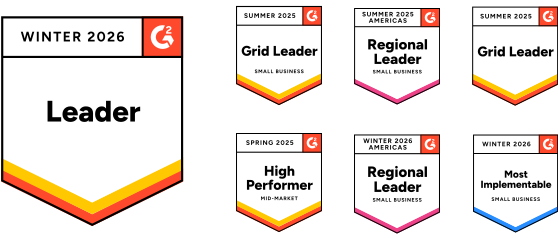
MightyCall is continuously recognized as a G2 Leader at 4.5 stars due to its reliable & intuitive nature, exceptional customer support, and ease of setup
MightyCall user ratings:


Integrate our virtual phone system
with your favorite apps








Got questions?
Our customer care team is standing
by and ready to help you!
by and ready to help you!







FAQ
What are the limitations of Aircall and Dialpad free trials?
Dialpad offers a 14-day free trial for its Standard and Pro plans, but you’ll need to enter a credit card to access all the features. Aircall has more restrictions: calls are limited to 7 minutes, only one active call at a time is allowed, and SMS is capped at 100 outbound segments.
How do Aircall and Dialpad compare in terms of user training and adoption?
Dialpad offers onboarding resources like tutorials, webinars, and a searchable help center. In comparison, Aircall provides more structured onboarding for larger teams, especially those on higher-tier plans. It includes guided setup and training sessions.
Which AI features are included in Aircall and Dialpad?
Dialpad includes real-time transcription, voicemail transcription, and live analytics in its base plans. Aircall offers similar AI features (call summaries, sentiment analysis, and call scoring) but only through a paid add-on called AI Assist.
Built for high-volume calling,


MightyCall lets you run business communications your way: