

Just as today’s PCs resemble clumsy, heavy machines, so do landlines stand in contrast to virtual phone numbers. Light, fast, and mobile, online calling technologies have become the most reliable and secure option for entrepreneurs. Among them, Google Voice remains one of the most popular calling solutions for business.
Part of the mega-giant corporation’s online services platform, it instills trust because of the almighty Google brand. But is Google Voice for Business really an entrepreneur-centered product? Is it really free, and is it a competitive and secure option for small businesses?
Below, we’ll explore the features, pricing, and value the system offers users, along with its limitations and alternatives.
What is Google Voice?
In 2009, Google entered the Voice over Internet Protocol (VoIP) market with a VoIP phone solution that uses an internet connection or Wi-Fi to make and receive calls directly from a cellphone.
As a handy way to get a second phone line, Google Voice initially turned many heads in the small-business world. Eventually, the company developed a subscription-based phone system for business. Voice is now part of Google Workspace, the corporation’s metaverse of cloud tools.
How does Google Voice work?
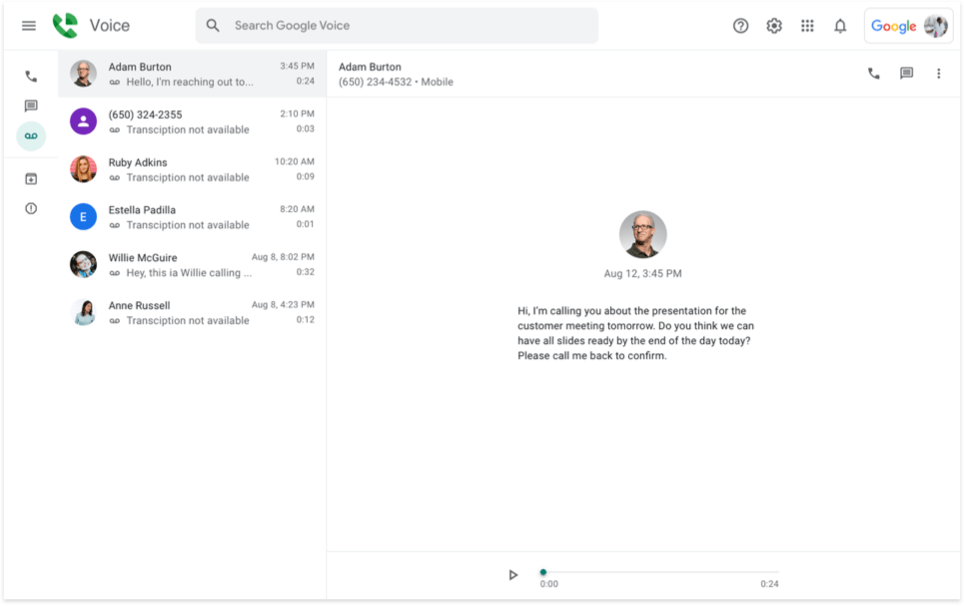
The Google business phone service is available on any mobile device with an internet or Wi-Fi connection. Just like with any VoIP provider, you get a separate phone number that’s attached to your main mobile number. But instead of using a landline or buying another SIM card, the technology uses the internet to make and receive calls. Additionally, you have the option to manage calls over Wi-Fi or mobile data.
The benefits of Google phone service for business are primarily the flexibility to make and receive calls on any mobile device, lower costs compared to landlines or a separate SIM card, and the small-business call features it provides. Teaming these up with Workspace provides more options for managing professional communications, such as sync with Calendar and Meet.
However, note that Voice isn’t included in a standard Workspace subscription. It comes as an add-on at a separate price.
Google Voice plans & pricing for business users
Google Voice for Business pricing varies based on the provided features. Regardless of the plan chosen, keep in mind that the service is provided as a Google Voice add-on for Google Workspace. In other words, you can’t just buy a subscription to Voice without a Workspace subscription.
The service has 3 plans:
- Starter ($10/mo),
- Standard ($20/mo)
- Premier ($30/mo).
Workspace has 4 plans:
- Business Starter ($7/user/mo)
- Business Standard ($14/user/mo)
- Business Plus ($22/user/mo)
- Enterprise (custom).
This means that a minimal subscription package to Google Voice for Business for just one user starts at $10/month.
| Feature | Starter plan | Standard plan | Premier plan |
|---|---|---|---|
| Number of users | Up to 10 | Unlimited | Unlimited |
| Domestic locations | Up to 10 | Unlimited | Unlimited |
| International locations | No | No | Unlimited |
| Call forwarding | Yes | Yes | Yes |
| Auto-attendant | No | Yes | Yes |
| Ring groups | No | Yes | Yes |
| Deskphone compatibility | No | Yes | Yes |
| Export voice activity to BigQuery (analytics) | No | No | Yes |
Google Voice for Business: features
Features of the Google Business phone system include standard VoIP phone system functionality:
- Auto-attendant: When a caller dials the number, they reach a voice menu that prompts them to press specific digits to retrieve information or reach a specific employee or department.
- Ring groups: This feature connects employees to a single number for better call management. The call rings to a succession of employees until someone picks up. This option is available only in the beta program.
- Call transfer: Users can connect multiple devices to their number. This way, if you miss a call on one device, you can always take it on another. You’ll also know that it’s your professional number calling since all connected devices ring at the same time.
- Integrations: Google Voice Business only connects with native apps like Calendar and Meet. For example, if you’re out of the office or on vacation, you can sync your calendar and phone so that all calls go to voicemail during those dates.
- Voicemail transcription: Google Voice transcribes your voicemails to text and sends them to your email. This standard telephony feature comes in handy when you have a lot of voicemails coming in and prefer to quickly read through them instead of listening to each message.
- Texting: Users can send SMS from their company number through the native Google app. This is useful for short professional communications, such as appointment notifications and promotions.
- Conferencing calls: Invite several people into an audio or video call. Useful for holding team meetings, client interviews, or stakeholder meetings.
- Spam identification: Screens caller ID and redirects suspicious calls to the spam folder.
 MightyCall solution
MightyCall is a business phone system that builds on the standard features offered by services like Google Voice and offers many more ways to distribute calling tasks for teams of any size. In addition to regular VoIP provider features, you also receive unique professional features with MightyCall:
- Several business phone numbers: For one subscription price, you can get multiple numbers. This is useful when your company needs both a toll-free and a local number for a single price.
- Team communication platform: Connect your whole team to the company number(s). Our comprehensive dashboard includes call history, call recordings, voicemail-to-text, analytics, and more.
- Free number porting: If you already have a number you want to keep, Google charges $20 to port it. MightyCall does this for free.
- Call analytics: Monitor customer behavior patterns, improve call agent service, and grow your company.
- Customer support: Live support staff that is ready to solve any problem doesn’t compare to a self-help forum.


Google Voice pros and cons for business needs
Google Voice for Business offers a standard set of features that make it an accessible small-business phone system. However, the service also lacks calling functionality for growing companies. To understand whether the service is right for your hustle, let’s sum up the pros and cons.
| Pros | Cons |
|---|---|
| Simplicity – Easy to connect an extra phone line if you already have a Workplace account | Limited functionality – Key features of business telephone services, such as toll-free numbers, vanity numbers, extensions, and visual call flows, are lacking. |
| Good for a starter hustle – SMBs with 2 or fewer employees can start out with the basic functions provided by the service | Few upgrades – Compared to constantly developing business phone services, the product isn’t upgraded as often to adapt to the growing market |
| Multi-device use – The web version and mobile app are available on all internet-powered devices. | Integrates only with Workplace apps – The lack of other integrations is a con for companies that need to integrate their contact base with customer relationship management platforms and other sales/team tools. |
| Good fit for remote workers and freelancers – Calls can be placed from any location with internet or Wi-Fi through the app | No analytics – Doesn’t provide advanced analytics, except for the option for its premier users to export voice data to BigQuery |
| Fitting for teams with little tech knowledge – Using the system is as simple as using WhatsApp or Skype, so anyone who knows how to use a smartphone can use it. | Limited support – The mobile app is simple to use, but so are most competitors’ mobile apps. Administrators will still need to set up the system online, including tasks such as routing, answering rules, and call flows. If you need help with that, the online Help Forum will be your only point of reference. |
| Part of the Workspace ecosystem – Convenient for users already subscribed to Workspace | Hidden fees – Since the service is an add-on, you’ll need a Workspace subscription on top of the VoIP call subscription. |
Google phone system: Limitations
In addition to the capabilities mentioned above, the service has certain limitations. Evaluate the following if your small business is actively growing, if you provide national online services such as e-commerce, or use external management tools like CRM platforms.
- Available in select countries: Google’s phone service is available in the following countries: United States, Belgium, Canada, Denmark, France, Germany, Ireland, Italy, Netherlands, Portugal, Spain, Sweden, Switzerland, United Kingdom
- Number porting limits: If you ever want to switch providers but keep your number, the address in the port request must match the primary location you entered in the Admin console.
- No toll-free and vanity numbers: No toll-free calling that allows callers to reach a company without extra fees, or vanity numbers that make a company’s number memorable.
- No external integrations: The Google phone system for business only integrates with other Workspace apps like Meet and Calendar, but doesn’t provide the integrations of a professional telephone system.
- No extensions and call flows: Lacks call flows and extensions, which are useful if your company involves more than two people.
- Minimum user support: If you have trouble with the product, the company’s online help forum is the only resource available. Aside from googling, of course.
- Insecure Caller ID: Calls and texts sent from your phone touchpad will use your personal ID. Only calls from the Voice app will show up as your Google Voice number.
- Lack of analytics: Call analytics provide insights into caller behavior, user patterns, and agent service. This tool, which is essential for growing companies, isn’t provided.
- Privacy flaws: Stores all your confidential communication information on the corporation’s servers, side by side with the rest of the info gathered about you by the corporate giant.
- Automation restrictions: The only automation provided is the standard auto attendant. Additionally, there is no multi-level IVR and no automation tools such as web calling widgets or click-to-call buttons.
MightyCall solution
MightyCall is an SMB-focused phone system that helps maintain a professional company image with regularly updated features. Here are just a few GVoice limitations you can solve with MightyCall:
- International numbers: Expand your entrepreneurial vision with global local numbers in a growing list of countries.
- Extensions and call flows: Allow teams to stay together under a single number, with multiple extensions.
- Inbound and Outbound Caller ID: With a service called CNAM, you have the option to display your company name as the outbound caller ID.
- CRM integrations: A constantly growing number of integrations, such as MightyCall for HubSpot, and many more integration options via Zapier.
- Privacy and security: Infrastructure is distributed across different data centers. All connections are secured with SSL certificates and 256-bit encryption.
MightyCall features are designed for organizations of all sizes. Check our 3 versatile pricing plans to get started with a new professional number or port your existing number for free. Our live support team will answer any questions you have.
Switch from Google Voice to MightyCall
The great thing about a professional VoIP platform like MightyCall is that, however much your company expands, you’ll never grow out of its features. If you already have a number with another VoIP service and want to switch, MightyCall offers free number porting. This allows you to keep your existing number that clients know, but gain all the advantages of a more competitive business phone.
How to port your number to MightyCall:
- Submit your porting request: Provide the authorized person’s name as stated in the account with the carrier you’re switching from, your email under the MightyCall account, and the LOA – Letter of Authorization.
- Wait for the port to go through: We contact your current provider as soon as we receive your filled-out porting form. MightyCall receives a date from your current provider for when they will allow your number to be ported. This usually takes around a week, but it may take up to 15 days depending on your provider.
- Start using MightyCall: Voila! Everything’s ready for you to use your existing number with all the extra features of MightyCall.
Google Voice for Business: Use cases
Just like with any tech solution, the perks of choosing one service or another depend on your use case. Let’s explore what type of companies will benefit from Google Voice and for whom it’s better to find another alternative. And when you’re done, be sure to check out this real customer use case.
When the Google Business phone service is a good choice
If you match at least two of these points, using Google Voice for Business looks like a good fit:
- Freelancers and solopreneurs: If you’re riding solo or have a few private clients and are in need of a second phone line to avoid mingling these calls with personal ones.
- Remote workers and frequent travelers: Just like other
- Local businesses: The service provides only numbers with local area codes, which makes it unacceptable for national companies.
- Active Workspace subscribers: If you’re already using the platform and have an active subscription, integrating your phone system will require only a small additional fee compared to new Workspace users.
- “Lite” phone users: If your SMB doesn’t plan to manage a lot of calls through the service, the company can provide a useful extra phone line
- Very small businesses with no CRM management: Since Google Phone Service for Business doesn’t integrate with CRM platforms, it’s best for entrepreneurs who keep it small and don’t use external contact management tools.
When is it better to consider other solutions than Google phone service for your business?
- Teams of 2+ people or 2+ departments: Teams need a comprehensive dashboard, extensions, analytics, call flows, and other telephone features that the company doesn’t provide
- National businesses: Since no toll-free numbers are provided, a national company with only a local phone number will miss out on many clients
- Entrepreneurs exploring growth potential: The Google phone system doesn’t offer call insights and professional features with integrations. This doesn’t make it a good fit for growing companies in need of communications analytics.
- Companies using several different platforms: If you’re using different tools outside of Workspace, you’ll be happier with an alternative that integrates with CRM platforms and other apps
- “Trial” users: If you just plan to “try out” Google Voice in your company and switch to another provider if you don’t like it later, you may need to leave your existing number, since the service often has trouble with number porting.
How to set up Google Phone service for your business
If a Google Voice number sounds like the optimal solution to your communication needs, here’s how to use a new business number with the service or port your existing number over.
- Buy a Workspace subscription. If you already have a subscription, skip this step. Otherwise, buy a Workspace account. Voice is only available as an add-on for Workspace subscribers (from $7 to $18 per user/mo).
- Go to Google Voice and click “Get started”. You’ll need to log in to Workspace at this point, and then you’ll be prompted to “Add or upgrade a subscription”.
- Choose a Google Voice plan (from $10 to $30).
- Set up your locations.
- Assign licenses to team members.
- At this point, you can choose local numbers for yourself and your team (national numbers and extensions aren’t available).
- If you prefer to port the number you’re currently using for professional purposes, the company charges a $20 porting fee.
- Set up features such as voicemail, auto-attendant, and ring groups (if available on your plan).
You’re ready to go!
Other solutions, like Google Voice for business
If you’re still hesitant about whether Google Voice is a good fit for your team or you prefer to keep your data away from the internet giant, there are a lot of small business VoIP services that provide the same calling functionality and simplicity, but are more customer-centric and protect your privacy better. As smart people say, “different strokes for different folks” – so scroll down for business phone number solutions that can make more sense for your particular needs.
MightyCall
MightyCall is leading the way in VoIP technology by combining high-quality calls, security, rapid customer service, and a litany of features. They are a solid choice for many companies. A solopreneur flower shop or a small pizza chain restaurant would both find a home with MightyCall.
Pros & cons:
| Pros | Cons |
|---|---|
| Dozens of useful and critical features | The lowest price plan has 1000 minutes and 1000 texts |
| Multiple price tiers available | |
| All plans have a 7-day-trial |
Price per month:
- Core: from $25
- Pro: from $45
- Power: from $65
- Enterprise: Custom
Best for: Small- and mid-sized businesses
G2 rating: 4.4/5
RingCentral
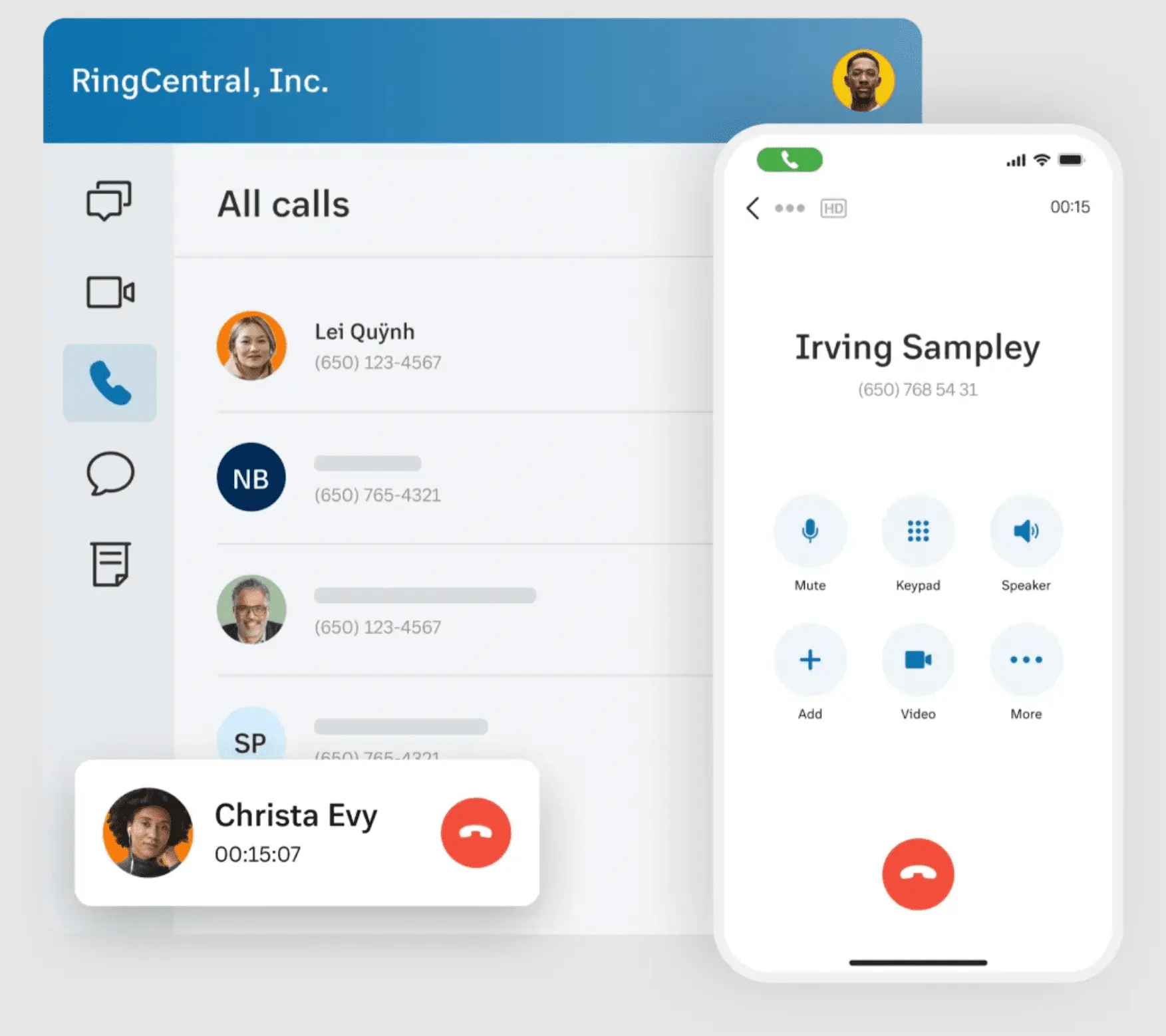
As a cloud-based VoIP provider, RingCentral has 20 years of experience. They have recently focused particularly on video communications and conferencing. This would be a solid choice for a company that helps universities to organize travel abroad groups. Video in a case like this is key, but you’re probably spread out, which is where the internet phone number comes in.
Pros & cons:
| Pros | Cons |
|---|---|
| Texting can be used at the lowest price point | Linux is not supported |
| Video calling is available from the highest price points | Users have reported that assigned tasks are getting lost |
| Built around having a team, the lowest tier offers up to 20 users |
Price (all per month annually):
- Core: $20
- Advanced: $25
- Ultra: $35
- Customer Engagement Bundle: Custom
Best for: Team-based work from home offices
G2 rating: 4/5
Ooma
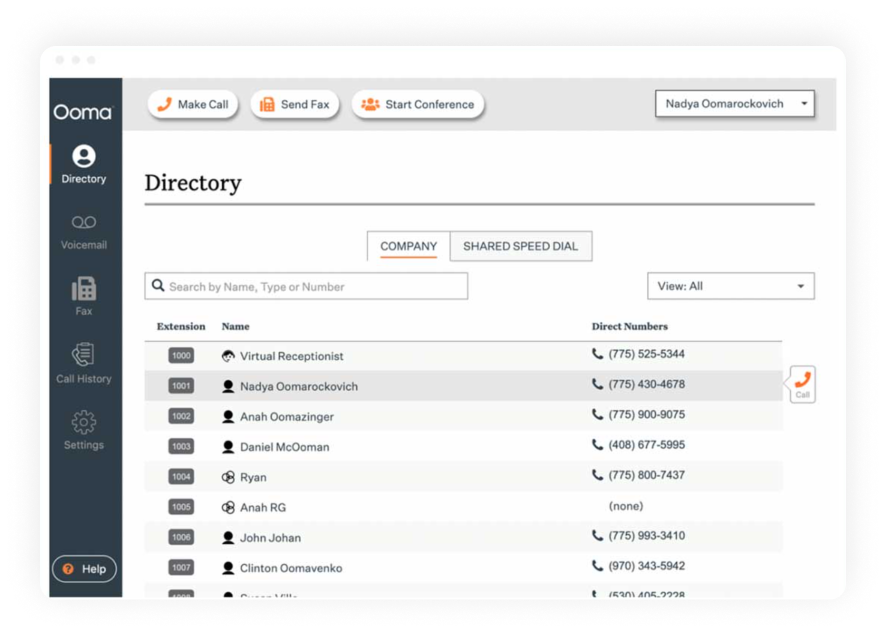
Ooma is available for both SMBs and residential settings and offers a range of plans and settings. They’d fit the profile for both a family of four living in a typical suburban house and a business spread out throughout a small town.
Pros & cons:
| Pros | Cons |
|---|---|
| They offer a lot of different options for folks in different financial positions | By offering a lot, they specialize in a little |
| Offer internet service | Fees complicate pricing |
Price (All Ooma Office and month/per user):
- Ooma Office Essentials: $19.95
- Ooma Office Pro: $24.95
- Ooma Office Pro Plus: $29.95
Best for: People who work from home
G2 rating: 4.6/5
Google Voice – Good Starter VoIP for Solopreneurs
As part of the internet giant’s wider ecosystem, Google Voice has both pros and cons. All things said, Google Voice for small business is convenient, light software that’s a good fit for freelancers and solopreneurs. For teams and growing businesses, since porting a number to/from Voice is costly and not always available, these small businesses may want to choose a more scalable solution without the added subscription costs.
If your hustle is on the growing side of small, be sure to explore and compare the leading VoIP solutions before committing to a subscription. You can also get a 7-day trial of MightyCall’s cost-effective business phone solution with powerful CRM integrations and dozens of features developed for growing companies. All starting at lower than the Google Workspace bundle – $25 per user/mo.