

Exciting news before 2026 rolls in. MightyCall is introducing Voicemail Drop for both manual and auto-dialed outbound calls. Let us quickly walk you through what this means for call center teams and address the most common questions about the feature.
Why did we build it?
Ever since we introduced the MightyCall auto dialer with its three modes — preview, progressive, and predictive — our priority has been optimizing outbound outreach for our customers.
This time we are focusing on another important part of outreach: handling voicemail. The Voicemail Drop feature is designed to make leaving voicemails easier and faster, which is exactly what call center teams need when working through large outbound lists. Let’s look at the details.
What is Voicemail Drop and how does it work?
Voicemail Drop allows agents to send a pre-recorded message with a single click instead of repeating the same voicemail every time.
Here is how it works:
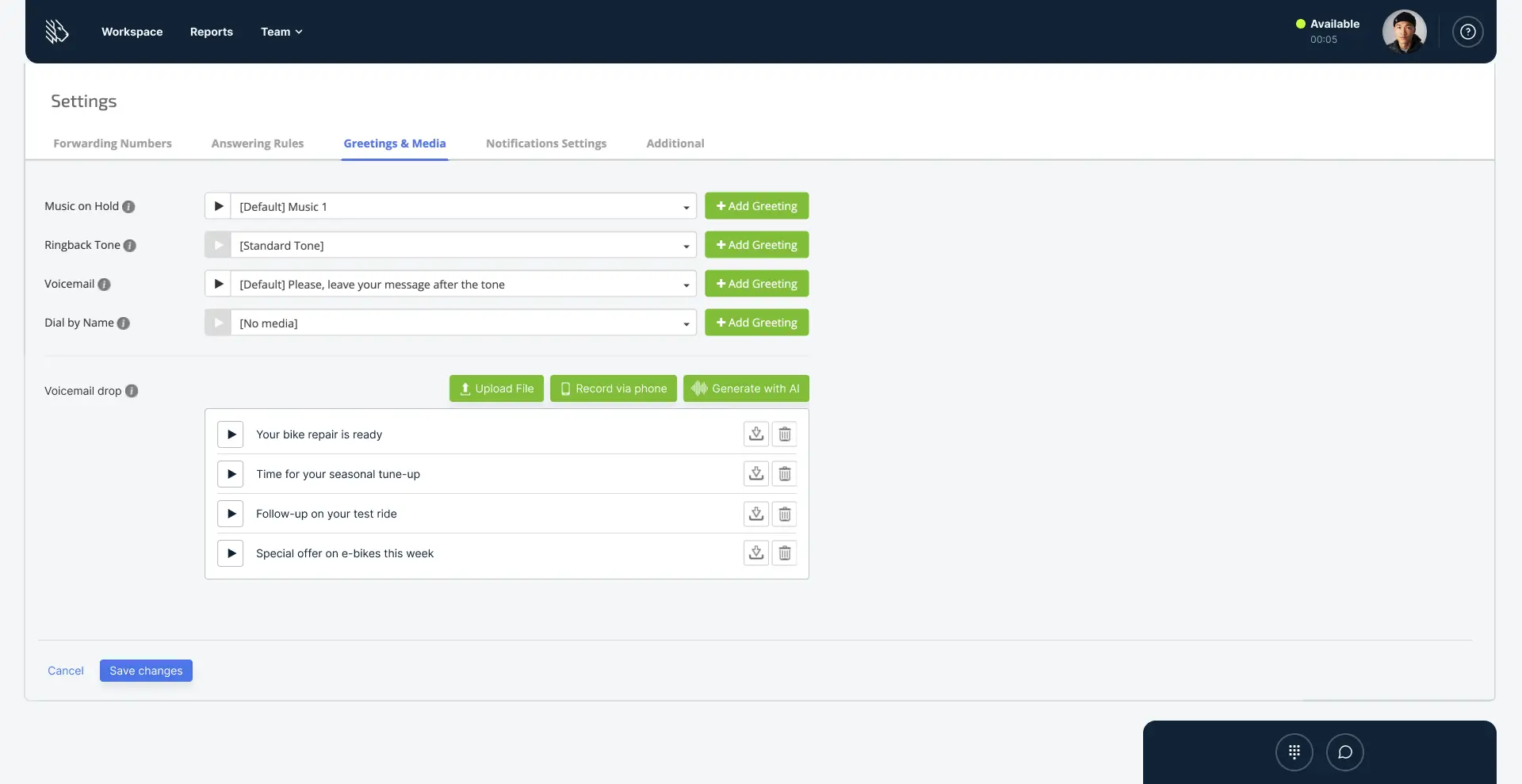
- Agents create their own library of pre-recorded voicemail messages. It is a good idea to think about all common scenarios in advance and prepare the right recording for each one.
- Agents start a call or receive a call request as part of an outbound call campaign.
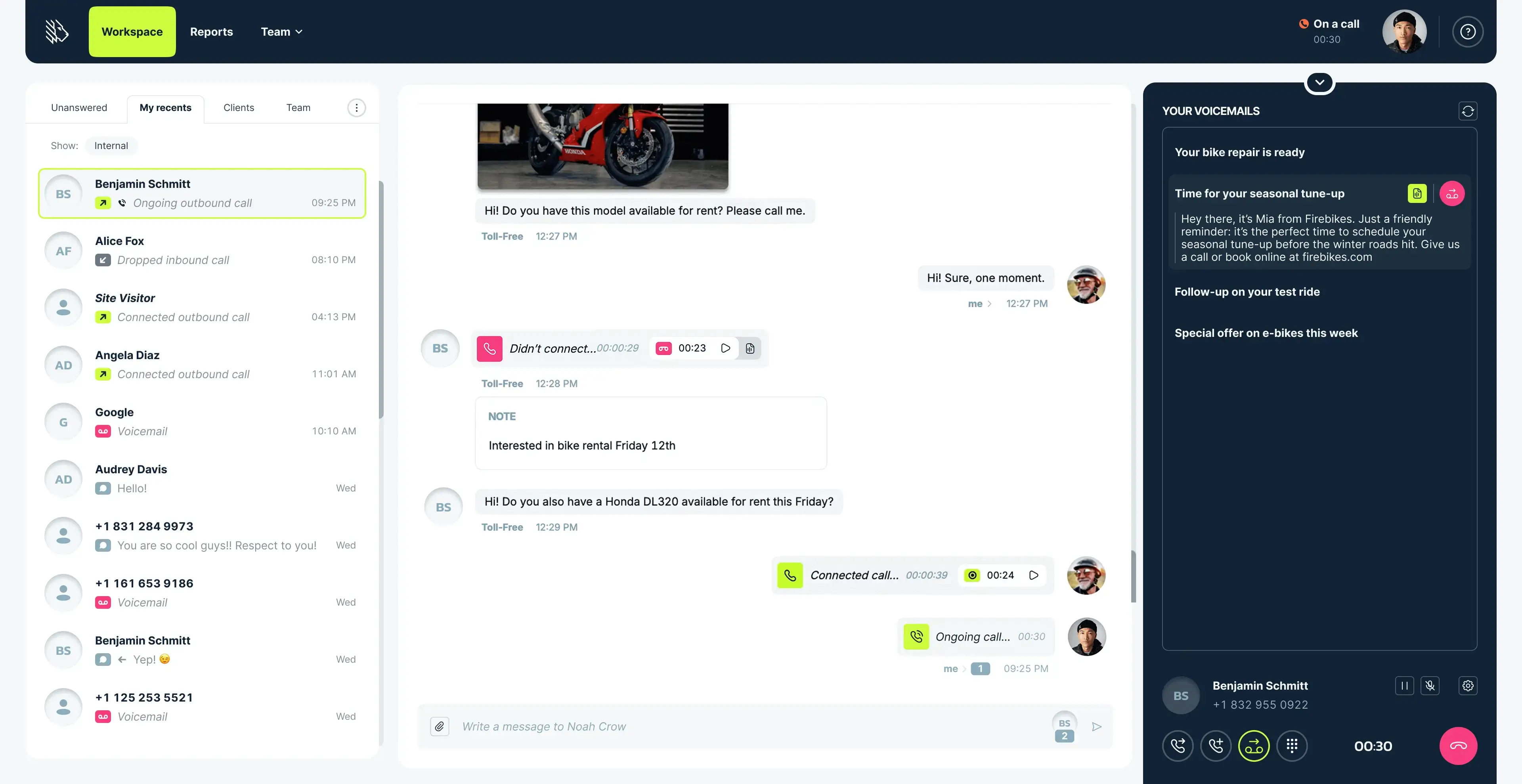
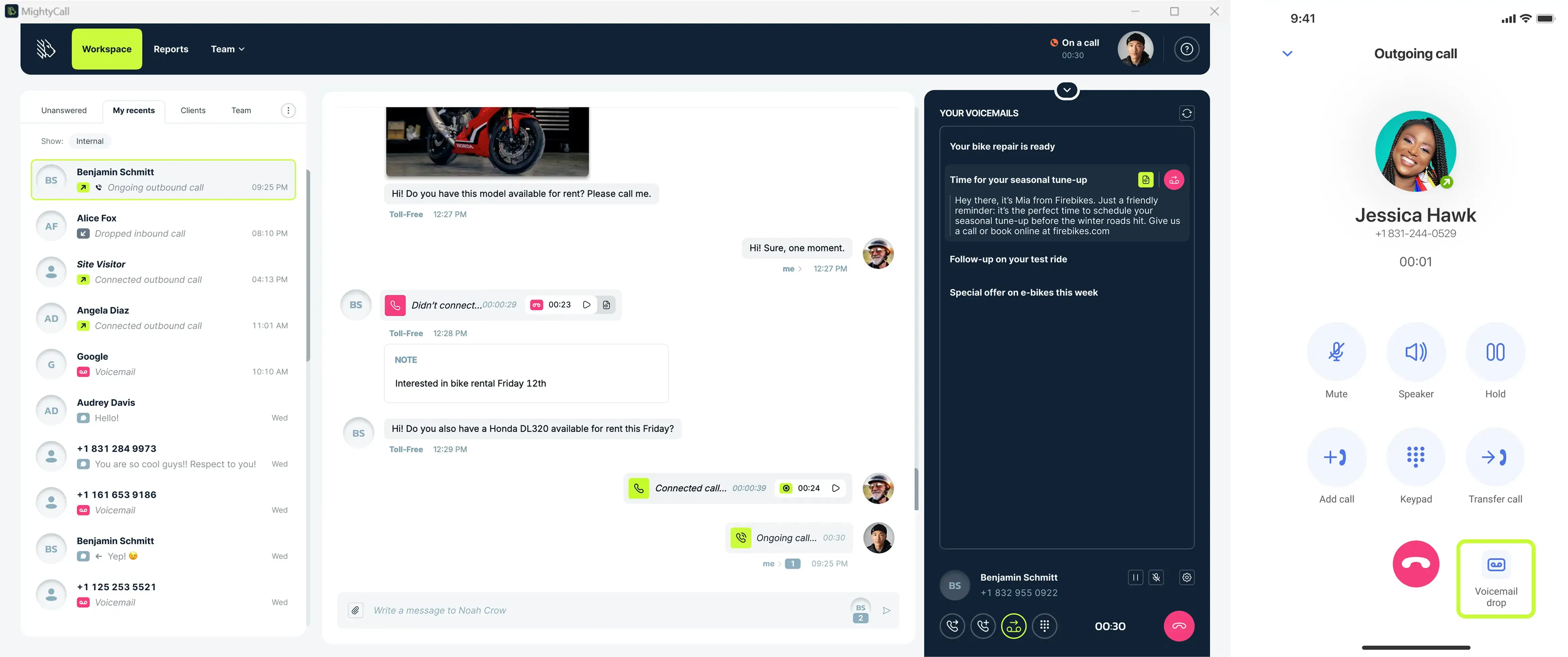
- If the call reaches voicemail (which can happen when Answering Machine Detection is disabled), the agent can click the Voicemail Drop button in the webphone.
- The agent selects the message from the voicemail library that fits the situation.
- The message is dropped automatically with a single click.
The agent does not need to stay on the line while the voicemail plays. They can move on to their post-call tasks or the next call immediately after dropping the message.
How to track Voicemail Drop in your reports
You can find all Voicemail Drop activity directly in communication history or the Call Log. Each dropped message appears under system dispositions as “Voicemail drop,” including which specific recording was used for each call. And when you’re ready to download your data, simply export the report as a CSV file in one click.
Where is it available?
Voicemail Drop is available on all devices supported by MightyCall: the web app, the mobile app, and the desktop app.
No matter which device an agent uses, the Voicemail Drop feature and their voicemail library will always be accessible and ready to use.
Why use it
Unless you prefer to ignore voicemail in your outreach or want your agents to spend valuable time on repetitive tasks, here is why your team should use Voicemail Drop:
- Maintain consistent messaging across all voicemails
- Avoid the risk of forgetting important details during a live recording
- Reduce downtime by automating a repetitive part of outbound outreach
- Use it at no extra cost since it is included in all MightyCall plans except Core
Who will benefit most from using Voicemail Drop?
Any outbound call center team that includeS voicemail in their outreach strategy, including
- Sales teams that regularly follow up with leads
- Support teams that leave status updates or appointment reminders
- Call centers running large outbound campaigns for multiple clients
- Collections teams that need to deliver clear and consistent messages
- Any team that wants to reduce manual work and increase the number of callbacks.
Is MightyCall’s Voicemail Drop legal?
As part of the launch preparation, we published an article that explains the legal considerations of using Voicemail Drop in detail. To make sure your use of this feature is 100% compliant, please read this article before implementing it in your outreach.
How to start using it?
Head to your account settings → Greetings & Media, and start creating recordings for your Voicemail Drop library. These recordings will later appear in the webphone during your outbound calls, ready to be used when you need them. You’ll also be able to generate voicemail messages with AI, just send the script and instantly get a recorded message.
Shaping the future of outbound calling
Voicemail Drop is another step toward making MightyCall the ultimate outbound call center software for SMB teams. We are committed to helping small and mid-sized businesses save time, simplify their workflow, and create better customer experiences at scale. More powerful improvements are coming soon, and we cannot wait to show you what is next.